> ## Documentation Index
> Fetch the complete documentation index at: https://formhug.ai/docs/llms.txt
> Use this file to discover all available pages before exploring further.
# Collaborators
> Invite team members to help manage your form and its submissions
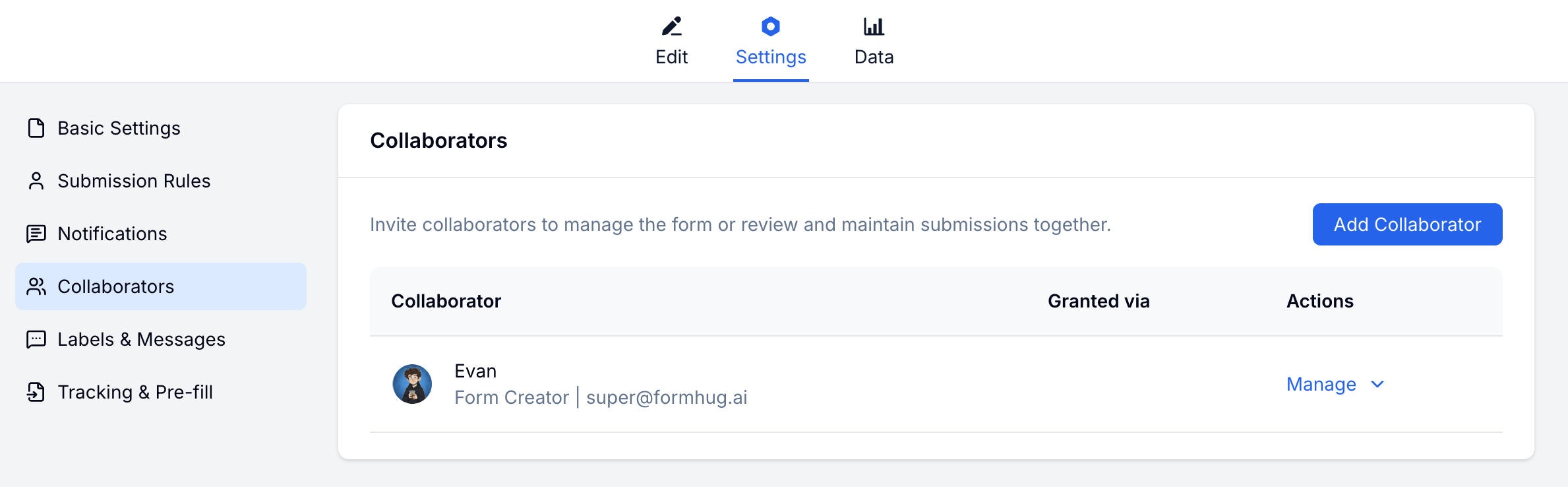
Collaborators let you invite others to work on your form. Each collaborator gets a role that controls what they can view and edit — without sharing your account credentials.
 For team and business plan context, compare options on FormHug pricing.
## Roles & Permissions
| Role | What they can do |
| ------------------- | ----------------------------------------------------- |
| **Form Admin** | Full control: edit form, change settings, manage data |
| **Data Maintainer** | View and edit submissions, export data |
| **Data Viewer** | View-only access to submissions |
### Permission Details
| Action | Admin | Maintainer | Viewer |
| ------------------ | ----- | ---------- | ------ |
| Edit form | ✓ | ✗ | ✗ |
| Change settings | ✓ | ✗ | ✗ |
| View submissions | ✓ | ✓ | ✓ |
| Edit submissions | ✓ | ✓ | ✗ |
| Delete submissions | ✓ | ✓ | ✗ |
| Export data | ✓ | ✓ | ✗ |
## Adding Collaborators
Go to your form → **Settings → Collaborators**.
Click the **Add Collaborator** button.
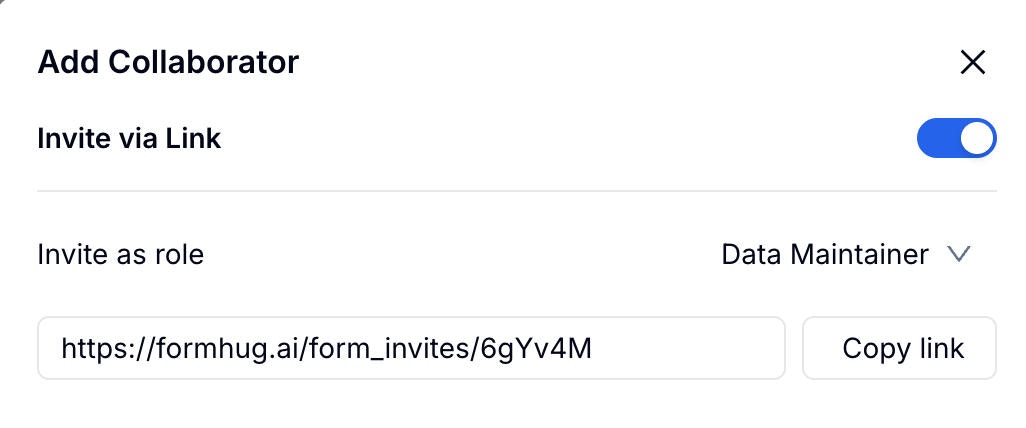
Toggle **Invite via link** to generate a shareable invite link.
Select the role the collaborator will have: Form Admin, Data Maintainer, or Data Viewer.
Copy the generated link and send it to your collaborator.
For team and business plan context, compare options on FormHug pricing.
## Roles & Permissions
| Role | What they can do |
| ------------------- | ----------------------------------------------------- |
| **Form Admin** | Full control: edit form, change settings, manage data |
| **Data Maintainer** | View and edit submissions, export data |
| **Data Viewer** | View-only access to submissions |
### Permission Details
| Action | Admin | Maintainer | Viewer |
| ------------------ | ----- | ---------- | ------ |
| Edit form | ✓ | ✗ | ✗ |
| Change settings | ✓ | ✗ | ✗ |
| View submissions | ✓ | ✓ | ✓ |
| Edit submissions | ✓ | ✓ | ✗ |
| Delete submissions | ✓ | ✓ | ✗ |
| Export data | ✓ | ✓ | ✗ |
## Adding Collaborators
Go to your form → **Settings → Collaborators**.
Click the **Add Collaborator** button.
Toggle **Invite via link** to generate a shareable invite link.
Select the role the collaborator will have: Form Admin, Data Maintainer, or Data Viewer.
Copy the generated link and send it to your collaborator.
 ## Managing Collaborators
View all current collaborators on the Collaborators settings page. You can change a collaborator's role or remove them at any time.
## Related
Learn more about team features
Review plan options for teams and collaboration
## Managing Collaborators
View all current collaborators on the Collaborators settings page. You can change a collaborator's role or remove them at any time.
## Related
Learn more about team features
Review plan options for teams and collaboration