> ## Documentation Index
> Fetch the complete documentation index at: https://formhug.ai/docs/llms.txt
> Use this file to discover all available pages before exploring further.
# Labels & Messages
> Customize the default button labels and system messages shown in your form
Labels & Messages let you replace the default text in your form with wording that fits your tone and language.
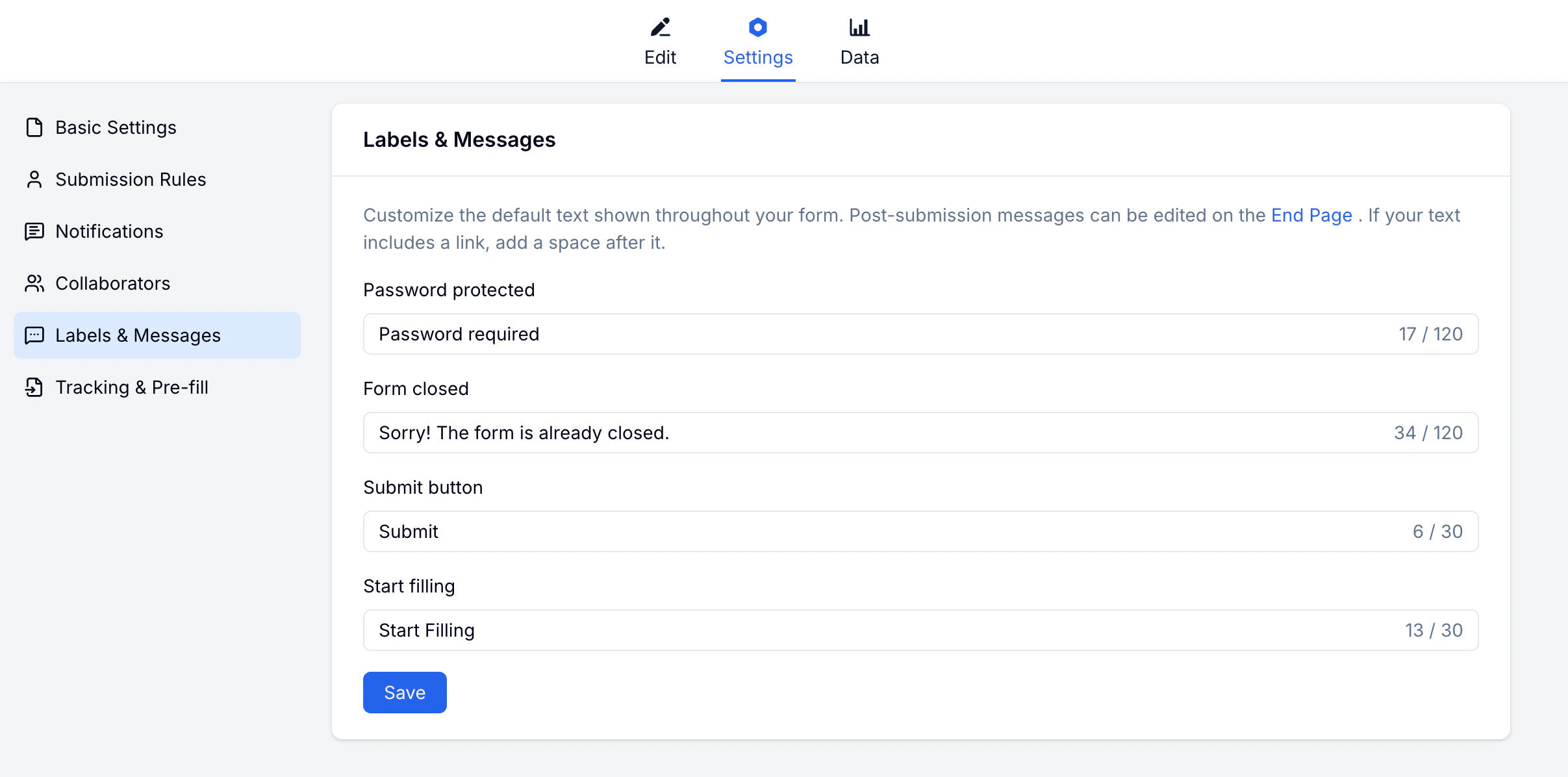 Custom wording is useful for branded registration forms, surveys, quizzes, and embedded lead forms where the call to action should match your audience.
## What You Can Customize
| Label / Message | Default text | When shown |
| ---------------------- | ------------------------------- | ------------------------------------------------ |
| **Submit button** | Submit | The final submit button |
| **Start filling** | Start | The button to begin filling the form |
| **Password protected** | This form is password protected | When the form requires a password |
| **Form closed** | This form is closed | When the form is no longer accepting submissions |
## How to Customize
Go to your form → **Settings → Labels & Messages**.
Locate the label or message you want to change.
Type your custom wording in the field.
Changes apply to the live form immediately.
Match your brand voice. If your brand is casual, write "Let's go!" instead of "Submit".
## Related
Control form access and scheduling
Customize colors and visual style
Match form wording with your brand identity
Customize button labels for campaign and signup forms
Custom wording is useful for branded registration forms, surveys, quizzes, and embedded lead forms where the call to action should match your audience.
## What You Can Customize
| Label / Message | Default text | When shown |
| ---------------------- | ------------------------------- | ------------------------------------------------ |
| **Submit button** | Submit | The final submit button |
| **Start filling** | Start | The button to begin filling the form |
| **Password protected** | This form is password protected | When the form requires a password |
| **Form closed** | This form is closed | When the form is no longer accepting submissions |
## How to Customize
Go to your form → **Settings → Labels & Messages**.
Locate the label or message you want to change.
Type your custom wording in the field.
Changes apply to the live form immediately.
Match your brand voice. If your brand is casual, write "Let's go!" instead of "Submit".
## Related
Control form access and scheduling
Customize colors and visual style
Match form wording with your brand identity
Customize button labels for campaign and signup forms