> ## Documentation Index
> Fetch the complete documentation index at: https://formhug.ai/docs/llms.txt
> Use this file to discover all available pages before exploring further.
# Embed in Your Website
> Add your FormHug form to any webpage as an inline block, popup, full-screen overlay, or side slider
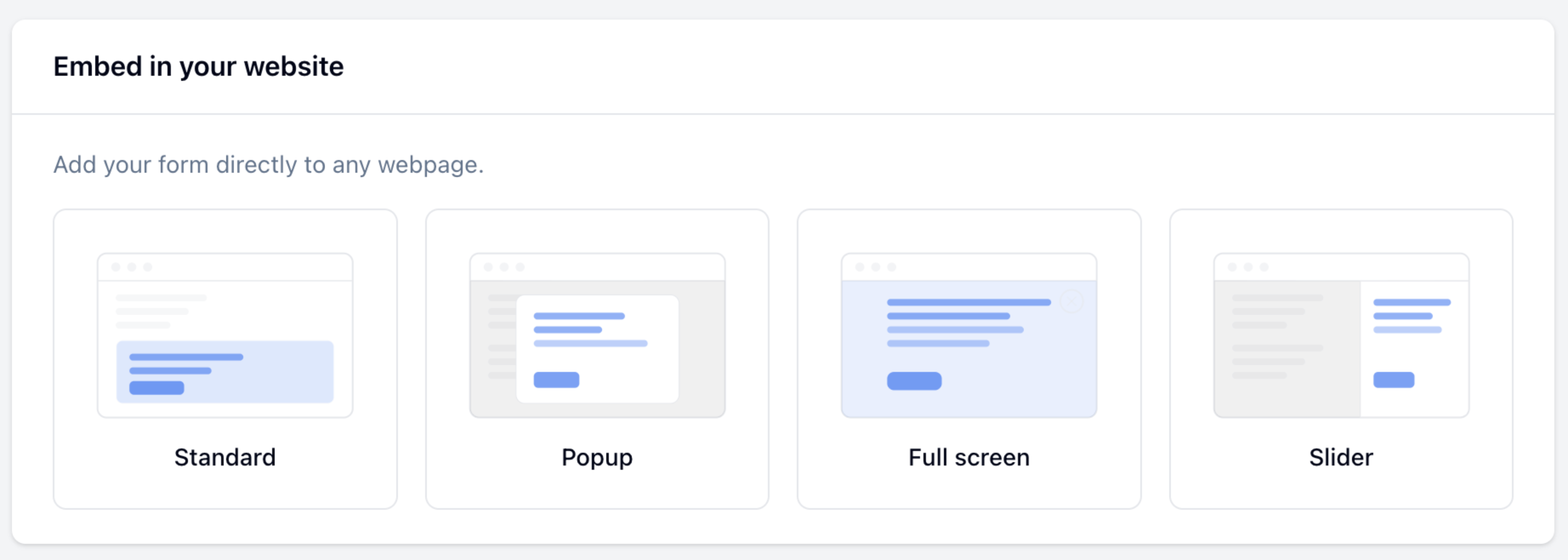
Embed your form directly into any webpage — choose from four display types depending on where and how you want the form to appear.
## Getting the Embed Code
Click **Publish** in the top-right corner of the form editor.
Click **Share**, then select **Add to website**.
Select **Standard**, **Popup**, **Full screen**, or **Slider** from the **Embed type** dropdown.
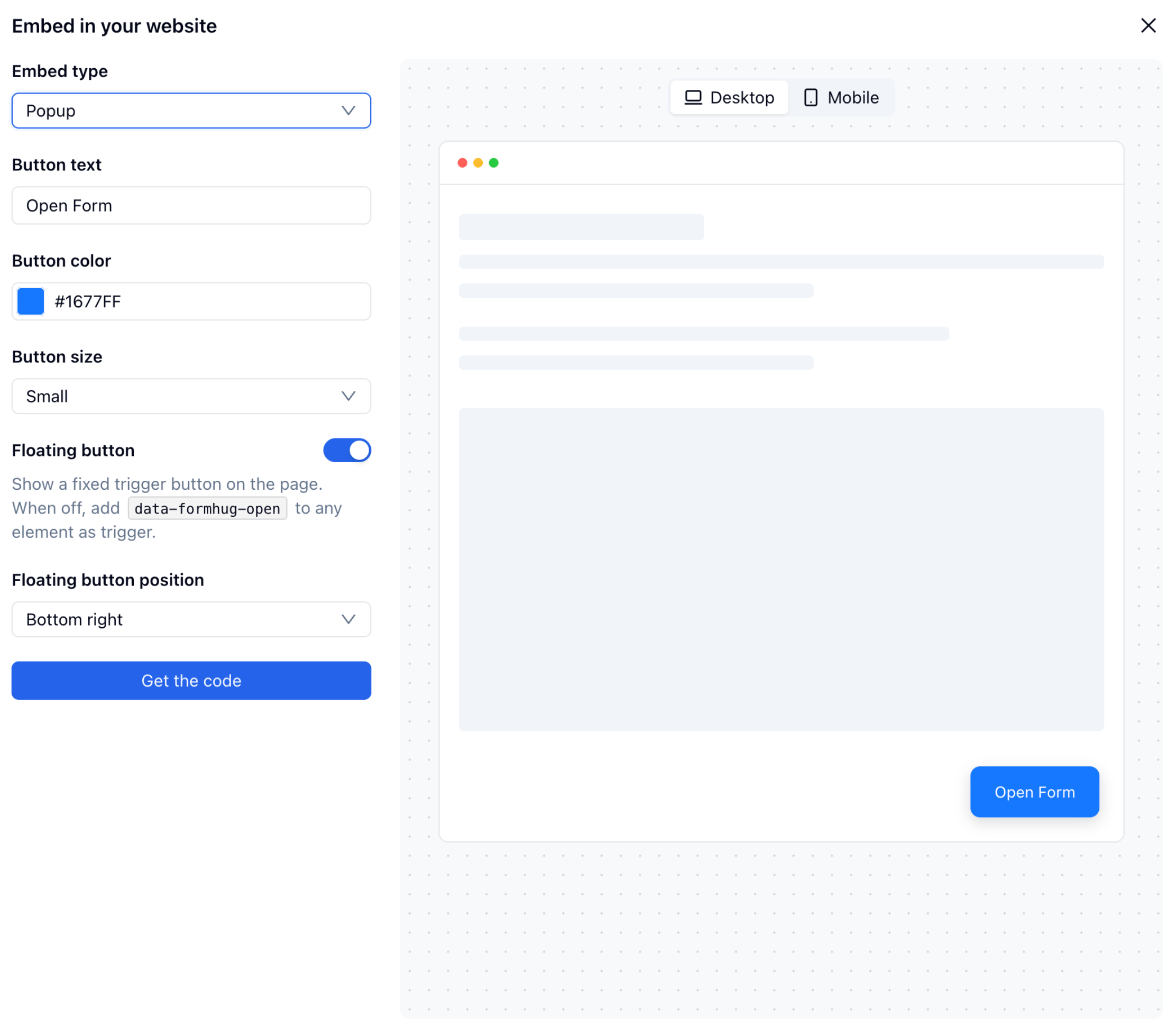
Set button text, color, size, and position as needed — the preview panel updates in real time. Toggle between **Desktop** and **Mobile** to check both layouts.
Click **Get the code** and paste the generated `
```
The `height` query parameter controls how tall the embedded form appears on the page. Adjust it to match your form's length — short forms typically need 400–500px; longer forms need 700px or more.
## Popup
Opens the form in a centered overlay when triggered. By default a floating button appears on the page; turn it off to use your own element as the trigger.
```html theme={null}
```
| Attribute | Description |
| -------------------------------- | -------------------------------------------------------------- |
| `data-formhug-button-text` | Label shown on the trigger button |
| `data-formhug-button-color` | Background color of the button (hex) |
| `data-formhug-button-size` | `small`, `medium`, or `large` |
| `data-formhug-floating` | `true` to show a fixed button; `false` to use a custom trigger |
| `data-formhug-floating-position` | Position of the fixed button: `bottomRight` or `bottomLeft` |
When `data-formhug-floating="false"`, add `data-formhug-open` to any element on your page to use it as the trigger — for example: ``.
## Full Screen
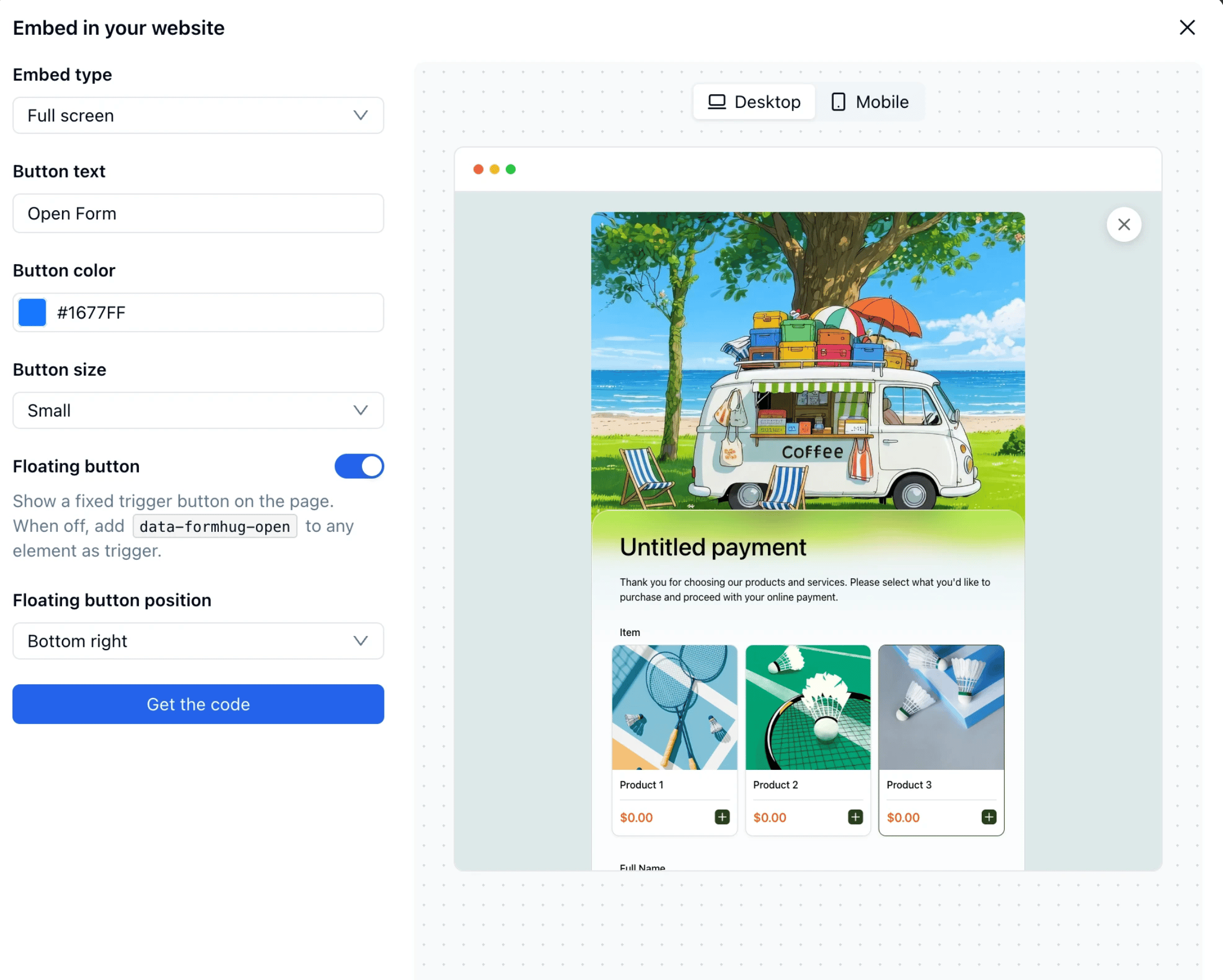
Opens the form as a full-viewport overlay, covering the entire page. Configuration attributes are the same as Popup.
```html theme={null}
```
## Slider
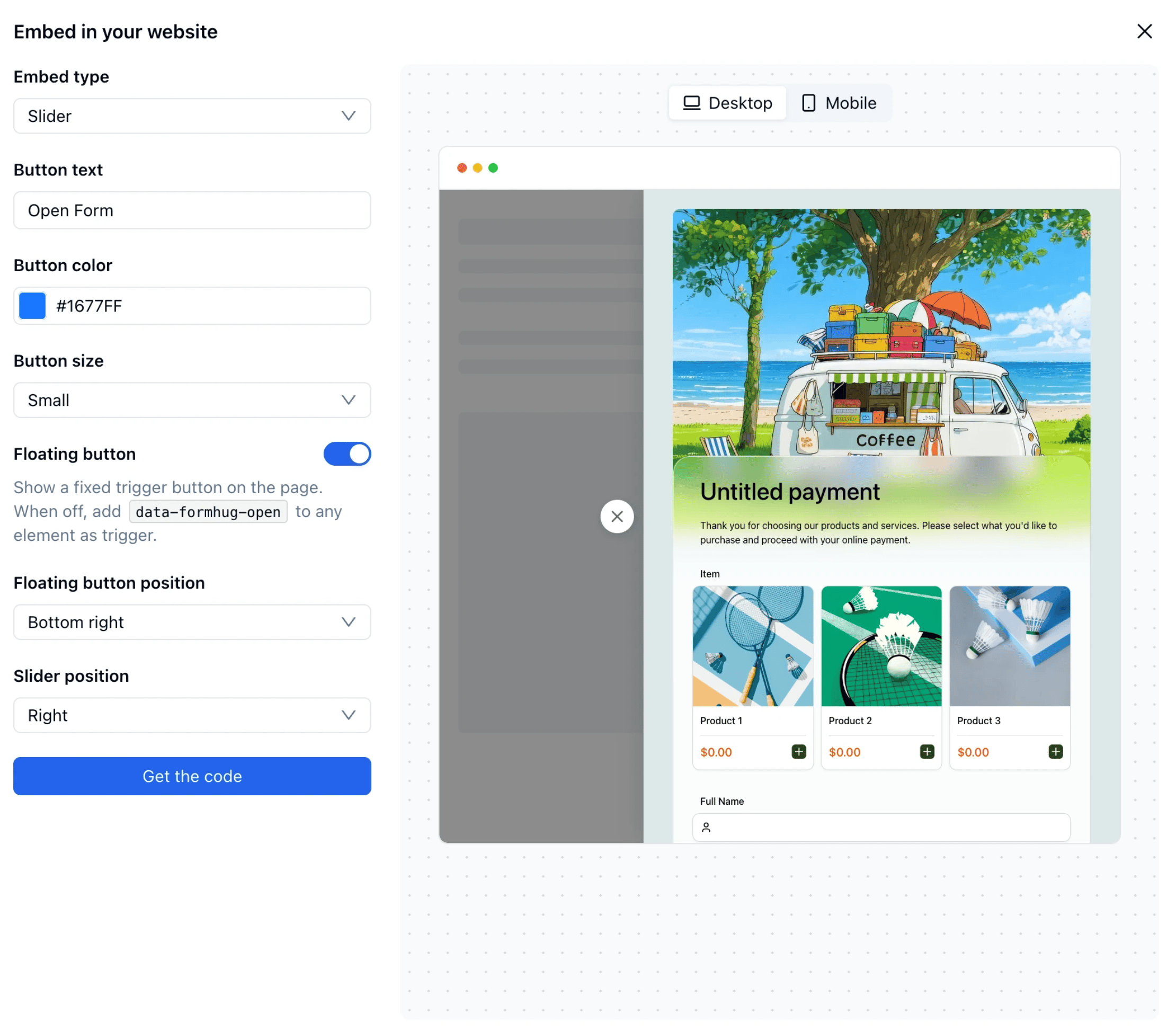
Slides the form in from the left or right edge of the page. Useful for keeping the page content visible while the form is open.
```html theme={null}
```
Slider supports all the same attributes as Popup, plus one additional attribute:
| Attribute | Description |
| -------------------------- | ------------------------------------------------------ |
| `data-formhug-slider-side` | Which side the form slides in from — `left` or `right` |
## Platform Guides
Embed in WordPress
Embed in Webflow
Embed in Notion
Embed in Framer
## Related
All sharing options including QR code, social, and AI poster
Learn how to structure and place forms that capture qualified leads
 ## Getting the Embed Code
 ```html theme={null}
```
| Attribute | Description |
| -------------------------------- | -------------------------------------------------------------- |
| `data-formhug-button-text` | Label shown on the trigger button |
| `data-formhug-button-color` | Background color of the button (hex) |
| `data-formhug-button-size` | `small`, `medium`, or `large` |
| `data-formhug-floating` | `true` to show a fixed button; `false` to use a custom trigger |
| `data-formhug-floating-position` | Position of the fixed button: `bottomRight` or `bottomLeft` |
```html theme={null}
```
| Attribute | Description |
| -------------------------------- | -------------------------------------------------------------- |
| `data-formhug-button-text` | Label shown on the trigger button |
| `data-formhug-button-color` | Background color of the button (hex) |
| `data-formhug-button-size` | `small`, `medium`, or `large` |
| `data-formhug-floating` | `true` to show a fixed button; `false` to use a custom trigger |
| `data-formhug-floating-position` | Position of the fixed button: `bottomRight` or `bottomLeft` |
 ```html theme={null}
```
## Slider
Slides the form in from the left or right edge of the page. Useful for keeping the page content visible while the form is open.
```html theme={null}
```
## Slider
Slides the form in from the left or right edge of the page. Useful for keeping the page content visible while the form is open.
 ```html theme={null}
```
Slider supports all the same attributes as Popup, plus one additional attribute:
| Attribute | Description |
| -------------------------- | ------------------------------------------------------ |
| `data-formhug-slider-side` | Which side the form slides in from — `left` or `right` |
## Platform Guides
```html theme={null}
```
Slider supports all the same attributes as Popup, plus one additional attribute:
| Attribute | Description |
| -------------------------- | ------------------------------------------------------ |
| `data-formhug-slider-side` | Which side the form slides in from — `left` or `right` |
## Platform Guides