> ## Documentation Index
> Fetch the complete documentation index at: https://formhug.ai/docs/llms.txt
> Use this file to discover all available pages before exploring further.
# Custom Branding
> Upload your logo and brand identity at the workspace level to apply across all your forms
Custom Branding is a **workspace-level** setting. Configure it once and your logo, brand name, and link apply to every form in your workspace.
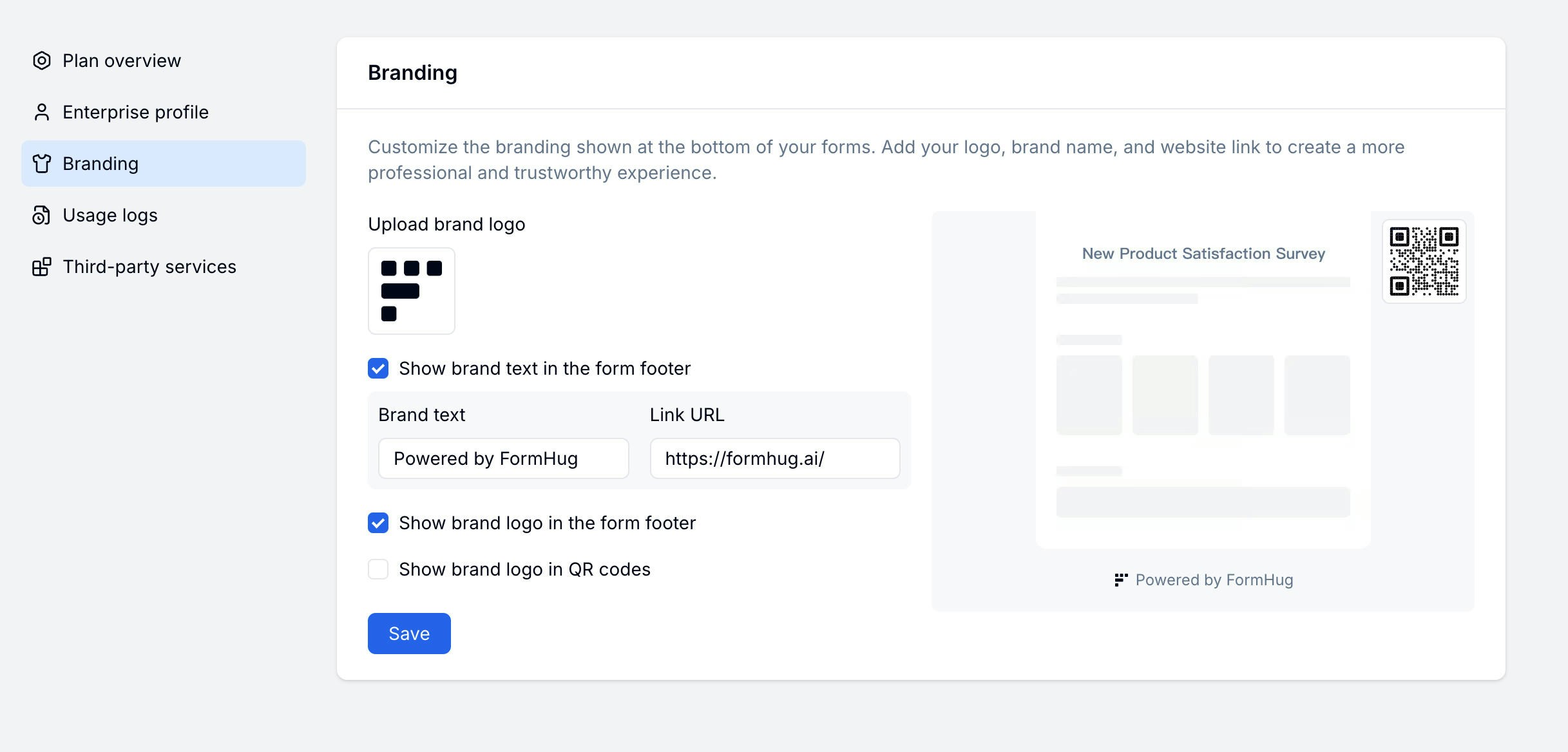 Branding is especially useful for embedded lead forms, public registration forms, and QR-code campaigns. Compare plan options on FormHug pricing.
## Branding Options
| Setting | Description |
| --------------------- | -------------------------------------------------- |
| **Brand logo** | Your company logo displayed in form headers |
| **Brand text** | Company name or tagline |
| **Brand link** | URL your logo links to (e.g. your website) |
| **Show footer logo** | Toggle the FormHug logo in the form footer |
| **Show QR code logo** | Show your logo in the center of generated QR codes |
## Setting Up Workspace Branding
Go to your account sidebar and select **Branding** under workspace settings.
Click the logo upload area and choose your image. PNG or SVG with a transparent background works best.
Enter your brand name and the URL your logo should link to.
Turn off **Show footer logo** to remove the FormHug attribution, or enable **Show QR code logo** to embed your logo in QR codes.
Removing the FormHug footer logo and other white-label options may require a paid plan.
## Related
Customize colors and visual style per form
Publish and share your branded form
Review plan options for white-label and branding needs
Add your logo to QR codes and AI-generated posters
Branding is especially useful for embedded lead forms, public registration forms, and QR-code campaigns. Compare plan options on FormHug pricing.
## Branding Options
| Setting | Description |
| --------------------- | -------------------------------------------------- |
| **Brand logo** | Your company logo displayed in form headers |
| **Brand text** | Company name or tagline |
| **Brand link** | URL your logo links to (e.g. your website) |
| **Show footer logo** | Toggle the FormHug logo in the form footer |
| **Show QR code logo** | Show your logo in the center of generated QR codes |
## Setting Up Workspace Branding
Go to your account sidebar and select **Branding** under workspace settings.
Click the logo upload area and choose your image. PNG or SVG with a transparent background works best.
Enter your brand name and the URL your logo should link to.
Turn off **Show footer logo** to remove the FormHug attribution, or enable **Show QR code logo** to embed your logo in QR codes.
Removing the FormHug footer logo and other white-label options may require a paid plan.
## Related
Customize colors and visual style per form
Publish and share your branded form
Review plan options for white-label and branding needs
Add your logo to QR codes and AI-generated posters