> ## Documentation Index
> Fetch the complete documentation index at: https://formhug.ai/docs/llms.txt
> Use this file to discover all available pages before exploring further.
# AI Builder
> Turn any idea into a complete form instantly — Evan, FormHug's AI agent, generates fields, descriptions, and visuals from a single sentence
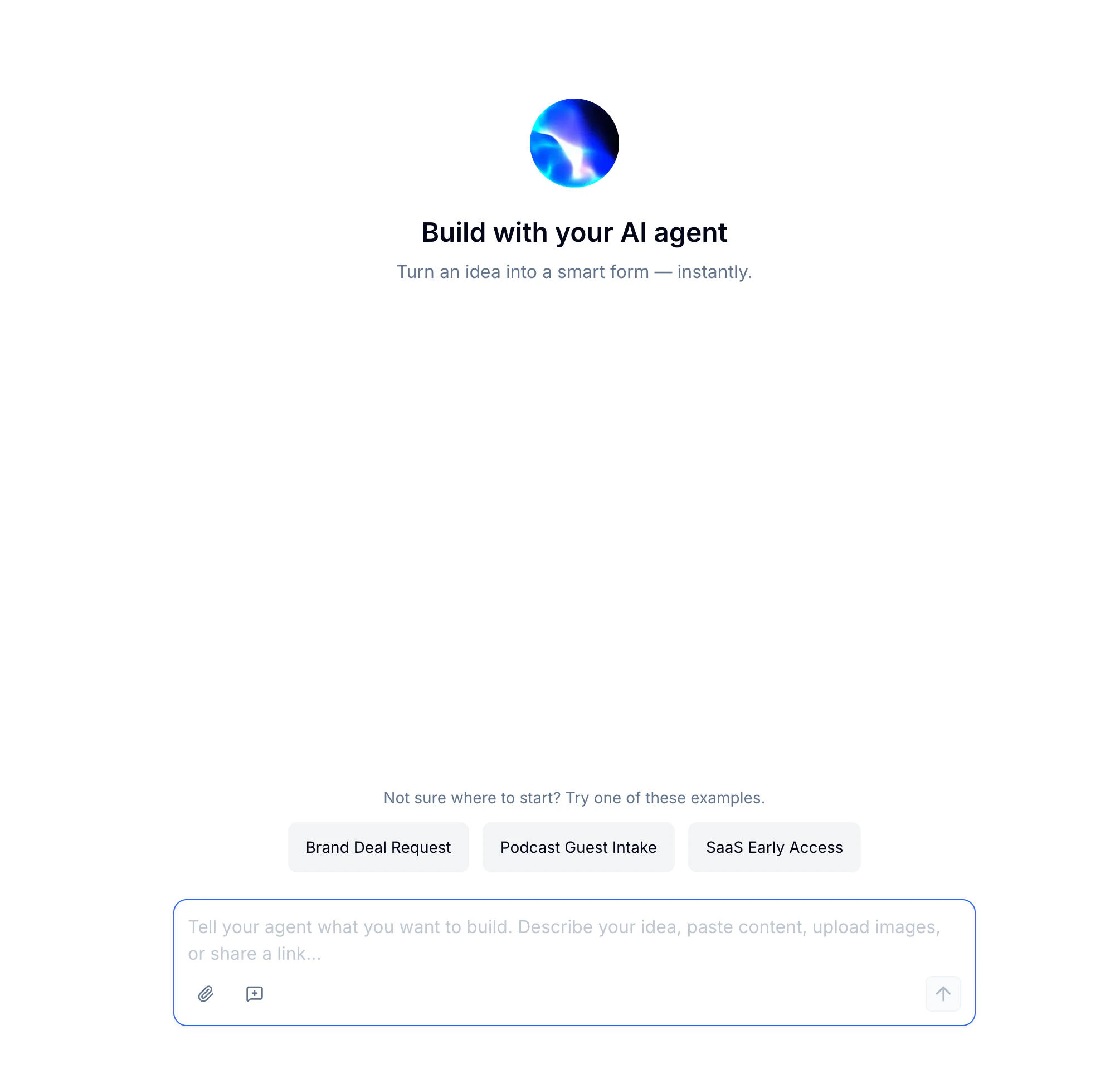
FormHug's **AI Builder** lets you go from a blank page to a fully structured form in seconds. Describe what you need — or paste content, share a link, or upload a file — and **Evan**, FormHug's AI agent, builds the form, writes the description, and generates visuals, all in one conversational flow.
 For a product-level overview of the AI form creation flow, see the AI form builder. If you build forms from Claude, see Claude form builder.
## What You Can Build with Evan
Evan works across every form type and scenario:
| Scenario | Examples |
| --------------------------------------------------------------------------------------------------------------------------------------------------- | -------------------------------------------------------------- |
| **Lead generation** | Brand deal requests, partnership applications, waitlists |
| Surveys & feedback | NPS surveys, post-event feedback, customer satisfaction |
| Registrations | Event sign-ups, webinar registrations, course enrollment |
| **Applications** | Job applications, grant submissions, influencer intake |
| Quizzes & assessments | Knowledge checks, personality tests, skill evaluations |
| Bookings | Appointments, class reservations, consultation scheduling |
| Orders & payments | Service orders, deposits, paid registrations, payment requests |
## How to Build a Form with AI
Describe your idea in the chat — plain language works best. You can also paste content, upload a reference file, or share a URL for more context. Not sure where to start? Pick one of Evan's built-in example prompts.
Evan thinks through your request and generates the complete form — fields, description, header image, and structure — in the preview panel on the right. The **Thought process** indicator shows what Evan is working on in real time.
For a product-level overview of the AI form creation flow, see the AI form builder. If you build forms from Claude, see Claude form builder.
## What You Can Build with Evan
Evan works across every form type and scenario:
| Scenario | Examples |
| --------------------------------------------------------------------------------------------------------------------------------------------------- | -------------------------------------------------------------- |
| **Lead generation** | Brand deal requests, partnership applications, waitlists |
| Surveys & feedback | NPS surveys, post-event feedback, customer satisfaction |
| Registrations | Event sign-ups, webinar registrations, course enrollment |
| **Applications** | Job applications, grant submissions, influencer intake |
| Quizzes & assessments | Knowledge checks, personality tests, skill evaluations |
| Bookings | Appointments, class reservations, consultation scheduling |
| Orders & payments | Service orders, deposits, paid registrations, payment requests |
## How to Build a Form with AI
Describe your idea in the chat — plain language works best. You can also paste content, upload a reference file, or share a URL for more context. Not sure where to start? Pick one of Evan's built-in example prompts.
Evan thinks through your request and generates the complete form — fields, description, header image, and structure — in the preview panel on the right. The **Thought process** indicator shows what Evan is working on in real time.
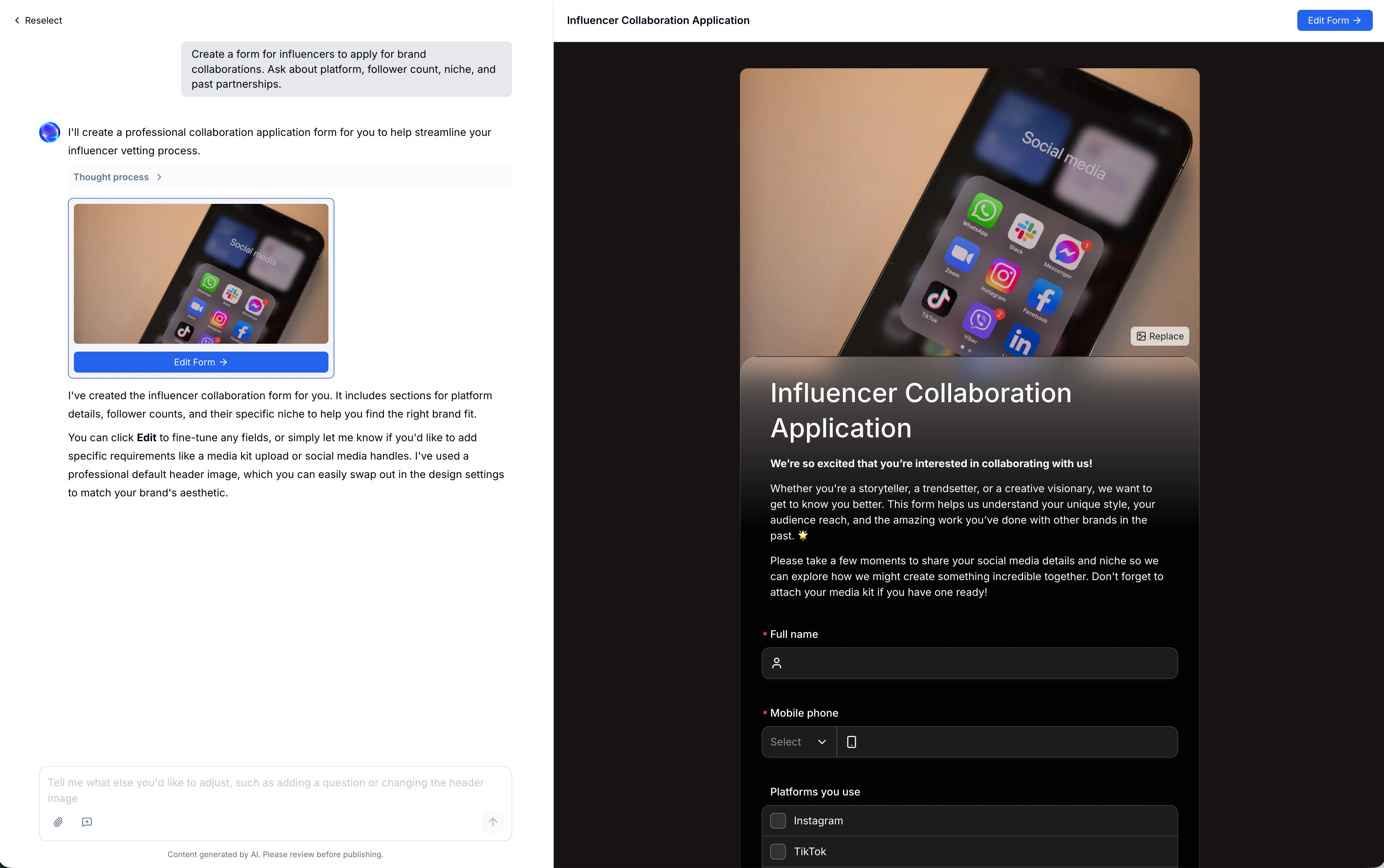 Once the form is ready, continue the conversation to refine it: add a question, rearrange fields, change the tone, or swap the header image. The chat input stays open so you can iterate without switching modes.
The more specific your prompt, the better the output. Instead of "a feedback form", try "a post-workshop feedback form with rating questions for content, speaker, and venue."
## AI-Powered Content Tools
Beyond the initial form, Evan can generate and refine specific pieces of content directly inside the editor.
### Form Description
Click **AI Generate Description** in the editor to regenerate or rewrite the intro text that appears at the top of your form. After Evan produces a draft, use the one-click actions to adjust the tone:
Once the form is ready, continue the conversation to refine it: add a question, rearrange fields, change the tone, or swap the header image. The chat input stays open so you can iterate without switching modes.
The more specific your prompt, the better the output. Instead of "a feedback form", try "a post-workshop feedback form with rating questions for content, speaker, and venue."
## AI-Powered Content Tools
Beyond the initial form, Evan can generate and refine specific pieces of content directly inside the editor.
### Form Description
Click **AI Generate Description** in the editor to regenerate or rewrite the intro text that appears at the top of your form. After Evan produces a draft, use the one-click actions to adjust the tone:
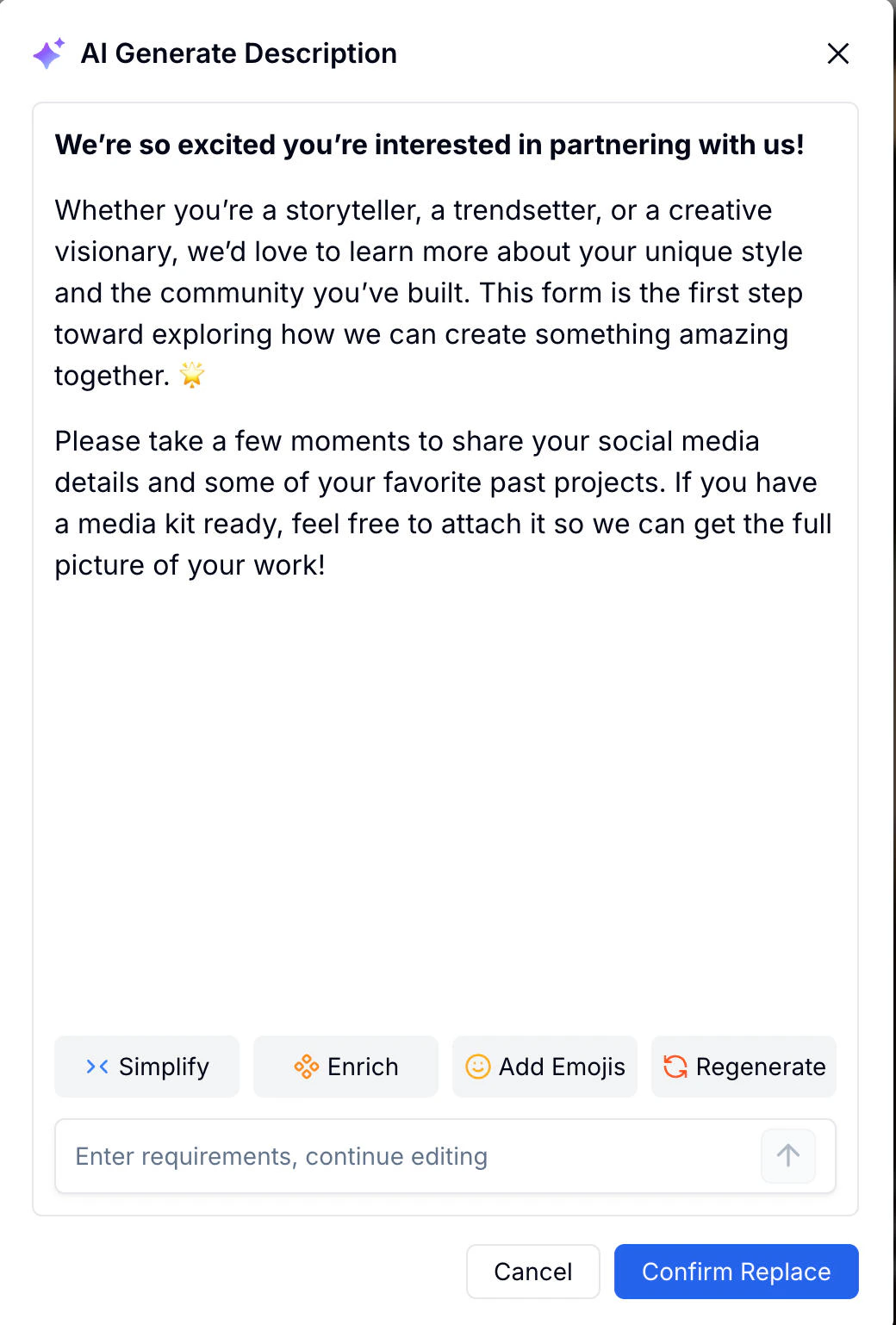 | Action | What It Does |
| -------------- | -------------------------------------------- |
| **Simplify** | Shorten and simplify the text |
| **Enrich** | Add more detail and context |
| **Add Emojis** | Insert relevant emojis to make it friendlier |
| **Regenerate** | Generate a completely new version |
Or type specific requirements in the input field to continue editing with Evan directly.
### Header Image
Every form can have a header image. In the editor, open the cover image panel and switch to the **AI Generate** tab. Describe the visual you want — Evan generates a matching image based on your prompt.
| Action | What It Does |
| -------------- | -------------------------------------------- |
| **Simplify** | Shorten and simplify the text |
| **Enrich** | Add more detail and context |
| **Add Emojis** | Insert relevant emojis to make it friendlier |
| **Regenerate** | Generate a completely new version |
Or type specific requirements in the input field to continue editing with Evan directly.
### Header Image
Every form can have a header image. In the editor, open the cover image panel and switch to the **AI Generate** tab. Describe the visual you want — Evan generates a matching image based on your prompt.
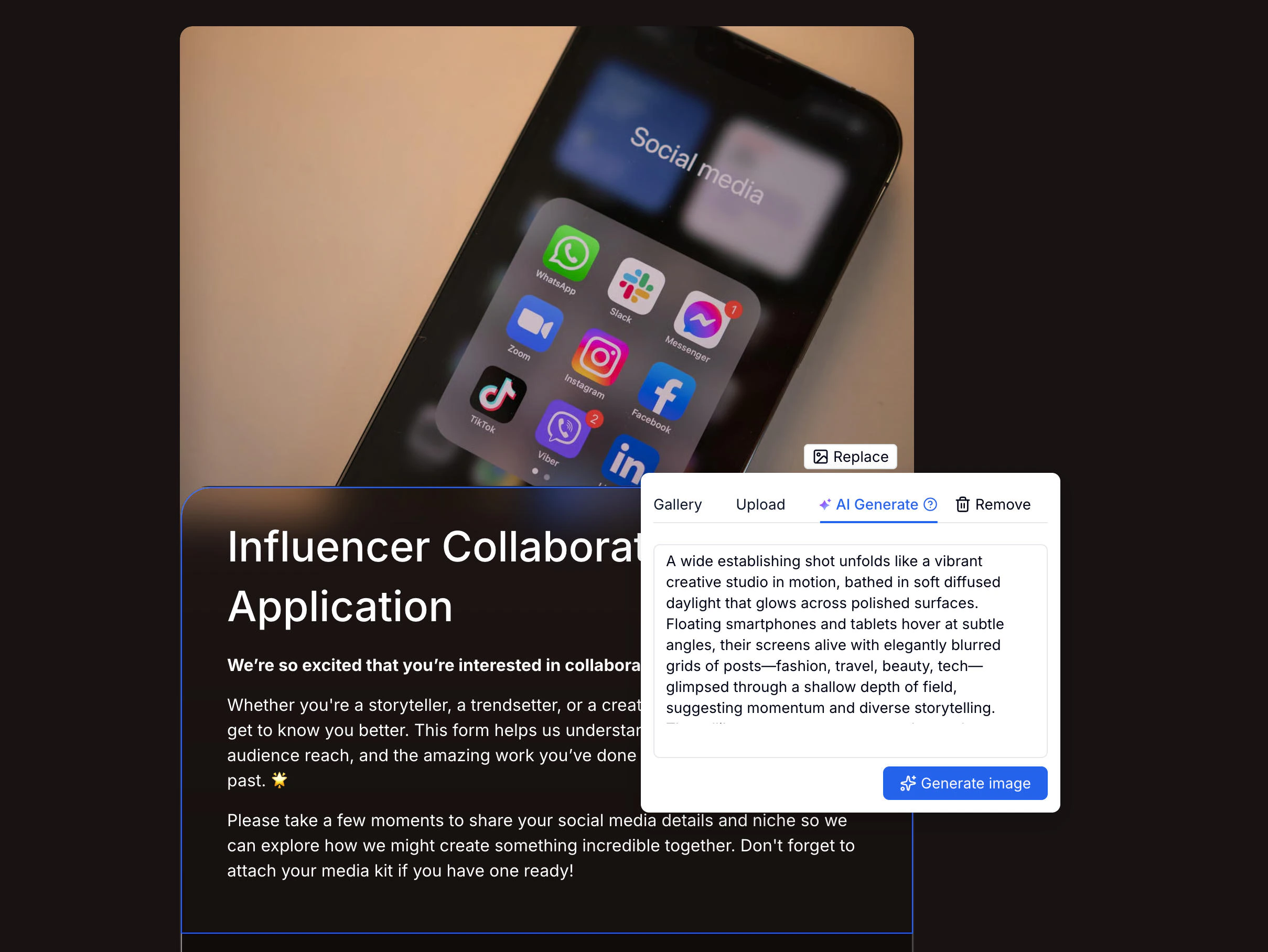 You can also choose from the built-in Gallery or upload your own image at any time.
### QR Code Poster
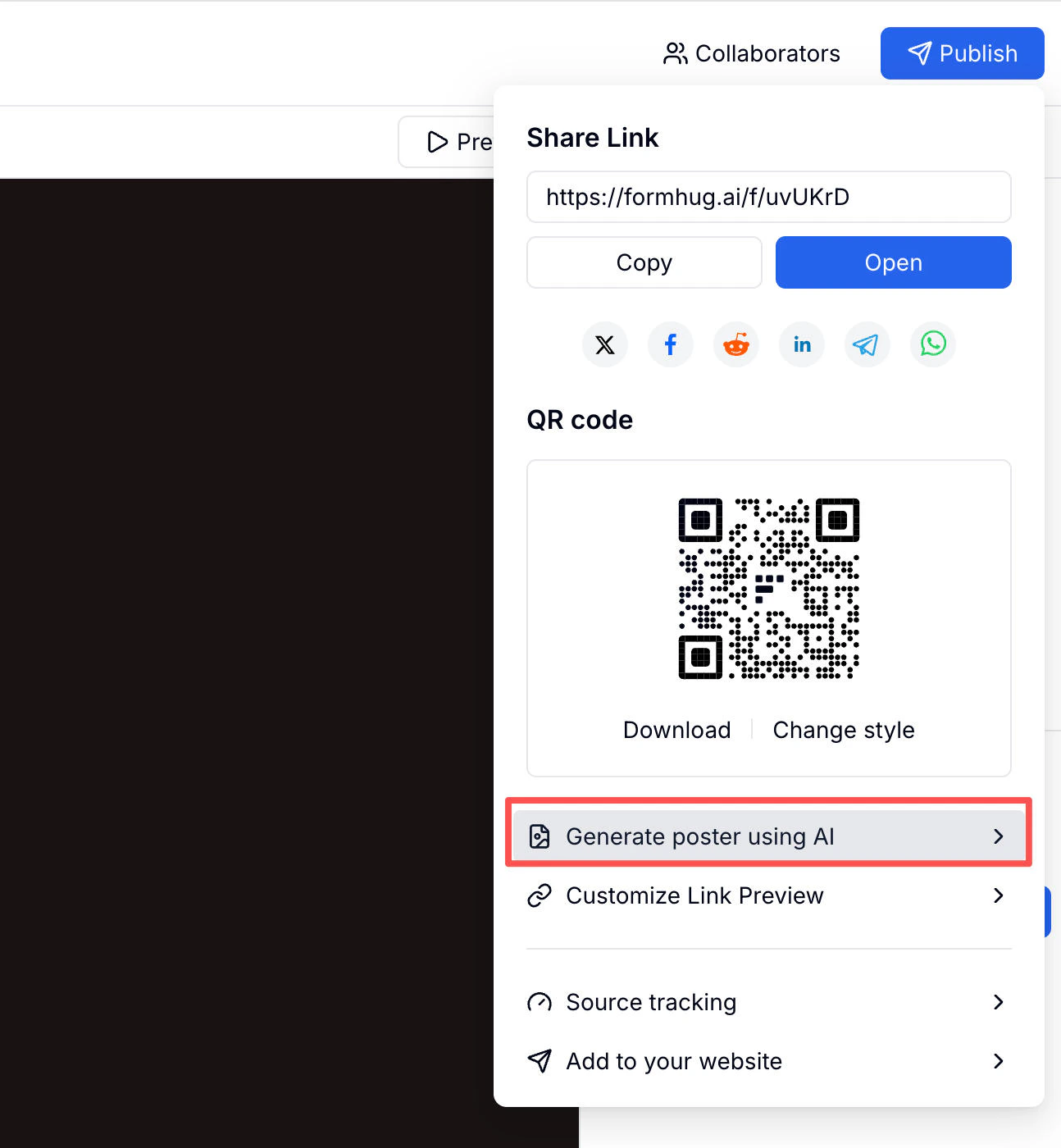
After publishing, use **Generate poster using AI** in the Publish panel to create a shareable poster with your form's QR code embedded.
You can also choose from the built-in Gallery or upload your own image at any time.
### QR Code Poster
After publishing, use **Generate poster using AI** in the Publish panel to create a shareable poster with your form's QR code embedded.
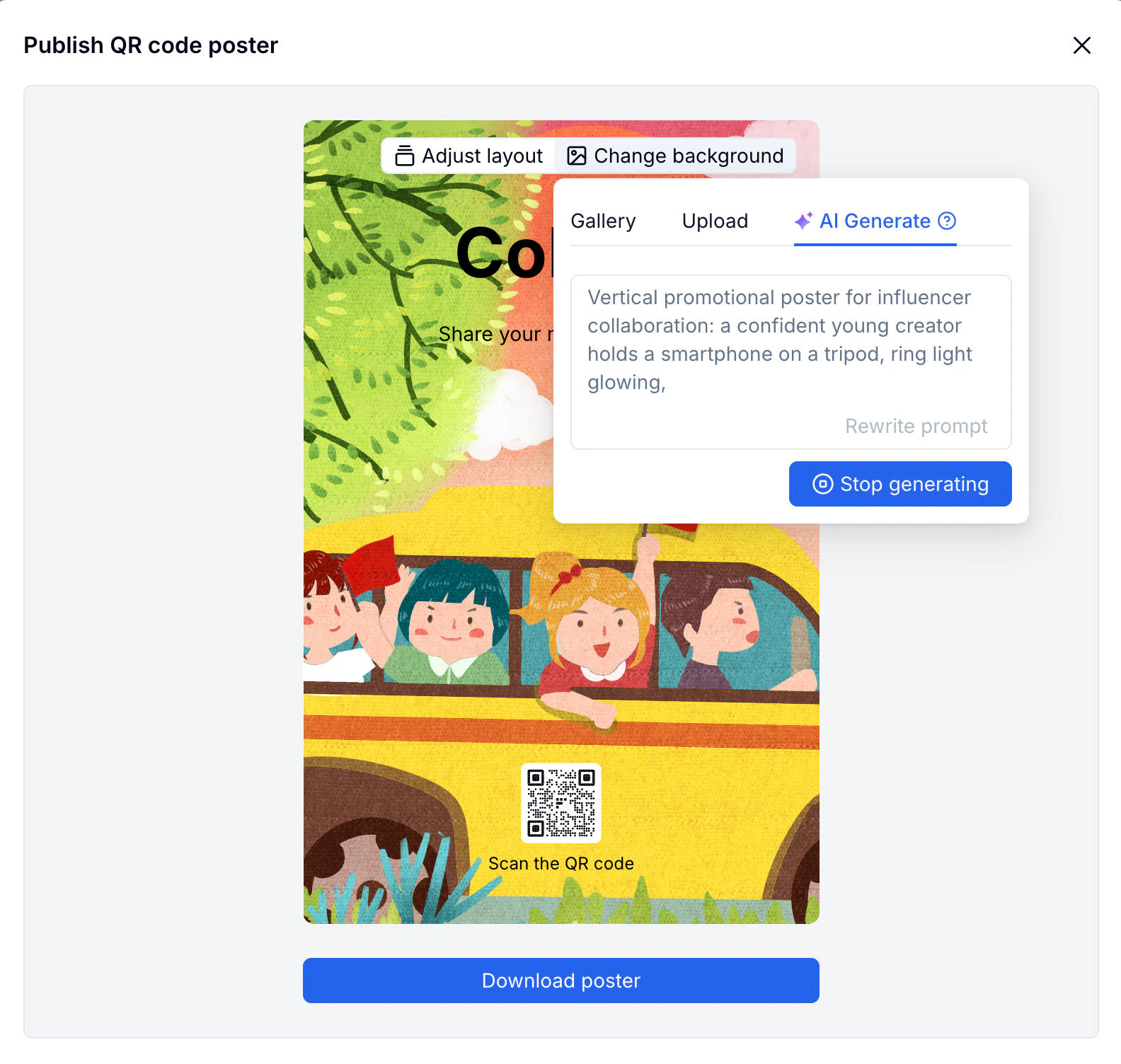
 In the poster editor, switch to the **AI Generate** tab and describe the background image you want. Evan generates it in seconds — then download the finished poster or adjust the layout.
 ## Related
Fine-tune every field and layout detail manually
All four ways to create a form in FormHug
See the product overview for creating forms with AI
Start from ready-made forms for common workflows
Generate order, donation, ticket, deposit, and paid registration forms
Build feedback forms, research surveys, and questionnaires
Create scored quizzes, tests, and knowledge checks
## Related
Fine-tune every field and layout detail manually
All four ways to create a form in FormHug
See the product overview for creating forms with AI
Start from ready-made forms for common workflows
Generate order, donation, ticket, deposit, and paid registration forms
Build feedback forms, research surveys, and questionnaires
Create scored quizzes, tests, and knowledge checks