> ## Documentation Index
> Fetch the complete documentation index at: https://formhug.ai/docs/llms.txt
> Use this file to discover all available pages before exploring further.
# Creating Forms
> Start a new form in FormHug using AI, a template, a blank canvas, or an Excel import
FormHug gives you four ways to create a form — from a one-sentence description using AI to a blank canvas for full control.
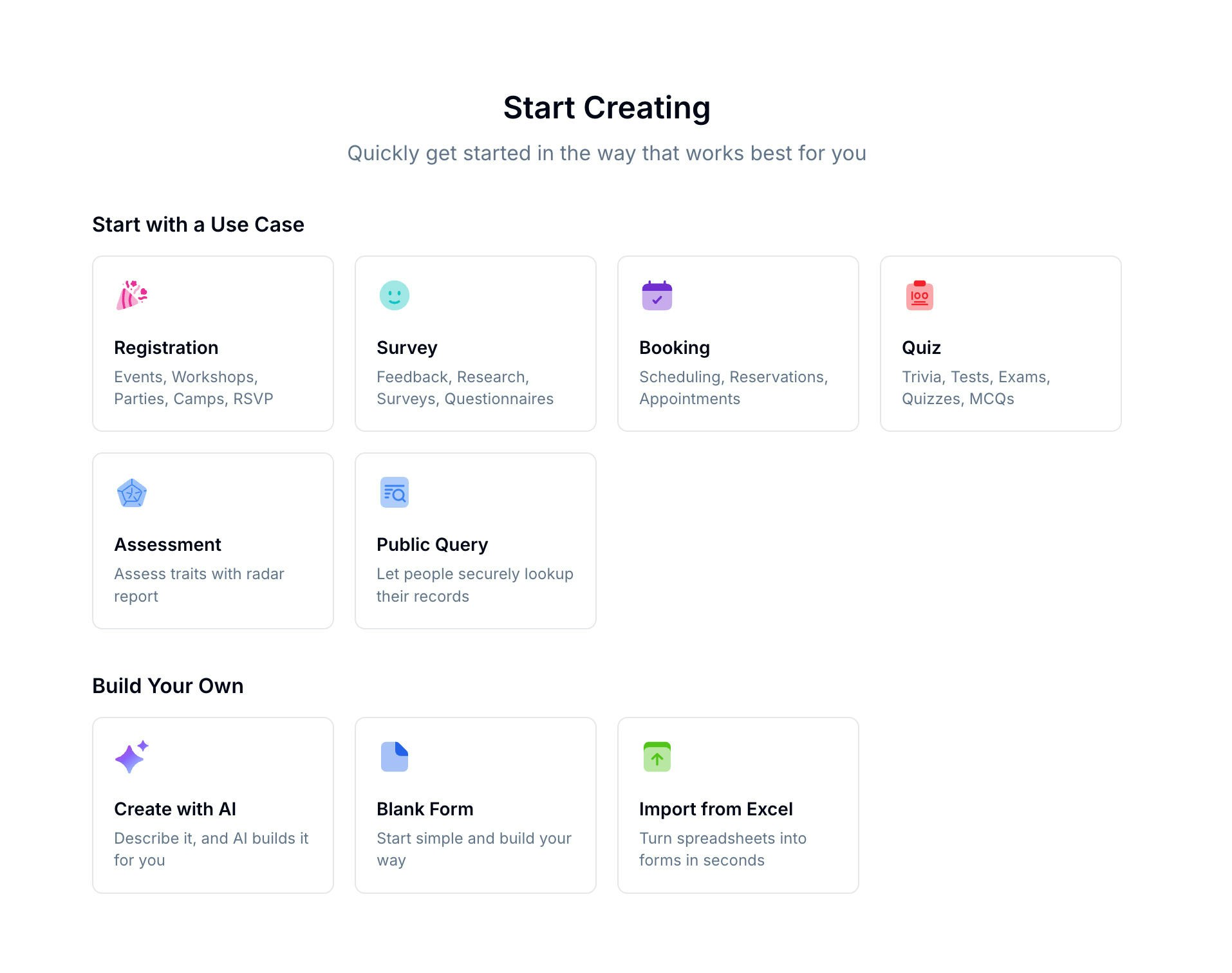 Start from the AI form builder, browse the template library, or choose a specialized builder such as survey maker, quiz maker, or booking form builder.
If you're choosing between AI, templates, and a blank form, best AI form builder 2026 and best form templates for businesses give the broader decision context.
## Creation Methods
| Method | Best for |
| ---------------- | ---------------------------------------------------- |
| **AI Builder** | Quick starts — describe your form and Evan builds it |
| **Templates** | Common use cases with pre-built structure |
| **Blank Form** | Full control from scratch |
| **Excel Import** | Turn an existing spreadsheet into a form |
## Form Types
When creating a form, you select a **scenario** that shapes how the form works and what features are available:
| Scenario | Use for |
| ---------------- | ------------------------------------------------- |
| **Registration** | Sign-ups, applications, event registrations |
| **Survey** | Feedback, polls, research |
| **Booking** | Appointments, reservations, scheduling |
| **Quiz** | Tests and scored questionnaires |
| **Assessment** | Skills evaluations with dimension breakdowns |
| **Public Query** | Data lookup forms where submitters search records |
## Using Templates
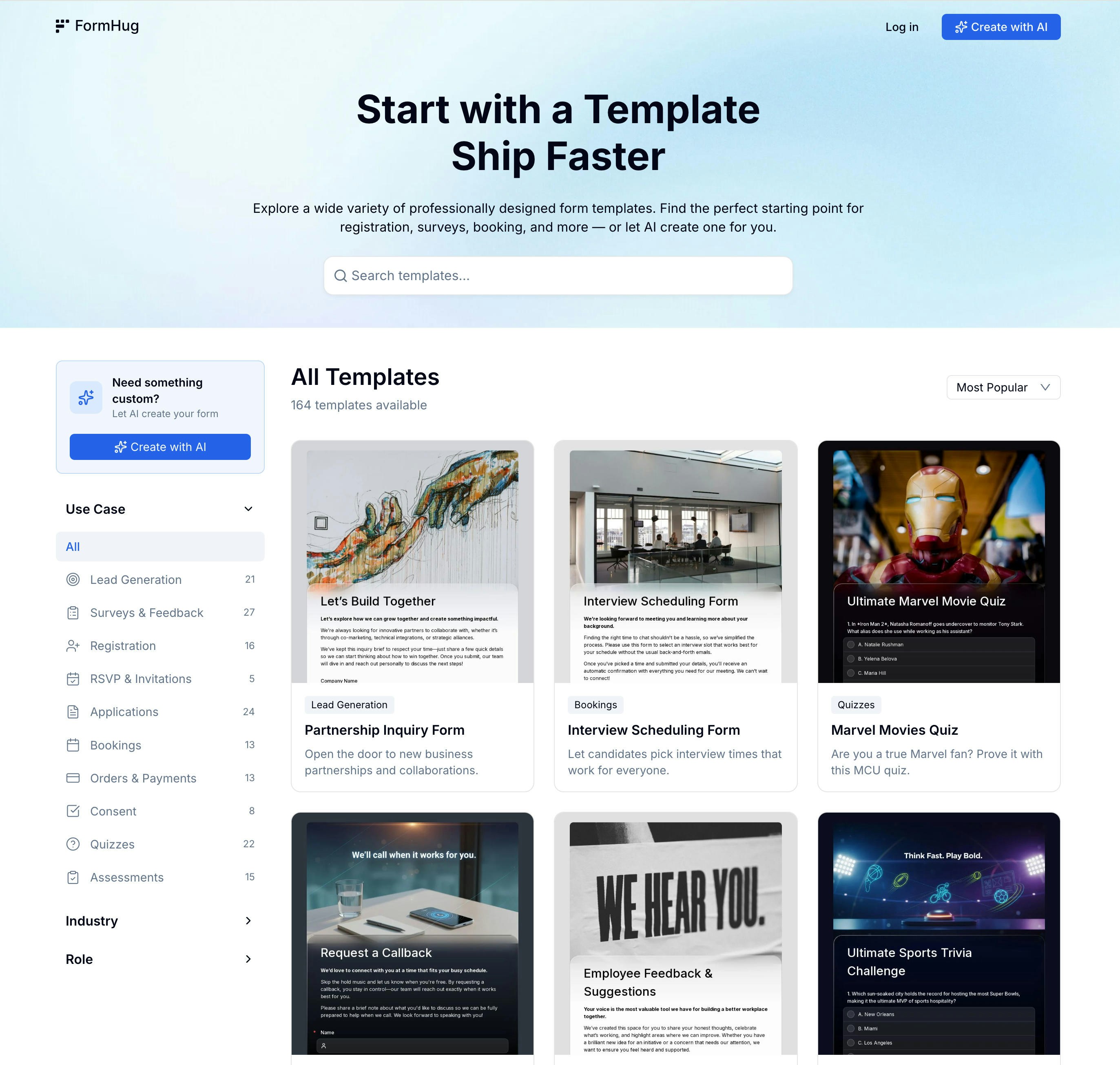
Browse 100+ ready-made templates organized by category. Pick one that matches your use case, then customize the fields, styling, and settings.
Start from the AI form builder, browse the template library, or choose a specialized builder such as survey maker, quiz maker, or booking form builder.
If you're choosing between AI, templates, and a blank form, best AI form builder 2026 and best form templates for businesses give the broader decision context.
## Creation Methods
| Method | Best for |
| ---------------- | ---------------------------------------------------- |
| **AI Builder** | Quick starts — describe your form and Evan builds it |
| **Templates** | Common use cases with pre-built structure |
| **Blank Form** | Full control from scratch |
| **Excel Import** | Turn an existing spreadsheet into a form |
## Form Types
When creating a form, you select a **scenario** that shapes how the form works and what features are available:
| Scenario | Use for |
| ---------------- | ------------------------------------------------- |
| **Registration** | Sign-ups, applications, event registrations |
| **Survey** | Feedback, polls, research |
| **Booking** | Appointments, reservations, scheduling |
| **Quiz** | Tests and scored questionnaires |
| **Assessment** | Skills evaluations with dimension breakdowns |
| **Public Query** | Data lookup forms where submitters search records |
## Using Templates
Browse 100+ ready-made templates organized by category. Pick one that matches your use case, then customize the fields, styling, and settings.
 ## Using AI Builder
Type a short description of your form and **Evan**, FormHug's AI agent, builds the structure, suggests fields, and can generate a header image. You can refine the result in the form builder or publish it as-is.
Learn how Evan builds forms from a description
## Related
Edit fields, pages, and layout
Explore 30+ available field types
Browse templates by use case, role, industry, and form type
Generate a complete first draft from a short prompt
Compare common starting points before choosing a creation method
## Using AI Builder
Type a short description of your form and **Evan**, FormHug's AI agent, builds the structure, suggests fields, and can generate a header image. You can refine the result in the form builder or publish it as-is.
Learn how Evan builds forms from a description
## Related
Edit fields, pages, and layout
Explore 30+ available field types
Browse templates by use case, role, industry, and form type
Generate a complete first draft from a short prompt
Compare common starting points before choosing a creation method