> ## Documentation Index
> Fetch the complete documentation index at: https://formhug.ai/docs/llms.txt
> Use this file to discover all available pages before exploring further.
# Booking
> Create calendar-based booking forms for appointments and reservations — with time slots, availability rules, and instant confirmations.
**Booking** lets you accept appointments and reservations directly through a form. Participants browse a live calendar, pick an available time slot, and confirm in seconds — on any device. No back-and-forth messages, no double-booking, no manual scheduling.
 For the product overview, see the online booking form builder. For the full planning walkthrough, read how to create an online booking form.
## What You Can Build with Booking
Booking works best for in-person services and scheduled activities where time and capacity matter.
| Scenario | Examples |
| -------------------------- | ---------------------------------------------------------------- |
| **Classes & sessions** | Yoga classes, fitness training, music lessons, cooking workshops |
| **Space & venue rental** | Meeting rooms, studios, co-working spaces, event halls |
| **Appointments** | Medical consultations, beauty services, coaching calls, therapy |
| **Wellness & mindfulness** | Meditation sessions, sound baths, retreats, wellness check-ins |
| **Professional services** | Business consultations, legal advice, financial planning |
| **Events & activities** | Tour reservations, activity sign-ups, lab slot bookings |
## Try a Live Booking
Experience a real booking form — pick a session, select a time slot, and see how it works end to end
## Create a Booking Form Your Way
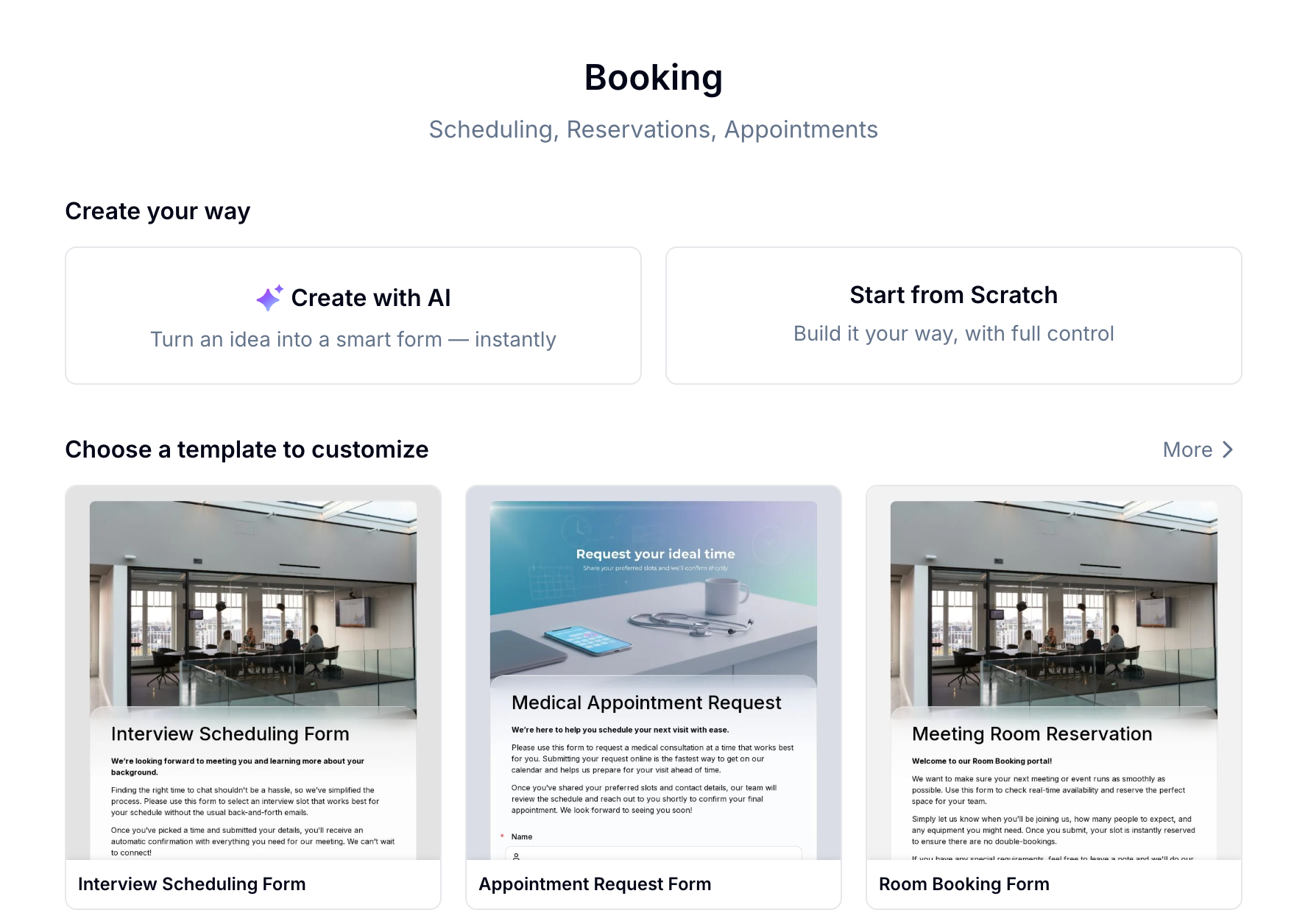
Describe what you need in one sentence — Evan sets up the form, booking items, and time slot structure for you instantly.
Pick from 13+ booking templates for interviews, appointments, consultations, venues, and more. Customize and publish in minutes.
Add a Booking field manually and configure every item, time slot, and availability rule yourself.
See what's available — from interview scheduling to hotel and service bookings:
For the product overview, see the online booking form builder. For the full planning walkthrough, read how to create an online booking form.
## What You Can Build with Booking
Booking works best for in-person services and scheduled activities where time and capacity matter.
| Scenario | Examples |
| -------------------------- | ---------------------------------------------------------------- |
| **Classes & sessions** | Yoga classes, fitness training, music lessons, cooking workshops |
| **Space & venue rental** | Meeting rooms, studios, co-working spaces, event halls |
| **Appointments** | Medical consultations, beauty services, coaching calls, therapy |
| **Wellness & mindfulness** | Meditation sessions, sound baths, retreats, wellness check-ins |
| **Professional services** | Business consultations, legal advice, financial planning |
| **Events & activities** | Tour reservations, activity sign-ups, lab slot bookings |
## Try a Live Booking
Experience a real booking form — pick a session, select a time slot, and see how it works end to end
## Create a Booking Form Your Way
Describe what you need in one sentence — Evan sets up the form, booking items, and time slot structure for you instantly.
Pick from 13+ booking templates for interviews, appointments, consultations, venues, and more. Customize and publish in minutes.
Add a Booking field manually and configure every item, time slot, and availability rule yourself.
See what's available — from interview scheduling to hotel and service bookings:
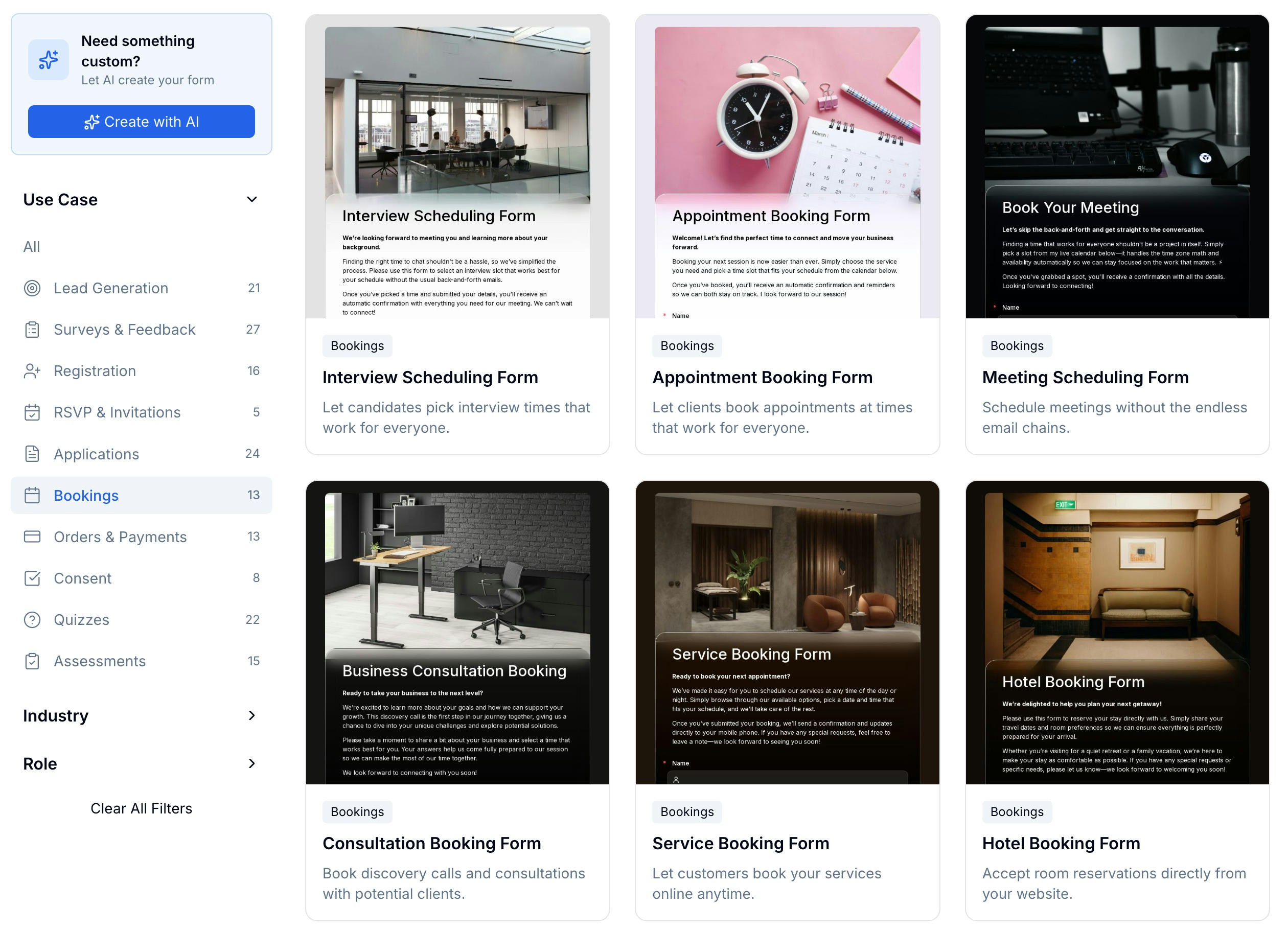 13+ templates — classes, appointments, venues, and professional services
If you send confirmations or reminders after booking, appointment reminder email templates can help with the email copy.
## The Booking Field
The **Booking** field is the core of every booking form. Add it like any other field, then configure one or more bookable items directly inside it.
13+ templates — classes, appointments, venues, and professional services
If you send confirmations or reminders after booking, appointment reminder email templates can help with the email copy.
## The Booking Field
The **Booking** field is the core of every booking form. Add it like any other field, then configure one or more bookable items directly inside it.
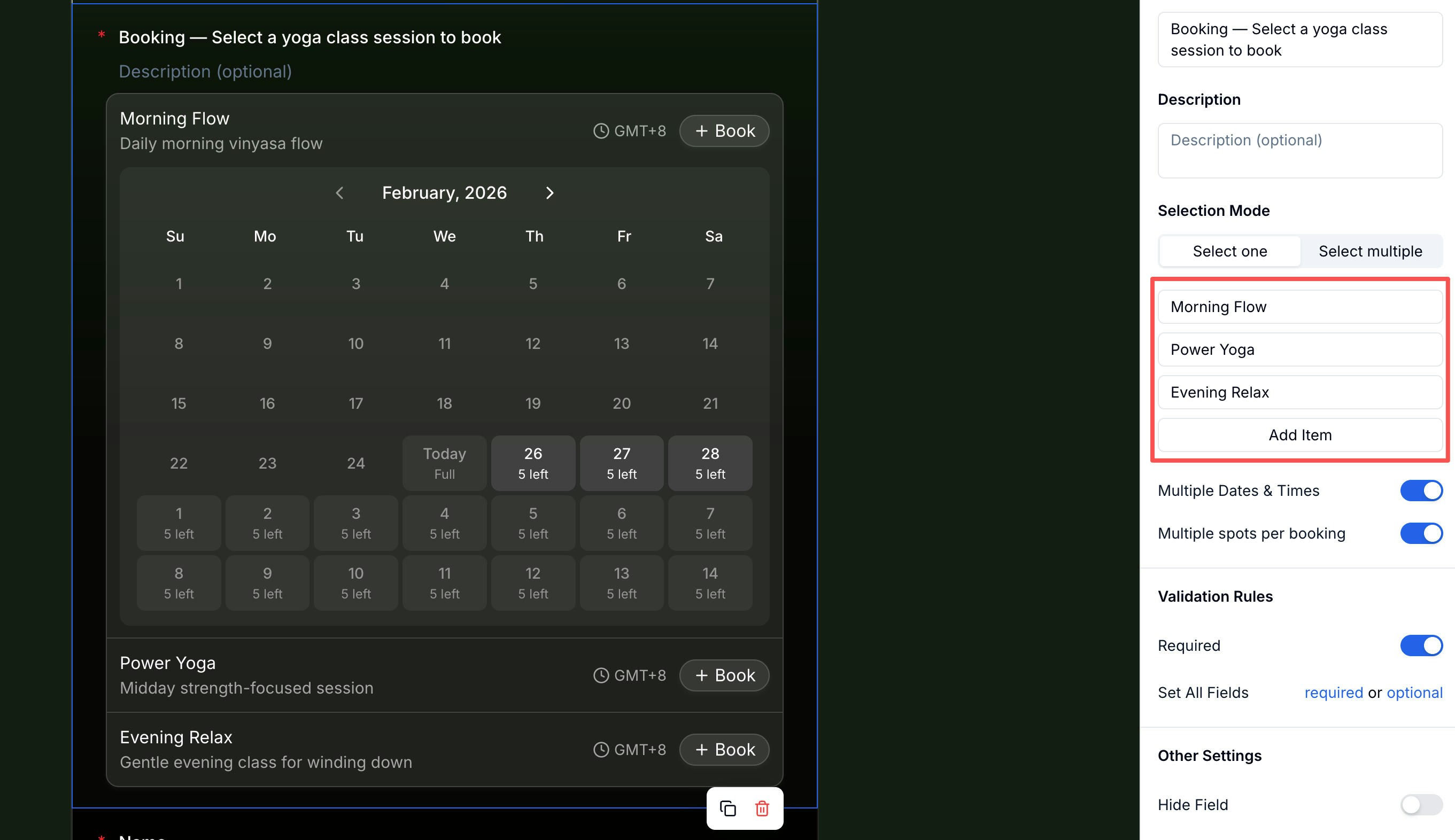 At the field level, you can configure:
| Setting | Description |
| ------------------------------ | ----------------------------------------------------------------------------------- |
| **Selection Mode** | Allow participants to book one item or multiple items in a single submission |
| **Multiple Dates & Times** | Let participants book the same item across more than one date or time slot |
| **Multiple spots per booking** | Allow a participant to book more than one spot at a time (e.g. booking for a group) |
## Setting Up Booking Items
Each bookable option — a class, time slot, room, or service — is a **Booking Item**. One Booking field can hold multiple items. Every item is configured independently across four tabs.
At the field level, you can configure:
| Setting | Description |
| ------------------------------ | ----------------------------------------------------------------------------------- |
| **Selection Mode** | Allow participants to book one item or multiple items in a single submission |
| **Multiple Dates & Times** | Let participants book the same item across more than one date or time slot |
| **Multiple spots per booking** | Allow a participant to book more than one spot at a time (e.g. booking for a group) |
## Setting Up Booking Items
Each bookable option — a class, time slot, room, or service — is a **Booking Item**. One Booking field can hold multiple items. Every item is configured independently across four tabs.
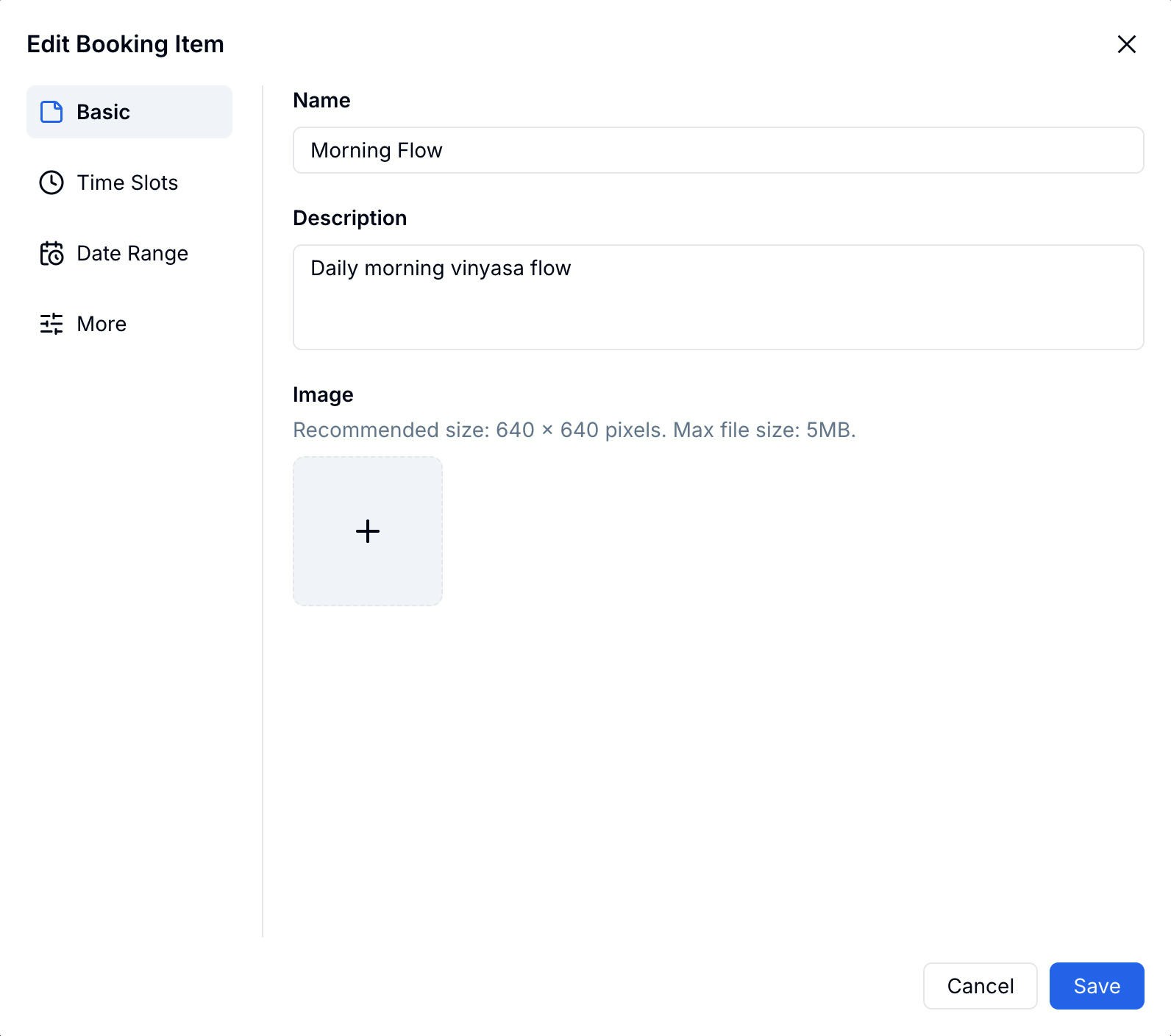 **Basic** — Set the item's name, description, and cover image. This is what participants see when choosing what to book.
### Time Slots
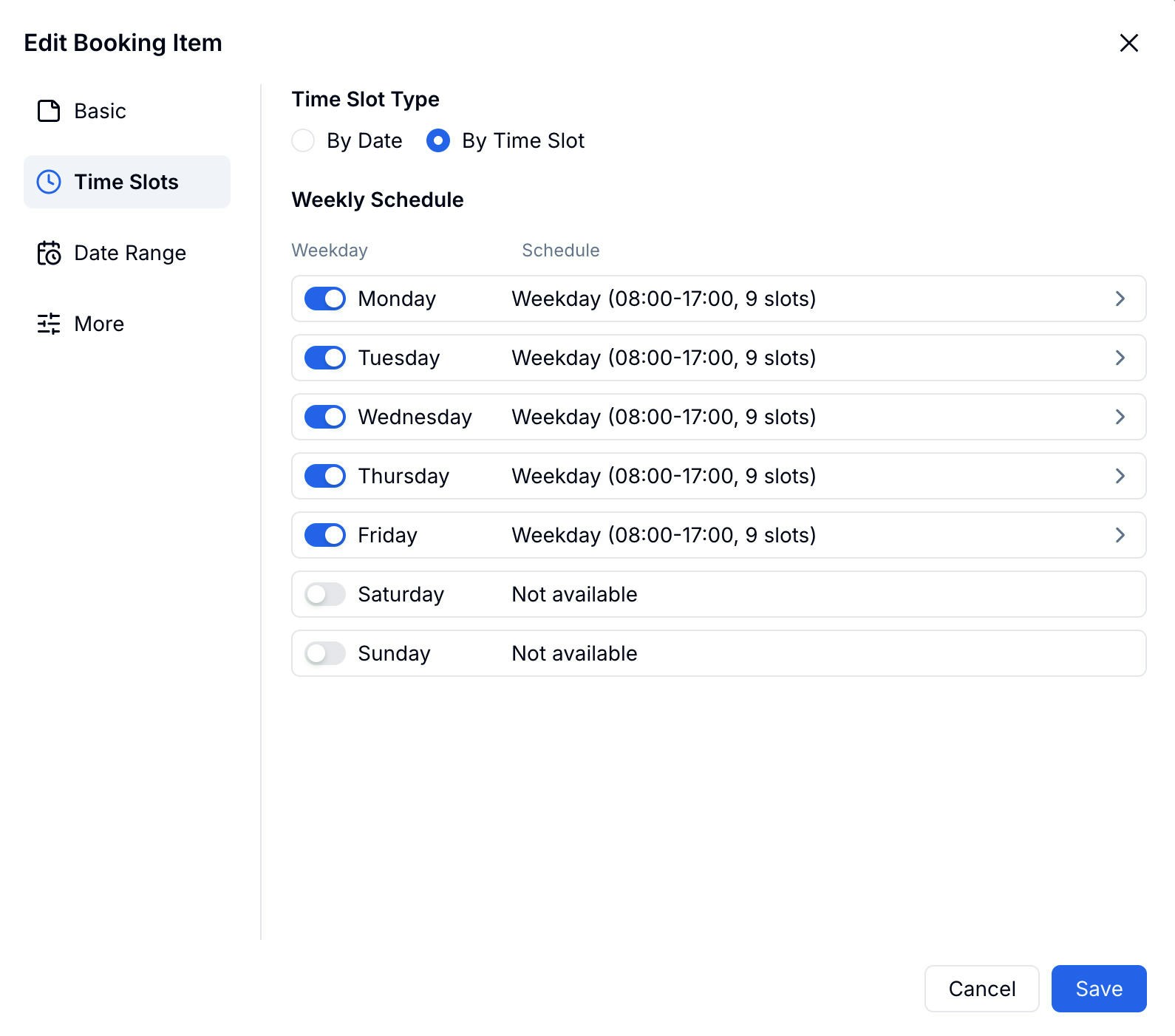
Choose how participants select time on the calendar: **By Date** (date-only selection) or **By Time Slot** (date + specific time window).
With **By Time Slot**, set a weekly schedule — toggle each day on or off and define the available hours and number of slots per day.
**Basic** — Set the item's name, description, and cover image. This is what participants see when choosing what to book.
### Time Slots
Choose how participants select time on the calendar: **By Date** (date-only selection) or **By Time Slot** (date + specific time window).
With **By Time Slot**, set a weekly schedule — toggle each day on or off and define the available hours and number of slots per day.
 ### Date Range
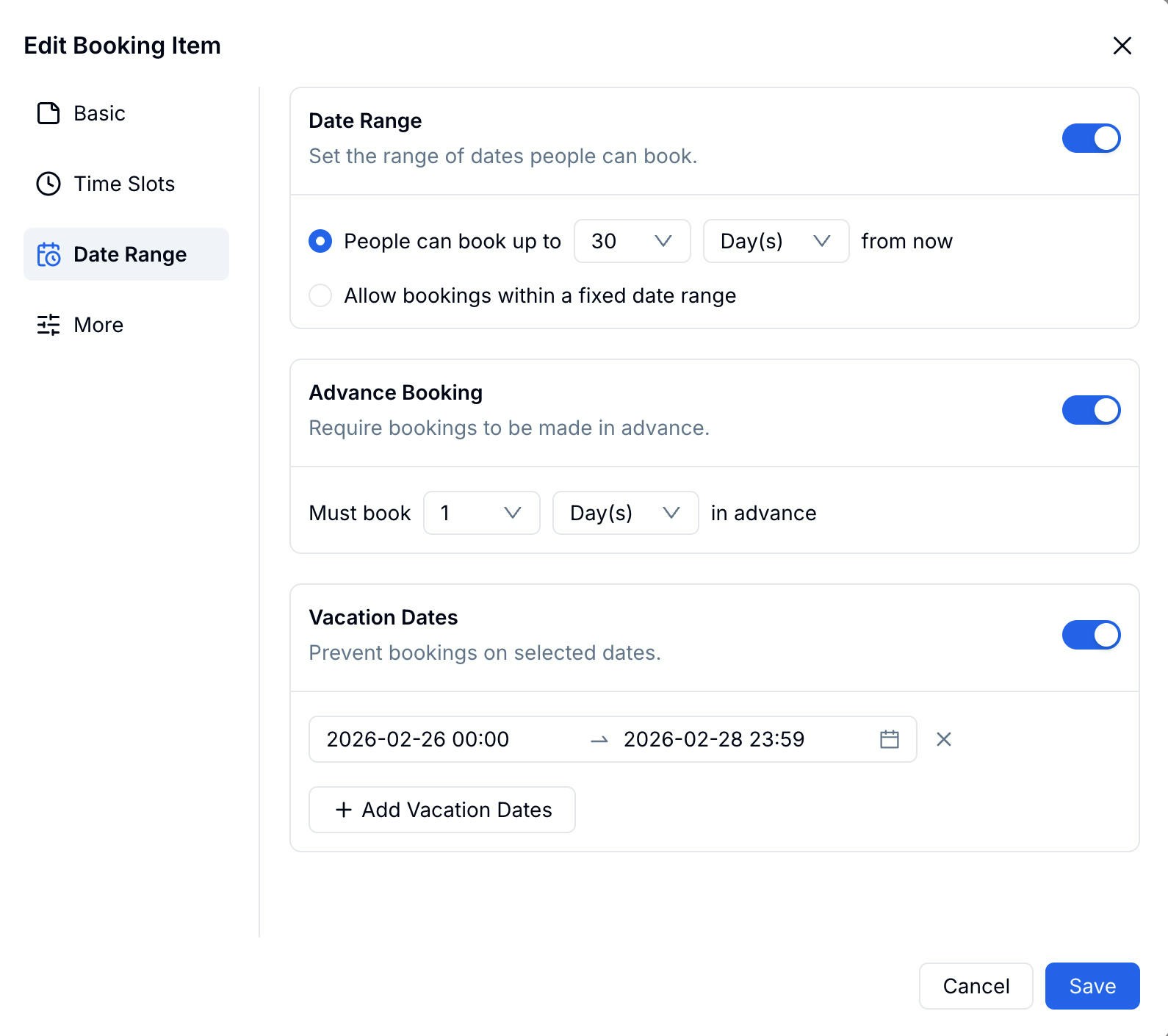
Control how far ahead participants can book and block off unavailable periods.
### Date Range
Control how far ahead participants can book and block off unavailable periods.
 | Setting | Description |
| ------------------- | -------------------------------------------------------------------------- |
| **Date Range** | Rolling window (e.g. up to 30 days from now) or a fixed start and end date |
| **Advance Booking** | Require bookings to be made at least X days in advance |
| **Vacation Dates** | Block specific date ranges — no slots will appear during these periods |
### More
| Setting | Description |
| ------------------- | -------------------------------------------------------------------------- |
| **Date Range** | Rolling window (e.g. up to 30 days from now) or a fixed start and end date |
| **Advance Booking** | Require bookings to be made at least X days in advance |
| **Vacation Dates** | Block specific date ranges — no slots will appear during these periods |
### More
 | Setting | Description |
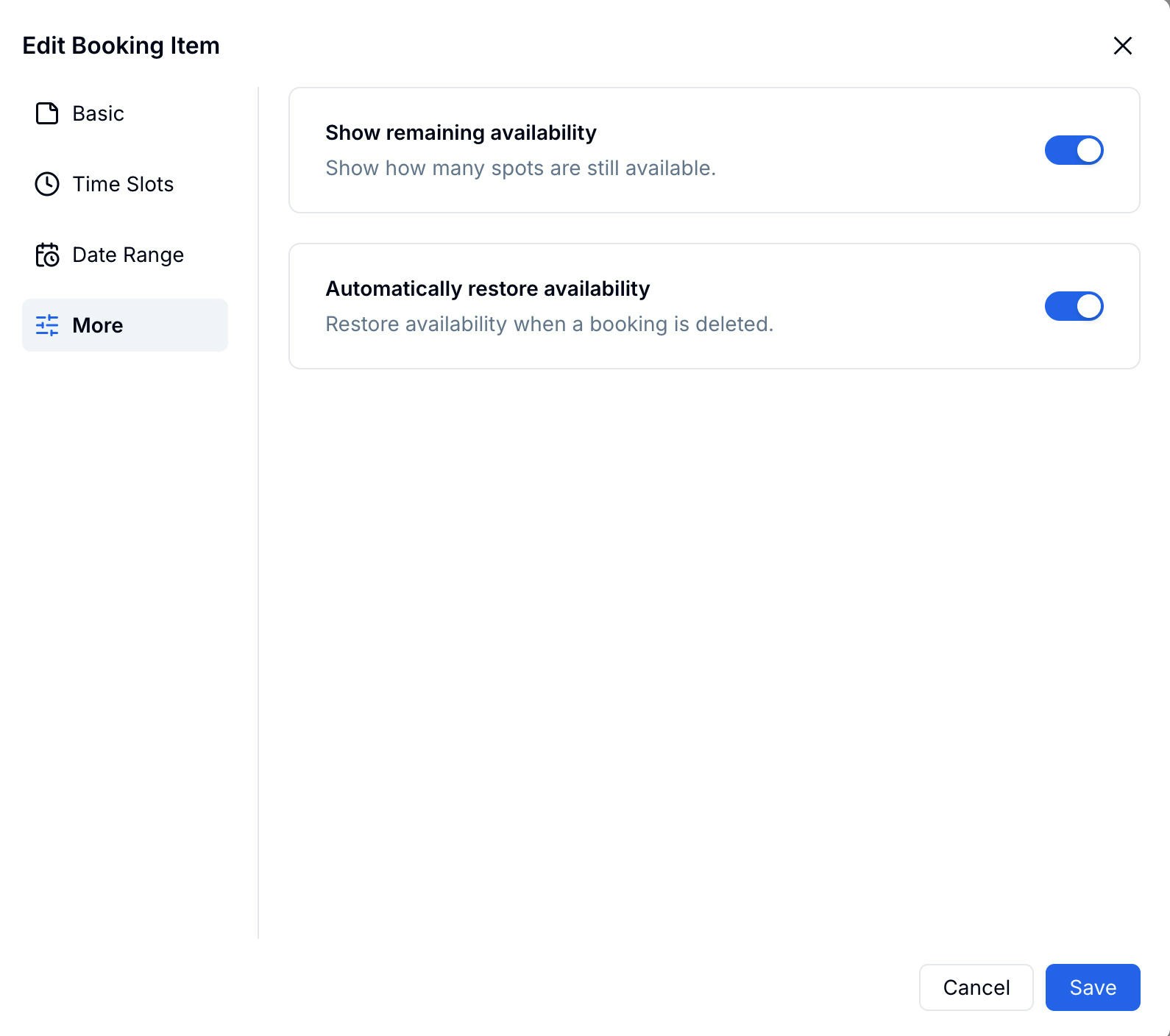
| -------------------------------------- | ----------------------------------------------------------------------------- |
| **Show remaining availability** | Display how many spots are still open on the calendar (e.g. "5 left", "Full") |
| **Automatically restore availability** | Release the slot back to available when a booking is deleted |
## What Participants See
The booking form works smoothly on both mobile and desktop. Participants see each item with its calendar, select an available date, choose a time slot, and confirm their booking — all in one flow.
| Setting | Description |
| -------------------------------------- | ----------------------------------------------------------------------------- |
| **Show remaining availability** | Display how many spots are still open on the calendar (e.g. "5 left", "Full") |
| **Automatically restore availability** | Release the slot back to available when a booking is deleted |
## What Participants See
The booking form works smoothly on both mobile and desktop. Participants see each item with its calendar, select an available date, choose a time slot, and confirm their booking — all in one flow.
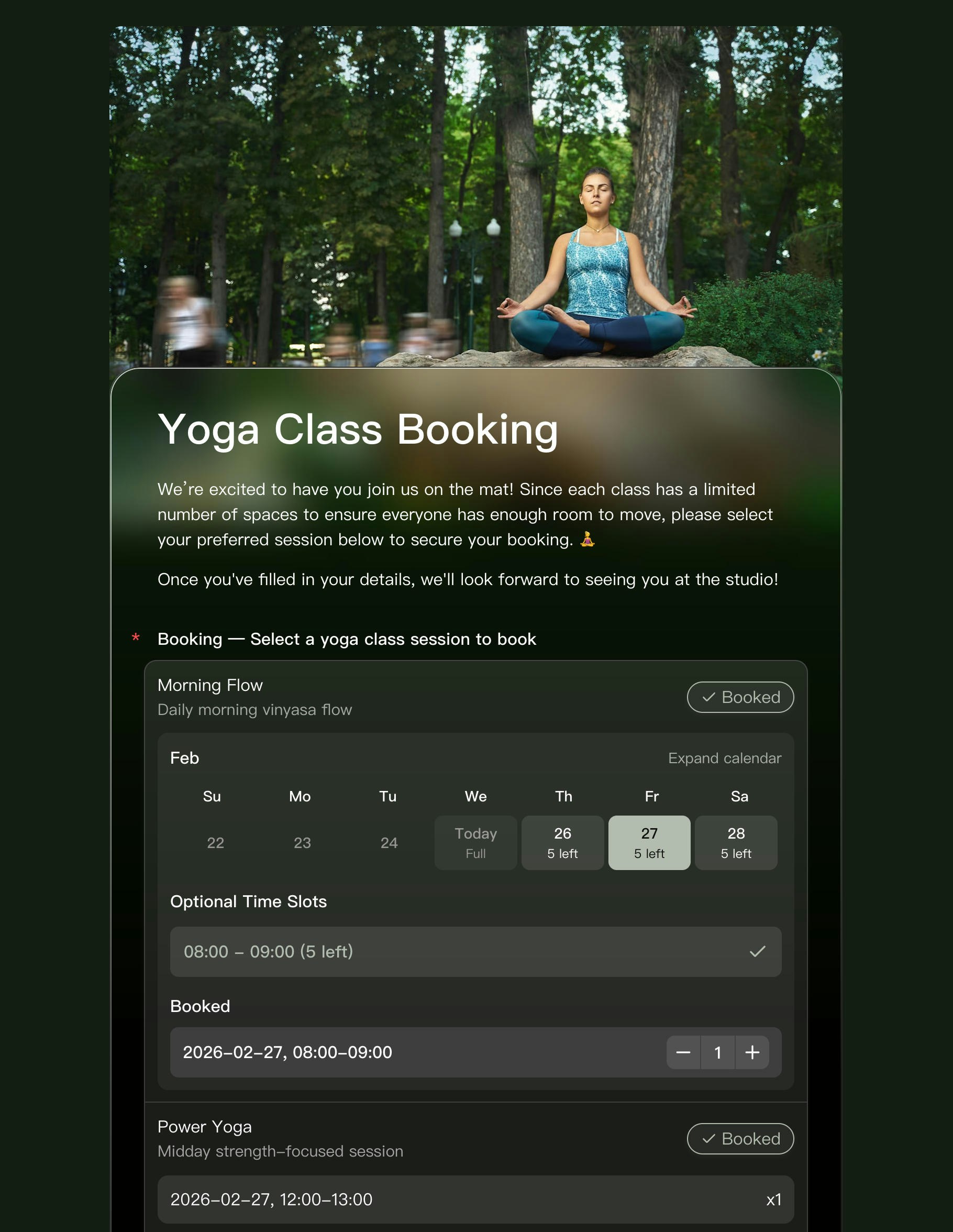 Slots marked **Full** are automatically hidden from selection. Remaining availability is shown directly on the calendar so participants can plan at a glance.
## A Complete Booking System
The Booking field handles scheduling, but you can pair it with other FormHug features to build a full end-to-end system:
* **Email & SMS notifications** — Send automatic confirmation messages to participants when they book, and alert yourself of new reservations
* **Public Query** — Let participants look up their own booking details anytime using their ID, phone, or email — no need to contact you
Together, these turn a simple booking form into a complete reservation management system.
## Related
Step-by-step: build and publish a booking form
Let participants look up their own booking records
See the product workflow for appointments, classes, and reservations
Write reminder emails for bookings, classes, and consultations
Slots marked **Full** are automatically hidden from selection. Remaining availability is shown directly on the calendar so participants can plan at a glance.
## A Complete Booking System
The Booking field handles scheduling, but you can pair it with other FormHug features to build a full end-to-end system:
* **Email & SMS notifications** — Send automatic confirmation messages to participants when they book, and alert yourself of new reservations
* **Public Query** — Let participants look up their own booking details anytime using their ID, phone, or email — no need to contact you
Together, these turn a simple booking form into a complete reservation management system.
## Related
Step-by-step: build and publish a booking form
Let participants look up their own booking records
See the product workflow for appointments, classes, and reservations
Write reminder emails for bookings, classes, and consultations