10 Best ChatGPT Plugins for Product Managers and Startup Teams in 2026
Start collecting responses
Turn this into a shareable survey
Draft the questions, publish a clean link, and keep every response organized in FormHug.
Product teams rarely suffer from a lack of ideas. They suffer from scattered evidence: user feedback in Slack, customer notes in email, specs in Notion or Drive, designs in Figma, issues in GitHub or Linear, and analytics in separate dashboards.
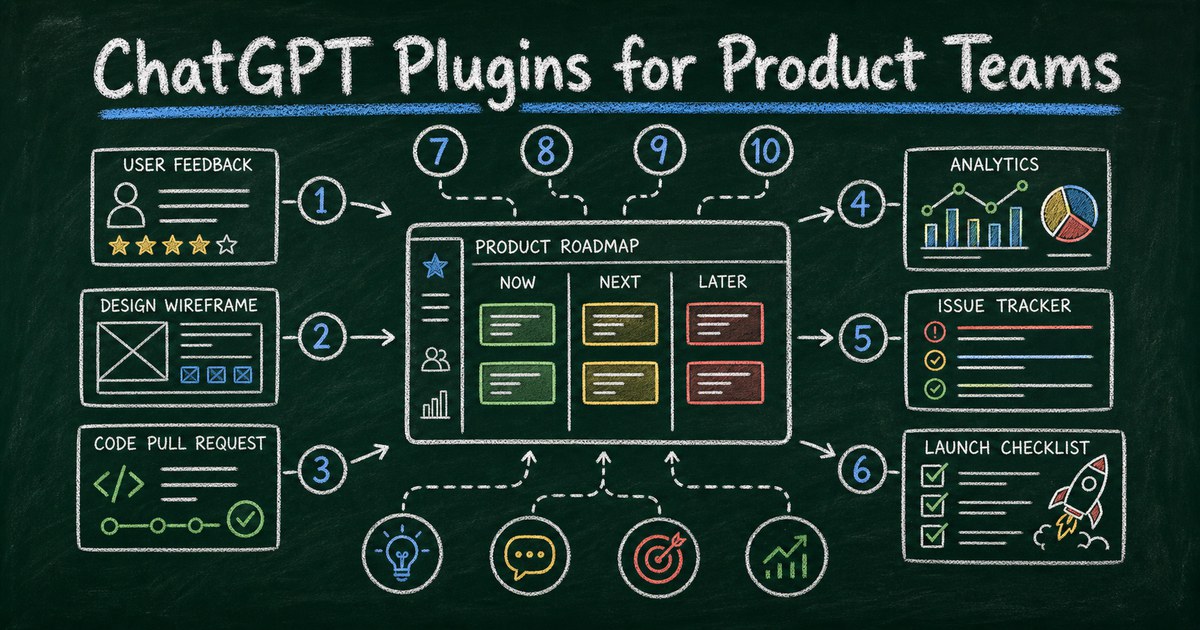
ChatGPT becomes more useful when it can work across that context. The best product plugins do not replace product judgment. They help a team gather signals, compare options, prepare decisions, and follow work into execution.
We tested this roundup by checking the current ChatGPT Plugin Directory, opening each recommended plugin listing, and evaluating it against realistic product workflows: discovery, design review, feedback collection, issue triage, analytics, and launch follow-up. Here are 10 ChatGPT plugins worth considering for product managers, founders, designers, engineers, and startup teams.
Quick Comparison
| Rank | ChatGPT plugin | Best for | Product workflow |
|---|---|---|---|
| 1 | Google Drive | Product docs | Specs, research notes, launch plans |
| 2 | Notion | Team knowledge | PRDs, decisions, meeting notes |
| 3 | Slack | Team discussion | Summaries and decision tracking |
| 4 | Figma | Design context | Product flows and design feedback |
| 5 | FormHug | User feedback forms | Beta signup, research screeners, requests |
| 6 | GitHub | Engineering work | Issues, PRs, CI, release flows |
| 7 | Linear | Roadmap execution | Product planning and issue tracking |
| 8 | PostHog | Product analytics | Activation, retention, feature usage |
| 9 | Data Analytics | Analysis | Ad hoc product and business questions |
| 10 | Gmail | Customer email | Interview scheduling and follow-up |
1. Google Drive - Best for Product Files
Google Drive is valuable for product teams with research notes, launch plans, customer decks, spreadsheets, and docs spread across shared folders.
Use it to summarize discovery notes, compare a spec against a launch brief, find a customer quote, or turn a spreadsheet of feedback into themes.
Try prompts like:
Use Google Drive to find our latest discovery notes for onboarding, summarize the main user pains, and compare them against the current launch brief.
Best for: teams that use Google Workspace for specs, research, planning, and reporting.
2. Notion - Best for Product Knowledge
Notion is a strong plugin when Notion is the team’s operating memory. Product work depends on context: why a decision was made, what was tried, what is still open, and what should not be repeated.
With ChatGPT connected, Notion can become more searchable and more usable as a product knowledge base.
Try prompts like:
Use Notion to summarize the latest PRD, list open decisions, and turn the unresolved questions into a product review agenda.
Best for: PRDs, decision logs, research repositories, roadmaps, and team notes.
3. Slack - Best for Product Discussion
Slack helps product teams handle the fact that many decisions happen in threads before they reach a doc.
Use it to summarize a launch discussion, identify unresolved questions, extract customer pain points from shared messages, or turn a heated debate into a clearer decision record.
Try prompts like:
Use Slack to summarize the launch thread, separate decisions from opinions, and list the product, design, and engineering follow-ups.
Best for: cross-functional discussion, launch coordination, customer feedback triage, and product retrospectives.
4. Figma - Best for Design Context
Figma is useful because product feedback often depends on layout, hierarchy, and flow. A feature described in text can feel very different in a real interface.
With design context available, ChatGPT can help critique copy, user flows, empty states, onboarding screens, and visual consistency.
Try prompts like:
Use Figma to review this onboarding flow and identify where the copy, hierarchy, or screen order may confuse first-time users.
Best for: design reviews, product copy, prototype feedback, and design-to-code handoff.
5. FormHug - Best for Structured User Feedback
FormHug is useful when product feedback needs structure. A team may need a beta signup form, feature request form, bug report form, user interview screener, onboarding survey, or post-launch feedback form.
The product insight is not just in the questions. It is in collecting comparable answers from enough people to see patterns.
FormHug stands out for product teams because it is agent-native: ChatGPT can help create, revise, share, and analyze structured feedback workflows without switching into a separate builder first. Its generous plan quota includes unlimited forms and 3,000 responses/month, giving teams enough room for multiple scenes: beta signup, research screeners, bug reports, feature requests, onboarding surveys, post-launch feedback, and waitlists. It also works well when you connect your other plugins to make a workflow, such as using Figma for the design context, FormHug for user feedback, GitHub or Linear for implementation, and PostHog for behavior data.
Try prompts like:
Use FormHug to create a beta signup form for a new AI workspace feature. Ask for role, company size, current workflow, biggest pain point, willingness to do an interview, and email for follow-up.
Best for: beta programs, feature requests, research screeners, bug reports, waitlists, and product feedback surveys.
6. GitHub - Best for Engineering Reality
GitHub matters for product teams because the product plan eventually meets code, issues, pull requests, CI, and release flows.
Use it to triage issues, understand PR context, prepare release notes, or connect a product question to actual implementation work.
Try prompts like:
Use GitHub to summarize the open issues related to onboarding, identify duplicates, and draft release-note bullets for the fixes already merged.
Best for: technical PMs, startup founders, engineering-led teams, and release coordination.
7. Linear - Best for Product Execution
Linear is useful for teams that use Linear to plan and build. It can help ChatGPT reason about issues, cycles, priorities, and product execution.
The strongest use case is turning messy product context into structured work without losing the why.
Try prompts like:
Use Linear to turn these customer feedback themes into product issues with clear titles, priority notes, and acceptance criteria.
Best for: issue tracking, sprint planning, roadmap execution, and startup product operations.
8. PostHog - Best for Product Analytics
PostHog is one of the most relevant plugins for product teams because it connects ChatGPT to product behavior, not just product opinions.
Use it to ask about activation, retention, drop-off, funnels, feature usage, cohorts, and experiment outcomes. Pair it with FormHug when you need both quantitative product behavior and qualitative feedback.
Try prompts like:
Use PostHog to compare activation between users who completed onboarding and users who dropped off before inviting a teammate.
Best for: product-led growth, onboarding analysis, feature adoption, and experiment review.
9. Data Analytics - Best for Ad Hoc Product Questions
Data Analytics is useful when product questions do not live in one system. A team may need to compare survey exports, usage spreadsheets, revenue snapshots, or support categories.
Use it as the flexible analysis layer when the question is clear but the data source is a file or dataset rather than a product analytics tool.
Try prompts like:
Use Data Analytics to analyze this exported feedback spreadsheet and group responses by persona, severity, and likely product area.
Best for: one-off analysis, exported reports, spreadsheets, and executive summaries.
10. Gmail - Best for Customer Interview Follow-Up
Gmail remains useful for product teams because customer research often involves scheduling, follow-up, clarification, and thank-you notes.
It is not glamorous, but better follow-up improves research quality.
Try prompts like:
Use Gmail to draft follow-up emails for the users who agreed to interviews, with different versions for power users and new users.
Best for: interview scheduling, customer research communication, launch feedback, and partner coordination.
How to Choose a Product Plugin Stack
Start with where product truth lives. If it lives in documents, install Drive and Notion. If it lives in design, install Figma. If it lives in usage data, install PostHog. If it lives in customer response, install FormHug.
For many startup teams, the first stack should be Notion, Slack, Figma, FormHug, GitHub or Linear, and PostHog.
How These ChatGPT Plugins Can Work Together
Product workflows rarely stay in one tool. A useful plugin chain might start with Figma for design context, use FormHug to collect structured feedback, send implementation work to Linear or GitHub, and check PostHog to see whether the change improved behavior.
Try prompts like:
Use Figma to review the onboarding design, use FormHug to create a beta feedback form for testers, then turn the expected feedback categories into Linear issues and define what we should check in PostHog after launch.
Frequently Asked Questions
What are the best ChatGPT plugins for product managers?
Notion, Google Drive, Slack, Figma, FormHug, GitHub, Linear, PostHog, Data Analytics, and Gmail are strong choices because they cover product context, feedback, design, engineering, analytics, and follow-up.
Why include FormHug for product teams?
Product teams need structured ways to collect user feedback: beta signups, interview screeners, feature requests, bug reports, and post-launch surveys. FormHug helps create those workflows from ChatGPT.
Is GitHub or Linear better for product teams?
GitHub is closer to code, pull requests, and releases. Linear is closer to issue planning, cycles, and product execution. Many technical teams use both.
What plugin is best for product analytics?
PostHog is best when you need product behavior data. Data Analytics is useful for flexible analysis from files, spreadsheets, and exported data.
Can ChatGPT replace a PM with these plugins?
No. Plugins can gather context, summarize signals, and prepare drafts. Product judgment still requires prioritization, taste, customer understanding, and tradeoff decisions.
Final Recommendation
For product teams, start with Notion, Slack, Figma, FormHug, and either GitHub or Linear. Add PostHog when product behavior data becomes central to decisions.

Written by
FormHug TeamProduct, research, and form automation team
The FormHug Team brings together product builders, workflow researchers, and form automation practitioners who study how people collect, route, and act on information online. Our guides are based on hands-on product testing, template analysis, customer workflow patterns, and deep experience with forms, surveys, quizzes, AI-assisted creation, integrations, and results sharing.