10 Best ChatGPT Plugins for Customer Support and Success Teams in 2026
Start collecting responses
Turn this into a shareable survey
Draft the questions, publish a clean link, and keep every response organized in FormHug.
Customer support and success teams live inside context switching: inboxes, Slack threads, docs, calls, CRM records, bug reports, feedback surveys, and product analytics. ChatGPT is only useful if it can reach enough of that context to help without flattening the customer’s problem into a generic reply.
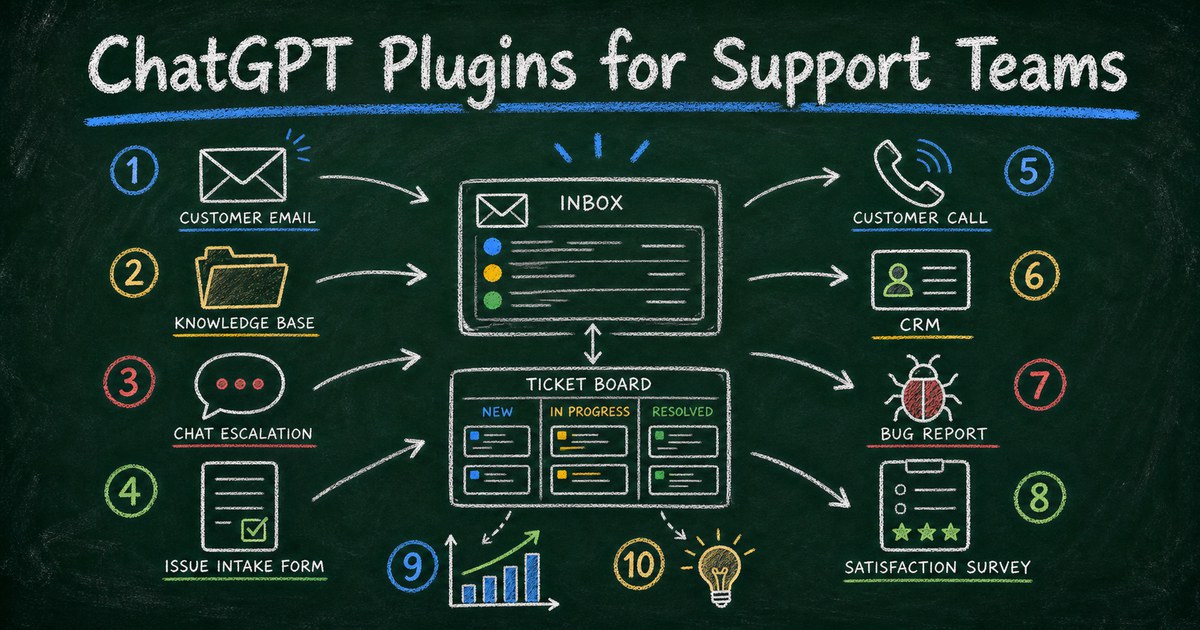
The best ChatGPT plugins for support are practical connectors. They help teams understand what happened, collect missing details, draft careful responses, and route follow-up into the right system.
We tested this roundup by checking the current ChatGPT Plugin Directory, opening each recommended plugin listing, and evaluating it against real support and success workflows: email triage, knowledge lookup, escalation, customer intake, calls, CRM context, bug reporting, and feedback analysis. Here are 10 ChatGPT plugins worth installing for support, customer success, operations, and post-sale teams.
Quick Comparison
| Rank | ChatGPT plugin | Best for | Support or success workflow |
|---|---|---|---|
| 1 | Gmail | Customer email | Summarize threads and draft replies |
| 2 | Google Drive | Help docs | Find policies, guides, and internal docs |
| 3 | Slack | Internal escalation | Summarize team discussion and owners |
| 4 | HubSpot | CRM | Connect support context to customer records |
| 5 | FormHug | Issue intake and feedback | Create support forms, CSAT, and surveys |
| 6 | Zoom | Customer calls | Capture call insights and follow-up |
| 7 | Notion | Knowledge base | Organize internal support knowledge |
| 8 | GitHub | Bug escalation | Connect customer issues to engineering |
| 9 | PostHog | Product behavior | Investigate adoption, events, and friction |
| 10 | Data Analytics | Reporting | Summarize ticket categories and feedback exports |
1. Gmail - Best for Customer Email
Gmail is the most obvious first plugin when customer communication happens by email. It helps ChatGPT summarize long threads, identify unanswered questions, and draft replies that a human can review.
For support, the value is not speed alone. It is consistency: remembering the customer’s issue, acknowledging the right details, and avoiding repeated questions.
Try prompts like:
Use Gmail to summarize this customer thread, identify what we have already asked, and draft a reply that requests only the missing troubleshooting details.
Best for: email support, customer follow-up, renewal questions, onboarding help, and issue clarification.
2. Google Drive - Best for Help Docs and Policies
Google Drive helps support teams use internal docs instead of memory. Refund policies, setup guides, onboarding checklists, troubleshooting docs, product notes, and pricing explanations often live in shared folders.
With Drive connected, ChatGPT can help locate the right source and draft a reply grounded in the current document.
Try prompts like:
Use Google Drive to find the latest refund policy and setup guide, then draft a support reply that cites the right steps without overpromising.
Best for: support macros, policy answers, setup guides, internal playbooks, and customer-facing docs.
3. Slack - Best for Internal Escalation
Slack is where many support escalations are actually solved. Someone asks engineering, product, billing, or operations what happened, and the answer arrives in a thread.
ChatGPT can help summarize that discussion, identify the final answer, and prepare a customer-facing response.
Try prompts like:
Use Slack to summarize the escalation thread, identify the final answer from engineering, and draft a customer-facing update in plain language.
Best for: escalation threads, incident updates, handoffs, and internal follow-up.
4. HubSpot - Best for Customer Records
HubSpot is useful when support and success teams need CRM context: company, lifecycle stage, past conversations, open deals, renewal timing, and account notes.
Customer success work often depends on the relationship history, not just the latest ticket.
Try prompts like:
Use HubSpot to review this customer’s account history, recent touchpoints, and renewal timing before drafting a success follow-up.
Best for: account management, customer success, renewals, sales-to-success handoff, and relationship-aware support.
5. FormHug - Best for Issue Intake, CSAT, and Feedback
FormHug fits support workflows when the team needs structured information from customers. Instead of asking five follow-up questions manually, create a form that collects the details needed to route and solve the problem.
Use it for support intake, bug reports, customer satisfaction surveys, onboarding feedback, cancellation feedback, feature requests, and post-resolution follow-up.
FormHug stands out for support and success because it is agent-native: ChatGPT can help create, revise, share, and analyze intake forms, bug reports, CSAT surveys, NPS surveys, and feedback workflows from the same conversation. Its generous plan quota includes unlimited forms and 3,000 responses/month, which gives teams room for multiple scenes: support intake, issue reports, feature requests, onboarding feedback, renewal health checks, cancellation surveys, and post-resolution CSAT. It also works well when you connect your other plugins to make a workflow, such as using Gmail for the customer thread, Google Drive for docs, FormHug for missing details, GitHub for the bug, and HubSpot for account follow-up.
Try prompts like:
Use FormHug to create a support intake form for a SaaS product. Ask for email, workspace name, issue category, steps to reproduce, expected result, actual result, screenshot link, urgency, and permission to follow up.
Best for: support intake, bug reports, CSAT, NPS, feature requests, cancellation surveys, and onboarding feedback.
6. Zoom - Best for Customer Call Follow-Up
Zoom helps when customer context lives in calls. Success calls, onboarding sessions, troubleshooting meetings, and renewal reviews contain commitments that can be lost if nobody writes them down.
Use ChatGPT to summarize themes, list follow-ups, and prepare a clean recap.
Try prompts like:
Use Zoom to summarize the onboarding call, list open risks, and draft a follow-up email with the actions we promised.
Best for: onboarding calls, success reviews, support screen shares, renewal conversations, and customer interviews.
7. Notion - Best for Support Knowledge
Notion is useful if your support knowledge base, SOPs, troubleshooting notes, and customer-success playbooks live in Notion.
The goal is not just retrieval. It is making support learning reusable: when a new issue appears three times, the team should capture the answer once.
Try prompts like:
Use Notion to turn this repeated support issue into a troubleshooting note with symptoms, likely causes, steps, and escalation criteria.
Best for: internal knowledge bases, support SOPs, onboarding notes, and reusable troubleshooting playbooks.
8. GitHub - Best for Bug Escalation
GitHub is valuable for technical support teams because many customer issues eventually need engineering context.
Use it to understand existing issues, prepare clean bug reports, summarize PR status, and connect customer impact to engineering work.
Try prompts like:
Use GitHub to find related issues for this bug report, summarize the current status, and draft a clean escalation note for engineering.
Best for: technical support, developer tools, SaaS bugs, release notes, and customer-impact tracking.
9. PostHog - Best for Product Behavior
PostHog helps support and success teams see what customers actually did in the product. That can be more useful than asking the customer to remember every step.
Use it to investigate onboarding friction, feature usage, conversion drop-off, and behavioral patterns behind support requests.
Try prompts like:
Use PostHog to check whether customers who report this setup issue share the same onboarding drop-off event.
Best for: product-led support, onboarding analysis, adoption tracking, and success interventions.
10. Data Analytics - Best for Support Reporting
Data Analytics is useful for support reporting when data arrives as CSV exports, spreadsheets, or survey results.
Ask ChatGPT to group issue categories, identify recurring complaints, compare time periods, or summarize CSAT comments.
Try prompts like:
Use Data Analytics to group this CSAT export by issue category, rating, and recurring complaint theme, then summarize what changed this month.
Best for: support reporting, feedback analysis, exported ticket data, and leadership updates.
How to Choose a Support Plugin Stack
Start with your main source of customer truth. If that is email, install Gmail. If it is CRM, install HubSpot. If it is product behavior, install PostHog. If it is messy customer details, install FormHug.
For many teams, the strongest first stack is Gmail, Google Drive, Slack, HubSpot, and FormHug. Add Zoom for call-heavy teams and GitHub for technical support.
How These ChatGPT Plugins Can Work Together
Support workflows are strongest when plugins pass context forward. Gmail can surface the customer’s words, Google Drive can supply policy or setup docs, FormHug can collect missing details, Slack can coordinate escalation, GitHub can track a bug, and HubSpot can preserve the account-level history.
Try prompts like:
Use Gmail to summarize this customer’s issue, use Google Drive to find the relevant troubleshooting doc, then use FormHug to create a short issue intake form and prepare a GitHub escalation note if the customer confirms the bug.
Frequently Asked Questions
What are the best ChatGPT plugins for customer support?
Gmail, Google Drive, Slack, HubSpot, FormHug, Zoom, Notion, GitHub, PostHog, and Data Analytics are strong options because they cover email, knowledge, escalation, CRM, intake, calls, engineering, behavior, and reporting.
Why use FormHug for support?
Support teams need structured details to solve issues: account, category, steps to reproduce, screenshots, urgency, satisfaction, and follow-up permission. FormHug helps create those forms from ChatGPT.
Can ChatGPT write customer support replies automatically?
It can draft replies, but support teams should review messages before sending. Customer trust depends on accuracy, tone, and accountability.
Which plugin helps with bug reports?
FormHug can collect structured bug details from customers. GitHub can help connect those issues to engineering workflows.
What plugin is best for customer success teams?
HubSpot is useful for account context, Zoom for call follow-up, FormHug for surveys and onboarding feedback, and PostHog for product adoption signals.
Final Recommendation
For support and success teams, start with Gmail, Google Drive, Slack, HubSpot, and FormHug. That gives ChatGPT access to the core support loop: understand the customer, find the source of truth, coordinate internally, capture structured details, and follow up.

Written by
FormHug TeamProduct, research, and form automation team
The FormHug Team brings together product builders, workflow researchers, and form automation practitioners who study how people collect, route, and act on information online. Our guides are based on hands-on product testing, template analysis, customer workflow patterns, and deep experience with forms, surveys, quizzes, AI-assisted creation, integrations, and results sharing.