FormHug MCP Server: Create and Manage Forms with Claude, Cursor, or Any AI Agent
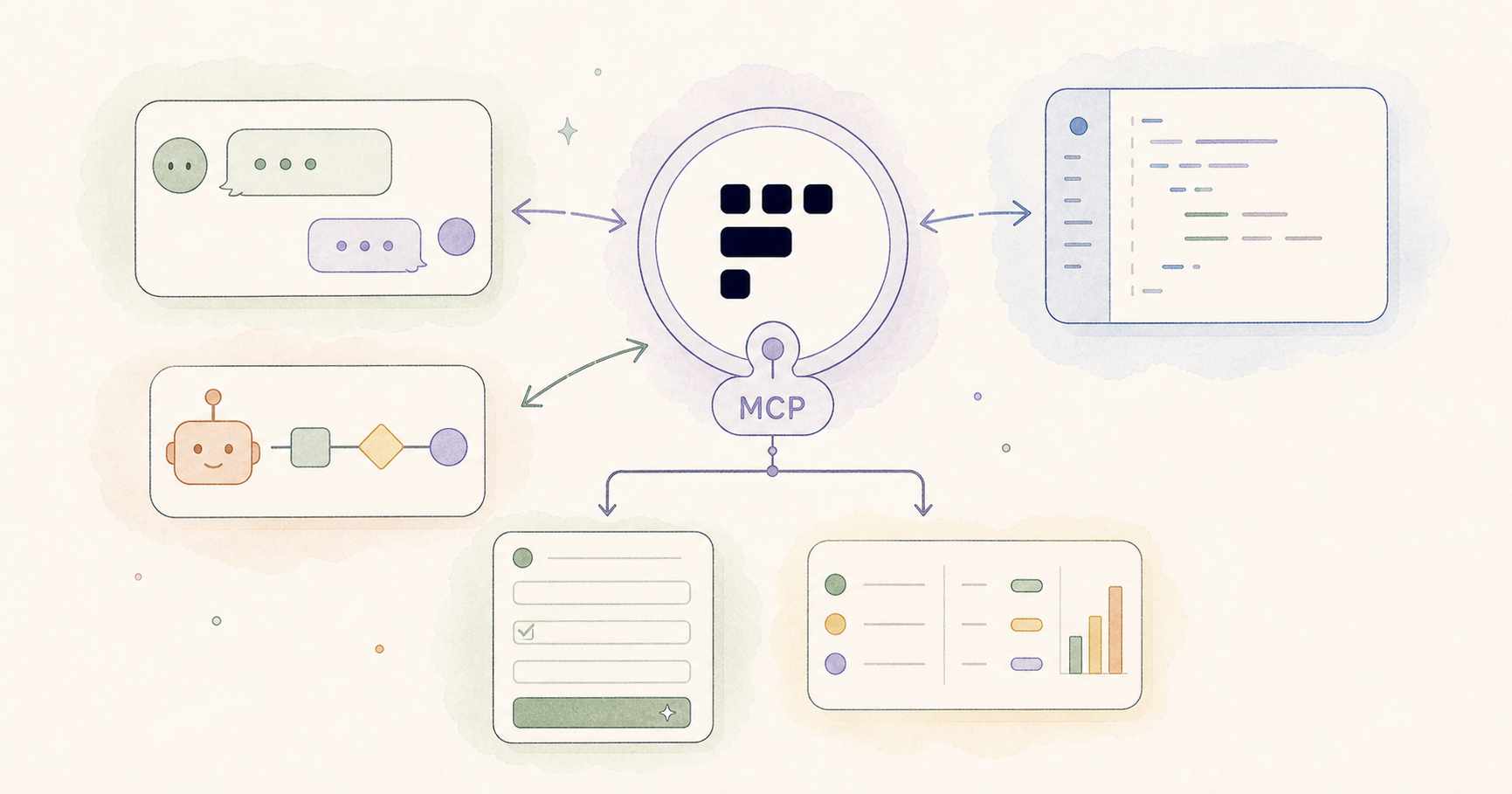
Create with AI
Describe the workflow and get a form draft
Use FormHug to create forms from prompts, then share, automate, and reuse the structured responses.
AI agents can do a lot now. They write code, browse the web, search your files, send messages, call APIs, and summarize documents. But there’s a structural gap in almost every agent workflow: collecting structured data from humans.
If your agent needs to run a registration, survey, job application, or feedback form as part of a workflow, someone still has to go open a browser, log into a form tool, build the form, copy the embed code, then paste the link somewhere useful. The agent hands off. The human takes over. The loop breaks.
FormHug MCP closes that gap. It gives your AI agent a complete form backend — the ability to create forms, edit fields, read submissions, and submit entries, all from inside the agent conversation, in natural language.
FormHug MCP is a Model Context Protocol server that lets any MCP-compatible AI agent — Claude Desktop, Claude Web, Cursor, Manus, Windsurf — create and manage forms, retrieve form submissions, and submit entries programmatically, without opening a dashboard or writing backend code. The server is available on all FormHug plans, including free.
TL;DR — FormHug MCP gives AI agents a complete form backend for creating forms, editing fields, reading submissions, and submitting entries.
- Use forms inside agent workflows — agents can collect structured data without sending you to a dashboard.
- Works with MCP-compatible tools — Claude, Cursor, Manus, Windsurf, and other agents can connect.
- Covers creation and data access — form creation, submission lookup, entry retrieval, and public submissions.
- Works for: registrations, surveys, internal tools, QA testing, lead capture, AI-native products.
- The MCP server is available on FormHug’s free plan; account permissions still control owned forms.
What is MCP, and why does it matter here?
The Model Context Protocol (MCP) is an open standard that lets AI assistants connect to external tools and services through a standardized interface. Instead of building a custom plugin for every AI tool, a service exposes one MCP server — and any MCP-compatible agent can connect to it.
For users, this means you configure the connection once and your AI assistant can interact with the service directly from chat. No copy-pasting between windows. No “go to the dashboard and do X, then come back here.” The agent acts.
For form management specifically, this is a meaningful shift. Forms are usually a detour from whatever you’re building. MCP makes form management a native capability of your agent workflow.
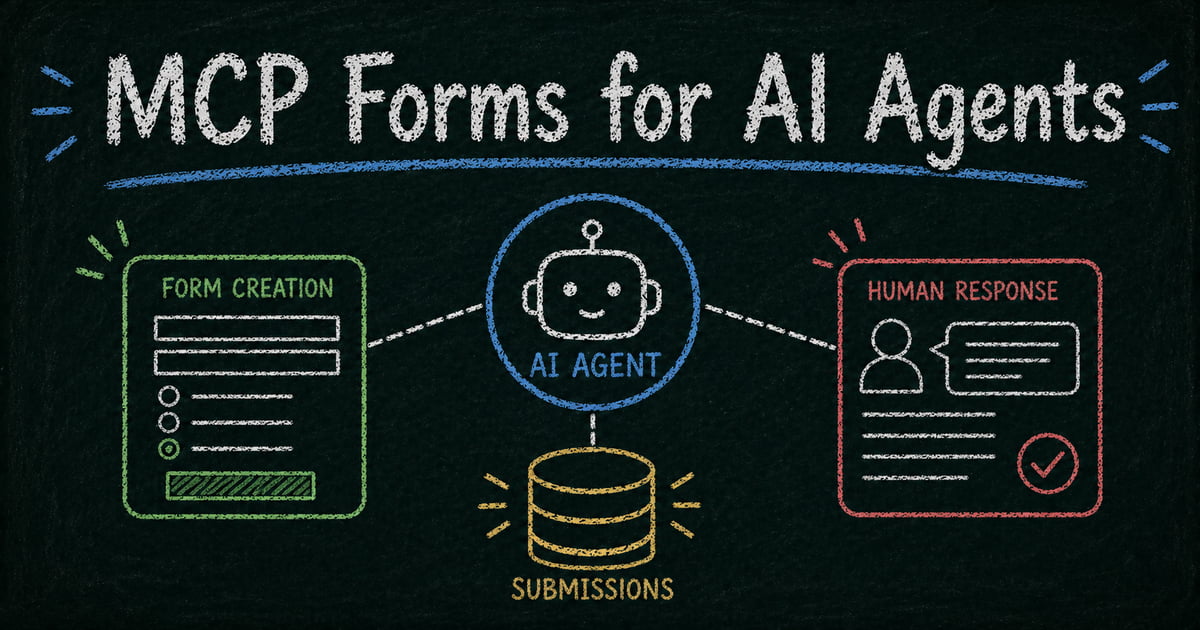
The original architecture board below shows the core boundary: the agent uses FormHug MCP to create a public form, people respond, and structured submissions return to the workflow.
What Your AI Agent Can Do with FormHug MCP
FormHug MCP exposes four categories of capability:
Create forms — Describe the form you need in plain language. Your agent builds it: fields, types, choices, descriptions, and all. “Create a job application form with name, email, LinkedIn URL, years of experience, and a cover letter field” becomes a working form in seconds.
Edit forms — Add or remove fields, rename forms, update descriptions — without touching the dashboard. If a stakeholder asks for a new field mid-project, you tell your agent.
Read submissions — List entries, retrieve individual responses, page through submission history. The agent can pull data directly into your workflow: summarize the last 20 responses, extract emails from signups, flag entries that match a condition.
Submit entries — Post entries to any published FormHug form programmatically. Useful for automated testing, pre-filling forms on behalf of users, or agent workflows where the agent itself is a form respondent.
In effect, FormHug MCP turns your AI agent into an AI form builder — one that creates, edits, and reads forms entirely from natural language instructions.
The distinction between generating questions and operating a response workflow is important here. An AI form generator can help draft content; MCP gives the agent a persistent tool surface for creation and data access. That same tool layer can support a ChatGPT survey workflow or ChatGPT quiz workflow without asking the user to rebuild the result manually.
Who actually uses this
The developer building a product in Cursor
You’re building an app in Cursor. At some point you need a contact form, a waitlist form, a feedback widget. Normally you’d stop, open a browser, log into a form tool, build the form, copy the embed snippet, switch back to your editor.
With FormHug MCP connected to Cursor, you stay in your editor. You tell Cursor: “Add a waitlist form to the landing page — email and name, with an optional note field.” Cursor creates the form in FormHug, gets back the embed code, and drops it into your page. You never left the editor.
For solo builders and teams moving fast, this is not a small thing. Every context switch has a cost. Keeping form infrastructure inside the coding loop is worth it.
The AI workflow builder
You’re building a multi-step agent workflow that collects data from end users. Step 1: the agent creates a form tailored to the context. Step 2: a link is sent to participants. Step 3: the agent polls submissions and processes the responses.
Without FormHug MCP, step 1 requires a human or custom API integration. With it, the agent handles the full loop: creates the form, reads submissions when they arrive, passes the data downstream — all within the same workflow execution.
This pattern applies to: lead qualification, event registration, feedback collection, intake questionnaires, research surveys.
The Claude Desktop power user
You use Claude as your everyday assistant. You want to quickly spin up a survey for your team, collect feedback from clients, or build a registration form for an upcoming event — without opening another tab.
You type: “Create a short feedback form for my design review next week — overall rating, three things that went well, one thing to improve, and optional email.” Claude creates the form and gives you the shareable link. You paste it into Slack. Done in sixty seconds.
No new tab. No form tool login. No field-by-field clicking. You had a need, you described it in words, you got a working form.
The developer building an AI-native product
Your product is an AI assistant — something that helps end users accomplish tasks. Part of that product’s job is collecting structured input from users. You could build a form backend yourself. Or you could give your agent FormHug MCP and let it handle form creation and data retrieval as native capabilities.
When a user asks your AI assistant “set up a registration form for my workshop,” the agent creates the form in FormHug and returns the link. When a user asks “show me who signed up,” the agent reads the submissions and summarizes them. Your product gets form infrastructure without you building it.
The operations or community manager
You run a community, a team, or an event series. Recurring tasks include: creating signup forms for each event, reading RSVPs, following up with attendees. Normally this means logging into a form tool after every announcement.
With Claude Desktop and FormHug MCP, you delegate this to your AI assistant. “Create a registration form for Thursday’s workshop — name, email, team, and whether they need a recording afterward.” Then a week later: “List everyone who signed up for Thursday’s workshop and give me their emails.” The AI handles both ends.
How to Connect Claude, Cursor, or Any Agent to FormHug MCP
Claude Desktop and Claude Web (claude.ai)
FormHug is now available in the public Claude Connectors Directory:
- Open FormHug in Claude Connectors
- Connect and authorize your FormHug account
- Enable the connector in the conversation where you want to use it
The directory connector supports Interactive MCP Apps rendering. See the Claude Connectors product note for screenshots and the launch overview.
You can also add https://formhug.ai/mcp as a custom remote connector when you need the manual MCP setup path.
If you’re on a Team or Enterprise plan, ask your org Owner to add it via Organization settings → Connectors first, then connect from your own Connectors page.
For the current connector reference, example prompts, and troubleshooting, use the FormHug + Claude guide.
Cursor
Open Cursor Settings → MCP Servers → Add Server. Paste the server URL https://formhug.ai/mcp. Authorize when prompted. Once connected, you can manage forms and read submissions directly from the Cursor chat panel.
Other MCP clients
Any client supporting the Model Context Protocol with HTTP transport can connect using https://formhug.ai/mcp. This includes Manus, Windsurf, and any custom agent built on an MCP-compatible SDK.
What to say to your agent
The interface is natural language. Here are concrete examples by task:
Creating and editing forms:
- “Create a customer feedback form with a star rating, email, and comment field.”
- “Add a required phone number field to my Event Registration form.”
- “Rename my ‘Form #3’ to ‘2025 Employee Survey’ and update the description.”
- “Create a job application form with fields for name, email, LinkedIn URL, years of experience, and a cover letter.”
Reading submissions:
- “Show me the last 10 submissions from my Contact Us form.”
- “List everyone who filled out my waitlist form and extract their emails.”
- “How many responses does my Q1 feedback survey have?”
- “Get entry number 5 from my registration form.”
Managing forms:
- “List all my forms and tell me which ones have more than 50 responses.”
- “What fields does my Onboarding Checklist form have?”
- “Delete the form called Old Test Form.”
Submitting entries:
- “Submit a test entry to my Contact form — name: Jane Smith, email: jane@example.com.”
- “Fill in the onboarding form with the user details from this conversation.”
The 11 available tools
For developers and technical users, here is the full list of tools the FormHug MCP server exposes:
| Tool | What it does |
|---|---|
list_forms | List all your forms, with optional name filter |
get_form | Get full form structure including all field definitions |
preview_form | Get a readable markdown summary of form structure |
create_form | Create a new form, optionally with fields |
update_form | Update a form’s name or description |
delete_form | Permanently delete a form and all its data |
add_fields | Append new fields to an existing form |
remove_field | Remove a specific field by its api_code |
list_entries | Page through form submissions |
get_entry | Retrieve a single entry by serial number |
submit_entry | Submit a new entry to any published form |
The submit_entry tool works on any published FormHug form — not just forms you own. This is the same as a visitor filling out a form in a browser.
Supported field types for submission: text, textarea, email, mobile, number, radio button, dropdown, checkbox, datetime (ISO 8601), rating (integer, 1 to max), and NPS (0–10).
Authentication and security
FormHug MCP uses OAuth 2.1 with authorization code + PKCE. The first time your agent connects, FormHug opens a browser login. After you authorize, the agent receives a token linked to your account identity.
This means:
- Agent actions are tied to your account — you control what gets created or submitted
- You can revoke access at any time from your FormHug settings
- The agent cannot access any FormHug tools without your explicit authorization
All form data is encrypted at rest. Submissions through submit_entry are stored the same way as manual submissions.
One thing to be aware of: delete_form permanently deletes the form and all its submissions. This cannot be undone. When working with agents, it’s worth being explicit in your prompt — “delete the test form” rather than “delete the form.”
Frequently Asked Questions
What is FormHug MCP?
FormHug MCP is a Model Context Protocol server that connects AI assistants — Claude, Cursor, Manus, Windsurf — to FormHug’s form management capabilities. Through a single connection, an AI agent can create forms, edit fields, list and retrieve form submissions, and submit entries, all through natural language. No dashboard access or custom API integration required.
Which AI tools support this?
Claude Desktop, Claude Web (claude.ai), Cursor, Manus, Windsurf, and any other MCP-compatible agent or IDE. If your tool supports MCP with HTTP transport, it can connect.
Do I need a FormHug account?
Yes. FormHug uses OAuth to link agent actions to your identity. This is how you control what the agent creates and submits. Signing up is free.
Is the MCP server available on the free plan?
Yes. The MCP server is available on all plans, including free. Your plan’s submission limits apply to entries submitted through the agent.
Can my agent submit entries to forms I don’t own?
Yes. The submit_entry tool works on any published FormHug form — the same as visiting a form URL in a browser. Creating, editing, and deleting forms requires ownership.
How is this different from using the FormHug dashboard?
The dashboard is the right tool when you’re visually building a form and want to click through the layout. MCP is the right tool when you’re inside an agent workflow and want form management to happen without a context switch — or when you want the agent to handle it autonomously as part of a larger task.
Can I use this to build an AI assistant that creates forms for my own users?
Yes. If you’re building an AI-native product, you can connect your agent to FormHug MCP and expose form creation and data retrieval as capabilities your product’s users can invoke through natural language. Submission limits are per FormHug account.
What if I want to use a CSV export instead of reading through the API?
You can always export submissions from the FormHug dashboard. The list_entries and get_entry tools are for agent workflows where you want to process data programmatically without leaving the conversation.
Related
- FormHug Is Now Available in Claude Connectors — the directory launch and Interactive MCP Apps overview
- MCP Form Builder — why agents need forms as tools, not just generated fields
- AI Form Generator vs AI Form Builder — the boundary between drafting content and operating a response workflow
- AI Forms for Humans and Agents — the campaign essay on forms as shared interfaces for people and agents
- Claude Form Builder: Collect and Analyze Data in Chat — step-by-step guide to connecting FormHug to Claude and building forms from natural language
Every form an agent cannot create or read becomes a manual handoff back to a human. Give the agent a form backend and keep the workflow moving. Connect FormHug MCP →

Written by
FormHug TeamProduct, research, and form automation team
The FormHug Team brings together product builders, workflow researchers, and form automation practitioners who study how people collect, route, and act on information online. Our guides are based on hands-on product testing, template analysis, customer workflow patterns, and deep experience with forms, surveys, quizzes, AI-assisted creation, integrations, and results sharing.