7 Best Free Survey Makers in 2026 (Tested and Ranked)
Start collecting responses
Turn this into a shareable survey
Draft the questions, publish a clean link, and keep every response organized in FormHug.
The hardest part of choosing a free survey maker in 2026 is not finding one. It is figuring out where the free plan becomes too small: responses, forms, branding, exports, logic, AI help, or result reporting. If you want the practical build workflow rather than a ranked tool list, start with the free survey maker guide.
A useful free survey tool should let you do three things before you pay: create a real survey, share it with real respondents, and read enough results to decide whether the workflow is worth keeping. If the free plan is only a demo, it is not a good fit for customer feedback, student surveys, employee pulse checks, or market research.
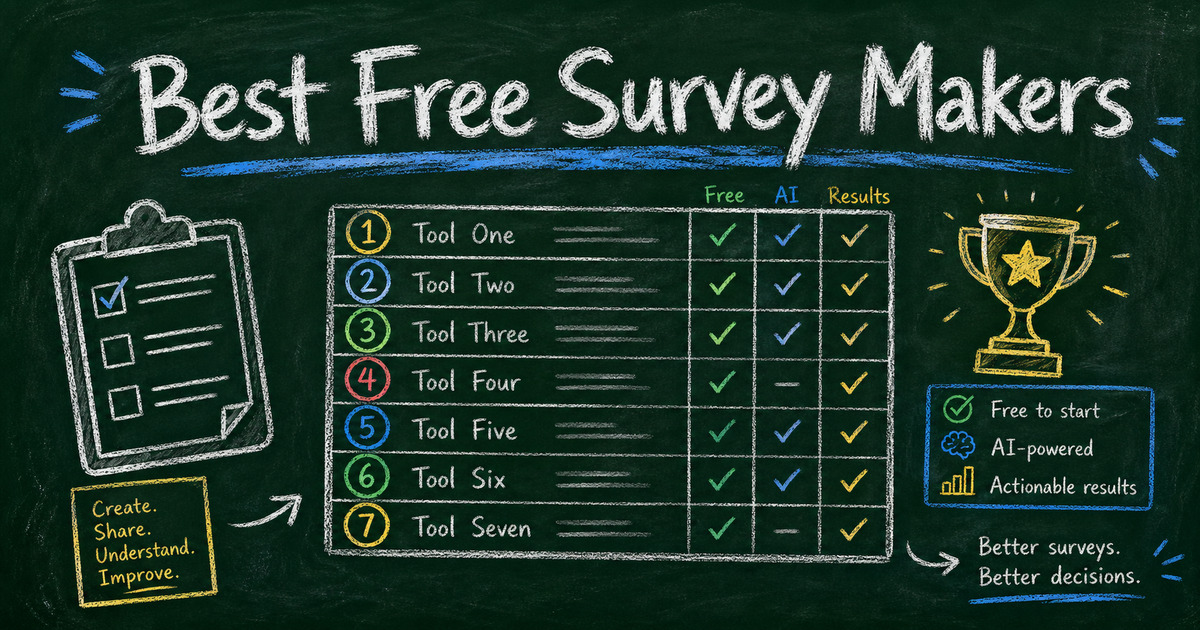
We ranked seven free survey makers around the jobs searchers actually care about: AI survey drafting, templates, share links, QR-code-friendly distribution, embeds, conditional logic, response limits, and whether the results are easy to act on. FormHug is our top pick because it combines AI survey creation with a flexible form builder that can also handle polls, quizzes, registrations, and feedback workflows.
If you are searching for a Google survey maker, questionnaire maker, or poll maker, the same evaluation still applies: the tool should help you publish quickly, collect real answers, and understand what the responses mean. If you need scored answers instead of feedback, use a dedicated quiz maker rather than stretching a survey tool into a test.
Quick Comparison
| Tool | Best for | Free plan fit | AI features |
|---|---|---|---|
| FormHug | AI-assisted surveys that can grow into forms, polls, quizzes, and feedback workflows | Strong for starting real survey projects | Built-in AI form and survey drafting |
| Google Forms | Simple internal surveys and classrooms | Strong for basic use | Limited native AI survey workflow |
| Tally | Minimal forms and lightweight questionnaires | Strong for simple forms | Limited compared with AI-native builders |
| Jotform | Template-heavy form building | Useful for small projects | AI form builder available |
| Typeform | Polished conversational surveys | Good for demos and small campaigns | AI assistance available |
| SurveyMonkey | Traditional survey programs | Useful for testing | AI and survey research features vary by plan |
| Fillout | Modern forms and database-connected workflows | Good for product-style forms | AI form creation available |
We used four filters for this ranking. First, the free plan had to be useful enough to create and share a real survey, not just preview the builder. Second, the tool had to support common survey jobs: customer feedback, event feedback, student surveys, employee pulse checks, product research, or lead qualification. Third, we looked at how quickly a non-expert could get from a blank page to a usable first draft. Fourth, we considered whether the tool could help after launch, because a survey maker is only valuable if the answers are easy to review and turn into a decision.
That is why this list does not rank tools only by brand recognition. A famous survey platform can still be a poor fit if the free plan blocks the workflow you actually need. A newer AI survey maker can be a better fit if it helps you write clearer questions, publish faster, and keep the result focused.
1. FormHug - Best for AI-Assisted Surveys That Can Grow
FormHug is the best free survey maker for people who want to move from idea to usable survey quickly. You can start from AI, use survey and feedback templates, publish a shareable link, route respondents with conditional logic, and reuse the same builder for polls, quizzes, registration forms, booking forms, and feedback workflows.
The big advantage is speed with structure. In our testing, a specific prompt such as “Create a seven-question customer feedback survey with one rating question, three multiple choice questions, and one open-ended improvement prompt” produced a usable first draft faster than starting from a blank form. That matters because most survey failures happen before distribution: the question set is too broad, too long, or not tied to a decision.
FormHug also fits the free-tool search intent better than a single-purpose poll widget. You can create a customer feedback survey today, a one-question poll tomorrow, and an online quiz next week without learning a different tool for each format. For teams still figuring out whether they need a survey, poll, questionnaire, quiz, or intake form, that flexibility is a real advantage.
Limitations: FormHug is newer than Google Forms, SurveyMonkey, and Typeform. Some teams may need a little time to build trust in the platform, especially if stakeholders expect an older survey brand.
Best for: Teams that want an AI survey maker free to start, but also want templates, branching, share links, QR-code-friendly distribution, and a builder that can handle more than surveys.
2. Google Forms - Best for Familiar Internal Surveys
Google Forms is still the easiest free survey maker to recommend when the audience is internal and the survey is simple. It is familiar, works with Google accounts, and exports naturally into spreadsheets. For classrooms, volunteer groups, internal team feedback, and low-stakes questionnaires, that familiarity removes friction.
Its biggest strength is that almost nobody needs training to answer a Google Form. If your survey is going to coworkers, students, parents, volunteers, or a small community, the plain interface can be a feature rather than a weakness.
The tradeoff is survey experience. Google Forms is practical, but it is not designed around polished respondent journeys, AI-generated survey strategy, or rich feedback workflows. The form can collect answers, but you still need to design the survey logic, question sequence, and follow-up analysis yourself.
Limitations: Plain design, limited native AI survey workflow, and fewer survey-specific experience controls than modern builders. It can also feel generic for customer-facing research.
Best for: Internal teams, classrooms, and simple surveys where everyone already lives in Google Workspace.
3. Tally - Best for Minimal, Clean Forms
Tally is a strong free survey tool for people who like a fast document-style builder. It works well for simple forms, simple surveys, and lightweight data collection where the writing experience matters more than a deep survey program.
The interface is clean, and that helps when you want to build quickly without the heavy admin feeling of older form software. For creator surveys, simple product feedback, waitlists, and quick questionnaires, Tally can feel pleasantly direct.
Where it is less strong is survey strategy. If you need AI-generated survey structure, detailed survey templates, respondent routing, or a workflow that moves between surveys, polls, and quizzes, compare it carefully against FormHug and other AI-forward tools.
Limitations: More form-first than survey-program-first. Advanced workflows, analytics, integrations, and brand controls may require checking the current plan details before launch.
Best for: Creators, solo operators, and teams that want a clean form builder with minimal friction.
4. Jotform - Best for Template Variety
Jotform has a large template library, which makes it useful when you already know the format you want: customer satisfaction survey, event feedback form, market research survey, student survey, employee feedback form, or product questionnaire.
That template depth can save time. Instead of deciding every field from scratch, you can start from a known layout and adapt it. For teams with many unrelated form needs, Jotform’s breadth is attractive.
The tradeoff is that a large template library does not automatically produce a better survey. You still need to remove unnecessary fields, rewrite generic wording, and make sure the survey maps to a decision. A template is useful only if it gets edited into your actual workflow.
Limitations: Free-plan submission, storage, branding, and export limits can matter quickly. Before launching a real campaign, check whether the free plan covers the number of responses and exports you need.
Best for: Users who want many templates and are willing to check plan limits before sending the survey widely.
5. Typeform - Best for Polished Survey Experience
Typeform is known for beautiful conversational forms. If your survey is part of a campaign, landing page, product launch, or brand experience, the interface can make the survey feel more personal than a traditional form.
That polish is useful for short lead generation surveys, product preference quizzes, creator audience research, and customer feedback forms where completion experience matters. A one-question-at-a-time interface can also make a short survey feel less intimidating.
The tradeoff is free-plan depth. A polished experience does not help if you outgrow the free limit before collecting enough responses to make a decision. Treat the free version as a way to test the experience, then check current pricing before relying on it for volume.
Limitations: Free limits can feel tight for serious survey collection, and advanced survey logic or analysis can move you toward paid plans.
Best for: Brand-sensitive surveys where presentation matters more than free-plan capacity.
6. SurveyMonkey - Best for Traditional Survey Teams
SurveyMonkey remains one of the most recognized names in survey software. It is built around survey programs, panels, question banks, templates, and research workflows. That recognition can help when stakeholders expect a traditional survey platform.
It is a reasonable option when your organization already knows SurveyMonkey or when you want to explore a classic survey tool before deciding whether to invest in a paid survey program. For formal research workflows, the broader platform has many capabilities beyond a simple free survey form.
The problem is that many searchers looking for “SurveyMonkey free” are really trying to understand the free-plan limits. If exports, question limits, response access, or analysis are important, inspect the current plan carefully before building your workflow around it.
Limitations: The free plan is often the first blocker for serious survey work. Check question, response, export, and analysis limits before you launch.
Best for: Teams that want a traditional survey brand and are comfortable moving into paid survey software when needed.
7. Fillout - Best for Modern Product-Led Forms
Fillout is a modern form builder that works well for product-style forms, intake flows, and database-connected workflows. It can also handle survey-style forms when the survey is part of a larger operational system.
This makes it useful for product teams and operators who care about connected workflows: collecting structured information, sending it somewhere useful, and keeping forms close to internal systems. If your survey is really part of an intake, onboarding, or customer operation, Fillout is worth comparing.
For pure survey strategy, though, it may not be the first place to start. A product-led form builder can collect answers well, but you still need to design the research structure, respondent segments, and analysis plan.
Limitations: As with any free survey maker, check current response limits, integrations, and export options before choosing it for a larger survey.
Best for: Product teams and operators who want surveys connected to modern form workflows.
How to Choose
Do you need AI to create the first draft?
If yes, start with FormHug or another AI-forward survey builder. AI is most useful when you give it a decision: “Help us decide which onboarding step to improve first” produces a better survey than “make a customer survey.”
AI also helps when you know the audience but not the survey structure. For example, a customer satisfaction survey, employee pulse survey, and market research survey all need different question types. A good AI builder can create the first version, but you still need to cut questions that do not serve the decision.
Do you need more than a share link?
If the survey will live on a website, event poster, help center page, class portal, or product experience, look for embed support and QR-code-friendly links. A survey that only works in one channel is harder to distribute.
Distribution matters because survey response is contextual. A post-event survey should be available while the event is still fresh. A classroom poll should be easy to open in the room. A product feedback form should appear near the product moment it asks about.
Do you need clean results, not just answers?
Open text responses are useful, but they become hard to read at scale. Choose a tool that supports multiple choice, rating scales, exports, and readable result views so you can turn answers into decisions.
For most free survey projects, the first 20 responses are a quality check. If people skip the same question, rewrite it. If everyone chooses “Other,” your answer options are wrong. If comments are vague, the follow-up question needs sharper wording.
Will this turn into polls, quizzes, or forms later?
If the answer is yes, choose a flexible builder. FormHug is strong here because the same workspace can support online surveys, polls, quizzes, registration forms, booking forms, and feedback workflows.
That flexibility is useful when the format changes. A survey question might become a free poll. A feedback survey might become a customer satisfaction template. A research questionnaire might become a lead generation form.
Final Recommendation
Choose FormHug if you want the best balance of free survey creation, AI-assisted drafting, templates, shareable links, conditional follow-ups, and room to grow into other form workflows. It is especially strong for teams that are not just collecting answers, but trying to create surveys that lead to decisions.
Choose Google Forms if the survey is internal and simple. Choose Tally if you want a clean minimalist form. Choose Jotform if template variety matters most. Choose Typeform if presentation is the priority. Choose SurveyMonkey if your team wants a traditional survey platform. Choose Fillout if the survey is part of a product or database workflow.
For most new survey projects, start with the decision, not the tool. Once you know what the survey needs to decide, the best free survey maker becomes easier to choose.
If you are still unsure, build the same five-question survey in two tools before committing. Use one rating question, two multiple-choice questions, one open-ended follow-up, and one optional contact field. Then compare the experience from three angles: how long it took to build, how clean the respondent experience felt, and how easy the first few responses were to read. That small test usually reveals the right choice faster than reading another pricing table.
Frequently Asked Questions
What is the best free survey maker in 2026?
FormHug is the best free survey maker for teams that want AI-generated survey drafts, templates, shareable links, conditional follow-ups, and room to build polls, forms, quizzes, and feedback workflows in one place.
What is the best free survey maker for students?
Google Forms is familiar for classrooms, while FormHug is stronger when students or teachers want AI help, templates, better survey flow, or survey links that can become QR codes for in-class feedback.
Which free survey maker has the best templates?
Jotform has broad template variety. FormHug is better when you want templates plus AI drafting and a more focused survey-building workflow.
Can I make a survey free without a website?
Yes. Use a survey maker that publishes a shareable link. You can send the link by email, chat, social post, class page, or QR code without building a website.
Is a free survey maker enough for customer feedback?
Yes, if the survey is short and the free plan lets you collect enough responses. For ongoing customer satisfaction programs, check response limits, exports, and follow-up workflows before committing.
What should I check before choosing a free survey tool?
Check response limits, export access, branding, templates, AI help, conditional logic, embed support, QR-code-friendly links, and whether the result dashboard is useful enough for decisions.
Should I use a free survey maker or a free quiz maker?
Use a free survey maker when you need opinions, feedback, ratings, or research data. Use a free quiz maker when answers need scoring, correct answers, explanations, certificates, or result pages. The tools overlap, but the respondent experience is different.

Written by
FormHug TeamProduct, research, and form automation team
The FormHug Team brings together product builders, workflow researchers, and form automation practitioners who study how people collect, route, and act on information online. Our guides are based on hands-on product testing, template analysis, customer workflow patterns, and deep experience with forms, surveys, quizzes, AI-assisted creation, integrations, and results sharing.