Contact Us Page Examples That Turn Visitors Into Leads
Capture better leads
Build a form that qualifies the next step
Create a lead form or recommendation quiz that asks the right questions and routes every response.
A contact page is often treated like a footer utility. Name, email, message, done. But for many small businesses, agencies, consultants, schools, nonprofits, and service teams, the contact page is the first real conversion point.
The best contact us page examples do not just say “get in touch.” They guide the visitor to the right action: ask a question, request a quote, book a consultation, submit a support request, join a waitlist, or start a project.
This guide breaks down contact us page examples by intent and shows how to turn a basic contact form into a better lead workflow.
TL;DR — A good contact us page combines clear contact options, a focused form, routing questions, confirmation messaging, and next-step links so visitors know exactly what to do.
- Match the form to the intent — sales, support, booking, partnership, and general inquiries need different fields.
- Ask routing questions early — request type, budget, urgency, or location can send the lead to the right next step.
- Confirm after submission — visitors should know when and how your team will respond.
- Works for: agencies, SaaS sites, consultants, schools, nonprofits, clinics, creators, and local service businesses.
- FormHug helps when a contact page needs a custom form, conditional fields, confirmation emails, and lead records.
What Makes a Good Contact Us Page?
A good contact us page helps visitors choose the right next step and helps the business respond with context.
It usually includes:
- A short reason to contact the team
- A focused form
- Clear contact options
- Response-time expectations
- Routing fields for request type
- Links to booking, support, pricing, or templates when useful
- A confirmation message or email after submission
The page should not make every visitor write a blank essay. It should shape the request enough that your team can respond well.
Contact Us Page Examples by Intent
1. Simple business contact page
Best for: small businesses, studios, nonprofits, and local teams.
Recommended fields:
| Field | Why it helps |
|---|---|
| Name | Personalizes follow-up |
| Primary reply path | |
| Request type | Routes the message |
| Message | Captures context |
| Preferred response method | Helps the team reply appropriately |
This page works when inquiry volume is low and requests are varied. Keep it short, but add one routing field so every message is not just “General.”
2. Lead generation contact page
Best for: agencies, consultants, B2B services, and project-based businesses.
Recommended fields:
| Field | Why it helps |
|---|---|
| Company or website | Gives sales context |
| Project type | Routes to the right service |
| Budget range | Qualifies fit |
| Timeline | Shows urgency |
| Goals | Explains desired outcome |
This is closer to a lead generation form than a generic contact form. If the visitor wants a quote or consultation, ask the fields that make a reply useful.
3. Support contact page
Best for: SaaS, online services, schools, member organizations, and software products.
Recommended fields:
| Field | Why it helps |
|---|---|
| Account email | Finds the record |
| Issue type | Routes the request |
| Priority | Helps triage |
| Screenshot or link | Adds evidence |
| Steps already tried | Reduces repeated replies |
Support forms should not look like sales forms. They should help the team reproduce, classify, or resolve the issue faster.
4. Booking-focused contact page
Best for: consultants, coaches, clinics, studios, and service providers.
Recommended fields:
| Field | Why it helps |
|---|---|
| Service needed | Determines appointment type |
| Preferred date or time | Starts scheduling |
| Location or time zone | Avoids scheduling friction |
| Goal for the appointment | Helps prepare |
| New or returning client | Changes the next step |
If the goal is to get people onto the calendar, use a booking form or put a booking link beside the contact form. For deeper qualification, pair booking with a client intake form.
5. Partnership or media contact page
Best for: creators, publications, communities, and brands.
Recommended fields:
| Field | Why it helps |
|---|---|
| Organization | Identifies sender |
| Partnership type | Routes request |
| Audience or reach | Adds context |
| Proposal summary | Explains fit |
| Link to previous work | Speeds review |
Partnership pages should filter politely. A clear request-type field helps separate press, sponsorships, guest posts, affiliates, and general collaboration.
Contact Page Form Fields That Improve Conversion
Contact forms should be short, but not empty. The highest-value fields are usually:
| Field | Use when |
|---|---|
| Request type | You receive mixed sales, support, and general inquiries |
| Budget range | You sell services or custom projects |
| Timeline | Urgency changes follow-up priority |
| Service interest | You offer multiple services |
| Preferred contact method | Phone, email, or video call matters |
| Company website | You need context before replying |
| Consent checkbox | You plan to send follow-up beyond the direct reply |
Do not ask for fields just because competitors do. Ask for fields that improve routing, qualification, or response quality.
Common Contact Us Page Mistakes
Too many unrelated options
Some pages offer email, phone, chat, form, booking, social media, office address, help center, and five department links all at once. Choice is useful only when it helps visitors decide.
Group options by intent: sales, support, partnership, billing, booking, or general inquiry.
A message box with no guidance
“How can we help?” is friendly but vague. Add a request-type field or placeholder examples so visitors know what kind of information to include.
No response-time expectation
If you usually reply within one business day, say so. If support requests take longer, say that too. Clear expectations reduce duplicate submissions.
No confirmation email
After someone submits a contact form, they should receive confirmation. The email can be simple: what was received, when to expect a reply, and what to do if the issue is urgent.
See how to send confirmation and reminder emails after form submission for the workflow.
How to Build a Better Contact Page With FormHug
Step 1: Choose the primary action
Decide what the contact page is mainly for:
- General questions
- Sales leads
- Quote requests
- Bookings
- Support
- Partnerships
- Applications
One page can support multiple paths, but one path should be primary.
Step 2: Build the form around routing
Use the AI form builder to draft the form from the page intent. A useful prompt:
Create a contact form for a small web design agency. Ask for name, email, company website, request type, project goal, budget range, timeline, and preferred contact method. If the request type is support, ask for the project name and issue details instead.
Use conditional logic when sales, support, and general requests need different fields.
Step 3: Connect the next step
After the form, send visitors to the right next step:
- A confirmation email
- A booking link
- A payment or deposit request
- A support acknowledgement
- A resource or FAQ page
- A lead review queue
If the visitor is ready to schedule, link to a booking form. If the visitor is requesting a custom quote, collect enough context first.
Step 4: Review submissions by intent
Contact form submissions are more useful when they are structured. Filter by request type, budget, urgency, or service interest. This turns the contact page from a static website page into a lightweight lead intake system.
For reusable starting points, browse FormHug templates and adapt the fields to your contact page intent.
Contact Us Page Copy Examples
Simple version
Have a question or project in mind? Send us a note and we will reply within one business day.
Service business version
Tell us what you need, when you need it, and how we can reach you. We will review your request and suggest the best next step.
Support version
Need help with an existing account or project? Share the details below so we can route your request to the right person.
Booking version
Looking for an appointment or consultation? Tell us what you need and choose the option that best matches your request.
Use copy as guidance, not decoration. The form fields still do the real work.
Frequently Asked Questions
What should a contact us page include?
A contact us page should include a focused form, request-type options, contact details, response-time expectations, links to the most relevant next steps, and a confirmation message after submission.
What fields should a contact form have?
A basic contact form needs name, email, request type, and message. Lead-focused forms may also ask for company, website, budget range, timeline, service interest, and preferred contact method.
How long should a contact form be?
Use the shortest form that lets your team respond well. General contact forms can be 4 to 6 fields. Quote or consultation forms can be longer if the extra fields improve qualification.
Should a contact page include a booking link?
Yes, if booking is a common next step. Put the booking link near the form or show it conditionally when visitors choose consultation, appointment, or demo.
How do I stop low-quality contact form submissions?
Add request-type choices, budget or timeline fields when relevant, clear service descriptions, and a confirmation email. Better structure filters out vague requests without making the form hostile.
Can a contact page be used for lead generation?
Yes. A contact page becomes a lead generation page when it asks qualifying questions and routes serious prospects to a clear next step.
Related
- How to Build a Lead Generation Form That Converts — qualify visitors without making the form heavy.
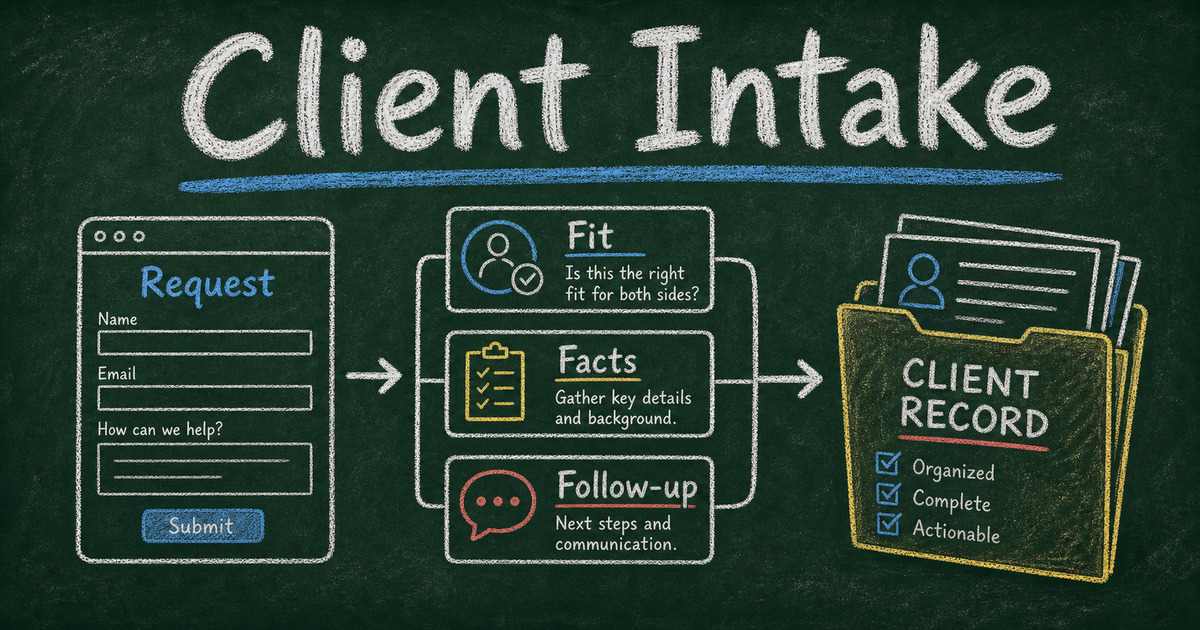
- Client Intake Software for Small Teams — turn serious inquiries into structured client records.
- Conditional Logic Forms — show different questions for sales, support, and booking.
- How to Send Confirmation and Reminder Emails After Form Submission — confirm submissions and reduce duplicate follow-up.
A contact page should not be a dead-end message box. Give visitors the right path and give your team the context to respond well. Create your contact form →

Written by
FormHug TeamProduct, research, and form automation team
The FormHug Team brings together product builders, workflow researchers, and form automation practitioners who study how people collect, route, and act on information online. Our guides are based on hands-on product testing, template analysis, customer workflow patterns, and deep experience with forms, surveys, quizzes, AI-assisted creation, integrations, and results sharing.