How to Build a Product Recommendation Quiz That Actually Converts
Make it interactive
Turn these questions into a scored quiz
Build a quiz with answer keys, result pages, explanations, and a shareable link.
Visitors who complete a product recommendation quiz convert at 3–5× the rate of those who browse unassisted — a figure consistent across dedicated quiz platforms like Octane AI and Interact. The reason isn’t complicated: most product pages ask visitors to self-sort through options without giving them a way to know which one fits.
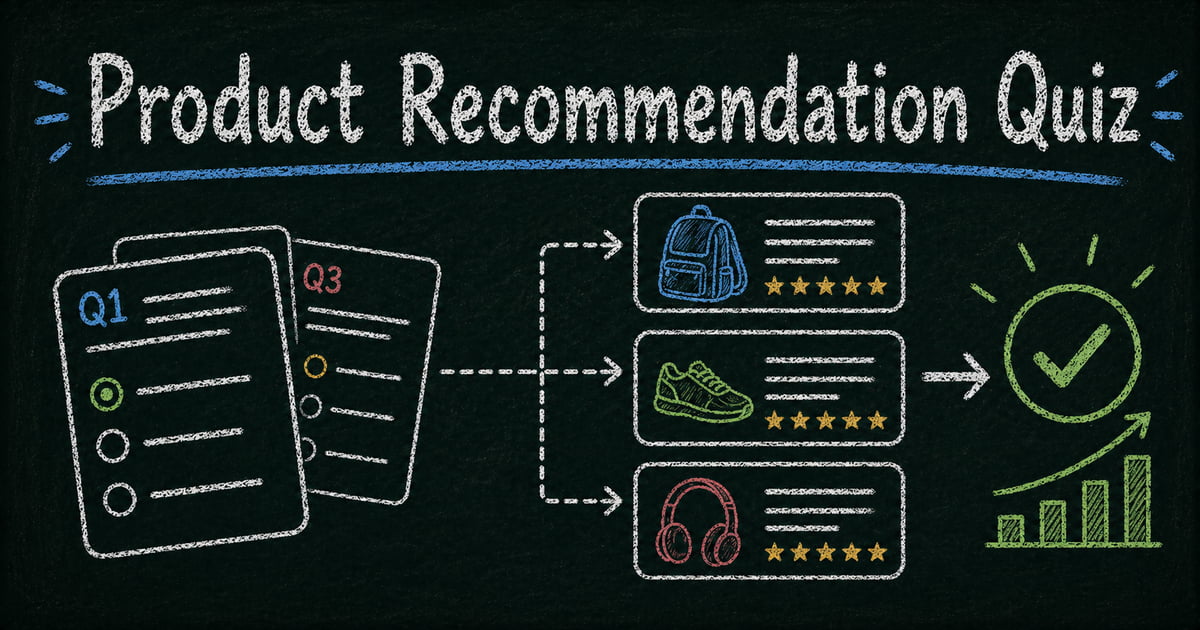
A visitor lands on your product page, scrolls through six options, and leaves without buying. Not because nothing is right — but because they couldn’t figure out which one to choose. Product recommendation quizzes remove that friction. Instead of asking visitors to decide, you ask three to five questions about their situation, goals, or preferences, and recommend the specific product that fits their answers. Visitors get a personalized result. You get higher conversion rates, lower return rates, and a lead capture opportunity in the middle of the flow.
This guide covers how to design a product recommendation quiz that works, how to build one in FormHug, and the specific logic and structure that separates high-converting quizzes from ones that feel like a survey.
TL;DR — A product recommendation quiz asks a few decisive questions, branches by answer, and recommends the product that fits the shopper’s needs.
- Use 3–6 questions — every question should narrow the recommendation.
- Branch the experience — different shoppers should see different follow-up questions when their paths diverge.
- Explain the result — the recommendation converts because it connects their answers to a specific product.
- Works for: skincare, supplements, courses, software plans, gear, subscriptions, service packages.
- Keep email capture optional unless the incentive is strong enough to justify the friction.
What Makes a Product Recommendation Quiz Work
The best product recommendation quizzes feel like a helpful conversation, not a qualification form. Three elements drive that distinction — call it the Recommendation Quiz Formula:
Short and decisive questions. Each question should genuinely narrow the recommendation — not add information for its own sake. If a question doesn’t change which product gets recommended, cut it. Most effective quizzes have three to six questions.
Branching paths that actually branch. A quiz where every question appears regardless of previous answers is just a form with a result at the end. True branching means someone who answers “I’m a beginner” never sees the “advanced settings” question, because that path leads to a different product recommendation. This is where conditional logic creates the experience.
A result that explains why. “You should use Product X” is less persuasive than “Based on your goals and budget, Product X is the right fit because it includes Y and Z — which match what you said mattered most.” The explanation does the conversion work. Visitors who understand the recommendation convert at significantly higher rates than those who just see a product name.
Plan Your Quiz Before You Build It
Map your products to decision criteria
Start with your product catalog. What are the two to four dimensions that determine which product is right for each customer? Common dimensions:
- Skill level (beginner / intermediate / advanced)
- Budget (entry / mid-range / premium)
- Primary use case (personal / professional / team)
- Specific need (speed / durability / portability / ease of use)
Each combination of answers should map to a clear recommendation. If you have six products, draw a decision tree: what combination of answers leads to each product? If two products share almost every path, consider whether they’re distinct enough to both appear in the quiz, or if one should be the default within a path.
Write questions in your customer’s language
“What’s your primary use case?” is internal language. “What are you mainly using this for?” is how customers think. Quiz questions should sound like a conversation, not a product spec sheet.
A few framing approaches that work:
- Situational: “Describe your current setup…” — grounds the question in their reality
- Goal-oriented: “What matters most to you when choosing a [product category]?”
- Elimination: “Which of these is least important to you?” — sometimes easier to answer than “what’s most important?”
Keep results honest
A quiz that recommends the most expensive product regardless of the answers is a cart upseller, not a recommendation engine. Visitors can tell the difference. Quizzes that give honest recommendations — including budget options for people who said budget was their main concern — build significantly more trust and produce better long-term conversion metrics.
How FormHug Compares for Product Recommendation Quizzes
| FormHug | Typeform / Jotform | Octane AI / Interact | |
|---|---|---|---|
| Conditional branching | ✅ | ✅ | ✅ |
| Result pages | Conditional end states | Thank-you screen by default | Rich product templates with images + prices |
| Quiz + lead capture in one flow | ✅ | Requires workarounds | Limited |
| Native Shopify integration | ❌ | ❌ | ✅ |
| Free plan | ✅ | Limited | ❌ |
| Best for | Teams combining quiz with intake, registration, or lead gen flows | Standard form + branching combos | Pure e-commerce recommendation with catalog integration |
If product recommendation is your only goal and you need rich result templates with native Shopify cart links, Octane AI or Interact are the more purpose-built choice. FormHug’s advantage is the ability to run the quiz alongside a lead capture, event registration, or intake form in a single workflow — without stitching together multiple tools.
How to Build a Product Recommendation Quiz in FormHug: Step by Step
Step 1: Set up your quiz structure
Open FormHug and create a new form. In the AI builder, describe the quiz: “Create a product recommendation quiz for [your product category] with 4 questions and conditional branching based on skill level and use case.”
FormHug generates the question flow, branching logic, and result page structure. You then connect the paths to your specific products.
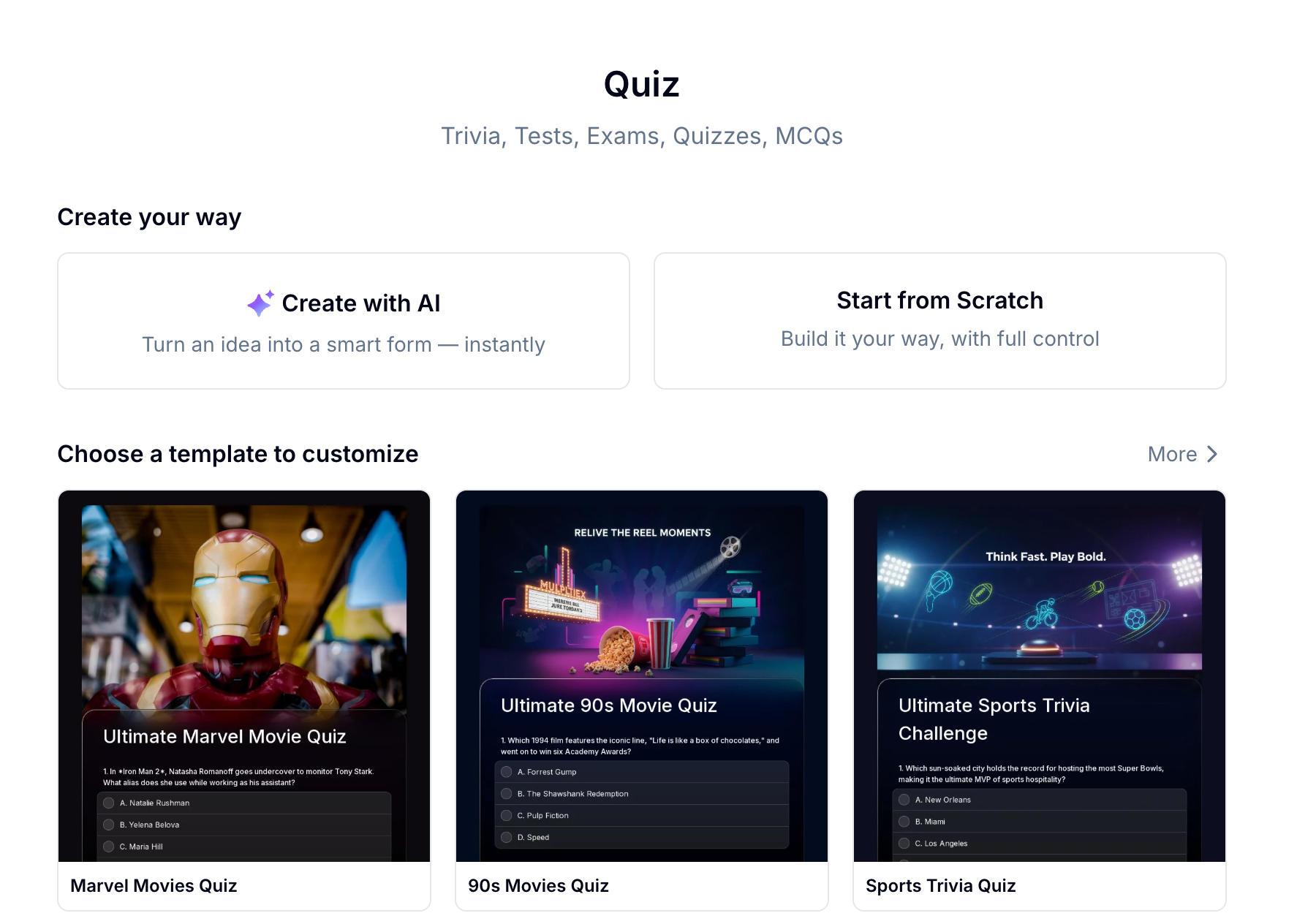 Describe the recommendation logic and FormHug builds the quiz structure, including branching paths.
Step 2: Add your branching questions
For each question, use a Single Choice field so every answer maps to a defined path. Avoid free-text fields for the core branching questions — structured options are what enable the conditional logic to work.
Add questions in order from most to least decisive. Put the question that most clearly differentiates your products first. If skill level splits your catalog cleanly into beginner and advanced tracks, that goes first.
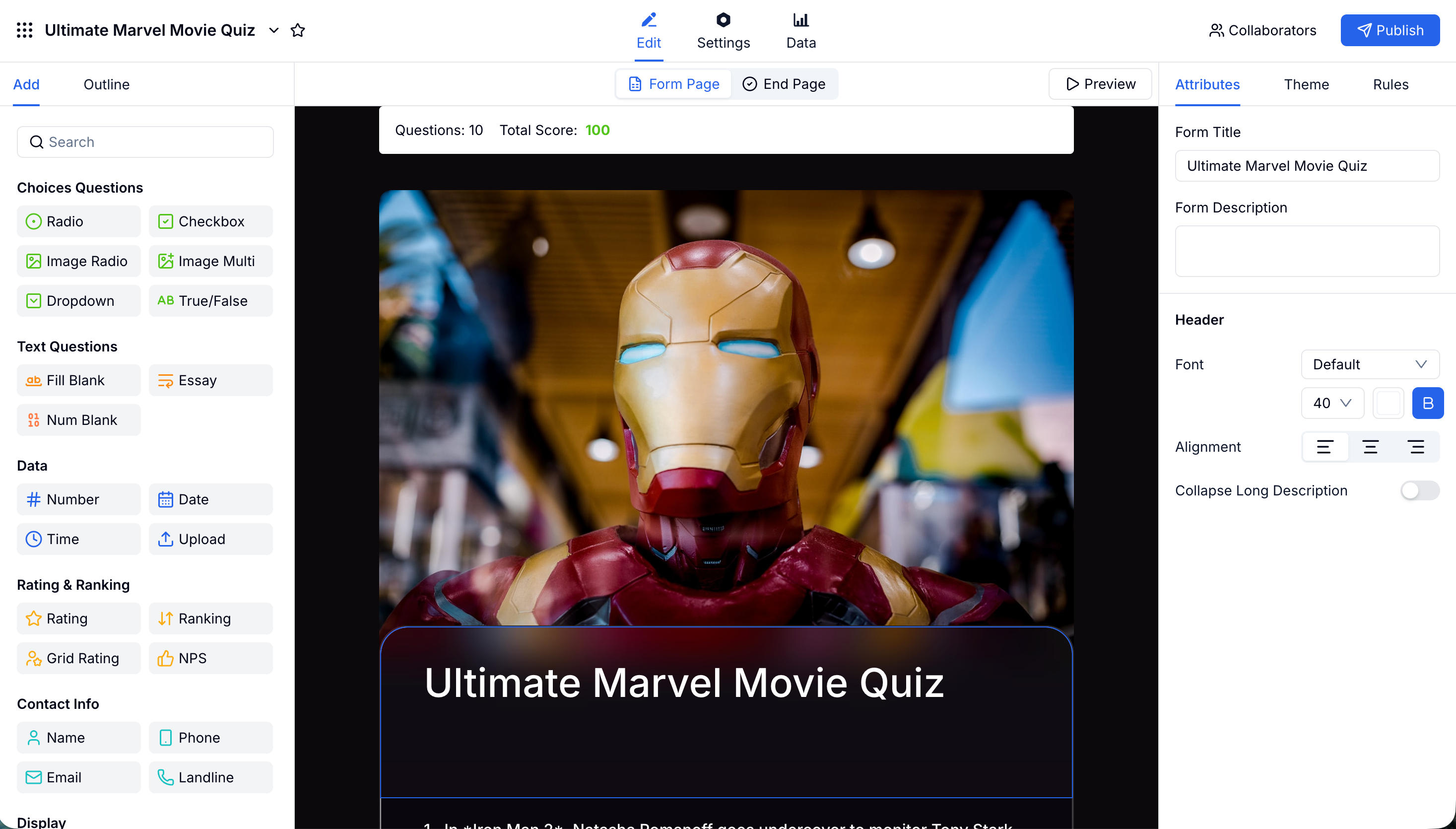 Use Single Choice fields for branching questions. Each answer triggers conditional visibility of the next relevant question.
Step 3: Configure conditional logic for each path
For each answer option, set what happens next. In FormHug:
- Click the field that follows a branching question
- Set Conditional Visibility: show this field only when the previous question’s answer is [specific option]
- Repeat for each path through the quiz
For a quiz with a “beginner / intermediate / advanced” first question:
- “Beginner” path: next question is about primary use case (2 options simplified for beginners)
- “Advanced” path: next question is about specific feature needs (more detailed options)
This creates genuine branching rather than sequential questions that everyone answers in order.
Step 4: Build result pages and follow-up capture
FormHug supports conditional end pages — the final page a respondent sees depends on the combination of answers they gave. Each result page is your product recommendation.
For each result:
- Product name and image — clear identification
- Why this product — two to three sentences connecting their answers to the recommendation
- Key features — three bullet points maximum; focus on the ones that match what they said mattered
- Call to action — direct link to the product page, not the homepage
Before the result page, add an optional email field: “Enter your email to receive your recommendation and a discount code.”
Make it optional, not required — gating the result behind a mandatory email significantly reduces quiz completion rates. Optional email capture with an incentive (discount, buying guide, comparison PDF) converts better because visitors who choose to share their email are genuinely interested.
The quiz itself also becomes a lead qualification tool: someone who completes the quiz and reaches the result page has self-identified as a buyer. That signal is more valuable than a cold email subscriber.
Connect FormHug to your email tool via Zapier or webhook. When a quiz submission includes an email address:
- Send a follow-up email with the product recommendation, the explanation, and a direct purchase link
- Tag the lead with the product recommendation so your email sequences are relevant
- If the product is out of stock or on waitlist, trigger a different flow
See How to Build a Lead Generation Form for lead capture and follow-up setup that applies directly to quiz completions.
Common Mistakes to Avoid
Too many questions. Every additional question after the third reduces completion rates. If you’re building a quiz with eight questions, you’re building a product survey, not a recommendation experience.
Questions that don’t change the outcome. If removing a question doesn’t change any product recommendation, cut it. It’s adding friction without adding accuracy.
Generic results. “Based on your answers, you might like Product X” reads like a system message. In our testing, result pages written in first-person explanation language — “You prioritized ease of use and a mid-range budget: Product X hits both” — consistently outperform template-style copy in time-on-page and click-through to the product. Write result pages as if you’re a knowledgeable sales rep explaining the recommendation to a specific person.
Not testing every path. Before launching, walk through every combination of answers to confirm the right product appears. A quiz that recommends the same product regardless of inputs — or recommends a product that isn’t a fit — destroys trust faster than not having a quiz at all.
Frequently Asked Questions
What types of products work best for recommendation quizzes?
Recommendation quizzes work best for products where customers have genuine uncertainty about which option is right for them — typically when there are multiple variants, tiers, or use cases. Common categories: skincare and beauty, supplements, software, outdoor gear, educational courses, financial products, and subscription tiers. They work less well for products where the decision is primarily about price or brand preference.
How many questions should a product recommendation quiz have?
Three to six is the sweet spot for most product recommendation quizzes. Fewer than three often doesn’t gather enough information to make a meaningful recommendation. More than six sees significant drop-off before the result page. Each question should genuinely narrow the recommendation — if removing a question doesn’t change the outcomes, cut it.
Should I require an email address to see the quiz result?
No. Gating the result behind a mandatory email reduces quiz completion rates significantly — visitors came to get a recommendation, not to sign up for a list. Offer the email capture as an optional step before the result with an incentive (discount code, product comparison guide). Optional capture converts better and produces more engaged leads.
How is a product recommendation quiz different from a regular form?
A product recommendation quiz uses conditional branching to show different questions based on previous answers, and ends with a personalized result that explains a recommendation. A regular form collects data without changing the experience based on inputs. The branching is what creates the “personalized” feeling that drives higher engagement and conversion rates. See How to Use Conditional Logic in Forms for how the underlying logic works.
Can I track which products get recommended most often?
Yes. FormHug’s results dashboard shows all quiz submissions, including the answers given and the result page reached. You can filter by final recommendation to see which products are recommended most frequently and compare that against which products convert after the quiz — useful for identifying gaps between recommendation and purchase.
How long does it take to build a product recommendation quiz in FormHug?
Most product recommendation quizzes take 20–40 minutes to build in FormHug: a few minutes to generate the structure with AI, then time to write the result page copy and test all the paths. The bottleneck is usually writing the “why this product” explanation on each result page — that’s the part that drives conversion, so it’s worth spending time on. See How to Create an Online Quiz for general quiz setup including scoring and results configuration.
Related
- How to Create an Online Quiz — quiz setup including scoring, result pages, and certificate generation
- How to Use Conditional Logic in Forms — the branching logic that makes recommendation paths work
- How to Build a Lead Generation Form — pair quiz completions with lead capture and automated follow-up sequences
A product page that converts at 2–4% and one that converts at 3–5× higher often have the same products — just different levels of decision friction. A quiz removes the friction. Build your quiz →

Written by
FormHug TeamProduct, research, and form automation team
The FormHug Team brings together product builders, workflow researchers, and form automation practitioners who study how people collect, route, and act on information online. Our guides are based on hands-on product testing, template analysis, customer workflow patterns, and deep experience with forms, surveys, quizzes, AI-assisted creation, integrations, and results sharing.