The AI Quiz Maker Prompt Template: From Idea to Results
Make it interactive
Turn these questions into a scored quiz
Build a quiz with answer keys, result pages, explanations, and a shareable link.
“Make me a quiz about AI” is a starting idea, not a useful production brief.
The AI can fill in the missing decisions, but the result may be too easy, too broad, or unclear about what the final score means. A better prompt tells the model what the quiz is for, who will take it, how answers should work, and what participants should receive at the end.
This AI quiz maker prompt template gives you that structure. It works for scored knowledge quizzes, personality quizzes, product recommendations, and short assessments.
TL;DR — A strong AI quiz prompt specifies the topic, audience, outcome, questions, answer logic, result format, tone, and review boundaries.
- Start with the result — decide what participants should understand or do next.
- Separate knowledge from preference — use answer keys for facts and outcome mapping for personality.
- Ask for explanations — a result becomes more useful when it explains the pattern.
- Works for: trivia, training, product recommendations, self-discovery, and AI literacy.
- Review facts, sensitive claims, and score logic before publishing.
What should an AI quiz prompt include?
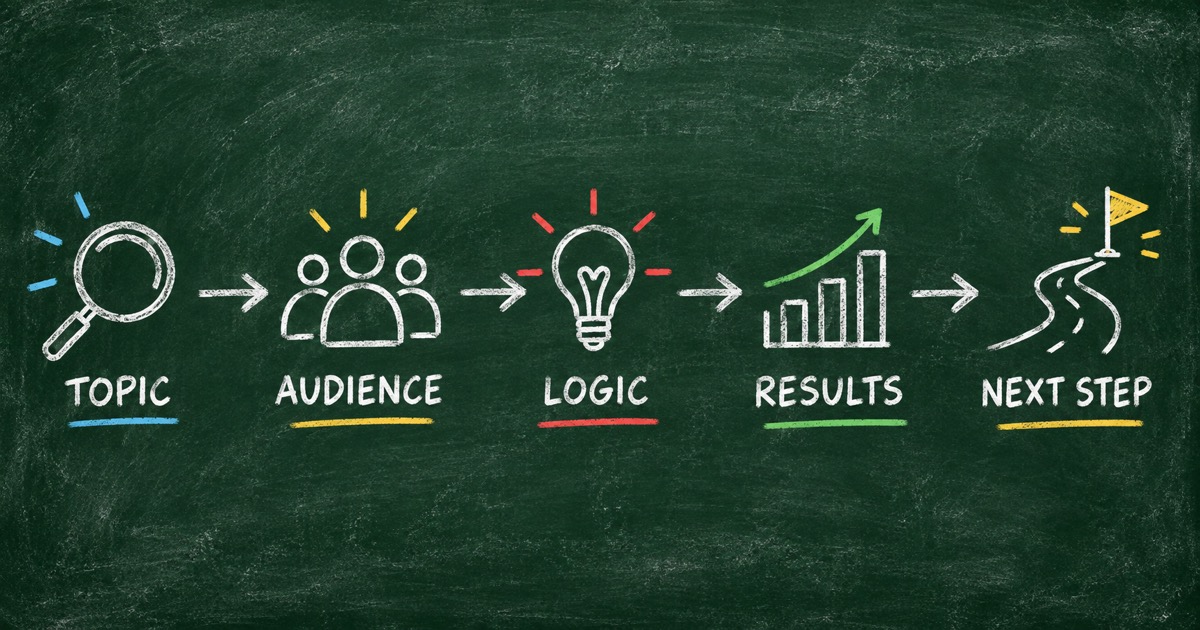
Use the Prompt-to-Quiz Map:
| Prompt section | Decision it makes |
|---|---|
| Topic | What the quiz is about |
| Audience | Who should be able to finish it |
| Goal | What the participant should discover |
| Question design | Count, type, difficulty, and coverage |
| Logic | Correct answers, points, or outcome mapping |
| Results | Score ranges, profiles, explanations, and next steps |
| Boundaries | Claims the quiz should not make |
The Wearable Technology Quiz uses a factual goal: measure knowledge of devices, history, and technical milestones. The Makeup Style Quiz uses a recommendation goal: suggest a style based on features and preferences.
The universal AI quiz prompt template
Copy this prompt and replace the bracketed parts:
Create a [number]-question [quiz type] about [topic].

Audience: [describe the intended participant].
Goal: After completing the quiz, the participant should [learn / decide /
reflect on / check] [desired outcome].

Question design:
- Use [multiple choice / true-false / mixed] questions.
- Cover these dimensions: [dimension 1], [dimension 2], [dimension 3].
- Mix [beginner / intermediate / advanced] difficulty.
- Avoid repeated questions and ambiguous answer options.

Logic:
- For a knowledge quiz, provide one correct answer and [points] points per
  question.
- For a personality or recommendation quiz, map answer patterns to these
  outcomes: [outcome 1], [outcome 2], [outcome 3], [outcome 4].

Results:
- For every result, include a clear title, a short explanation, the evidence
  or pattern behind it, one strength, one limitation or watch-out, and one
  practical next step.
- Keep the language [tone].

Boundaries:
- Fact-check all factual claims before publishing.
- Do not present a lightweight personality quiz as a diagnosis.
- Do not invent certainty that the answers cannot support.

Show the question structure, logic, result profiles, and public quiz link.
The final line is useful when the agent or builder can create a real hosted quiz. If you only want a draft, replace it with “Return the draft in a reviewable table.”
Three prompt variations
Scored knowledge quiz
Use this when there are correct answers:
Create a 10-question knowledge quiz about Greek mythology for curious adults.
Cover gods, heroes, monsters, the underworld, and famous myths. Use four answer
options, one correct answer, 10 points each, and a short explanation after each
answer. Create four score ranges from beginner to expert. Keep the questions
fact-checkable and varied in difficulty.
The Greek Mythology Quiz demonstrates this format with ten questions about Poseidon, the Minotaur, Medusa, Pandora, Hercules, and other myths.
Personality quiz
Use this when different answers can all be valid:
Create a 10-question personality quiz about how people collaborate with AI.
Use scenario-based questions about delegation, iteration, verification, and
experimentation. Map answers to The Delegator, The Co-Pilot, The Verifier, and
The Experimenter. For each result, write a specific description, strength,
watch-out, and practical suggestion. Keep it reflective, not diagnostic.
Product recommendation quiz
Use this when the result should narrow a choice:
Create a 9-question product recommendation quiz for people choosing a makeup
style. Ask about face shape, undertone, features, available time, occasion, and
comfort with bold color. Recommend Natural Beauty, Soft Glam, Classic Glam, or
Bold / Statement. Explain why the result fits and give three actionable tips.
How to improve the first AI draft
Ask for contrast
“Make the results more different from one another” is useful, but more specific feedback is better:
Rewrite the four outcomes so each one has a distinct audience, strength, trade-off, and next action. Remove generic adjectives that could describe every result.
Ask for an audit
Use a second pass to find weak logic:
Audit the quiz for duplicate questions, ambiguous answers, unsupported factual claims, unreachable results, and questions that do not affect the final outcome.
Ask for a shorter experience
If the quiz is too long:
Reduce the quiz to 8 questions. Keep one question for every required dimension and remove anything that does not change scoring or outcome mapping.
Build from the prompt in FormHug
Use FormHug’s AI quiz maker to turn the prompt into a hosted quiz. You can start from the quiz template collection, try the AI Literacy Quiz template, or edit the Collaboration Style Quiz template.
Review the questions and result logic before sharing. We recommend taking the quiz with at least three intentional answer patterns: a low score, a middle profile, and the result you most expect participants to receive.
If you prefer to stay in your existing conversation, FormHug also works inside ChatGPT as a form builder. You can create a quiz, publish it, and continue to analyze its responses in the same workspace.
Frequently Asked Questions
What is the best prompt for an AI quiz maker?
The best prompt includes the topic, audience, goal, question count, question type, difficulty, scoring or outcome logic, result format, tone, and boundaries for fact-checking or sensitive claims.
Can AI generate a complete quiz from one prompt?
Yes. An AI quiz maker can generate questions, options, answer keys, scoring, result profiles, explanations, and a first draft of the public quiz. Human review is still important before publishing.
How do I prompt AI to make a personality quiz?
Name the context, define four or more distinct outcomes, describe the behaviors that distinguish them, and ask for scenario-based questions. Tell the AI not to diagnose or make permanent claims.
How do I prompt AI to make a scored quiz?
Specify the correct-answer format, points per question, total score, score ranges, and what each range should explain. Ask for fact-checkable questions and short answer explanations.
Can FormHug create a quiz from this prompt template?
Yes. Paste a completed prompt into FormHug’s AI quiz maker, then review and customize the generated questions, scoring, outcomes, and public page.
Related
- How to Create a Scored Quiz with AI from One Prompt — build a knowledge quiz with answer keys and score bands
- How to Create a Personality Quiz with AI — map preferences to distinct outcomes
- From ChatGPT Prompt to Published Quiz — keep quiz creation inside a conversation
The prompt is the shortest path from an idea to a testable first draft. Turn yours into a real quiz with FormHug’s AI quiz maker →

Written by
FormHug TeamProduct, research, and form automation team
The FormHug Team brings together product builders, workflow researchers, and form automation practitioners who study how people collect, route, and act on information online. Our guides are based on hands-on product testing, template analysis, customer workflow patterns, and deep experience with forms, surveys, quizzes, AI-assisted creation, integrations, and results sharing.