ChatGPT Quiz Maker: Create a Scored Online Quiz
Make it interactive
Turn these questions into a scored quiz
Build a quiz with answer keys, result pages, explanations, and a shareable link.
Generating ten quiz questions takes seconds. Creating a quiz people can actually take requires more: answer keys, point values, feedback, a public link, response storage, and a result experience that behaves correctly after submission.
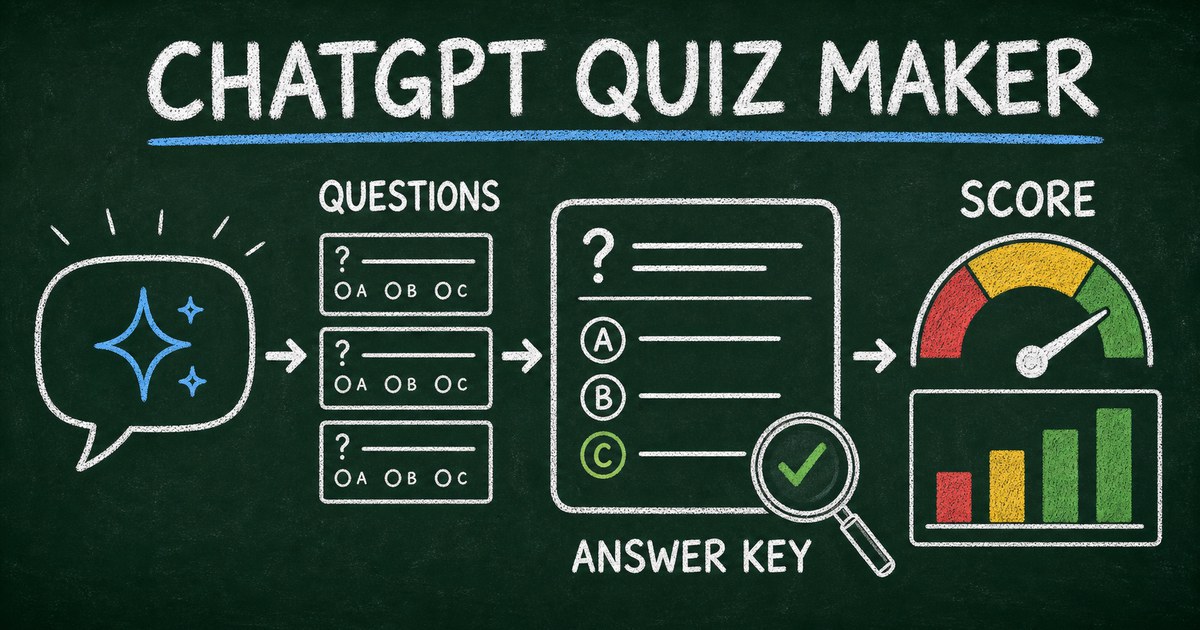
Using ChatGPT as a quiz maker works best when the model is connected to a quiz or form backend. ChatGPT can turn source material or a learning goal into questions, while the connected app creates the hosted quiz, applies scoring, and stores participant results.
We tested the workflow by asking for a short knowledge check with mixed difficulty and explicit explanations. The most important step was not generation; it was verification. Every factual answer and scoring rule needs a human review before the quiz reaches learners.
TL;DR — A ChatGPT quiz maker combines AI question generation with a connected platform that hosts the quiz, scores answers, and stores results.
- Define the quiz job — knowledge check, assessment, trivia, lead generation, or personality outcome.
- Ground factual questions — provide source material and require answer explanations.
- Verify before publishing — review every answer key, distractor, point value, and result rule.
- Works for: training, classrooms, onboarding, events, product recommendations, and audience engagement.
- ChatGPT needs a connected app to return a persistent hosted quiz link.
What Is a ChatGPT Quiz Maker?
A ChatGPT quiz maker is a workflow in which ChatGPT designs quiz content and uses a connected platform to create a playable online quiz. The model handles natural-language instructions and content iteration; the platform handles question fields, scoring, publishing, submissions, and results.
ChatGPT alone can produce questions, choices, answer keys, explanations, or code. That may be enough for a worksheet or developer project. A real online quiz needs persistent hosting and a place to store attempts.
If you are comparing the two categories, read AI Form Generator vs AI Form Builder. A generator creates content; a builder owns the response workflow.
OpenAI currently surfaces connected workflows through its Plugin Directory, which can package apps and other capabilities. Availability varies by plan, workspace role, region, and surface, so consult the official plugin guidance if the FormHug connection is not visible.
Choose the Quiz Type Before Generating Questions
“Quiz” describes several different products. Choosing the wrong format leads to the wrong scoring and result design.
Knowledge quiz
A knowledge quiz has correct answers and usually measures recall or understanding. It needs verified answer keys, meaningful distractors, point values, and feedback. This format fits classrooms, onboarding, compliance refreshers, and training.
Assessment
An assessment measures proficiency or readiness against defined criteria. It may use weighted categories, thresholds, or a profile rather than a simple total score. The result should explain what the score means and what happens next.
Trivia quiz
Trivia prioritizes challenge and enjoyment. It still needs correct answers, but pacing, topic variety, and reveal text matter more than formal instructional validity.
Personality or recommendation quiz
These quizzes map choices to outcomes rather than correct answers. The scoring model should be transparent enough for the creator to test, and every plausible response path needs a useful result.
For a broader tool comparison, see the best AI quiz makers in 2026. For non-AI setup, the free quiz maker guide covers the basic workflow.
The Source-to-Score Framework
We use the Source-to-Score Framework to keep AI-generated quizzes accurate and purposeful:
- Source — identify the material or facts the quiz may use.
- Skill — define what a successful participant should know or do.
- Question — choose a format that actually tests that skill.
- Score — decide how the answer contributes to a result.
- Feedback — explain the answer or next step.
This prevents a common failure: generating plausible questions that are unrelated to the learning objective. If the goal is applying a safety procedure, a trivia question about terminology may be easy to generate but weak evidence of readiness.
A Prompt for Creating a Quiz in ChatGPT
Provide a source, difficulty mix, scoring requirements, and publishing instruction:
Create an 8-question scored quiz from the training notes below.

Audience: new customer-support hires.
Goal: confirm they can choose the correct escalation path.
Use: 5 scenario-based multiple-choice questions, 2 true/false questions, and 1 short-answer reflection.
Difficulty: 3 basic, 3 intermediate, 2 challenging.
For every scored question, provide the correct answer and a one-sentence explanation grounded only in the source.

Create it as a hosted FormHug quiz, set a passing score of 75%, and return the public link. Flag any question whose answer is not clearly supported by the source.

[Paste approved source material]
For public trivia, replace the training goal with a topic and fact-checking requirement. For personality quizzes, remove “correct answer” and define the outcome categories and mapping rules.
How to Create a Quiz with ChatGPT and FormHug
Step 1: Connect the FormHug workflow
Connect FormHug through the available ChatGPT plugin or app workflow and authorize access. You can also begin from FormHug’s standalone AI quiz maker when you do not need to stay in ChatGPT.
Step 2: Define the source, skill, and result
Use the Source-to-Score Framework. Tell ChatGPT whether the quiz has correct answers, weighted outcomes, or personality results. Specify question count, difficulty, audience, pass threshold, and feedback style.
Step 3: Audit questions and scoring
Verify every factual claim against the approved source. Check that distractors are plausible but unambiguously wrong, questions contain enough context, and no wording accidentally reveals the answer. We also submit one all-correct attempt, one all-wrong attempt, and one boundary-score attempt to test the result logic.
Step 4: Publish and review results
Share the hosted link or QR code. After participants respond, review score distributions, frequently missed questions, completion patterns, and open comments. A frequently missed question may indicate a learning gap—or a badly written question—so inspect both possibilities.
Ready-Made Quiz and Assessment Templates
Use a template when the format is known and the content only needs adaptation:
- AI Literacy Quiz — test practical understanding of common AI concepts.
- AI Literacy Assessment — evaluate proficiency across a broader competency set.
- Collaboration Style Quiz — map answers to teamwork preferences and outcomes.
- Communication Style Assessment — create a profile-style assessment with categorized results.
- Big Five Personality Assessment — adapt a multi-dimension personality format.
Templates provide structure, not automatic validity. Review terminology, scoring, cultural assumptions, and claims before using an assessment for consequential decisions.
How to Review AI-Generated Quiz Questions
Use a five-part audit before publishing:
- Accuracy — is the keyed answer supported by the source?
- Clarity — can the question be understood without guessing the writer’s intent?
- Discrimination — does the question distinguish understanding from random recall?
- Fairness — does it avoid irrelevant cultural, linguistic, or accessibility barriers?
- Feedback — does the explanation help the participant learn what to do next?
Do not ask ChatGPT only to “check the quiz.” Ask it to identify unsupported answers, ambiguous distractors, duplicate concepts, reading-level problems, and questions where more than one choice could reasonably be correct. Then perform a human review.
Frequently Asked Questions
Can ChatGPT create a quiz with answers?
Yes. ChatGPT can generate questions, answer choices, keyed answers, and explanations. For factual quizzes, provide approved source material and verify every answer before publishing.
How do I make a quiz using ChatGPT?
Choose the quiz type, provide the source and learning goal, specify question count and difficulty, request answer keys or outcome rules, then use a connected quiz app to host and score the result.
Can ChatGPT create a quiz link?
ChatGPT needs a connected quiz or form app to produce a persistent public link. Without a connection, it can provide questions, code, or a specification but not the hosted backend by itself.
Can ChatGPT grade a quiz?
It can help evaluate answers when given the rubric and responses, but repeatable online grading is better handled by the quiz platform’s scoring rules. Human review is still needed for subjective or consequential assessments.
How many questions should an online quiz have?
Use the fewest questions needed to measure the stated objective. A lightweight knowledge check may use 5–10 focused questions; a formal assessment needs enough coverage to support its score interpretation.
Can I create a personality quiz with ChatGPT?
Yes. Define the outcome categories, what each outcome means, and how choices map to them. Test every plausible path and avoid presenting entertainment-oriented results as psychological diagnosis.
Are AI-generated quiz questions accurate?
Not automatically. AI can generate unsupported facts, ambiguous choices, or incorrect keys. Ground factual questions in approved source material and perform both content review and test submissions.
Is FormHug’s quiz maker free?
FormHug’s free plan includes AI creation, unlimited forms, and up to 3,000 submissions per month. Features and limits can change, so confirm the current pricing page for production use.
Related
- 6 Best AI Quiz Makers in 2026 — compare tools for education, training, marketing, and interactive content.
- Free Quiz Maker: Create an Online Quiz — build and publish a quiz without relying on AI generation.
- Trivia Quiz Maker — design scored trivia with useful questions and results.
- Mini Exam Questions — write short assessments that reinforce learning.
Ten generated questions are not yet a trustworthy quiz. Ground the content, test the scoring, and publish a result participants can actually use. Create a scored quiz with FormHug →

Written by
FormHug TeamProduct, research, and form automation team
The FormHug Team brings together product builders, workflow researchers, and form automation practitioners who study how people collect, route, and act on information online. Our guides are based on hands-on product testing, template analysis, customer workflow patterns, and deep experience with forms, surveys, quizzes, AI-assisted creation, integrations, and results sharing.