How to Design Quiz Score Ranges and Result Feedback
Create the assessment
Turn this into a scored assessment
Build an assessment with scoring, result pages, feedback, and records you can review later.
A quiz score is not automatically useful. A participant can finish with 72% and still wonder whether that means “good,” “almost there,” or “go back and study.”
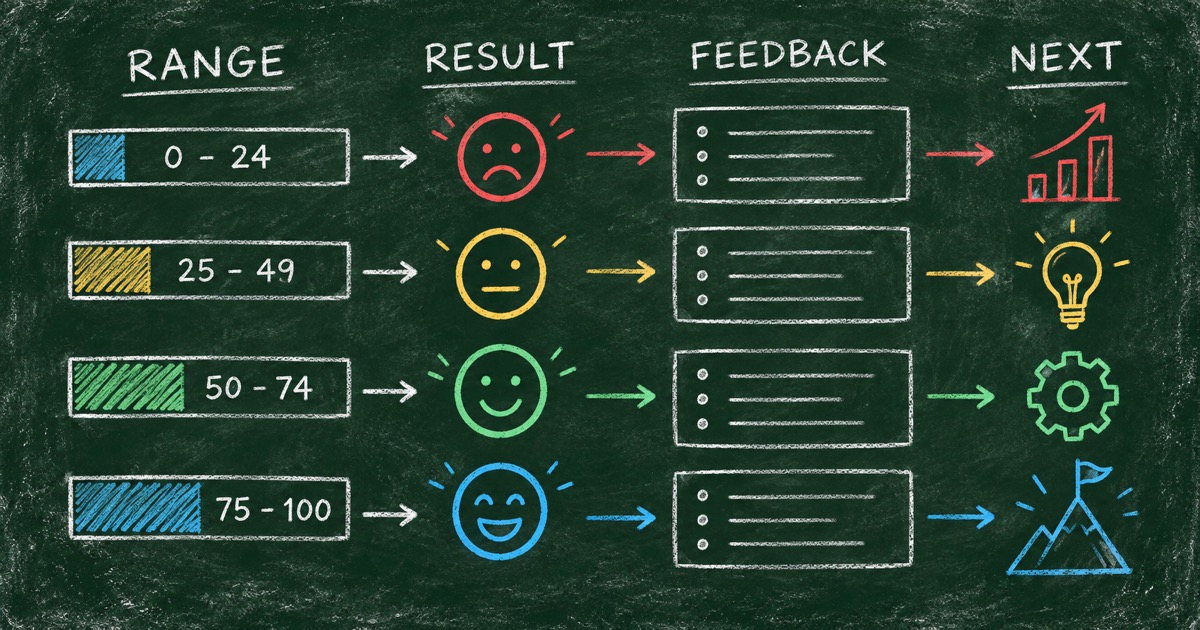
Score ranges solve that interpretation problem. They turn a number into a result with a name, a meaning, and a next step. The Wearable Technology Quiz uses four ranges—0–49, 50–69, 70–89, and 90–100—to describe different levels of familiarity with the subject.
This guide explains how to choose ranges, write result feedback, and test whether the scoring model is doing what you intended.
TL;DR — Quiz score ranges translate a numeric result into an understandable level, profile, or next action.
- Start with the decision — decide what a low, middle, or high score should change.
- Use distinct ranges — participants should be able to tell the difference between adjacent results.
- Write feedback in layers — label, evidence, strength, and next step.
- Works for: knowledge quizzes, training checks, classroom review, and lightweight assessments.
- A score should explain performance; it should not pretend to measure more than the quiz can support.
What is a quiz score range?
A quiz score range is an interval of points mapped to a named result or level. For a 10-question quiz worth 10 points per question, a range can be written as a percentage or as points.
The range is not the meaning by itself. The result copy supplies the interpretation. “70–89” is a boundary; “Quantified Self Fan” gives that boundary a memorable shape.
The Score-to-Meaning Framework
Use four layers for every range:
- Boundary — the numerical interval.
- Label — a short name that is easy to remember.
- Evidence — what the participant appears to understand or prioritize.
- Next step — what they can explore, review, or do next.
If one layer is missing, the result becomes harder to use. A label without evidence feels random. Evidence without a next step feels like a report that stops too soon.
Choose the number of ranges
Four ranges are a practical default for a short quiz. They create enough contrast without making the outcome page crowded.
Use three ranges when the decision is simple:
- needs review;
- ready;
- strong understanding.
Use four ranges when the result benefits from a richer narrative or when a middle score needs to be distinguished from both beginner and expert performance.
Use more than four only when the quiz has enough questions to support the distinction. Ten questions rarely justify ten outcome levels.
Set fair boundaries
Start with the meaning, then choose the threshold. Do not choose arbitrary bands because they look balanced on a chart.
Ask:
- What must someone know before they are ready to move on?
- Which mistakes are foundational rather than minor?
- Is a high score evidence of broad knowledge, or only of memorizing a narrow set of facts?
For a training quiz, a pass threshold may be more appropriate than a personality-style label. For a trivia quiz, the range can be more playful. For a classroom check, the teacher may want each band to point to a review action.
Write feedback people can use
Low range: orient, do not punish
A low score should identify the starting point without making the participant feel excluded. Name what they have not encountered yet and suggest one accessible next step.
Middle range: show the gap
The middle range is often the most useful. It can tell participants which concepts they recognize and where a date, mechanism, or distinction slipped by.
High range: add depth
A high score should not only say “excellent.” It can point toward less obvious history, edge cases, or a challenge that goes beyond the current quiz.
This is how the wearable quiz moves from Analog Holdout to Step Counter Rookie, Quantified Self Fan, and Wearable Tech Insider. Each label suggests a relationship with the topic, not just a position on a scale.
Use answer explanations as local feedback
The result page is not the only place to teach. Add a short explanation to each factual question when the format supports it.
An answer explanation should:
- state the correct concept;
- explain why it is correct;
- add one memorable detail when useful.
The explanation should not become a mini-essay. The result page handles the overall interpretation; the question explanation handles the local correction.
Build score ranges with FormHug
Step 1: Choose the score model
Use FormHug’s AI quiz maker to describe the question count, points, and result bands. If you want to begin from a working example, use the Wearable Technology Quiz as a template.
Step 2: Generate the first result draft
Ask for a title, explanation, evidence, and next step for every range. Keep the language appropriate for the audience and the stakes.
Step 3: Test boundary cases
Submit answer patterns just below and just above each threshold. Confirm that one point changes the result only when that is actually what you want.
Step 4: Review the distribution
If every realistic answer pattern lands in one range, the thresholds or questions need revision. A score model should distinguish useful states, not merely divide a number line.
Score ranges versus personality outcomes
Not every quiz needs score ranges. The Makeup Style Quiz uses four outcome profiles because the goal is a recommendation, not correctness.
For personality and recommendation quizzes, use outcome mapping. For knowledge and training quizzes, use points and answer keys. The knowledge quiz versus personality quiz guide explains how to choose.
Frequently Asked Questions
How do you create score ranges for a quiz?
Define what low, middle, and high performance should mean, then map each meaning to a numerical interval. Test answer patterns around every boundary before publishing.
How many score ranges should a quiz have?
Start with three or four ranges. Add more only when the question count and result copy can support meaningful distinctions.
What should quiz result feedback include?
Include a result label, an explanation of the answer pattern, one strength or area of understanding, and one useful next step.
Should personality quizzes use scores?
They can, but outcome profiles are often clearer when the quiz is about preferences rather than correctness. Use scores when the number itself supports a meaningful decision.
Can FormHug automatically score a quiz?
FormHug can create answer keys, scoring rules, result ranges, explanations, and a shareable result page through its AI quiz workflow. Review the logic before using the quiz for a formal decision.
Related
- How to Create a Scored Quiz with AI from One Prompt — generate questions, answers, and scoring together
- The Result Page Is Where a Quiz Becomes Useful — write results that explain more than a number
- Knowledge Check Quiz — build a focused learning check
Do not stop at the percentage. Give every score a meaning with FormHug’s AI quiz maker →

Written by
FormHug TeamProduct, research, and form automation team
The FormHug Team brings together product builders, workflow researchers, and form automation practitioners who study how people collect, route, and act on information online. Our guides are based on hands-on product testing, template analysis, customer workflow patterns, and deep experience with forms, surveys, quizzes, AI-assisted creation, integrations, and results sharing.