How to Create a Scored Quiz with AI from One Prompt
Make it interactive
Turn these questions into a scored quiz
Build a quiz with answer keys, result pages, explanations, and a shareable link.
Writing ten quiz questions is easy. Writing ten questions that produce a fair score, a useful explanation, and a satisfying result is the harder part.
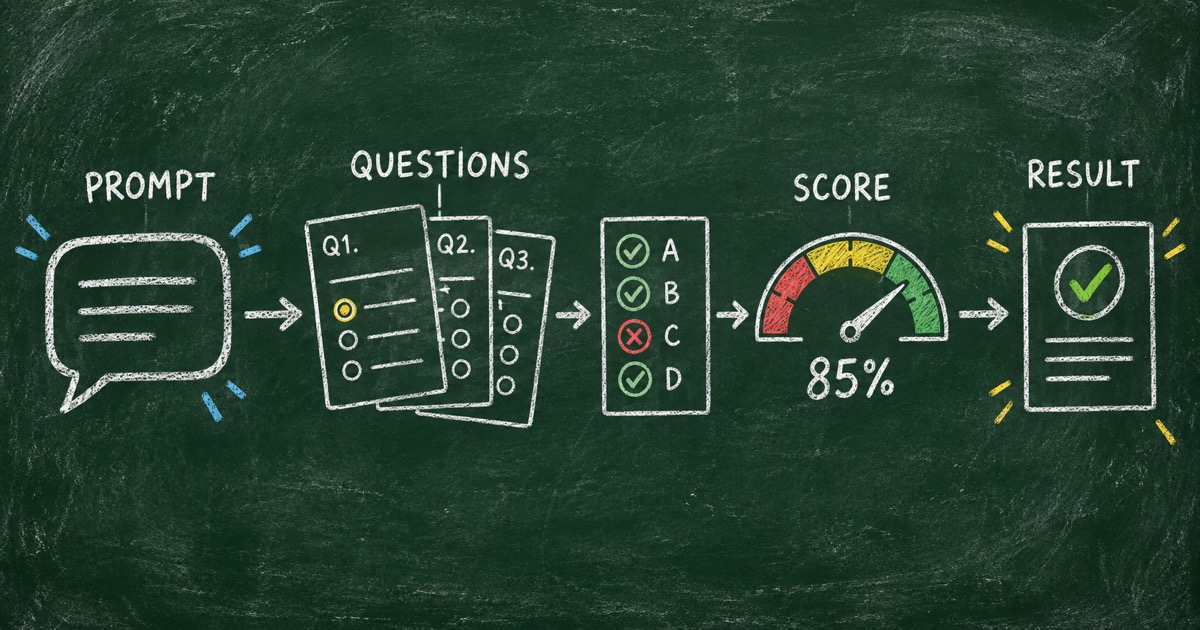
That is why a scored quiz needs more than an AI text generator. It needs a place to connect the questions to answer keys, points, score ranges, and feedback. A good AI quiz maker can create the first structure from one clear prompt, then let you review the parts that affect trust.
This is the workflow behind FormHug’s Wearable Technology Quiz. It contains 10 questions, takes about 5 minutes, and maps the final score to four knowledge profiles: Analog Holdout, Step Counter Rookie, Quantified Self Fan, and Wearable Tech Insider. For the deeper design decisions, see how to design quiz score ranges and result feedback and why the result page is where a quiz becomes useful.
TL;DR — An AI scored quiz combines questions, answer keys, points, score ranges, and result explanations in one publishable interaction.
- Start with the outcome — decide whether the quiz should teach, certify, or simply show knowledge.
- Prompt for structure — include topic, audience, number of questions, difficulty, scoring, and result bands.
- Review factual answers — AI can draft a quiz, but the creator is responsible for checking claims.
- Works for: trivia, training checks, classroom review, product knowledge, and lightweight assessments.
- No code is needed to publish a shareable quiz with FormHug.
What is a scored quiz?
A scored quiz assigns points to answers and converts the total into a result. In a knowledge quiz, points usually represent correctness. In an assessment, they may represent a threshold or a dimension of performance.
The important distinction is between a score and a result. A score is a measurement. A result explains what that measurement means.
The Wearable Technology Quiz uses a 0–100 scale and four score ranges. That structure makes the result more memorable than a bare percentage while preserving a clear relationship between correct answers and knowledge level.
The One-Prompt Scoring Framework
An effective prompt includes six decisions:
- Topic — what the quiz is about.
- Audience — who should be able to finish it.
- Question count — how long the interaction should take.
- Difficulty — whether it is beginner-friendly, advanced, or mixed.
- Scoring model — points, percentage, pass threshold, or result profiles.
- Feedback — what the participant should learn or do after the result.
If one of these is missing, the AI has to invent it. Sometimes that produces a useful surprise. More often, it creates a quiz that feels complete but has no consistent purpose.
A prompt you can copy
Create a 10-question scored knowledge quiz about wearable technology.

Audience: curious adults who know popular smartwatches but may not know the
history or mechanics behind them.

Cover smartwatches, fitness trackers, smart rings, early wearable computers,
major companies, sensors, and smart textiles. Mix introductory, intermediate,
and challenging questions. Use four answer options for each question.

Give each question one correct answer and 10 points. Create four score ranges:
0–49, 50–69, 70–89, and 90–100. For every range, write a memorable title,
a short explanation, one interesting fact, and one next step. Include a short
answer explanation for every question. Keep factual claims checkable.
The prompt is detailed, but it is still a plain-language request. The point is not to give the model a script. It is to give it the design decisions that shape a trustworthy quiz.
How to review the AI draft
Step 1: Check the question purpose
Ask what each question contributes. Does it test a different concept, or does it repeat the same fact with new wording?
The wearable quiz moves between dates, companies, history, sensors, and materials. That range creates a better snapshot than ten questions about only Apple Watch launch years.
Step 2: Check the answer key
Verify every answer against a reliable source before publishing. Historical facts, company dates, product releases, and technical terms are all common places for AI drafts to make plausible mistakes.
For high-stakes training or certification, use a subject-matter reviewer and retain the source notes separately from the public quiz.
Step 3: Check the score bands
Score bands should be distinct and achievable. If the second and third ranges say the same thing, participants will not understand the difference. If nearly everyone lands in one band, the questions or thresholds need adjustment.
Step 4: Check the result explanation
Each result should answer three questions:
- What does this score suggest?
- What did the participant do well?
- What could they explore next?
That turns grading into feedback. It also gives participants a reason to share the result with someone else.
Build the quiz in FormHug
Step 1: Define the quiz brief
Start with the prompt above, or use the FormHug AI quiz maker and describe the topic in your own words. You can also start from the Wearable Technology Quiz template if you want to edit an existing structure.
Step 2: Review questions and scoring
Check the question wording, answer options, correct answers, and explanations. Keep the participant experience short enough for the intended setting.
Step 3: Test the result path
Submit the quiz with known answer patterns. Test a low score, a middle score, and a high score. Confirm that every score lands in the intended result range.
Step 4: Publish and share
FormHug provides a hosted quiz and shareable link. Test the public page on mobile before sharing it in a newsletter, classroom, community, or social post.
When a scored quiz is the right format
Use a scored quiz when there is a meaningful right answer or threshold:
- checking whether a lesson was understood;
- reviewing product or policy knowledge;
- running a trivia challenge;
- preparing for a workshop;
- identifying topics that need follow-up teaching.
Use a personality or recommendation format when the answers are preferences rather than correct or incorrect facts. The personality quiz maker guide explains that distinction in more detail.
Frequently Asked Questions
How do you create a scored quiz with AI?
Describe the topic, audience, question count, difficulty, answer format, scoring rules, result ranges, and feedback requirements in one prompt. Then review the generated questions and answer key before publishing.
Can AI create quiz questions and answers?
Yes. AI can draft questions, answer options, correct answers, scoring rules, and explanations. Factual answers should still be checked by a human before the quiz is used publicly or for training.
How many questions should a scored quiz have?
Start with 5 to 10 questions for a short online quiz. Add more only when each question measures a different part of the learning or knowledge goal.
What is the difference between a score and a quiz result?
A score is the numerical measurement. A quiz result interprets that measurement and gives the participant a label, explanation, recommendation, or next step.
Can I create a scored quiz in FormHug for free?
FormHug lets you start with the AI quiz maker, create a scored quiz, and publish a shareable link. Review the current plan details if you need higher response volume or advanced workflow features.
Related
- Free Quiz Maker: Create an Online Quiz People Actually Finish — choose a format and publish a quiz with useful results
- Mini Exam Questions — write focused questions for learning checks
- ChatGPT Quiz Maker — create a quiz from a ChatGPT conversation
A score is only useful when people understand what it means. Turn your next topic into a scored, explainable quiz with FormHug’s AI quiz maker →

Written by
FormHug TeamProduct, research, and form automation team
The FormHug Team brings together product builders, workflow researchers, and form automation practitioners who study how people collect, route, and act on information online. Our guides are based on hands-on product testing, template analysis, customer workflow patterns, and deep experience with forms, surveys, quizzes, AI-assisted creation, integrations, and results sharing.