10 Forms You Can Build Inside ChatGPT with FormHug
Create with AI
Describe the workflow and get a form draft
Use FormHug to create forms from prompts, then share, automate, and reuse the structured responses.
The best form to build in ChatGPT is usually not a generic contact form. It is a form attached to a decision: who should attend, what customers need, whether a learner understood, which lead deserves follow-up, or when a booking can happen.
With FormHug installed from ChatGPT Apps, you can turn those decisions into real hosted forms instead of stopping at a list of suggested questions. ChatGPT helps interpret the goal and refine the workflow. FormHug creates the fields, publishes the form, collects responses, and makes the submission data available for authorized analysis.
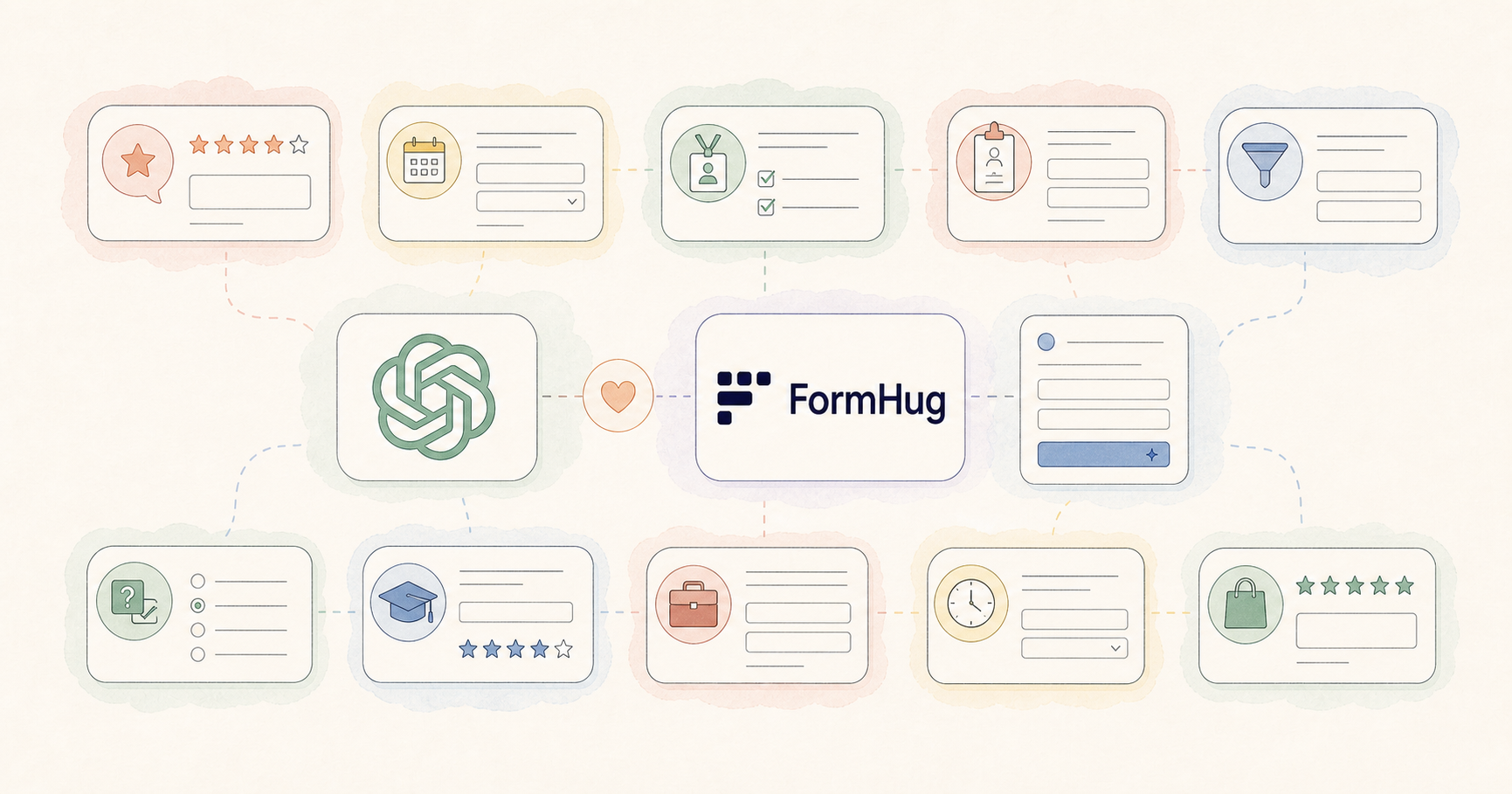
Below are 10 practical forms you can build inside ChatGPT. Each use case includes a copyable prompt, recommended fields, and a useful way to analyze the responses afterward.
TL;DR - FormHug lets ChatGPT create real surveys, quizzes, registrations, intake forms, applications, and booking workflows that people can complete through a public link.
- Choose a decision before choosing fields - the form should help someone learn, qualify, schedule, approve, or follow up.
- Use ChatGPT for iteration - refine questions, field rules, form copy, and response analysis through conversation.
- Use FormHug for the real workflow - hosted forms, structured fields, public links, and stored submissions.
- Works for: product teams, marketers, educators, recruiters, consultants, event organizers, and service businesses.
- Install through ChatGPT Apps; manual MCP setup is not required for this path.
Install FormHug from ChatGPT Apps ->
What Kinds of Forms Work Well in ChatGPT?
Forms work especially well in ChatGPT when the conversation already contains context that would otherwise need to be explained again in a separate tool.
For example, you may already be discussing a product launch, workshop plan, hiring role, course outline, client project, or campaign. ChatGPT understands the language and constraints of that work. FormHug gives the conversation a structured collection layer.
A strong use case usually has four properties:
- A defined respondent - a customer, attendee, applicant, learner, lead, or client.
- A repeatable set of questions - each respondent should answer a comparable structure.
- A reason to share a public link - respondents are outside your private ChatGPT conversation.
- A decision after submission - summarize, qualify, schedule, score, segment, or follow up.
We call this the Respondent-to-Decision Test: if several people need to provide comparable information and someone will use it to make a next decision, the workflow is a good candidate for a form.
For the complete creation process, read How to Create a Form in ChatGPT with FormHug.
1. Product Feedback Survey
When to use it
Use a product feedback survey after a beta release, feature launch, onboarding test, usability session, or major product change. The purpose is not to collect generic opinions. It is to identify what users attempted, where they struggled, and what should change next.
Prompt to copy
Use FormHug to create a product feedback survey for our new AI writing feature. Ask what the user tried to accomplish, whether they completed the task, what felt confusing, how valuable the result was, what they would improve, and whether we may contact them for follow-up. Keep email optional.
Recommended fields
- Use case or task attempted
- Task completion: completed, partly completed, not completed
- Ease-of-use rating
- Value rating
- Most confusing moment
- Most useful part
- Improvement request
- Optional email and follow-up consent
How to analyze responses
Ask ChatGPT to group open-text feedback by theme, compare ratings with task completion, identify repeated friction points, and extract respondents who consented to follow-up. A useful prompt is:
Summarize the top five friction themes, show which themes appear among low ratings, and list three product changes supported by multiple responses.
2. Event Registration Form
When to use it
Use an event registration form when you need a reliable attendee list for a meetup, webinar, conference session, community event, training day, or private gathering. Registration data should support planning, not merely count names.
Prompt to copy
Use FormHug to create an event registration form for a community meetup. Collect name, work email, organization, job title, attendance mode, dietary restrictions, accessibility needs, and consent to receive event updates. Explain that registration is confirmed after submission.
Recommended fields
- Full name
- Email address
- Organization and role
- In-person or online attendance
- Dietary restrictions
- Accessibility requirements
- Event update consent
How to analyze responses
Ask ChatGPT for total registrations, attendance-mode counts, organization distribution, dietary requirements, and a clean follow-up list. Keep operational needs separate from optional marketing consent.
Create an organizer summary with attendee count, attendance mode, dietary needs, accessibility notes, and people who agreed to future updates.
3. Workshop Signup Form
When to use it
A workshop signup form should collect both logistics and learning intent. Unlike a basic event registration, it helps the facilitator understand participant experience and adapt the session.
Prompt to copy
Create a workshop signup form for a 90-minute introduction to AI agents. Ask for name, email, company, role, current experience level, what the participant wants to learn, one workflow they hope to improve, dietary restrictions, and permission to send workshop materials.
Recommended fields
- Contact information
- Company and role
- Experience level
- Learning goal
- Workflow challenge
- Dietary or accessibility needs
- Materials consent
How to analyze responses
Ask ChatGPT to group learning goals, compare beginner and advanced needs, and suggest agenda emphasis based on the most common workflows.
Segment participants by experience level, summarize the top learning goals in each segment, and recommend three examples the instructor should prioritize.
4. Customer Intake Form
When to use it
Use a customer intake form before a consultation, project kickoff, coaching engagement, legal intake, design project, or service estimate. The goal is to collect enough context for a productive next conversation without making the client write an essay before trust exists.
Prompt to copy
Use FormHug to create a customer intake form for a web design agency. Ask about the business, project goal, target audience, current website, required deliverables, preferred launch date, budget range, decision makers, existing brand assets, and anything that could block the project.
Recommended fields
- Contact and company information
- Project goal
- Target audience
- Current situation or URL
- Deliverables
- Timeline
- Budget range
- Decision process
- Existing assets
- Constraints or risks
How to analyze responses
Ask ChatGPT to create a one-page client brief, flag missing decisions, and prepare kickoff questions. Do not ask it to infer sensitive facts the client did not provide.
Turn this submission into a project brief with goals, scope, timeline, budget, stakeholders, risks, and five clarification questions.
5. Lead Capture and Qualification Form
When to use it
A lead form should help decide who needs which next step. Collecting only name and email creates a contact list; collecting a small number of qualification signals creates a usable sales workflow.
Prompt to copy
Create a lead qualification form for our operations consulting service. Ask for name, work email, company size, current operational problem, impact of the problem, desired timeline, budget range, decision role, and preferred contact method. Keep it concise.
Recommended fields
- Name and work email
- Company and company size
- Current problem
- Business impact
- Desired timeline
- Budget range
- Decision role
- Preferred contact method
How to analyze responses
Use the Need, Impact, Readiness framework: identify the problem, estimate its consequence from the respondent’s own words, and determine whether timing and decision authority support follow-up.
Group leads by need, impact, and readiness. Do not invent a score. Explain which answers support each group and prepare a follow-up question for uncertain leads.
6. Quiz with Answers
When to use it
Use a quiz when respondents should receive a correct-answer experience, score, explanation, or knowledge check. Common uses include employee training, classroom review, course reinforcement, onboarding, certification preparation, and audience engagement.
Prompt to copy
Use FormHug to create a 10-question multiple-choice quiz about AI safety basics for new employees. Give each question four answer choices, identify one correct answer, add a short explanation, and keep the difficulty introductory.
Recommended fields and settings
- 8 to 12 focused questions
- One defensible correct answer per question
- Plausible distractors
- Answer explanation
- Score or completion result
- Optional name or email if individual follow-up is necessary
How to analyze responses
Ask ChatGPT to calculate question-level patterns from the available results, identify common misconceptions, and recommend which topic needs reteaching. Human review is essential when scores affect employment, grades, eligibility, health, or finance.
Identify the questions with the most incorrect answers, explain the underlying misconception, and propose a short review activity for each topic.
7. Course Evaluation Survey
When to use it
Use a course evaluation after a class, workshop, cohort, webinar series, or training program. Measure both experience and learning: satisfaction alone does not show whether participants gained confidence or can apply the material.
Prompt to copy
Create a course evaluation survey for a six-week product management course. Include ratings for content relevance, instructor clarity, pace, exercises, confidence before and after the course, and likelihood of applying the material. Add open questions for the most useful part and the biggest improvement.
Recommended fields
- Content relevance
- Instructor clarity
- Pace
- Exercise quality
- Confidence change
- Application intent
- Most useful element
- Suggested improvement
- Optional testimonial permission
How to analyze responses
Ask ChatGPT to compare experience ratings with reported confidence change, summarize suggestions, and keep testimonials separate from private feedback unless explicit permission was collected.
Summarize strengths and improvements, compare confidence change across experience levels, and extract only comments with testimonial permission into a separate section.
8. Job Application Form
When to use it
Use a job application form to collect comparable information that is genuinely relevant to the role. Avoid adding questions merely because they are common. Every field should support screening, communication, or legal process requirements.
Prompt to copy
Use FormHug to create a job application form for a customer success manager. Collect name, email, location or time zone, resume link, LinkedIn URL, relevant experience, an example of resolving a difficult customer issue, availability, and work authorization. Do not ask for age, photo, marital status, or unrelated personal information.
Recommended fields
- Contact information
- Location or time zone when job-relevant
- Resume or portfolio link
- Relevant experience
- Role-specific work example
- Availability
- Work authorization where appropriate
- Consent to process application data
How to analyze responses
Ask ChatGPT to summarize job-relevant evidence against a human-defined rubric. Do not use protected characteristics or unsupported inferences. A person should review every consequential hiring decision.
Summarize each applicant’s relevant evidence against these published criteria. Quote the supporting answer, flag missing information, and do not rank applicants automatically.
9. Booking Request Form
When to use it
A booking request form is useful when availability depends on service type, date, location, duration, capacity, or manual confirmation. It is not the same as an instant reservation system; the form should clearly state whether submission confirms the booking.
Prompt to copy
Create a booking request form for a photography studio. Ask for contact details, session type, preferred date and backup date, location, number of participants, intended use, budget range, and special requests. State clearly that the request is not confirmed until the studio replies.
Recommended fields
- Contact details
- Service or session type
- Preferred and backup dates
- Location
- Group size
- Intended use
- Budget range
- Special requirements
- Confirmation expectations
How to analyze responses
Ask ChatGPT to group requests by session type, identify date conflicts, flag missing information, and prepare reply drafts without promising unavailable times.
Create a booking review table with requested dates, session type, location, budget, missing information, and recommended next reply. Do not mark anything confirmed.
10. Post-Purchase Survey
When to use it
Use a post-purchase survey to learn why someone bought, whether expectations were met, what created friction, and what support or product change would improve the experience. Timing matters: ask after the customer has had enough time to use the product.
Prompt to copy
Use FormHug to create a post-purchase survey for customers who bought our online course. Ask what motivated the purchase, how easy checkout was, whether the course matched expectations, what result they achieved, what felt missing, whether they need support, and whether we may contact them about their feedback.
Recommended fields
- Purchase motivation
- Checkout experience
- Expectation match
- Usage or completion stage
- Result achieved
- Missing content or feature
- Support need
- Follow-up consent
How to analyze responses
Ask ChatGPT to separate product, checkout, expectation, and support themes. Segment by usage stage so early confusion is not mixed with feedback from customers who completed the product.
Group responses by usage stage, summarize purchase motivations and unmet expectations, identify urgent support requests, and suggest three improvements supported by repeated feedback.
How to Choose the Right Form
Use the desired next decision to choose the form type:
| Your next decision | Best form type | Useful analysis |
|---|---|---|
| What should we improve? | Product feedback survey | Theme and friction analysis |
| Who is attending? | Event registration | Counts and logistics summary |
| What should we teach? | Workshop signup | Learning-goal segmentation |
| Is this project a fit? | Customer intake | Brief and clarification gaps |
| Which lead needs follow-up? | Lead qualification | Need, impact, readiness groups |
| Did people understand? | Quiz | Misconception and question analysis |
| Did the course work? | Course evaluation | Experience and confidence comparison |
| Does the applicant show relevant evidence? | Job application | Rubric-based human review support |
| Can we accommodate the request? | Booking request | Date, scope, and missing-info review |
| Did the purchase meet expectations? | Post-purchase survey | Motivation, expectation, and support themes |
The form type is less important than the decision boundary. If you cannot explain what will happen after a response arrives, the form probably needs a clearer purpose.
If you are still deciding which app should run that workflow, compare the best ChatGPT form builder apps for forms, surveys, and quizzes, including general-purpose builders and specialist tools.
A Reusable Prompt for Any Form
Use this template after installing FormHug:
Use FormHug to create a [form type] for [audience]. The goal is to [decision or outcome]. Collect [essential information]. Make [fields] required and [fields] optional. Explain [important trust or confirmation detail]. After responses arrive, I want to [analysis or follow-up].
Example:
Use FormHug to create a volunteer application form for people helping at a weekend community event. The goal is to assign volunteers to suitable shifts and roles. Collect contact details, availability, preferred roles, relevant experience, accessibility needs, and emergency contact information. Make contact details and availability required. Explain how the information will be used. After responses arrive, I want to group volunteers by shift and role preference.
This template works because it combines form creation with the decision that follows collection.
Start Building Inside ChatGPT
- Install FormHug from ChatGPT Apps.
- Choose one use case above and paste its prompt into ChatGPT.
- Review the fields, remove anything unnecessary, and ask for the public link.
- After responses arrive, use the suggested analysis prompt as a starting point.
FormHug is the form layer inside this workflow. ChatGPT helps reason about the purpose and the responses; FormHug turns that reasoning into a public, structured experience people can actually complete.
Frequently Asked Questions
What forms can I create with ChatGPT?
With a form app such as FormHug, ChatGPT can help create feedback surveys, registrations, workshop signups, customer intake forms, lead forms, quizzes, evaluations, applications, booking requests, and post-purchase surveys. The result can be a hosted form rather than only drafted questions.
Can ChatGPT build a registration form?
Yes. Ask ChatGPT to use FormHug and describe the event, audience, logistics, required attendee details, consent needs, and follow-up plan. Review the form, then request its public link.
Can ChatGPT create a job application form?
Yes, but the form should collect only job-relevant information. Use human-defined criteria, avoid protected characteristics and unrelated personal questions, and keep a person responsible for consequential screening and hiring decisions.
Can ChatGPT create and grade a quiz?
ChatGPT can help create quiz questions, answer choices, correct answers, and explanations through FormHug. Review accuracy and scoring before publishing. For consequential assessments, use qualified human oversight.
Can people fill out a ChatGPT-created form without ChatGPT?
Yes. FormHug provides a normal public form link that respondents open in a browser. They do not need your ChatGPT conversation.
Can ChatGPT analyze survey responses?
Yes. With authorized access through FormHug, ChatGPT can summarize themes, group responses, compare segments, identify incomplete answers, and prepare follow-up actions. The analysis should be tied to the original research or operational decision.
Do I need MCP to create these forms in ChatGPT?
No. For ChatGPT, install FormHug directly from ChatGPT Apps. MCP is the advanced path for Claude, Cursor, Codex, and custom agent workflows.
Where do I install FormHug for ChatGPT?
Open the FormHug page in ChatGPT Apps, install or connect the app, and start with Use FormHug to create....
Related
- 7 Best ChatGPT Form Builder Apps for Forms, Surveys, and Quizzes - compare FormHug with Jotform, Weavely, and specialist apps.
- How to Create a Form in ChatGPT with FormHug - follow the complete workflow from installation to response analysis.
- FormHug Is Now Available on ChatGPT Apps - learn what the ChatGPT app can create and how it differs from a question draft.
- MCP Form Builder for AI Agents - understand the agent-to-form pattern behind more advanced workflows.
The fastest way to find the right use case is to start with the next decision, not the field list. Install FormHug in ChatGPT and build the form ->

Written by
FormHug TeamProduct, research, and form automation team
The FormHug Team brings together product builders, workflow researchers, and form automation practitioners who study how people collect, route, and act on information online. Our guides are based on hands-on product testing, template analysis, customer workflow patterns, and deep experience with forms, surveys, quizzes, AI-assisted creation, integrations, and results sharing.