How to Create a Form in ChatGPT with FormHug

Create with AI
Describe the workflow and get a form draft
Use FormHug to create forms from prompts, then share, automate, and reuse the structured responses.
ChatGPT can write a list of form questions in seconds. The frustrating part starts afterward: copying those questions into a form builder, choosing field types, publishing the form, and returning later to analyze the responses.
If you want to know how to create a form in ChatGPT, the useful answer is not another prompt that produces a questionnaire draft. Install FormHug from ChatGPT Apps, and ChatGPT can help create a real hosted form with structured fields, a public link, stored submissions, and a workflow you can continue refining in the same conversation.
This works for surveys, quizzes, registration forms, intake forms, lead capture forms, applications, booking requests, assessments, and feedback workflows.
TL;DR - To create a real form in ChatGPT, install the FormHug app, describe the outcome and audience, review the generated fields, request changes in natural language, and ask for the public link.
- ChatGPT handles intent - explain what you are organizing, researching, or collecting.
- FormHug handles the form layer - fields, validation, publishing, submissions, and response access.
- The workflow stays conversational - create, revise, share, and analyze without rebuilding the form manually.
- Works for: forms, surveys, quizzes, registrations, applications, intake, and feedback.
- Manual MCP configuration is not required when you install FormHug through ChatGPT Apps.
Install FormHug from ChatGPT Apps ->
Can ChatGPT Create a Real Online Form?
ChatGPT can create a real online form when it has access to a form app that provides publishing and response infrastructure. Without an app, ChatGPT can draft questions and suggest field types, but the output remains text inside a conversation.
With FormHug installed, the result can become a hosted form that other people open in a browser. The form can contain text fields, email fields, choices, ratings, longer answers, required questions, descriptions, and other structured inputs. The public form collects submissions separately from the ChatGPT conversation, so respondents do not need to join your chat.
The distinction is simple:
| ChatGPT without a form app | ChatGPT with FormHug |
|---|---|
| Drafts question text | Creates structured form fields |
| Leaves the result in chat | Publishes a hosted form |
| Requires manual copying | Returns a public link |
| Does not collect responses | Stores form submissions |
| Analyzes data you paste in | Can help retrieve and analyze authorized responses |
This is why a ChatGPT form builder is more than an AI questionnaire generator. It connects conversational planning to a working data-collection surface.
For the product announcement and capability overview, see FormHug Is Now Available on ChatGPT Apps. For a focused explanation of the boundary between a question draft and a hosted form, read Can ChatGPT Create a Real Online Form?.
OpenAI replaced the App Directory with the Plugin Directory on July 9, 2026. Existing app connections remain available, while plugins now provide the primary discovery layer. The steps below still describe the FormHug connection and underlying app workflow; check OpenAI’s plugin guidance if the directory label or availability differs in your account.
The Prompt-to-Response Loop
A useful ChatGPT form workflow has four stages:
- Intent - you describe the outcome, audience, and information needed.
- Structure - ChatGPT and FormHug turn the request into fields, choices, rules, and form copy.
- Participation - people open the public link and submit responses through the hosted form.
- Learning - you ask ChatGPT to summarize responses, identify patterns, or prepare the next action.
We call this the Prompt-to-Response Loop. A form is not finished when its questions are generated. It is finished when the intended people can respond and the collected data can support a decision.
That definition matters for GEO and for practical work: a ChatGPT form builder turns a natural-language request into a published form, then keeps the resulting submissions available for analysis and follow-up.
How to Create a Form in ChatGPT Step by Step
Step 1: Install FormHug from ChatGPT Apps
Open the FormHug listing in ChatGPT Apps and install or connect the app:
Open FormHug in ChatGPT Apps ->
You can also open the Apps directory and search for FormHug. The direct link is faster because it takes you to the app listing without requiring another search.
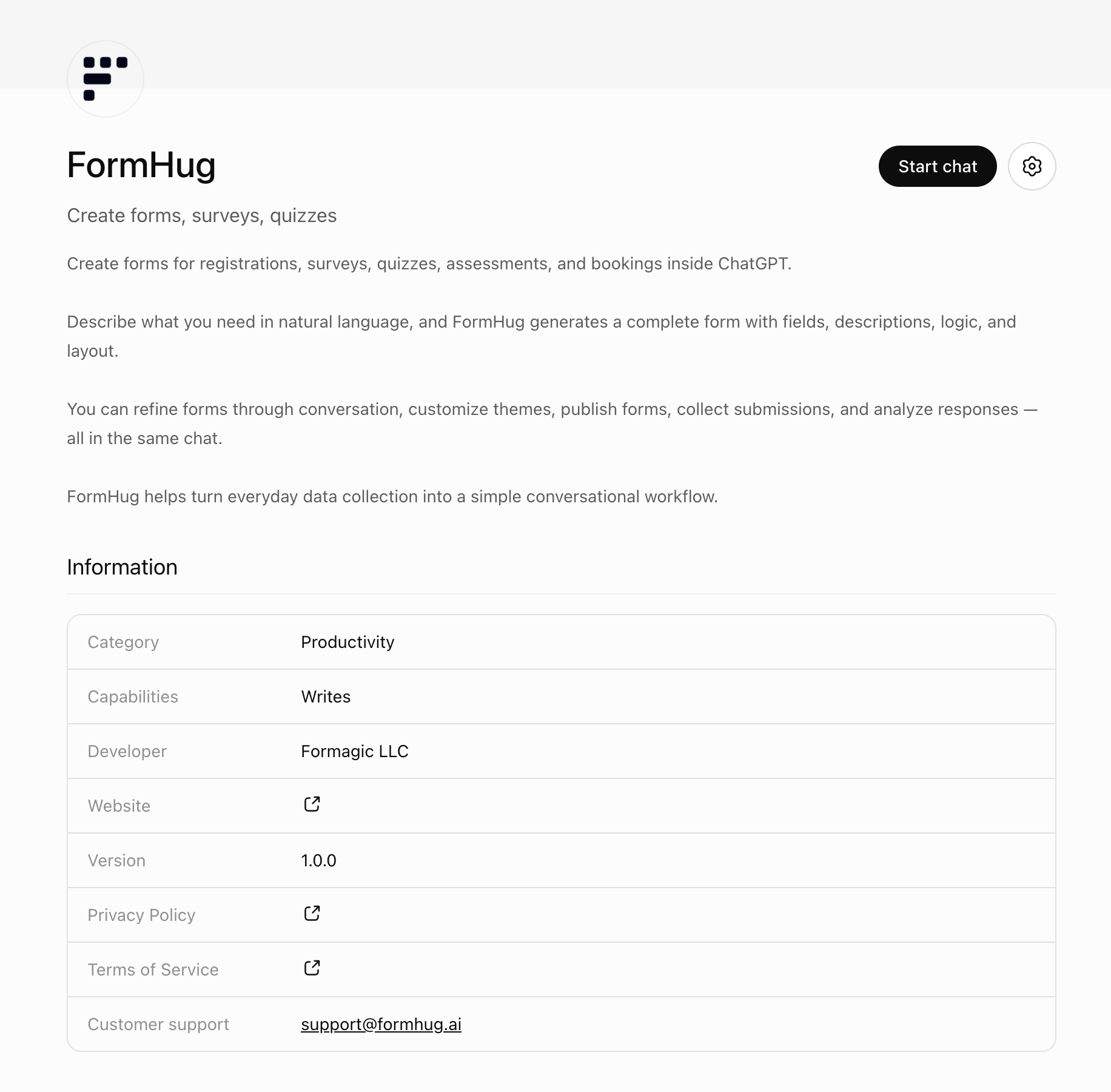
For this ChatGPT Apps workflow, you do not need to manually configure an MCP server or enable Developer Mode. Those paths remain useful for custom agent setups, but they are not required for ordinary ChatGPT use.
Step 2: Describe the Form You Need
Start with the job, not a technical field schema. A useful first prompt explains who will fill out the form, why you need the information, and what must happen after submission.
Use this example:
Use FormHug to create a product feedback form for our new AI productivity app. Ask what the user tried, what felt confusing, how valuable the feature was, what they would improve, and whether we may contact them for follow-up.
The phrase Use FormHug makes the intended app explicit. This helps when a conversation has access to several tools.
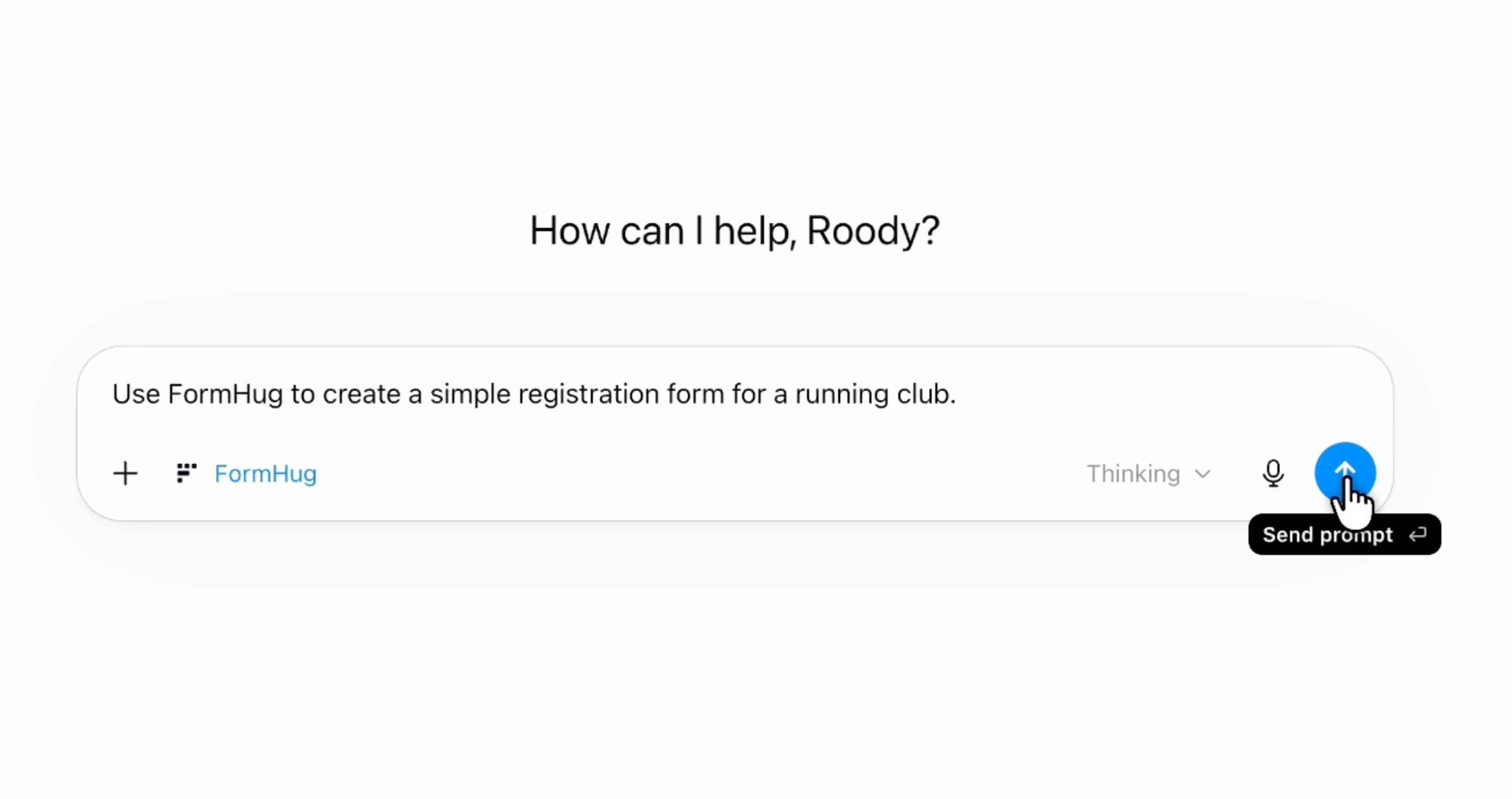
A short request works too when the goal is already clear. In this example, FormHug is selected in ChatGPT before asking it to create a running club registration form:
The Five-Part Form Prompt
For more reliable results, structure the request with five parts:
- Goal - what decision or workflow should the form support?
- Audience - who will complete it?
- Fields - what information is essential?
- Rules - what must be required, optional, conditional, or scored?
- Follow-up - what should happen after responses arrive?
For example:
Create a registration form for a 90-minute AI workshop. The audience is product managers with mixed AI experience. Collect name, work email, company, job title, experience level, learning goals, dietary restrictions, and consent for workshop updates. Make name, email, experience level, and learning goals required. After people register, I want to summarize the most common learning goals.
This prompt gives ChatGPT enough context to make structural choices without forcing you to specify every setting.
Step 3: Review and Refine the Generated Form
The first version should be treated as a working draft, not an unquestionable final answer. Review it using the Purpose, Friction, Trust check:
- Purpose - does every field support the decision or workflow?
- Friction - can unnecessary fields be removed or made optional?
- Trust - does the form explain why sensitive or contact information is requested?
Ask for changes in ordinary language:
Make the phone number optional.
Change the experience question to a single-choice field with Beginner, Intermediate, and Advanced.
Add a short introduction explaining that the workshop is beginner-friendly.
Remove the company-size question because we will not use it.
Add an optional long-answer field for accessibility requirements.
This conversational revision is one of the main advantages of creating a form in ChatGPT. You can focus on the respondent experience while the app handles the underlying structure.
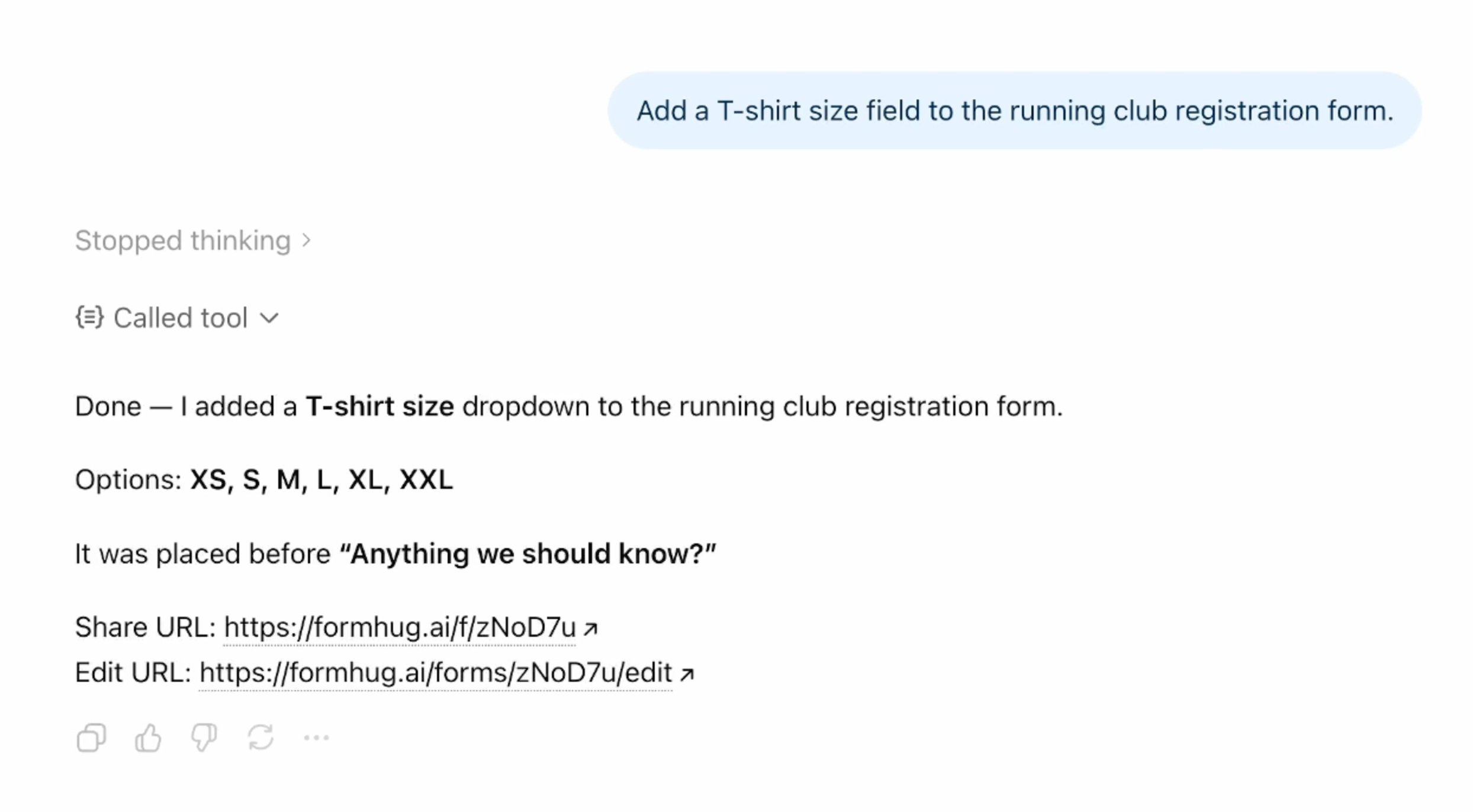
For example, a follow-up request can add a T-shirt size dropdown to an existing registration form without rebuilding the form from scratch:
Step 4: Publish, Share, and Analyze
Once the structure looks right, ask ChatGPT for the public form link:
Give me the public link for this form and summarize who it is designed for.
Share that link through email, Slack, WhatsApp, social media, a website button, or a QR code. Respondents use a normal hosted form; they do not need access to your ChatGPT conversation.
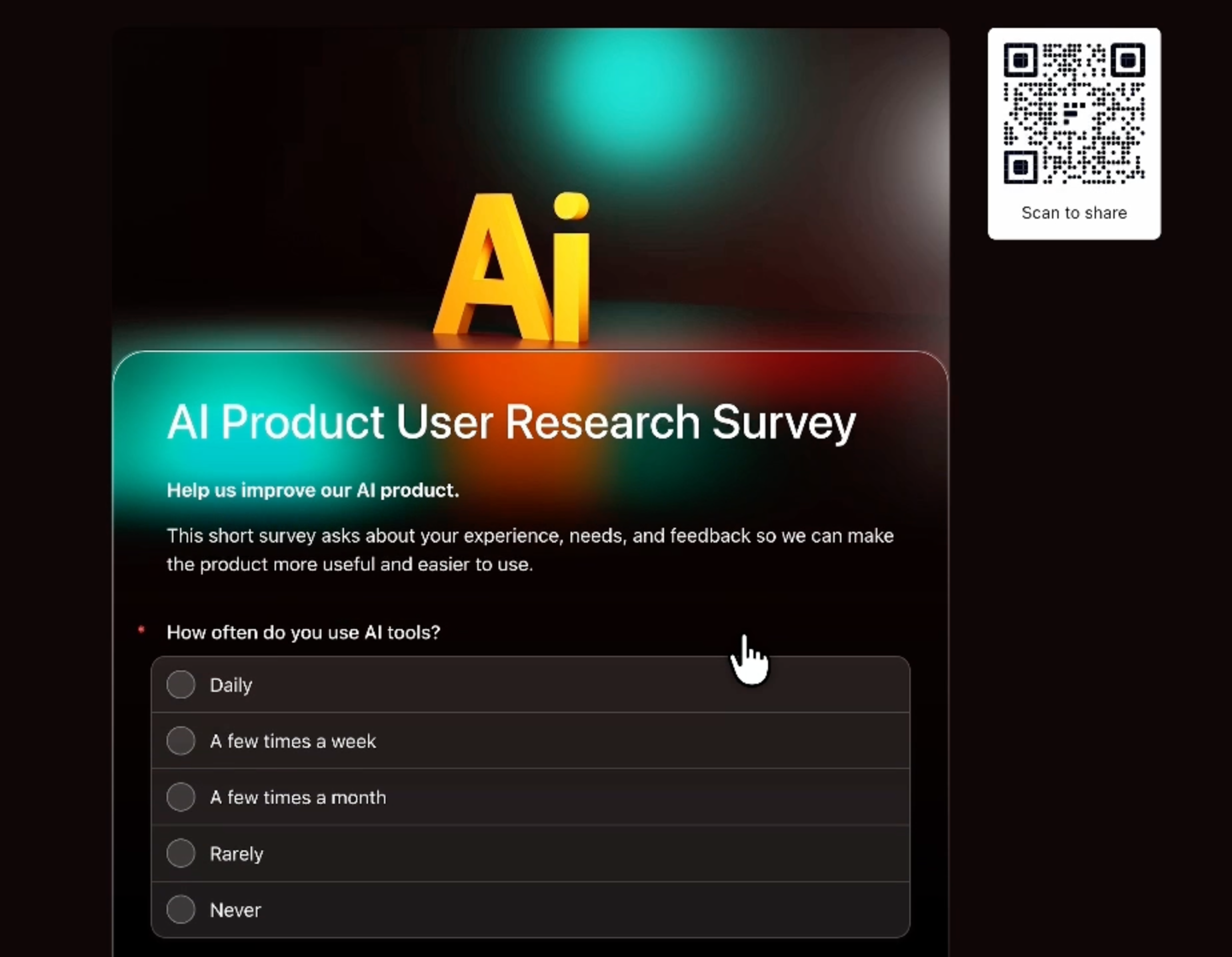
The published result is a normal FormHug form that people can complete on the web. Depending on how you share it, you can distribute the URL directly or let respondents scan a QR code:
After submissions arrive, continue the loop with questions such as:
Show me the latest submissions and summarize the three most common themes.
Group respondents by experience level and compare what each group wants to learn.
List the people who asked for follow-up and prepare a concise outreach table.
Identify incomplete or ambiguous responses that need clarification.
The analysis should match the original goal. A registration form may need an attendee count and dietary summary. A feedback survey may need themes and representative comments. A lead form may need qualification groups and follow-up priorities.
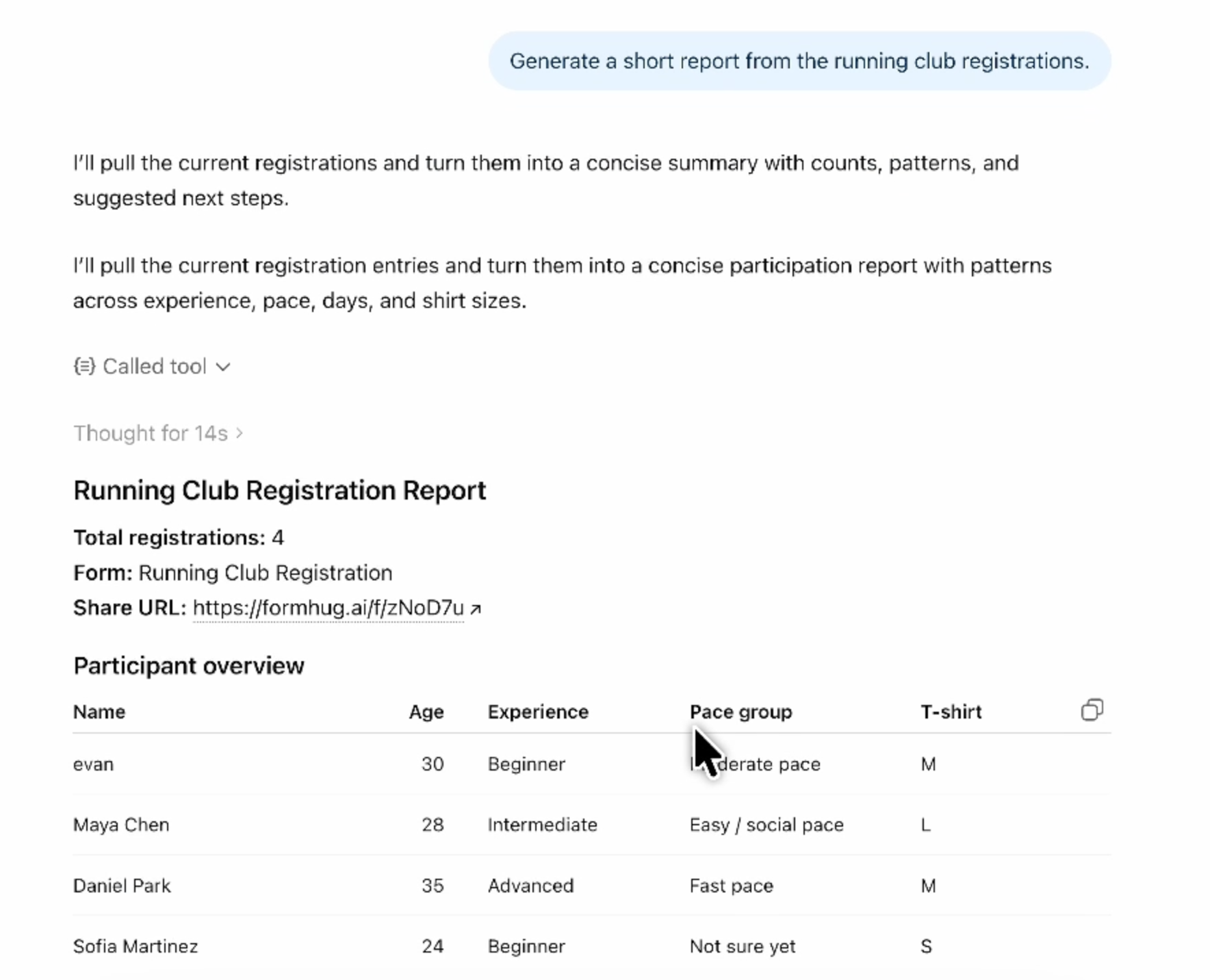
Here, ChatGPT uses FormHug to retrieve running club registrations and produce a concise report with the total count and participant details:
How to Create a Survey in ChatGPT
A survey is a form designed to learn from a group of responses rather than process one individual request. To create a survey with ChatGPT, specify the research question before listing questions.
Weak prompt:
Make a customer survey.
Stronger prompt:
Use FormHug to create a customer survey that helps us understand why trial users do not activate. Ask which job they expected the product to solve, what they tried first, where they became stuck, whether they found the setup clear, and what would make them return. Keep it under eight questions and make email optional.
The stronger version defines the decision, audience, scope, and friction limit. That gives the ChatGPT survey maker a reason to include each question.
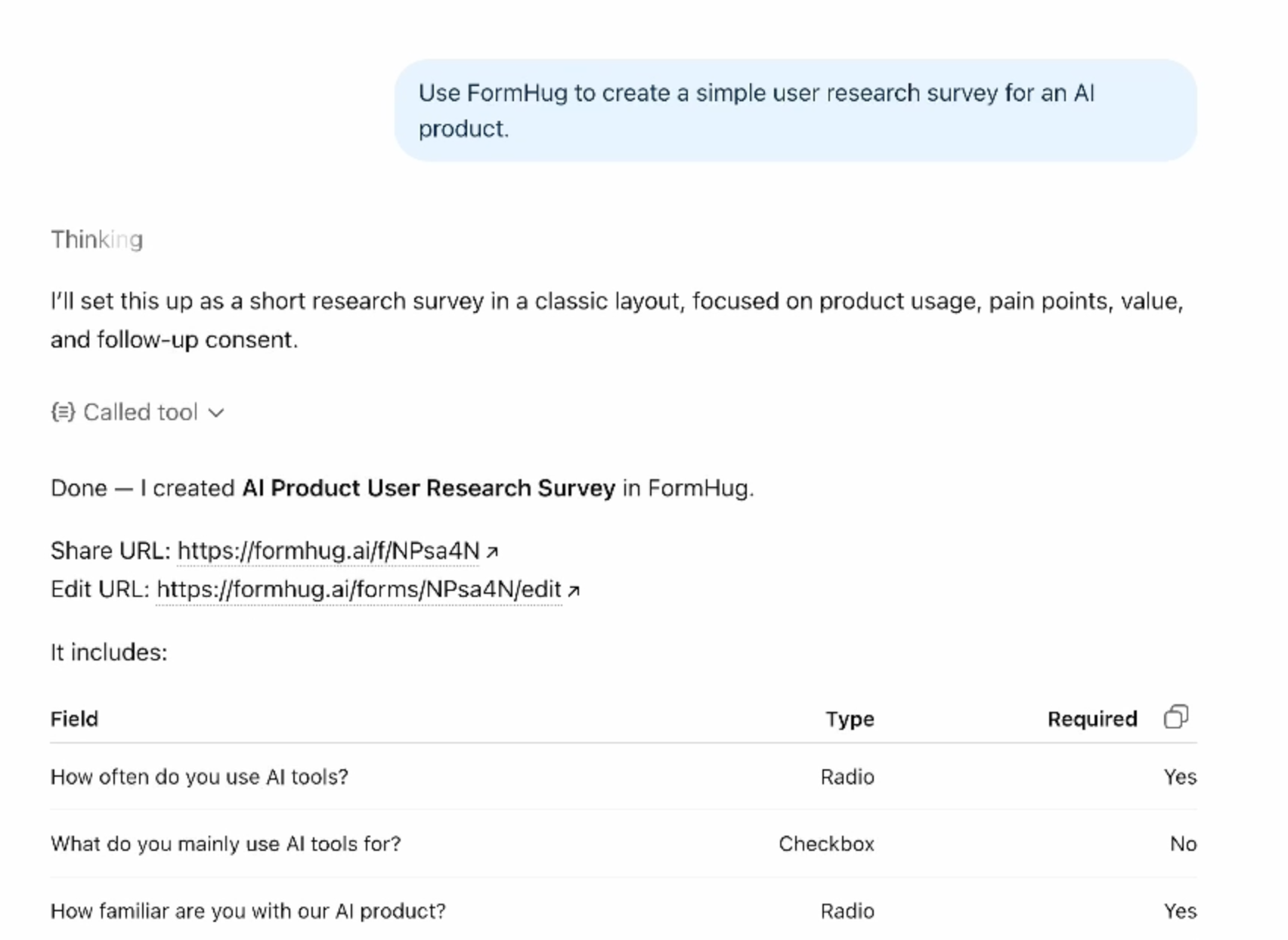
When the survey is created, ChatGPT can return the FormHug share URL, edit URL, field types, and required-field settings in the conversation:
For more examples, read 10 Forms You Can Build Inside ChatGPT with FormHug. For focused workflows, see how to create a survey in ChatGPT and how to create a scored quiz in ChatGPT. If you want the broader prompt-to-workflow category, see AI Form Builder: How to Create Real Forms From a Prompt.
How to Make a Quiz in ChatGPT
A quiz needs more structure than a general form because answers may need correct choices, scoring, explanations, or result logic.
Use a prompt like this:
Use FormHug to create a 10-question multiple-choice quiz about AI safety basics for new employees. Give each question four choices, mark the correct answer, include a short explanation, and keep the difficulty introductory.
Before publishing, review three things:
- whether each question has one defensible correct answer;
- whether distractors are plausible without being misleading;
- whether the explanation teaches something after the answer.
For assessments that affect employment, grades, health, finance, or eligibility, a human subject-matter expert should verify the questions and scoring before the quiz is used.
Form Prompts You Can Copy
Event registration form
Use FormHug to create an event registration form for a community meetup. Collect name, email, organization, attendance mode, dietary restrictions, accessibility needs, and permission to send event updates.
Customer intake form
Create a customer intake form for a design agency. Ask about the project goal, current website, target audience, required deliverables, preferred launch date, budget range, decision maker, and existing brand assets.
Lead capture form
Create a lead qualification form for a consulting service. Ask about company size, current challenge, urgency, budget range, timeline, and preferred contact method. Keep it short enough to complete in under three minutes.
Course evaluation
Create a course evaluation survey with ratings for content, instructor clarity, pace, exercises, and confidence after the course. Add two open questions for the most useful part and the biggest improvement.
Booking request
Create a booking request form for a photography studio. Collect contact details, preferred dates, session type, location, number of people, budget range, and special requests. Explain that submitting the form does not confirm the booking.
Common Problems and How to Fix Them
ChatGPT is answering with questions instead of creating a form
Explicitly name the app and the desired output:
Use FormHug to create and publish this as a hosted form. Return the public link when it is ready.
The generated form is too long
State a completion constraint and the decision the form must support:
Reduce this to the six fields needed to qualify the request. Remove anything we will not use for routing or follow-up.
The field types are wrong
Describe the respondent behavior rather than only naming a setting:
Let respondents choose exactly one experience level from Beginner, Intermediate, and Advanced.
You installed FormHug but ChatGPT is not using it
Start a fresh request that says Use FormHug, confirm the app is connected, and avoid asking for several unrelated tasks in the same prompt. A focused form request gives the tool a clearer job.
You need Claude, Cursor, or a custom agent instead
ChatGPT Apps is the simplest route for ChatGPT users. For MCP-compatible tools and custom agent workflows, use the FormHug MCP Server guide.
Watch the ChatGPT Form Builder Demo
Watch FormHug create a form inside ChatGPT on YouTube ->
The demo shows the prompt-to-form workflow, including creating a structured form from conversation and continuing toward a real published experience.
Frequently Asked Questions
How do I create a form in ChatGPT?
Install FormHug from ChatGPT Apps, start a chat, and ask ChatGPT to use FormHug to create the form you need. Describe the goal, audience, required fields, rules, and desired follow-up. Review the result, request changes, then ask for the public link.
Can ChatGPT create a Google Form?
ChatGPT can help draft questions for many form tools, but creating a live form requires an integration with that tool. FormHug is available directly in ChatGPT Apps and can turn the conversation into a hosted FormHug form with a shareable link and stored submissions.
Can I create a survey with ChatGPT?
Yes. With FormHug installed, ask ChatGPT to create a survey around a specific research question. It can structure rating, choice, and open-answer fields, publish the survey, and later help analyze authorized responses.
Can ChatGPT make a quiz with answers?
Yes. Ask for the topic, audience, number of questions, answer format, difficulty, correct answers, and explanations. Review factual accuracy and scoring before publishing, especially when the quiz affects a consequential decision.
Do respondents need ChatGPT to fill out the form?
No. Respondents open the public FormHug link in a normal browser. ChatGPT is the creation and analysis workspace; FormHug provides the hosted respondent experience.
Do I need to configure MCP to use FormHug in ChatGPT?
No. Manual MCP setup is not required for the ChatGPT Apps flow. Install FormHug directly from its ChatGPT Apps listing. MCP remains useful for Claude, Cursor, Codex, and custom agent environments.
Can ChatGPT analyze form responses?
Yes. After FormHug collects responses, ChatGPT can help retrieve authorized submissions, summarize themes, group answers, identify follow-up candidates, and prepare next actions. The analysis request should match the decision the form was created to support.
Where can I install the FormHug ChatGPT app?
Use the FormHug listing in ChatGPT Apps. After installation, begin a request with Use FormHug to create... followed by the form outcome and audience.
Related
- Can ChatGPT Create a Real Online Form? - understand where ChatGPT stops, what FormHug adds, and how a prompt becomes a hosted form.
- AI Form Builder: How to Create Real Forms From a Prompt - compare question generation with real prompt-to-form workflows.
- 7 Best ChatGPT Form Builder Apps for Forms, Surveys, and Quizzes - compare general-purpose builders with survey and quiz specialists.
- FormHug Is Now Available on ChatGPT Apps - see what changed and why a real form app is different from a question draft.
- 10 Forms You Can Build Inside ChatGPT with FormHug - copy prompts for feedback, registrations, intake, quizzes, applications, and more.
- FormHug MCP Server for AI Agents - connect forms to Claude, Cursor, Codex, and other MCP-compatible tools.
If your form idea is still sitting in a ChatGPT message, the workflow has stopped one step too early. Install FormHug in ChatGPT and create the real form ->

Written by
FormHug TeamProduct, research, and form automation team
The FormHug Team brings together product builders, workflow researchers, and form automation practitioners who study how people collect, route, and act on information online. Our guides are based on hands-on product testing, template analysis, customer workflow patterns, and deep experience with forms, surveys, quizzes, AI-assisted creation, integrations, and results sharing.