How to Create an AI Quiz with Correct Answers and Explanations
Make it interactive
Turn these questions into a scored quiz
Build a quiz with answer keys, result pages, explanations, and a shareable link.
An AI-generated quiz can look finished while still teaching the wrong thing. The question is polished, the options sound reasonable, and the answer key is confidently marked—but a single unchecked key can turn an instant result into an instant loss of trust.
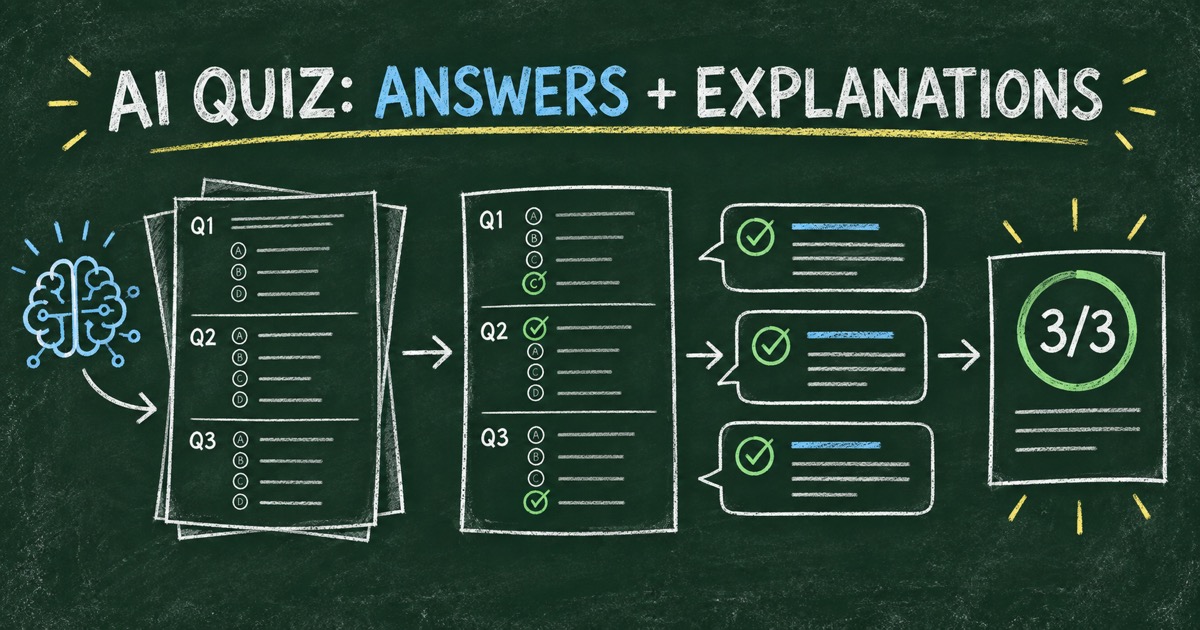
To create a reliable AI quiz, treat the generated questions, correct answers, and explanations as one reviewable package. Define what the quiz should measure, verify each answer against a trusted source, and use explanations to correct a likely misconception—not merely repeat the key. Here is a practical workflow for doing that.
TL;DR — A trustworthy AI quiz pairs each question with a verified answer key and an explanation that helps the learner understand the reasoning.
- Specify the audience and learning goal before asking AI to draft questions.
- Verify the key independently; a fluent answer is not evidence that it is correct.
- Write explanations for learning, including why a plausible wrong answer fails.
- Works for: practice quizzes, onboarding, product knowledge, classroom review, and training checks.
- For high-stakes exams, use subject-matter review and a documented scoring policy.
What Makes an AI Quiz Answer Key Reliable?
An answer key is reliable when each keyed answer is supported by an authoritative source, the question has one clear interpretation, and the scoring rule matches the response format. AI can propose the key, but the person responsible for the quiz must decide whether it is correct for the material and audience.
Start with a source hierarchy. For a course quiz, the approved course content may define what learners are expected to know. For a product quiz, use the current product documentation. For general knowledge, choose a current, authoritative reference. Keep the source and any important caveat in the review notes even if they do not appear in the public quiz.
This distinction matters most when the answer depends on context. A general fact may have exceptions; a policy may vary by region; a product interface may change. If the prompt does not say which context applies, the AI may fill the gap with an assumption. Rewrite the question or state the condition rather than grading learners against an unstated premise.
Give the AI a Reviewable Quiz Brief
The quality of the answer key begins with the instructions. Tell the AI who will take the quiz, what material it may use, what each question should measure, which formats are acceptable, and whether the goal is practice or assessment.
Ask for a structured draft that includes:
- the question and its learning objective;
- the answer options and the keyed answer;
- a short rationale for the key;
- a note about a likely misconception behind each plausible distractor;
- a source reference or a flag where a human must confirm a claim.
For example: “Write eight beginner questions from the attached onboarding guide. Each question should test one concept. Include four plausible options, identify the correct option, cite the relevant section title, and explain why the most tempting wrong option is incorrect. Flag anything the guide does not answer.”
This prompt does not make the output correct automatically. It makes missing evidence and weak distractors easier to notice. The AI quiz maker prompt template includes more ways to specify the audience, topic, and result format.
Use a Five-Check Answer-Key Review
Before publishing, review each question through the Source → Scope → Key → Distractor → Explanation check:
- Source: Can a reviewer locate the supporting material?
- Scope: Does the question stay within what learners were taught?
- Key: Is the marked answer correct under the exact wording and conditions?
- Distractor: Does each wrong option represent a plausible error rather than a trick?
- Explanation: Does the feedback teach the relevant distinction?
If two answers could reasonably be correct, do not ask learners to guess what the author intended. Add the missing condition, revise the options, or remove the item. This is especially important with “best answer” questions: state the criteria that make one choice best.
For multiple-select questions, explicitly tell learners whether they must choose every correct option or whether partial credit is available. A correct set of choices paired with an unclear scoring rule is still an unfair question. The guide to multiple-choice quiz questions covers how to write parallel options and useful distractors.
Write Explanations That Teach, Not Just Reveal the Answer
An answer explanation should connect the question to the idea it tests. A useful explanation usually does three things: states the correct reasoning, names the distinction that matters, and corrects a common misconception where that will help.
Weak: “B is correct because B is the answer.”
Stronger: “A rating scale measures how strongly a respondent feels about one statement. A ranking question asks them to order several choices, so it answers a different question.”
Keep the explanation proportional to the item. A quick practice question may need one or two sentences. A scenario about safety or policy may need the relevant condition and a link to the approved material. Avoid adding a new claim in the explanation that was not checked along with the answer.
Feedback should also fit the quiz’s purpose. Practice quizzes can show explanations immediately after submission. A formal assessment may delay them until after an exam window or review, depending on the rules learners were given. Do not promise a feedback mode that the assessment owner has not chosen.
Test the Quiz with Known Responses
Preview the quiz before sharing it. Try a fully correct response pattern, a clearly incorrect one, and any multi-answer or boundary case. Confirm that the system awards points as intended, displays the right explanation, and places the learner in the intended result range.
Read the quiz as a participant, not only as its author. Is the wording clear on a phone? Are the instructions visible before the first question? Does the result page explain what the score means? For an internal training check, can the learner tell which concept to review next?
FormHug’s AI quiz maker can generate a scored quiz with answer options, correct answers, and explanations. Review each item in the editor before publishing; generated content is a first draft, not a subject-matter sign-off.
Build an AI Quiz with Answers in Four Steps
Step 1: Define one outcome
Choose what a participant should know, decide, or practice after the quiz. A narrow outcome is easier to test accurately than a broad topic label.
Step 2: Generate a structured draft
Provide the audience, approved source, difficulty, question count, answer format, and requested explanation style. Ask the AI to flag unsupported questions instead of filling gaps with guesses.
Step 3: Check the key and feedback
Verify each answer against the source, revise ambiguous wording, and make sure the explanation teaches the underlying concept. Ask a knowledgeable reviewer to check high-consequence content.
Step 4: Preview and publish
Test representative response patterns and review the participant view. Publish only after the answer key, score, and result feedback all agree.
Frequently Asked Questions
Can AI create quiz questions with correct answers and explanations?
Yes. AI can draft questions, answer options, answer keys, and explanations from a prompt or source. A human should verify factual answers and confirm the questions match the intended learning material before publishing.
How do I check if an AI-generated quiz answer is correct?
Compare it with the approved source for the course, product, or topic. Check the exact wording and conditions, confirm there is one defensible correct answer, and ask a subject-matter reviewer about consequential items.
What should a good quiz answer explanation include?
A good explanation states why the correct answer follows from the material and, when useful, corrects the misconception behind a plausible wrong choice. It should not introduce unchecked claims.
Should every quiz question have an explanation?
Explanations are especially useful in practice and learning quizzes because they turn a score into feedback. For an exam where revealing answers would compromise later attempts, decide when explanations should appear and tell participants in advance.
Can AI-generated answers be used in a certification test?
AI can help draft certification items, but answer keys, scoring, security, and review procedures need qualified human oversight. A correct software score does not by itself prove identity, independent work, or real-world competence.
Can FormHug create an AI quiz with answer explanations?
FormHug’s quiz maker can generate scored questions with answer keys and explanations. Check current plan and response details on FormHug before choosing it for a particular exam program.
Related
- How to Create a Scored Quiz with AI from One Prompt — plan points, score ranges, and results for an AI-generated quiz.
- Multiple Choice Quiz Questions — improve question wording and distractor quality.
- Quiz Score Ranges and Result Feedback — make score bands clear and useful to participants.
A polished quiz can still mislead when its answer key goes unchecked. Make each response explainable, verify the source, then build your next reviewed quiz with FormHug →

Written by
FormHug TeamProduct, research, and form automation team
The FormHug Team brings together product builders, workflow researchers, and form automation practitioners who study how people collect, route, and act on information online. Our guides are based on hands-on product testing, template analysis, customer workflow patterns, and deep experience with forms, surveys, quizzes, AI-assisted creation, integrations, and results sharing.