Free Quiz Maker: Create an Online Quiz People Actually Finish
Make it interactive
Turn these questions into a scored quiz
Build a quiz with answer keys, result pages, explanations, and a shareable link.
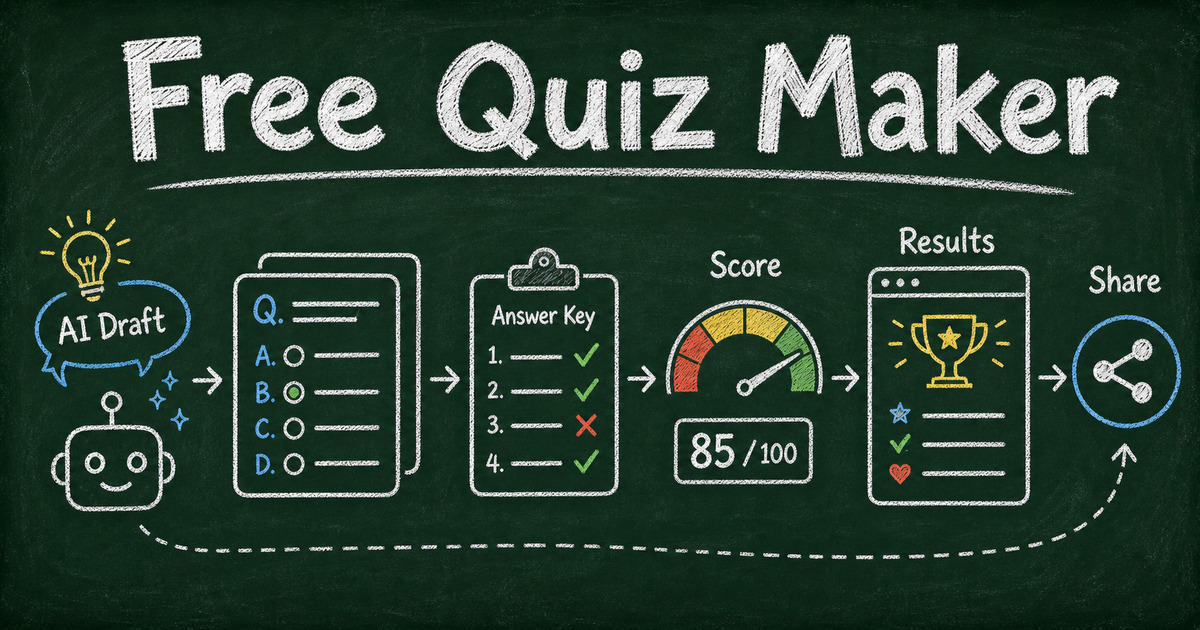
A free quiz maker should help you do more than publish questions. It should help people finish the quiz, understand their result, and feel the ending was worth the click.
That is why “quiz maker free” searches are different from general form searches. A quiz needs answer options, scoring, feedback, and a result moment. A survey asks what people think. A quiz gives them something back: a score, a result type, a certificate, a recommendation, or a quick bit of trivia satisfaction.
This guide explains what to look for in a free quiz maker, which quiz format to choose, and how to create an online quiz in FormHug with AI drafts, answer keys, scoring, share links, and useful results.
TL;DR - FormHug is a free quiz maker that helps you create online quizzes with AI-generated questions, scoring, answer explanations, result pages, shareable links, and templates.
- Pick the quiz format first - trivia, training checks, classroom tests, personality quizzes, and lead-gen quizzes need different endings.
- Use scoring only when correctness matters - personality and recommendation quizzes need result logic, not right/wrong grading.
- Make the result page useful - a score without feedback is a weak ending.
- Works for: trivia, classroom checks, employee training, product recommendation quizzes, personality quizzes, and lead generation.
- No code is required; publish the quiz as a shareable link or embed it where the audience already is.
What Is a Free Quiz Maker?
A free quiz maker is an online tool that lets you create and publish a quiz without paying before the first real use. A good one supports question types, scoring, answer keys, result pages, and sharing.
The strongest quiz makers also help with the parts that happen after someone submits:
- Automatic scoring for knowledge quizzes
- Answer explanations for learning
- Score-based feedback for result quality
- Personality or recommendation outcomes
- Certificates for training or completion
- Shareable links and embeds for distribution
If a tool only collects answers, it is closer to a form builder. If it scores, explains, and returns a useful result, it starts to behave like a real quiz maker.
Free Quiz Maker vs AI Quiz Maker vs Google Quiz Maker
The right tool depends on how much help you need.
Use a free quiz maker when you already know the topic and need a simple way to build, publish, and share the quiz.
Use an AI quiz maker when you want the first draft generated from a topic, prompt, document, or learning goal. AI is useful for creating question ideas, answer options, and draft explanations, but you should still review factual questions before publishing.
Use Google Forms quiz mode when the quiz is simple, internal, and spreadsheet-first. Google Forms can handle basic answer keys and points. For a deeper walkthrough, see how to make a Google Form quiz.
Use FormHug when you want AI drafting, answer explanations, result pages, certificates, templates, and broader form workflows in the same builder.
Quiz Types You Can Create for Free
Trivia quiz
Use this for community games, newsletters, classrooms, events, and social sharing. Keep the questions fast, varied, and fun. The trivia quiz maker guide goes deeper on this format.
Classroom quiz
Use this to check whether students understood a lesson, reading, or unit. Add answer explanations so the quiz teaches instead of only grading.
Employee training quiz
Use this after onboarding, compliance training, policy review, or internal enablement. For higher-stakes training, add a passing threshold and certificate. The employee training quiz guide covers this workflow.
Personality quiz
Use this when the result should feel personal and shareable. Personality quizzes are usually not about correct answers. They map response patterns to result types. For more structure, see how to create an online personality test or skills assessment.
Product recommendation quiz
Use this when the quiz helps someone choose the right product, plan, service, or next step. The result page should make a recommendation, explain why, and link to the next action.
Mini exam or skills check
Use this when the quiz is a lightweight assessment. Keep the scoring clear, explain wrong answers, and avoid making the quiz longer than the decision requires.
What to Look for in a Free Quiz Maker
| Quiz maker feature | Why it matters |
|---|---|
| AI question draft | Turns a rough topic into a first quiz structure faster than starting from blank. |
| Answer keys and points | Needed for scored quizzes, tests, and training checks. |
| Answer explanations | Helps participants learn from wrong answers instead of only seeing a score. |
| Result pages | Gives the quiz a satisfying ending: score, feedback, personality type, or recommendation. |
| Templates | Speeds up trivia, training, personality, and product recommendation formats. |
| Shareable link | Lets you publish without a website or LMS. |
| Embed support | Useful for landing pages, courses, help centers, and campaign pages. |
| Certificates or pass thresholds | Useful for training, compliance, and completion records. |
For a tool-by-tool comparison, see the best AI quiz makers guide. For template-first creation, browse free quiz templates.
How to Create a Free Online Quiz in FormHug
Think of this as a launch workflow, not a long configuration manual.
Step 1: Choose the result experience
Before writing questions, decide what the ending should do:
- Show a score
- Explain correct and wrong answers
- Assign a personality type
- Recommend a product or next step
- Issue a certificate
- Capture a lead before showing the result
The ending determines the question format. A trivia quiz needs correct answers. A personality quiz needs result mapping. A product recommendation quiz needs outcome logic.
Step 2: Generate or draft the question set
Open FormHug and describe the quiz in one practical prompt:
“Create a 10-question customer support training quiz with multiple choice questions, correct answers, short explanations, and three result ranges: needs review, passed, excellent.”
Use AI as the first draft. Then cut weak questions, check factual answers, and rewrite explanations in your own voice.
Step 3: Add scoring, explanations, or result logic
For knowledge quizzes, set the correct answer and point value for each question. Add a one- or two-sentence explanation so participants understand the answer.
For personality or recommendation quizzes, focus less on points and more on result quality. The result should feel specific enough to be worth sharing or acting on.
Step 4: Publish, test, and share
Take the quiz yourself before sending it. Check whether the questions are clear, whether the result feels earned, and whether the ending gives the participant a next step.
Then publish the quiz as a link, embed it on a page, or share it through email, chat, social media, a course page, or a QR code.
How FormHug Compares for Free Quizzes
| Need | FormHug | Basic free quiz tools |
|---|---|---|
| AI quiz creation | Built in | Often missing or limited |
| Scored quizzes | Supported | Usually supported |
| Answer explanations | Supported | Often basic or missing |
| Personality and recommendation quizzes | Supported | Varies by tool |
| Certificates | Supported for quiz workflows | Often missing |
| Broader workflows | Quizzes can connect with forms, surveys, registrations, and lead gen | Often quiz-only |
| Free plan fit | Free to start and publish | Varies by response, branding, or result limits |
If you only need a one-time classroom quiz, many free tools can work. If you want AI drafting, result pages, certificates, templates, and room to reuse the same builder for forms and surveys, FormHug gives you more space to grow.
Frequently Asked Questions
What is the best free quiz maker?
The best free quiz maker lets you create questions, publish a quiz, score answers, and show a useful result without forcing the first real quiz into a paid plan. FormHug is a strong option when you want AI drafts, scoring, explanations, result pages, templates, and shareable links.
Can I create a quiz online for free?
Yes. Choose a quiz type, write 5 to 10 focused questions, create the quiz in a free quiz maker like FormHug, add answer keys or result logic, test the result page, and share the link.
What is the difference between a quiz maker and a survey maker?
A quiz maker gives participants a result: a score, answer review, personality type, recommendation, or certificate. A survey maker collects feedback, opinions, or research data. Use a quiz when the respondent should get something back.
Can AI make quiz questions for me?
Yes. AI can generate quiz questions, answer options, draft explanations, and result ideas from a prompt. Review the output before publishing, especially for factual quizzes, training checks, and educational tests.
Can I make a Google Forms quiz for free?
Yes. Google Forms has quiz mode for basic answer keys and points. It is useful for simple classroom or internal quizzes. Use FormHug when you want AI drafting, richer result pages, certificates, score-based feedback, or personality and recommendation quiz formats.
How many questions should a free quiz have?
Most free quizzes should have 5 to 10 questions. Trivia and personality quizzes can be shorter. Training or assessment quizzes can be longer if the score matters, but each question should support the result.
Can I make a quiz with a certificate?
Yes. In FormHug, quiz result pages can include certificates for participants who meet a passing threshold. This is useful for training, compliance, mini exams, and course completion checks.
Is FormHug free for quizzes?
Yes. You can start creating quizzes in FormHug for free, use AI to draft the quiz, publish a shareable link, and collect responses. Paid plans are available when you need more scale or advanced workflow.
Related
- How to Create an Online Quiz - build scored quizzes with explanations, result pages, and certificates
- 55 Free Quiz Templates - start from personality, trivia, training, and knowledge-test templates
- Best AI Quiz Makers in 2026 - compare quiz tools by use case
- Trivia Quiz Maker - create a lightweight trivia quiz people want to share
A quiz works when the ending feels worth the questions. Start with the result, write only the questions that support it, and give participants a score, explanation, or result they can actually use. Create your quiz ->

Written by
FormHug TeamProduct, research, and form automation team
The FormHug Team brings together product builders, workflow researchers, and form automation practitioners who study how people collect, route, and act on information online. Our guides are based on hands-on product testing, template analysis, customer workflow patterns, and deep experience with forms, surveys, quizzes, AI-assisted creation, integrations, and results sharing.