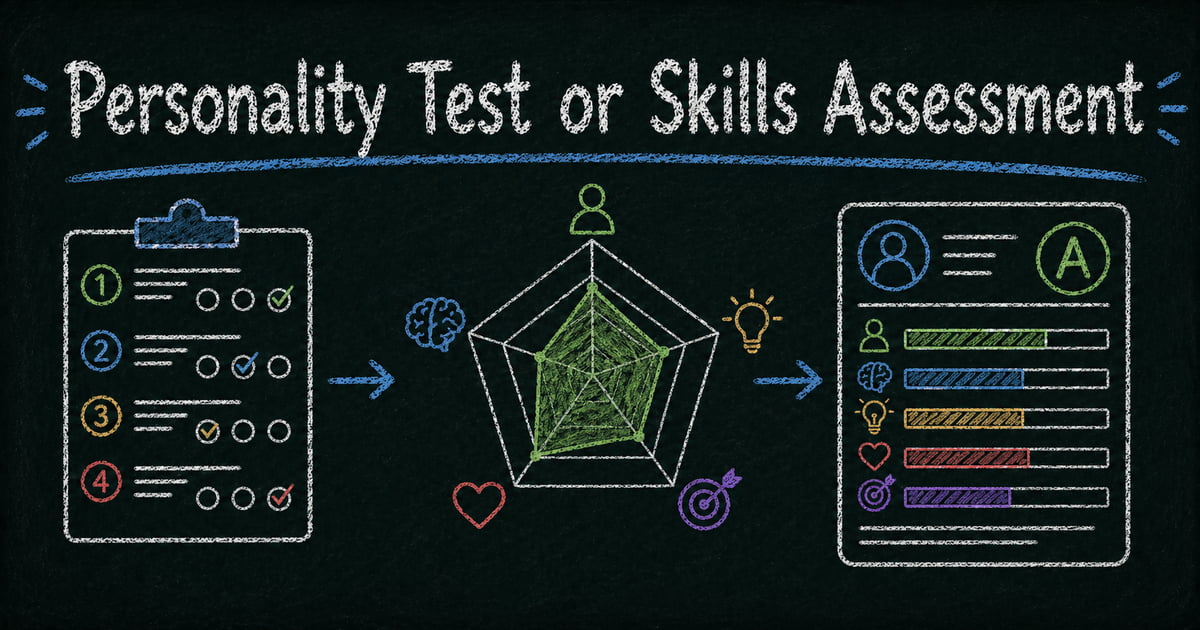
How to Create an Online Personality Test or Skills Assessment
Create the assessment
Turn this into a scored assessment
Build an assessment with scoring, result pages, feedback, and records you can review later.
A personality test fails the moment every result feels like it could belong to anyone. “You are a strong communicator” is not insight. It is filler. The value of an assessment is the moment someone says, “That sounds uncomfortably accurate.”
That accuracy does not come from copying MBTI, DISC, or a generic workplace quiz. It comes from defining the dimensions you actually care about, writing questions that map to those dimensions, and giving feedback that describes real behavior instead of vague labels.
This guide shows how to create an online personality test or skills assessment with custom dimensions, scoring, radar chart reports, and feedback that participants can actually use.
TL;DR — A personality test or skills assessment measures patterns across dimensions instead of marking answers right or wrong.
- Define 3 to 6 dimensions — each dimension becomes an axis in the participant’s profile.
- Score tendencies, not correctness — assessment answers reveal patterns, preferences, strengths, or development areas.
- Write feedback as the product — the report matters more than the raw score.
- Works for: work style assessments, leadership profiles, coaching tools, soft skills evaluations, team workshops, marketing quizzes.
- Do not use a custom assessment as a substitute for validated psychometric instruments in high-stakes hiring.
What Is an Online Personality Test or Skills Assessment?
An online personality test or skills assessment is a form that asks participants about preferences, behaviors, strengths, or scenarios, then scores their answers across multiple dimensions.
Unlike a quiz, an assessment does not usually have correct answers. A response is not right or wrong; it contributes to a profile. The result might show that someone scores high on structure, moderate on collaboration, and low on risk tolerance.
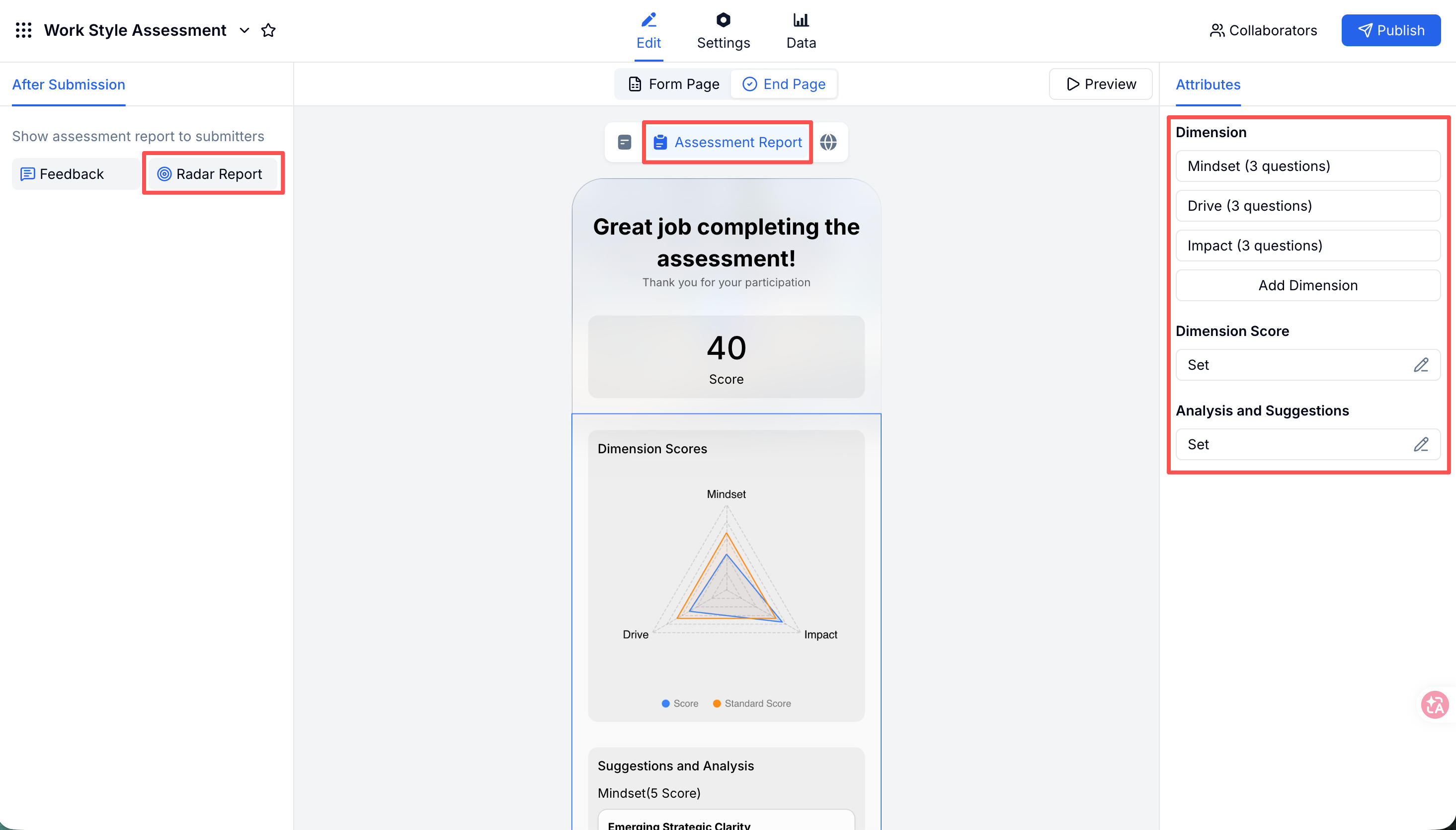
The best online assessments return a report, not just a number. In FormHug’s assessment maker, that report can include a radar chart, benchmark line, and personalized written analysis for each dimension.
Quiz vs Assessment: The Scoring Difference
This distinction matters because it changes everything about the build.
| Format | Measures | Scoring logic | Best for |
|---|---|---|---|
| Quiz | Correct knowledge | Right/wrong answers | Exams, trivia, certification, training checks |
| Mini exam | One focused learning objective | Right/wrong plus explanations | Classrooms, onboarding, compliance refreshers |
| Assessment | Patterns or tendencies | Points across dimensions | Personality, skills, work style, coaching |
A quiz asks, “Did you know the answer?” An assessment asks, “Which pattern describes you best?”
For knowledge tests, use how to create an online quiz with automatic scoring. For short learning checks, use how to create a mini exam online. This article is for assessments where a participant’s profile is the outcome.
Start With Dimensions, Not Questions
The most common assessment mistake is writing questions first. That produces a pile of interesting prompts with no clear scoring model.
Start with dimensions. A dimension is one trait, skill, or tendency that appears in the final report. Good dimensions are:
- Specific — “Conflict Response” is stronger than “Personality.”
- Distinct — each dimension should measure something different.
- Non-judgmental — low and high scores should both be explainable without shame.
- Participant-facing — the label should make sense in the report.
Most custom assessments work best with 3 to 6 dimensions. Fewer than 3 feels thin. More than 6 makes the radar chart harder to read and the feedback harder to absorb.
Examples:
| Assessment type | Possible dimensions |
|---|---|
| Work style | Structure, Autonomy, Collaboration, Pace |
| Leadership | Direction, Empathy, Decision Making, Accountability |
| Soft skills | Communication, Adaptability, Problem Solving, Stakeholder Awareness |
| Coaching | Values, Motivation, Energy, Growth Edge |
| Marketing quiz | Practicality, Adventure, Budget Fit, Style Preference |
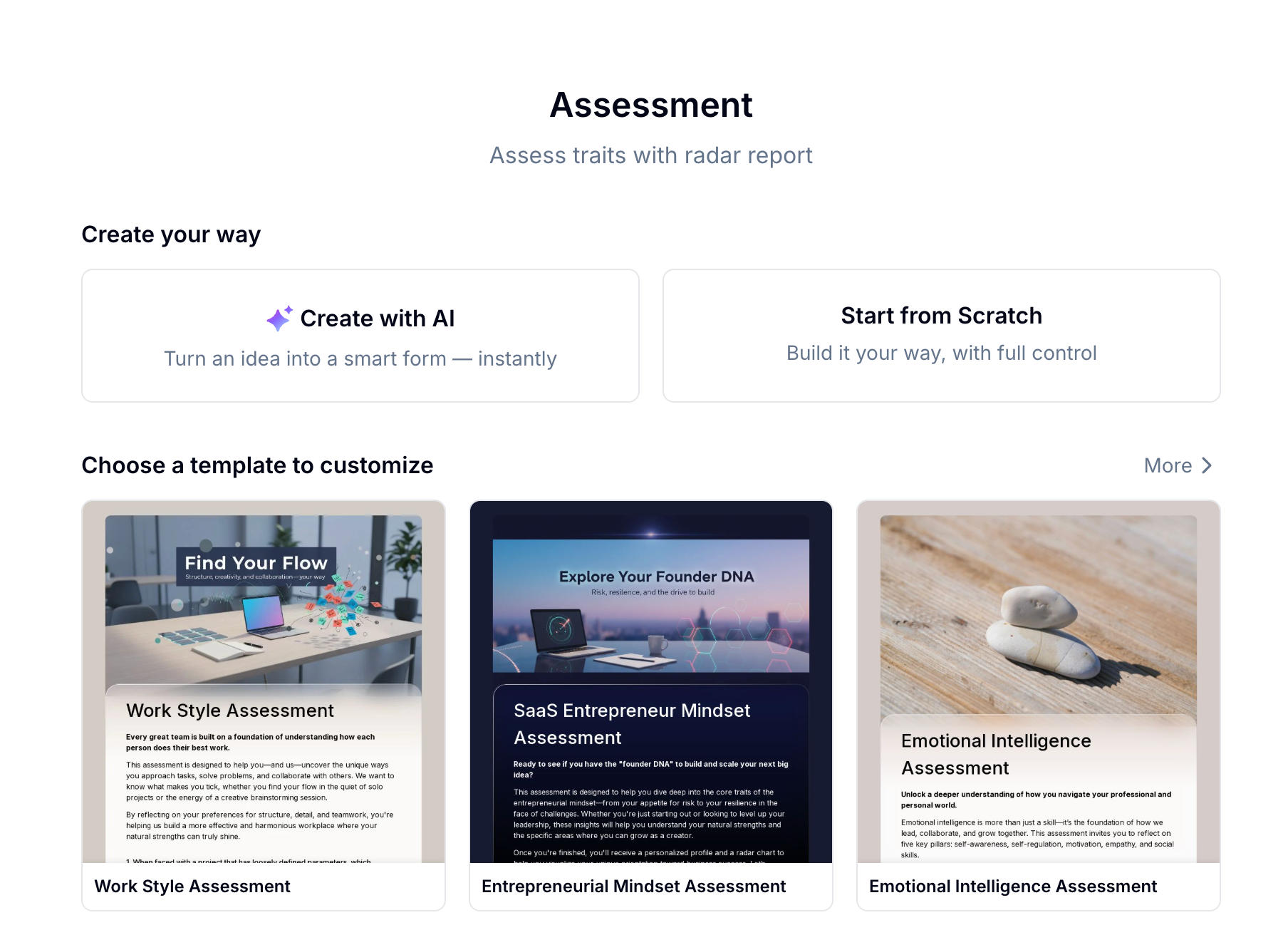
Ready-made templates can help you avoid a blank page:
- Work Style Assessment — workplace preferences and collaboration patterns.
- Communication Style Assessment — useful for coaching and team workshops.
- Leadership Style Assessment — leadership tendencies across people, process, and decisions.
- Emotional Intelligence Assessment — self-awareness, empathy, and regulation prompts.
- Big Five Personality Assessment — a broad non-clinical personality profile you can adapt.
The Dimension-to-Question Map
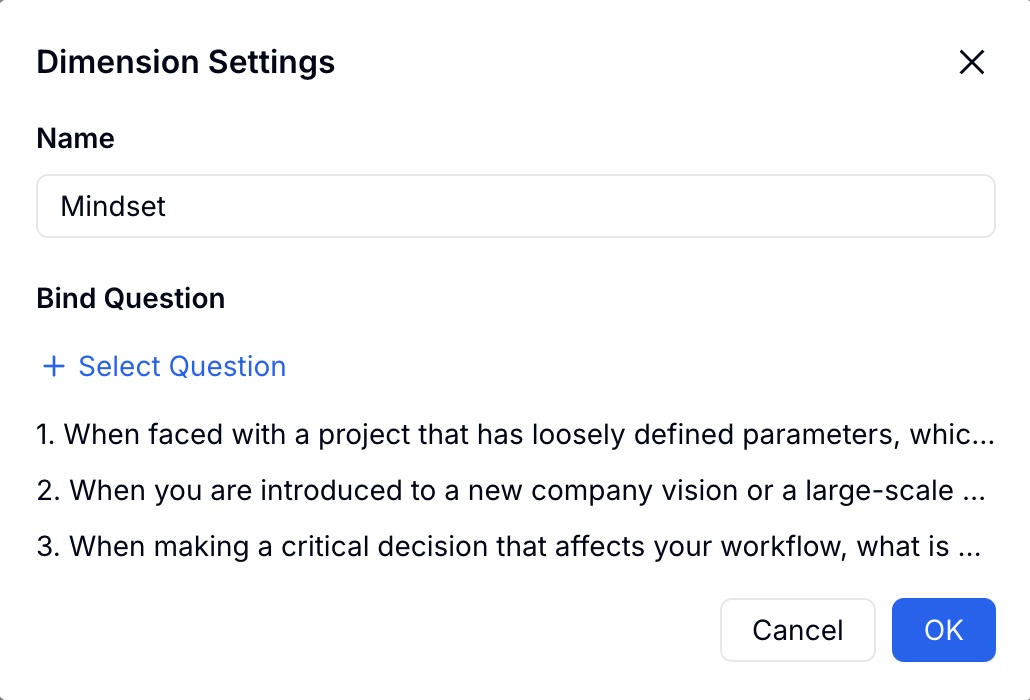
Once dimensions are defined, write questions that feed them. Each question should clearly belong to one dimension.
For a Structure dimension, a question might be:
“When starting a new project, I prefer to define the process before experimenting.”
For an Adaptability dimension:
“When plans change suddenly, I can usually reset quickly and choose a new path.”
Likert scales work well because they turn a tendency into a score: Strongly Agree, Agree, Neutral, Disagree, Strongly Disagree. Scenario-based radio questions also work when you want more natural language choices.
Aim for 3 to 5 questions per dimension. With too few questions, one answer can distort the profile. With too many, the assessment feels like work.
We use a simple review test before publishing any assessment: if a participant chooses the “high” option, can we explain what behavior that represents? If not, the question is too vague.
How to Create the Assessment Online Without Overloading the Participant
Step 1: Choose a starting point
You can build from scratch, start from a template, or use AI generation.
With AI, describe the assessment and audience: “A soft skills assessment for new managers measuring communication, decision making, delegation, and conflict response.” FormHug can draft dimensions, questions, and initial scoring for review.
Use AI for speed, but review the output carefully. The goal is not more questions. The goal is a coherent scoring model.
Step 2: Define dimensions and scoring
Add each dimension and write a short description that will make sense to the participant later. The exact field setup belongs in the assessment docs; the strategic choice is how many dimensions the final report can explain clearly.
Then assign point values to answers. For Likert questions, a simple 1 to 5 scale is usually enough. Use average scoring if dimensions have different numbers of questions; use sum scoring when every dimension has the same number of items.
Keep the score ranges easy to interpret:
| Range | Feedback role |
|---|---|
| Low | Describe the tendency when it is less dominant |
| Mid | Describe a balanced or context-dependent pattern |
| High | Describe the tendency when it is strongly present |
Step 3: Configure the radar chart report
The radar chart is the visual anchor of the assessment. It lets participants see the shape of their profile instead of reading six disconnected scores.
At the blog level, focus on four report decisions:
- Dimension labels — short, readable names
- Standard score — a benchmark line, such as team average or desired role profile
- Calculation method — sum or average
- Per-dimension feedback — low, mid, and high range analysis
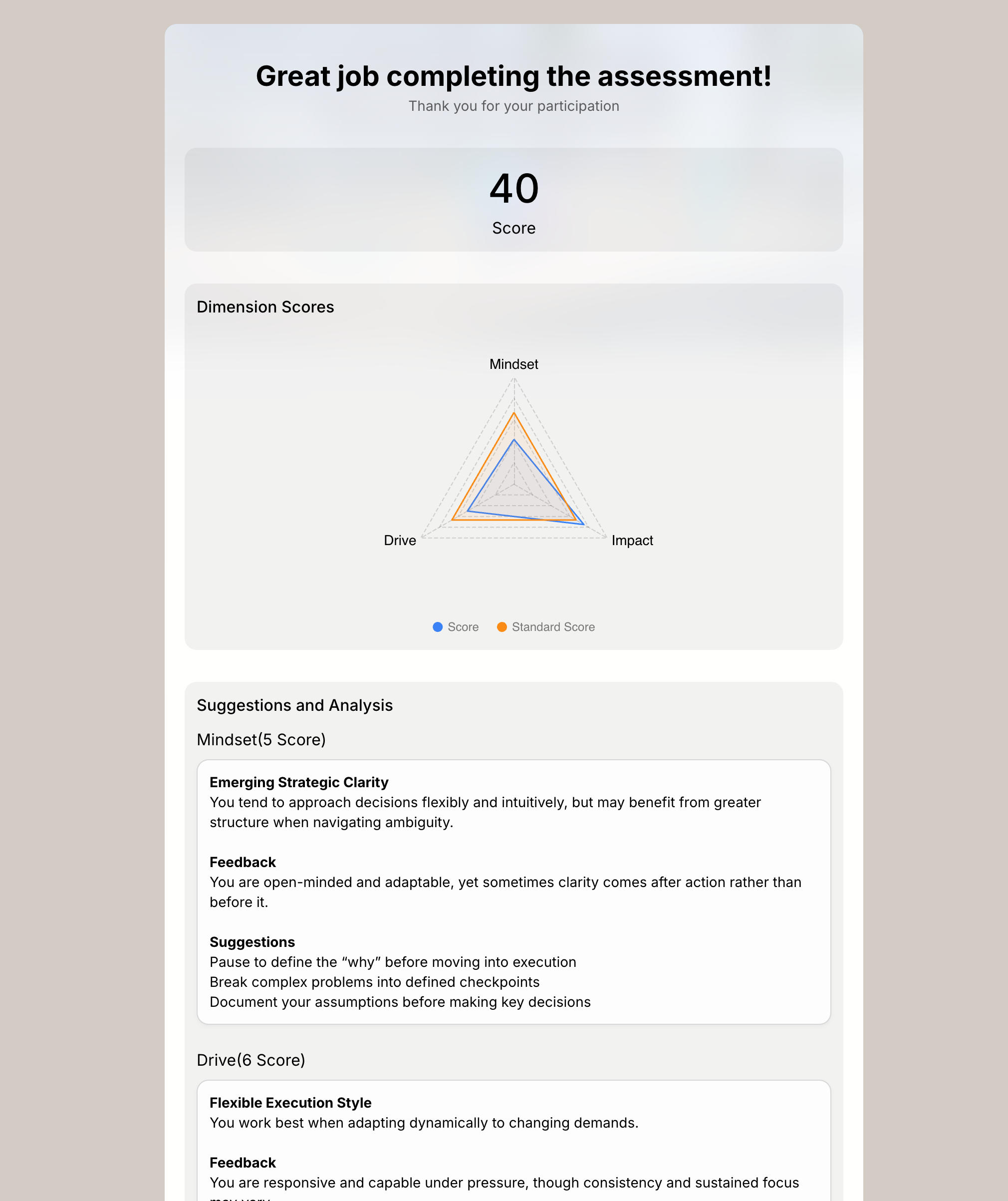
For team workshops, the benchmark line is especially useful. It gives people a way to discuss difference without turning the report into a grade.
Step 4: Publish and route the results
Publish the assessment as a link, embed it on a site, or send it before a workshop, coaching session, or training program.
Decide what happens after submission:
- Participants see their own radar chart immediately
- A coach or manager receives a notification
- Results are reviewed in a team session
- Submissions are exported for aggregate analysis
If you need background information before the assessment, combine it with an intake form structure from how to create an intake form.
For complete configuration details, including dimensions, scoring, and report settings, see the FormHug assessment docs. This article is intentionally focused on assessment design choices because those are what determine whether the result feels useful.
Writing Feedback That Feels Personal
The report is the product. A beautiful radar chart cannot rescue generic feedback.
Use the Behavior -> Meaning -> Next Step framework:
| Part | Example |
|---|---|
| Behavior | ”You tend to pause and gather context before committing to a direction.” |
| Meaning | ”This can help teams avoid rushed decisions, especially in ambiguous work.” |
| Next step | ”In fast-moving moments, name the minimum information you need so others understand the pause.” |
Write in second person. Avoid labels that sound final, such as “You are not collaborative.” Describe tendencies instead: “You may prefer independent progress before group alignment.”
Make low scores useful, not punitive. A lower Structure score might mean flexibility and comfort with ambiguity. A higher Structure score might mean planning discipline. Both can be strengths in the right context.
Use Cases and Recommended Setup
| Use case | Recommended setup |
|---|---|
| Work style assessment | 4 dimensions, 4 Likert questions per dimension, immediate radar report |
| Leadership profile | 5 dimensions, scenario questions, feedback tied to management behavior |
| Soft skills evaluation | 4-6 dimensions, mixed Likert and scenario questions, development suggestions |
| Coaching intake | 3-5 reflective dimensions, warm feedback tone, optional open text fields |
| Marketing personality quiz | Shorter questions, visual choices, shareable result language |
| Team workshop | Same assessment for everyone, benchmark line for group discussion |
For high-stakes hiring, promotion, clinical, or legal decisions, use validated instruments and qualified interpretation. A custom FormHug assessment is best for coaching, learning, engagement, team alignment, and lightweight skills reflection.
Frequently Asked Questions
How do I create an online personality test?
Define 3 to 6 dimensions, write questions that map to those dimensions, assign point values to each answer, configure a radar chart or result report, then publish the test as a shareable link.
What is the difference between a quiz and an assessment?
A quiz has correct answers and measures knowledge. An assessment has no single correct answer; it measures patterns, tendencies, skills, or preferences across dimensions.
How many questions should a personality test have?
Most custom assessments work well with 12 to 30 questions. Use 3 to 5 questions per dimension so each score is based on a pattern rather than one response.
Can I create my own MBTI or DISC alternative?
You can create a custom personality or work style assessment with your own dimensions and feedback. You should not claim it is equivalent to MBTI, DISC, Hogan, or other validated psychometric tools unless you have formal validation.
What is a radar chart assessment report?
A radar chart assessment report shows each dimension as an axis and plots the participant’s score across all axes. The shape makes the profile easier to understand than a list of separate numbers.
Can I use this for employee skills assessments?
Yes, especially for development, training, coaching, and self-reflection. For high-stakes employment decisions, use validated assessments and appropriate review processes.
Is FormHug free for assessments?
Yes. FormHug supports assessment creation on the free plan, including dimensions, scoring, and radar chart reports. Paid plans add higher limits and advanced team features.
Related
- How to Create an Online Quiz with Automatic Scoring, Instant Feedback, and Certificates — use this when questions have correct answers.
- How to Create a Mini Exam Online for Training and Classrooms — use this for short learning checks after a lesson or module.
- How to Create an Intake Form That Collects the Right Information — collect participant background before an assessment.
A custom assessment earns trust when the result feels specific enough to discuss, save, and act on. Define the dimensions carefully, then let the report do the work. Create your assessment →

Written by
FormHug TeamProduct, research, and form automation team
The FormHug Team brings together product builders, workflow researchers, and form automation practitioners who study how people collect, route, and act on information online. Our guides are based on hands-on product testing, template analysis, customer workflow patterns, and deep experience with forms, surveys, quizzes, AI-assisted creation, integrations, and results sharing.