How to Create an Intake Form That Actually Collects the Right Information
Build the form
Create the workflow with AI
Start from a prompt, a template, or a blank form and publish a polished FormHug workflow.
Service professionals lose an average of 15–20 minutes per new client collecting information that should have arrived before the appointment. Most intake processes fail before the client even walks in the door.
You email them a PDF. They print it, fill it out by hand, scan it, email it back. Maybe. Or you paste questions into an email and wait for replies that come in three separate messages, formatted differently each time, missing half of what you asked.
The first ten minutes of the appointment? Spent asking questions you already sent.
But here’s the less obvious problem: even when people do use online forms, they usually ask too much, ask at the wrong time, or ask for things they never actually look at again. The goal isn’t just a form — it’s the right form.
This guide covers what belongs in an intake form, what doesn’t, how to build one in FormHug, and templates for 14 industries so you don’t have to start from scratch.
TL;DR — An intake form collects the information you need before a service begins, so the first meeting starts with context instead of paperwork.
- Ask only what changes the work — every field should help you prepare, screen, or follow up.
- Use conditional logic — sensitive or specialty questions should appear only when relevant.
- Send it after booking — completion is highest when the client has already committed to the appointment.
- Works for: healthcare, legal, coaching, therapy, fitness, HR, consulting, real estate, creative services.
- Start from a template, then remove any field you cannot actually use before the first session.
What Is an Intake Form?
An intake form is a structured questionnaire that clients, patients, or new hires complete before a service begins. The purpose is simple: collect what you need to prepare so that when you actually meet, you’re talking about the work, not the paperwork.
It’s different from:
- A contact form — a one-time message; intake forms create a record
- A booking form — that handles scheduling; an intake form handles context
- A survey — surveys measure opinion; intake forms gather facts you’ll act on
A good intake form gets you the right information without making someone feel like they’re applying for a mortgage. If the submission needs review or approval instead of service preparation, use an online application form instead.
Who Actually Uses Intake Forms?
The short answer: any service business that works with people before it can serve them well. Here’s what that looks like by industry:
| Industry | What They Need to Know First |
|---|---|
| Healthcare / Medical | Medical history, current symptoms, insurance, medications, consent |
| Mental Health / Therapy | Presenting concerns, mental health history, medications, emergency contact |
| Legal | Type of matter, case description, prior representation, conflict check |
| Consulting / Agency | Business goals, challenges, timeline, budget, decision maker |
| Coaching | Goals, obstacles, past coaching experience, commitment level |
| Personal Training / Fitness | PAR-Q health screen, fitness goals, injury history, liability waiver |
| Nutrition / Dietitian | Eating habits, allergies, health conditions, weight goals |
| Massage / Spa / Wellness | Health conditions, pressure preference, areas to avoid, consent |
| HR / Employee Onboarding | Personal info, tax details, emergency contacts, equipment needs |
| Freelancer / Creative Agency | Project scope, deadline, budget, brand assets |
| Real Estate | Property type, budget range, location preferences, financing status |
| Education / Tutoring | Subject, current level, learning goals, availability |
| Veterinary | Pet details, medical history, vaccination records, owner contact |
What to Include (and What to Leave Out)
Contact information
Name, email, phone. That’s it for the basics. Don’t ask for a mailing address unless you’re actually going to mail something. Don’t ask for date of birth unless you need it. Every unnecessary field is a small tax on the person completing the form, and those taxes add up.
Purpose-specific questions
This is where most of the form lives, and where most of the mistakes happen. A therapist needs to know presenting concerns before the first session. A personal trainer needs to know about past injuries. A lawyer needs to understand what type of legal matter this is.
The discipline here is knowing when to stop. A good rule: if you can get that information in the first five minutes of your appointment without it affecting your prep, it doesn’t belong in the intake form.
Conditional logic
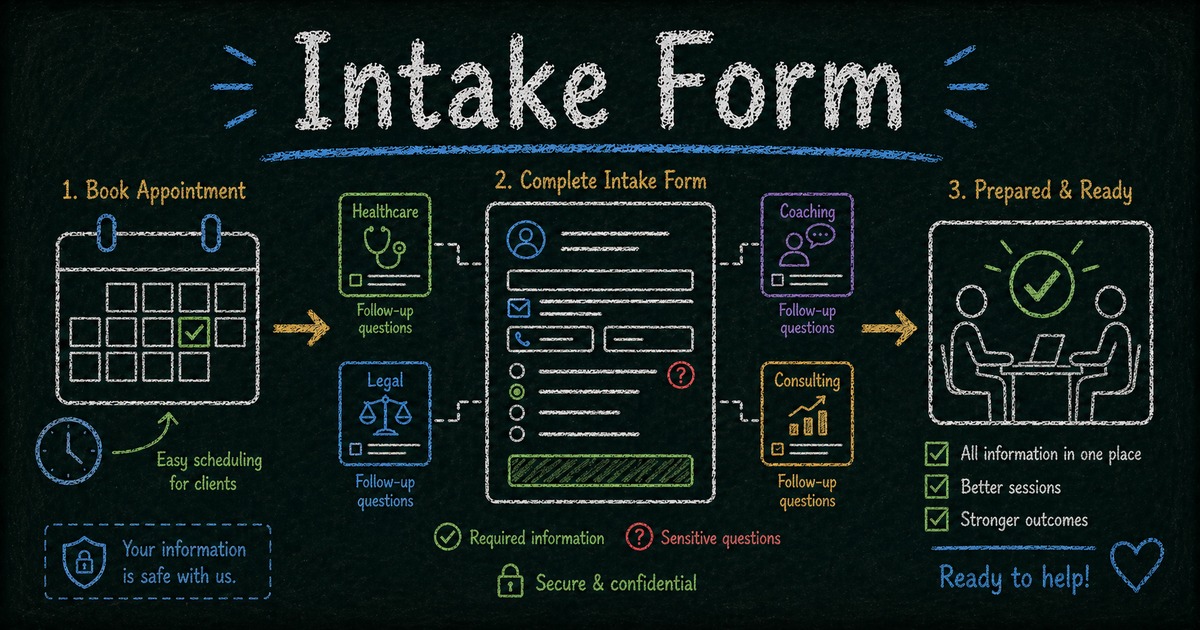
One of the most underused features in form builders. Conditional logic shows or hides follow-up questions based on earlier answers:
- “Do you have insurance?” → Yes → “Which provider? Member ID?”
- “Have you had a prior injury?” → Yes → “Please describe it and how it healed”
- “Is this for a buy or sell?” → Sell → show property details fields instead
Without this, you end up with a form that has 20 fields but only 8 are relevant to any given person. That’s a form people abandon halfway through.
Consent and agreements
For healthcare, legal, and fitness, informed consent isn’t optional — it’s required. Keep the language short. A three-sentence plain-English summary outperforms a 400-word block of legalese every time, because people actually read it.
Add a checkbox (“I agree to the above”) and, if you need something binding, a signature field.
File uploads
Useful for specific industries — a new patient attaching previous medical records, a new client sharing a brand style guide, a legal client uploading relevant documents. For most other cases, skip it. File uploads add friction and most people don’t have their documents ready when filling out a form.
How to Build an Intake Form with FormHug
Step 1: Start from a template
Open FormHug and create a new form. Start from one of the templates below — not a blank form. Starting blank is where people add too many fields. A template gives you a sensible baseline you can trim. For healthcare-specific workflows, the healthcare template collection is the best place to compare intake, consent, and screening forms together.
If your use case isn’t covered, describe what you need in the AI builder and it’ll generate the fields.
Step 2: Add your core fields
Drag in contact fields (name, email, phone), then layer in your purpose-specific questions. Match field type to the expected answer:
- Short text → text field
- Yes/No → radio button or toggle
- Pick one from a list → dropdown
- Pick multiple → checkboxes
- Longer explanation → textarea
- Date → date picker
- Documents → file upload
Step 3: Set up conditional logic and consent
This is worth spending ten minutes on. Go through each question and ask: does everyone need to answer this? If not, set a display condition so it only appears when relevant. This alone will meaningfully improve completion rates.
Write two or three sentences in plain English explaining what you’re collecting and why. Add a checkbox. If you need a signature — add the signature field at the end of the form, not the beginning. Seeing a signature field before they’ve read anything is one of the most common reasons people abandon intake forms.
Step 4: Set up notifications, then publish at the high-intent moment
Before you publish, configure two notification emails:
- To the client — confirm you received their submission and explain what happens next (“We’ll send a confirmation 24 hours before your appointment”)
- To you or your team — get notified immediately when someone submits
This one step eliminates 90% of the “did you get my form?” emails.
Copy the link and drop it into your booking confirmation email or appointment reminder. That’s the highest-intent moment — they just booked, so they’re already engaged. Don’t send it as a separate cold email two days later.
Intake Form Templates by Industry
Healthcare
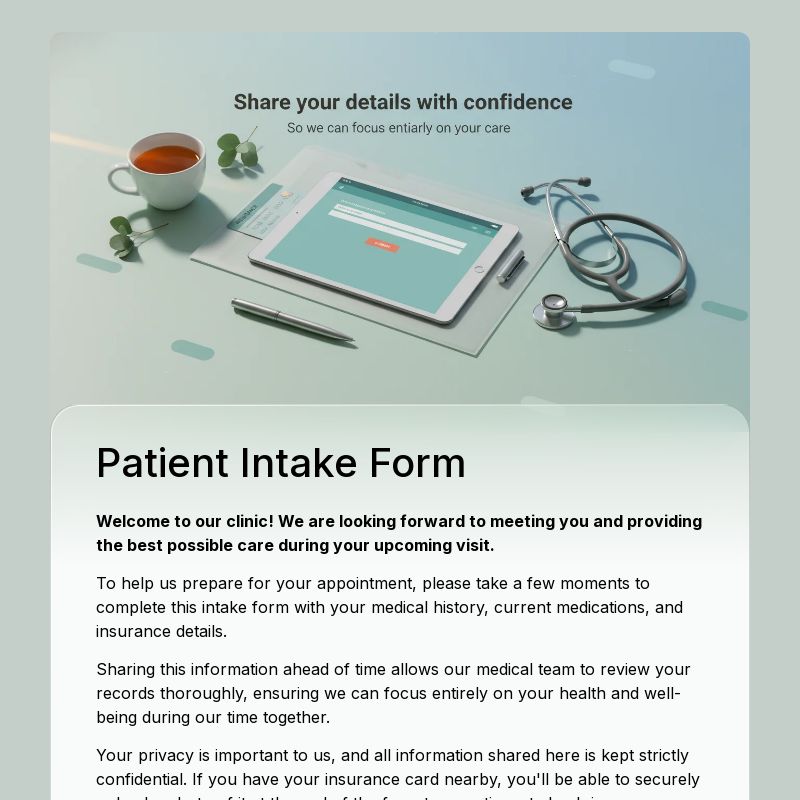
Patient Intake Form — Covers personal details, medical history, current symptoms, medications, allergies, and consent. Built for general medical practices and clinics.
Telehealth Intake Form — Adapted for remote consultations, with fields for preferred contact method, technology setup, and virtual visit consent.
Mental Health / Therapy
Therapy Intake Form — Therapy is the one case where a longer intake form is genuinely justified. You need to understand presenting concerns, mental health history, current medications, prior therapy experience, and emergency contact information — and you need consent sections that actually hold up. Conditional logic is particularly useful here: “Have you ever been hospitalized for mental health reasons?” only surfaces a follow-up field when the answer is yes.
Legal
Legal Client Intake Form — Covers matter type, case description, prior legal representation, a conflict-of-interest check, and urgency. The conflict check alone justifies having this as a structured form rather than a freeform email — you can’t run a proper check if the information comes in inconsistently.
Consulting / Agency
Client Intake Form — This one exists to replace the pre-discovery-call questionnaire that gets forwarded to three people and answered by none of them. Business goals, current challenges, timeline, budget, and decision maker — collected before anyone gets on a call. Optional file upload for existing brand assets or strategy documents.
Coaching
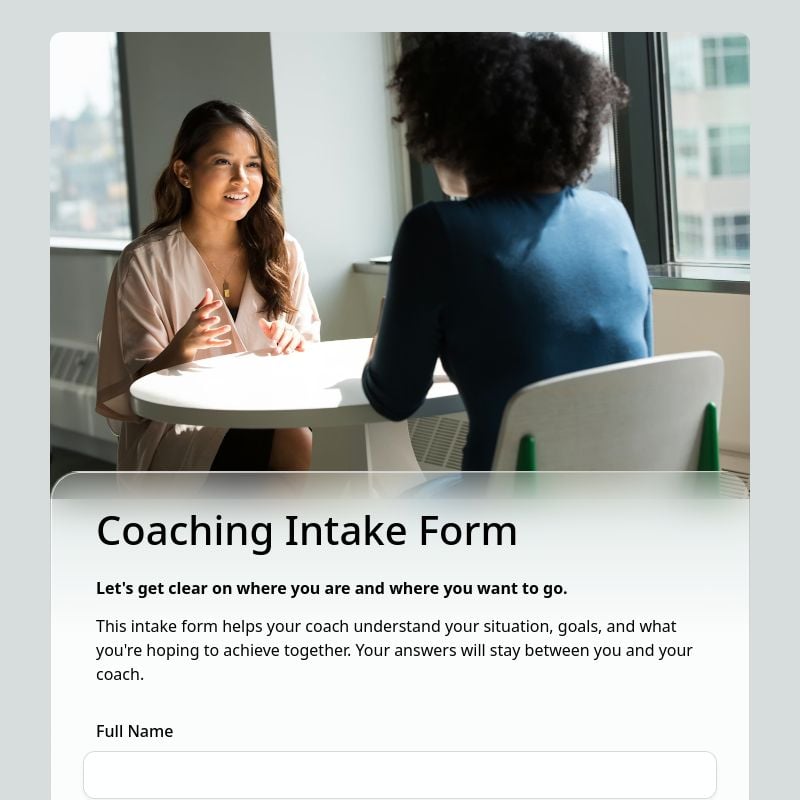
Coaching Intake Form — Goals, current obstacles, past coaching experience, commitment level, preferred schedule. A well-designed coaching intake also functions as a qualification tool: clients who take it seriously tend to be the ones who show up.
Personal Training / Fitness
Fitness Intake Form — Includes a PAR-Q (Physical Activity Readiness Questionnaire) health screen, fitness goals, injury history, available training days, and a liability waiver. Many jurisdictions require the PAR-Q before you can legally begin a fitness program with a new client — this is the form that covers it.
Nutrition / Dietitian
Nutrition Intake Form — Current eating habits, food allergies and intolerances, health conditions, weight goals, food preferences. The allergy section in particular should use conditional logic: a “yes” on food allergies should open a details field, not just leave it at yes.
Massage / Spa / Wellness
Wellness Intake Form — Health conditions, pressure preference, areas to avoid, skin sensitivities, consent. This is the form clients should be able to finish in two minutes in the waiting room. Short by design — anything longer and completion rates drop sharply.
HR / Employee Onboarding
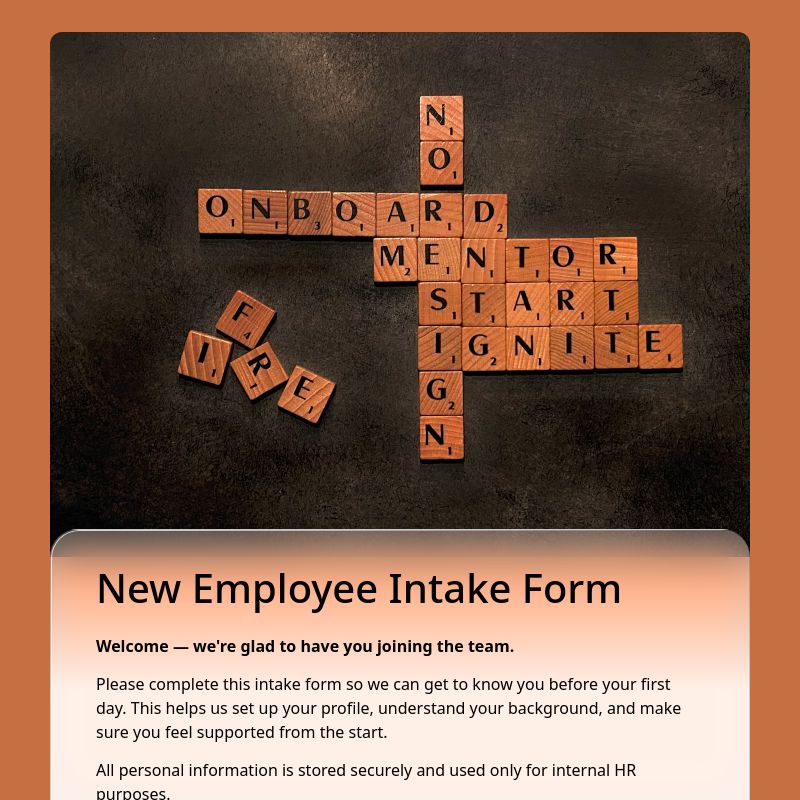
New Employee Intake Form — Personal information, emergency contacts, tax withholding preferences, equipment and software needs, start date. If you’ve ever watched a new hire spend their first hour filling out the same information across four different paper forms, this is the fix.
Freelancer / Creative Agency
Project Intake Form — Project type, deliverables, deadline, budget, brand guidelines. The primary benefit isn’t saving time collecting information — it’s creating a record you can refer to when a client says “I thought revisions were included.”
Real Estate
Real Estate Buyer & Seller Intake Form — Property type (buying/selling/renting), budget range, preferred location, financing status, timeline. Use conditional logic to show buyer-specific or seller-specific questions depending on which path they select at the top.
Education / Tutoring
Student Tutoring Intake Form — Subject, current grade or level, learning goals, schedule availability, and parent or guardian contact for minors. The schedule availability section saves at least one back-and-forth email per enrollment.
Veterinary
Veterinary Pet Intake Form — Pet name, species, breed, age, medical history, vaccination status, owner contact. Simple in structure, but collecting it digitally means the information is searchable and can be pulled up during the exam instead of hunting through paper files.
What Actually Makes an Intake Form Work
Shorter is better, but not for the reason you think. Fewer questions doesn’t just improve completion rates — it improves answer quality. When someone is faced with 25 fields, they rush. When they see 10, they slow down and actually think. The goal is useful data, not comprehensive data. In practice, the intake form that goes live is almost never the first draft — we consistently see teams find 3–5 fields after a few weeks of real submissions that nobody answered usefully. Starting from a template and trimming works better than starting blank and adding.
Write your questions as if you’re asking them in person. “Are you currently experiencing any physical symptoms we should be aware of?” sounds like a form. “Any symptoms we should know about before your visit?” sounds like a person. The second version gets better answers.
Explain why you’re asking the sensitive stuff. Medical history, financial situation, legal details — people are more forthcoming when they understand why you need it. A single line like “This helps us prepare the right approach before your appointment” changes how people respond to questions that might otherwise feel invasive.
Don’t make every field required. Required fields are for information you literally cannot proceed without. If you’re marking ten fields as required “just in case,” you’re going to get a lot of abandoned forms and a lot of fake entries where someone types “N/A” seventeen times just to get through it.
The confirmation email is not optional. People complete your form and then immediately wonder whether it went through. A confirmation email that says “Got it — we’ll follow up the day before your appointment” costs you five minutes to set up and eliminates a week of “did you receive my form?” messages.
Build it once, then leave it alone for 90 days. The instinct after launch is to keep tweaking. Resist it. You need real submission data before you know what’s actually being answered well and what isn’t. Review it quarterly with actual responses in front of you.
Frequently Asked Questions
How long should an intake form be?
For most industries — coaching, consulting, fitness, wellness — under 10 questions is the right target. Healthcare and therapy are exceptions where 15–20 is reasonable because that information directly affects how you treat someone. Legal can also run longer if conflict checks and matter description require detail. Everything else: cut until it hurts a little, then cut one more.
Can I collect sensitive medical or legal information securely?
Yes. FormHug encrypts submissions in transit and at rest. For US healthcare providers, review FormHug’s compliance documentation before collecting protected health information — HIPAA has specific requirements around storage, access controls, and business associate agreements.
Can clients sign the intake form electronically?
Yes — add a signature field and it’s captured with the submission. One note: put the signature field at the end of the form. When it appears early, before clients have gone through the questions, it feels like you’re asking them to sign something they haven’t read. Abandonment spikes.
I already have a PDF intake form. Do I have to rebuild it from scratch?
No. In FormHug’s AI builder, describe what your existing form collects and it generates the fields. You can also paste your questions directly and have it convert them to form fields. Either way is faster than rebuilding manually.
Can I embed the form on my website?
Yes — copy the embed code from the Share tab and paste it into your site. Works with Webflow, WordPress, Squarespace, and most other builders.
Should I send the form link before or after booking?
After. Send it as part of the booking confirmation. That’s the moment when engagement is highest — they just committed to an appointment, so they’re motivated to complete the next step. Sending a cold intake form link a week later, before they’ve booked anything, usually doesn’t work.
Can I export responses?
Yes — CSV export at any time, or connect to Google Sheets for a live sync so your team sees new submissions without logging into FormHug.
Related
- How to Create an Online Booking Form — pair your intake form with a booking flow for a complete client onboarding experience
- Client Intake Software for Small Teams — compare intake tools when you need routing, follow-up, review, or cleaner client records
- How to Build a Lead Generation Form — for capturing interest before someone becomes a client
- How to Use Conditional Logic in Forms — set conditional questions so each client only sees what’s relevant to their situation
The hardest part of building an intake form isn’t the technology — it’s deciding what to actually ask. Start from one of the templates above, remove any field that you’d struggle to use before the first session, and you’ll have something ready in under 15 minutes. Browse intake form templates →

Written by
FormHug TeamProduct, research, and form automation team
The FormHug Team brings together product builders, workflow researchers, and form automation practitioners who study how people collect, route, and act on information online. Our guides are based on hands-on product testing, template analysis, customer workflow patterns, and deep experience with forms, surveys, quizzes, AI-assisted creation, integrations, and results sharing.