How to Create a Mini Exam Online for Training and Classrooms
Create the assessment
Turn this into a scored assessment
Build an assessment with scoring, result pages, feedback, and records you can review later.
Within a week, learners can forget most of what they heard in a lesson or training session unless they are asked to retrieve it. That is why a 10-question mini exam often does more for retention than another slide deck, recap email, or passive review session.
The mistake is treating a mini exam like a smaller final exam. A good mini exam is not there to intimidate people or rank them. It is a fast learning loop: answer, get scored, see what you missed, and understand why while the material is still fresh.
This article explains how to create a mini exam online for classrooms, employee training, compliance checks, and course modules, with enough structure to be useful without turning it into a full test.
TL;DR — A mini exam is a short scored knowledge check, usually 5 to 15 questions, designed to reinforce one topic immediately after learning.
- Test one learning objective — a mini exam works best when every question points back to the same lesson, module, or skill.
- Use explanations, not just scores — the answer review is where most of the learning happens.
- Keep the setup lightweight — automatic scoring, instant results, and optional certificates are enough for most use cases.
- Works for: classroom reviews, onboarding checks, compliance refreshers, course modules, exam prep, product training.
- Use a full assessment only when you need broad grading, proctoring, or formal credentialing.
What Is a Mini Exam?
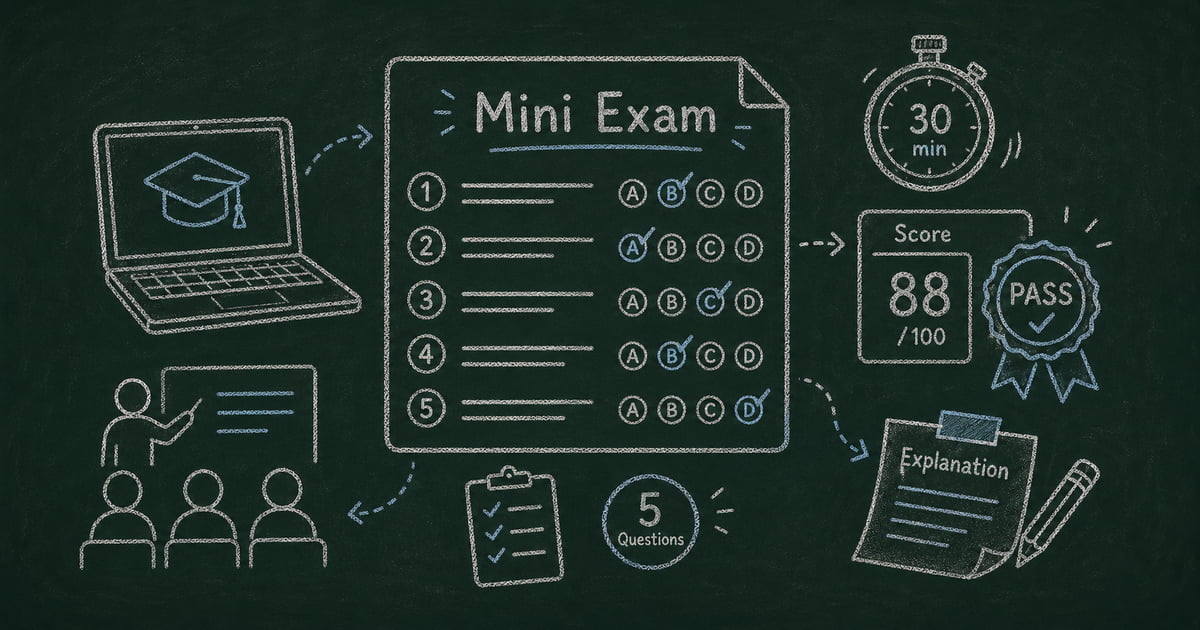
A mini exam is a short online test that checks understanding of one focused topic. Most mini exams have 5 to 15 questions, automatic scoring, and immediate feedback after submission.
The boundary matters. A mini exam is shorter than a final exam, more structured than a casual quiz, and more learning-oriented than a pass/fail compliance checkbox. Its job is to answer one question quickly: “Did the learner understand the thing we just taught?”
All mini exams are quizzes, but not all quizzes are mini exams. Trivia quizzes can be entertaining. Personality quizzes have no right answers. A mini exam has correct answers, scoring rules, and feedback tied to a specific learning goal.
The Mini Exam Design Rule: One Topic, One Signal
The strongest mini exams follow a simple rule: one topic, one signal. If you teach a 30-minute session on workplace data privacy, the mini exam should measure whether people understood that session. It should not also test cybersecurity history, company policy details from last year, and unrelated legal definitions.
This keeps the result actionable. If a participant scores poorly, you know what to review. If a whole group misses the same question, you know which part of the lesson needs a better explanation next time.
Use this three-part planning frame before writing questions:
| Planning question | Good answer | Weak answer |
|---|---|---|
| What should they remember? | ”How to identify a phishing link" | "Security awareness” |
| What mistake do people make? | ”They trust a familiar sender name" | "They forget rules” |
| What should feedback correct? | ”Check the domain before clicking" | "Review the training” |
We use this frame when building sample exams in FormHug because it keeps the question set from drifting. It also makes the final results easier to interpret.
What a Good Mini Exam Includes
A narrow question set
For most mini exams, 8 to 10 questions is the sweet spot. Fewer than 5 questions makes the score noisy because one guess changes the result too much. More than 15 questions starts to feel like a full exam and reduces completion.
For quick classroom checks, use 5 to 8 questions. For corporate onboarding or compliance, use 10 to 15. For exam prep, break the material into several mini exams instead of one long test.
Automatic scoring
Automatic scoring turns a mini exam into a repeatable workflow. Teachers, trainers, and managers should not have to manually grade every answer unless the exam includes essays or open-ended responses.
Multiple choice, true/false, checkbox, fill-in-the-blank, and numeric questions can all work. The key is making the scoring rule obvious enough that the learner trusts the result.
Answer explanations
A score says what happened. An explanation says why it happened. That is the difference between assessment and learning.
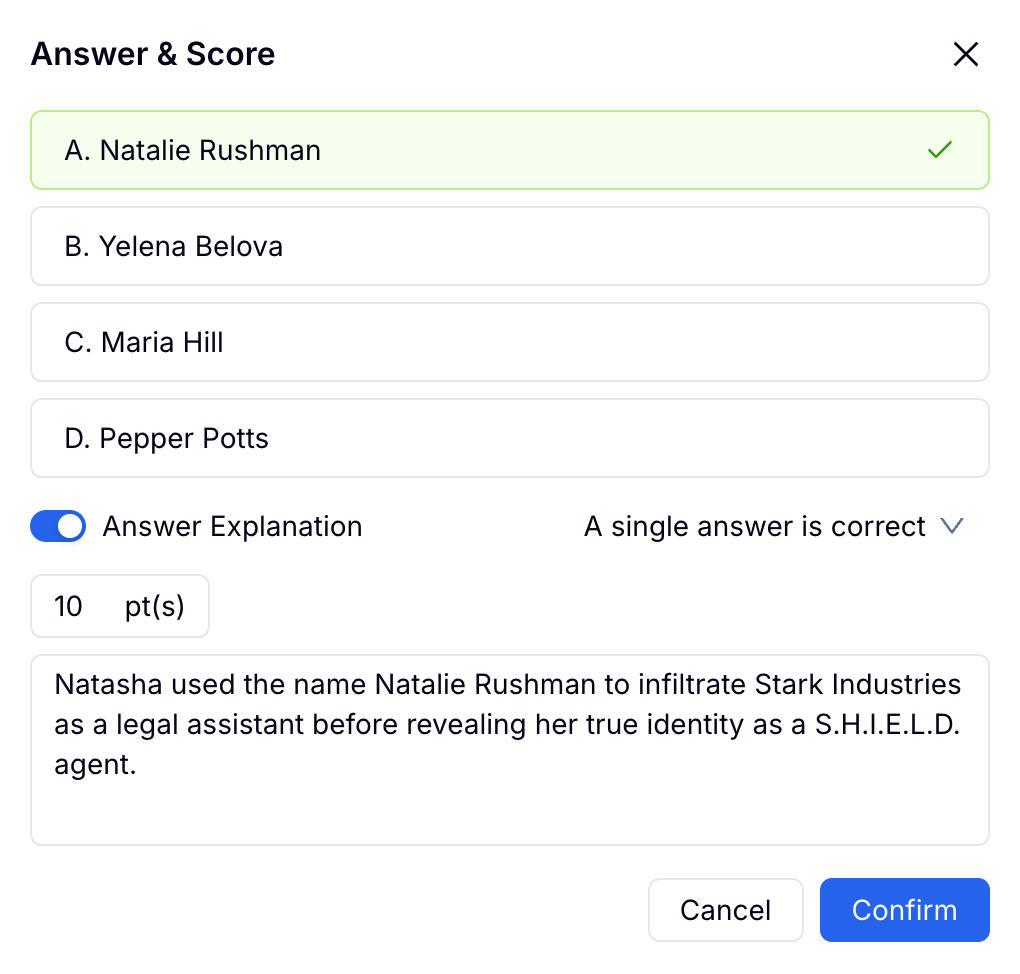
For each question, write a short explanation that confirms the correct answer and addresses the most likely misconception. “B is correct because…” is better than “Correct!” A participant who gets an answer wrong should leave with a clearer mental model, not just a lower percentage.
Instant results
Mini exams work best while the lesson is still fresh. Show the result immediately after submission, including score, pass/fail status if relevant, and per-question review.
If you wait a day to send results, you lose the teachable moment. Immediate feedback turns the test into retrieval practice instead of delayed grading.
Optional proof of completion
Certificates are useful for compliance training, onboarding gates, continuing education, and any context where someone needs proof that they passed. They are unnecessary for everyday practice checks.
Use certificates when the result needs to be recorded. Skip them when the goal is simply learning reinforcement.
How to Create a Mini Exam Online Without Rewriting the Whole Course
Step 1: Start with the learning objective
Write one sentence before touching the form builder: “After this mini exam, we will know whether the learner can…”
Examples:
- Identify three signs of a phishing email
- Choose the correct safety procedure for a lab spill
- Apply the refund policy to a customer scenario
- Recall the five key terms from a course module
Then create the exam from scratch, from a quiz template, or with AI. In FormHug, you can describe the topic and target question count, and the AI generator drafts questions, answer options, correct answers, and scoring rules.
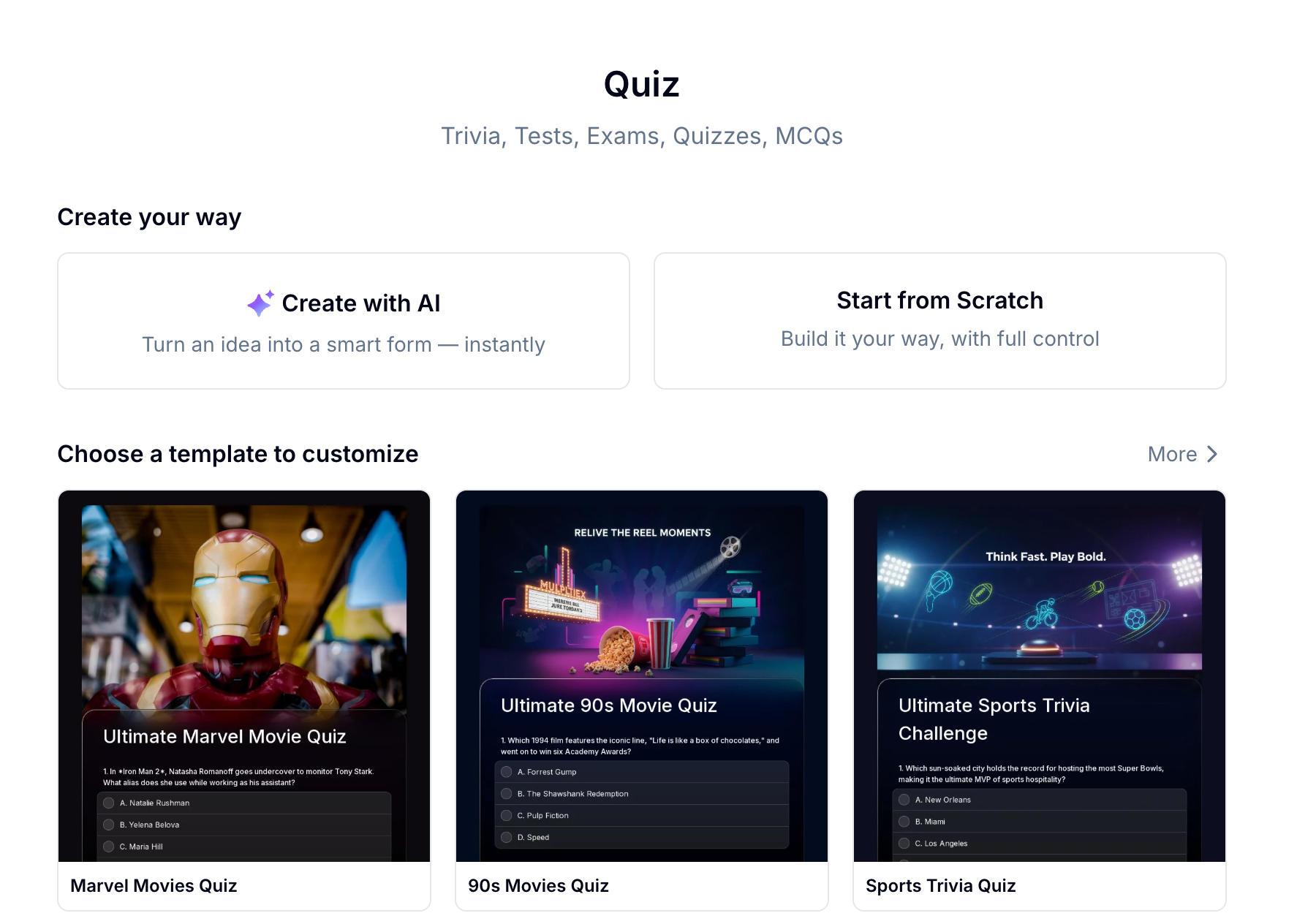
If you want a faster starting point, adapt one of these templates:
- Product Knowledge Quiz — good for sales enablement and internal training.
- General Knowledge Quiz — a simple scored quiz structure you can replace with your own topic.
- Science Trivia Quiz — useful for factual recall and explanation patterns.
Step 2: Add questions that test application, not memorization only
Use a mix of recall and scenario questions. Recall questions check whether someone remembers the fact. Scenario questions check whether they can use it.
For example, instead of only asking “What is the minimum password length?”, add: “A teammate wants to reuse a password from another tool because it is easier to remember. What should they do?”
In FormHug, use Radio for single-answer questions, Checkbox for multi-answer questions, and Fill in the Blank for exact terms or formulas. The detailed field-by-field setup belongs in the quiz docs; the strategic choice for a mini exam is simpler: every question should test the same learning objective.
Step 3: Configure scoring, feedback, and the results page
Do not over-engineer scoring. Equal weighting is fine unless some questions measure a critical safety, compliance, or certification requirement.
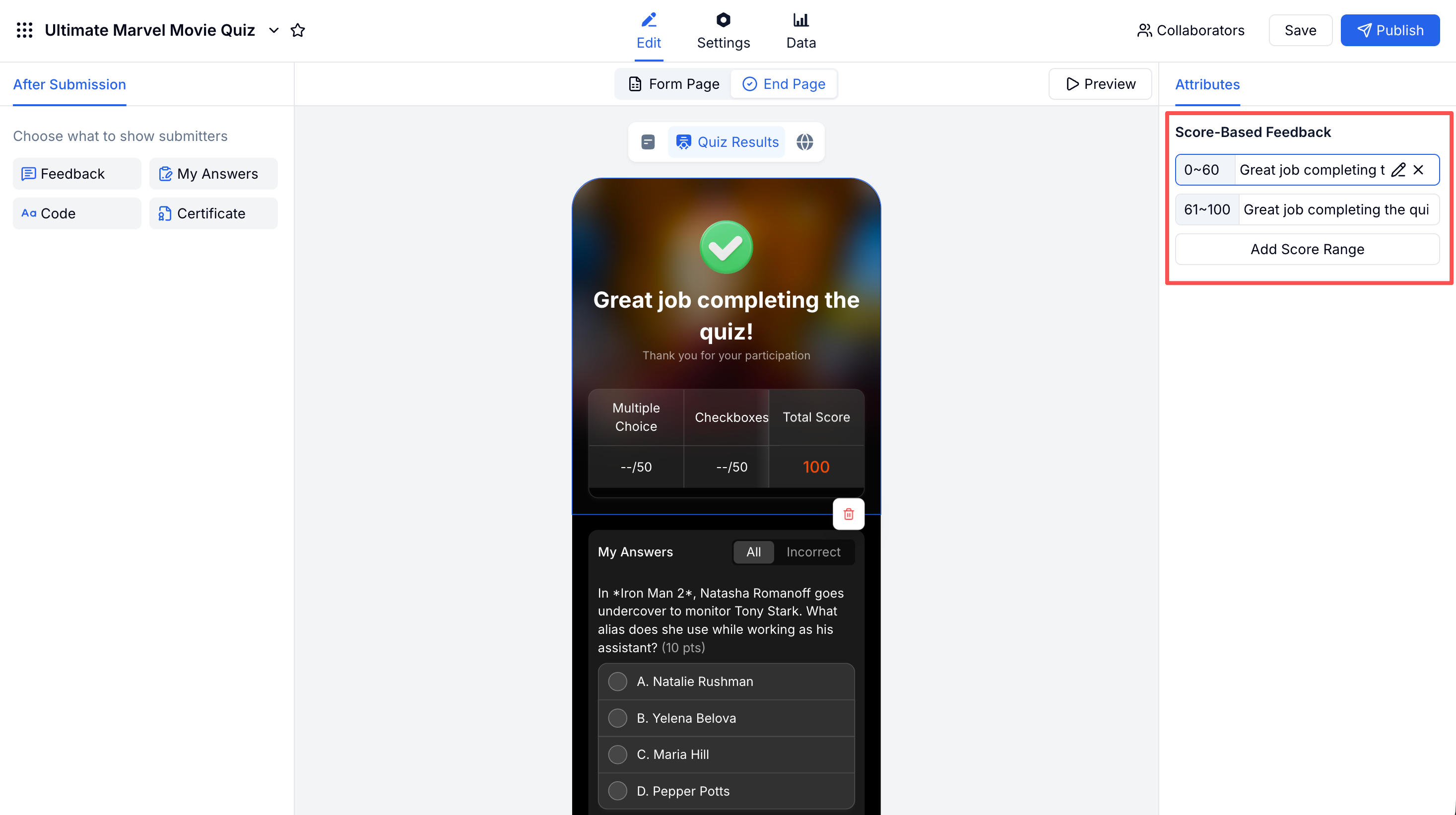
For SEO and learner value, the important part is not the click path. It is the result experience:
| Setting | Why it matters |
|---|---|
| My Answers | Shows correct and incorrect answers with explanations |
| Score-Based Feedback | Gives different guidance for low, middle, and high scores |
| Certificate | Provides proof of completion when a passing score matters |
For learning reinforcement, show answer explanations to everyone. For compliance, add a passing threshold such as 80% and show a certificate only above that threshold.
Step 4: Publish while the lesson is still fresh
Share the mini exam within an hour of the lesson, training session, or module completion. Put the link in your LMS, Slack channel, classroom announcement, QR code, or follow-up email.
If the mini exam is formal, add a time limit and randomize questions. If it is for practice, keep it untimed. We have found that untimed mini exams produce better review behavior because participants slow down and read the explanations.
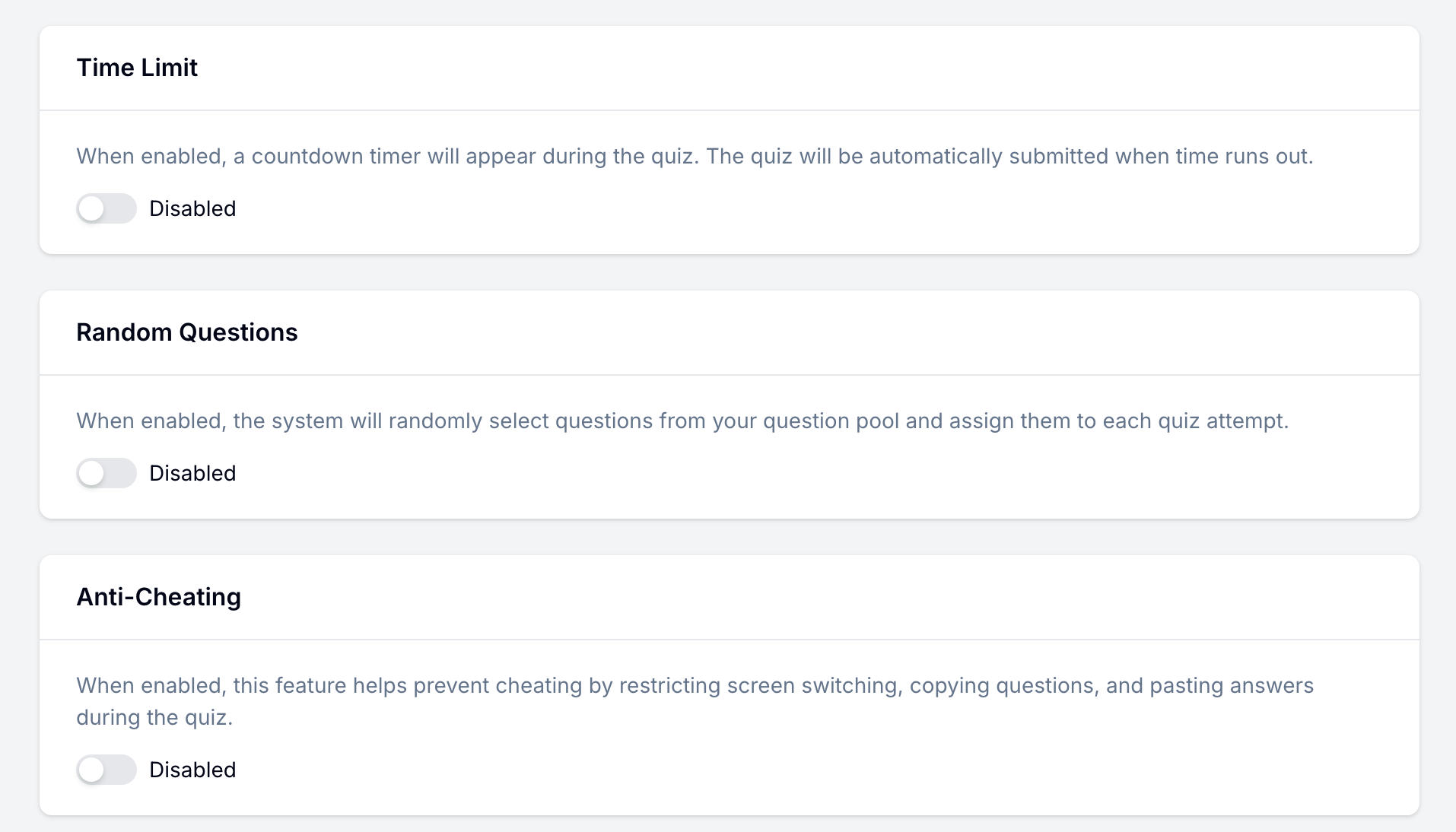
For full quiz configuration, use the quiz feature docs. For question-writing examples, see mini exam questions. For broader quiz strategy, see how to create an online quiz with automatic scoring. If results need to be shared later through a lookup page, see how to share training course results without a student portal.
Mini Exam Settings by Use Case
| Use case | Questions | Time limit | Feedback | Certificate |
|---|---|---|---|---|
| Classroom lesson check | 5-8 | Optional | Show explanations | No |
| Employee onboarding | 8-12 | No | Score ranges | Optional |
| Compliance training | 10-15 | Yes | Pass/fail plus review | Yes |
| Course module review | 5-10 | No | Explain every answer | No |
| Exam prep practice | 10-15 | Optional | Detailed explanations | No |
The practical rule: use stricter settings when the result is used as proof, and lighter settings when the goal is learning.
Frequently Asked Questions
How do I create a mini exam online?
Create a quiz form, add 5 to 15 focused questions, assign correct answers and point values, write answer explanations, then publish the form as a shareable link. The best mini exams show instant results so participants can learn from mistakes immediately.
What is the best length for a mini exam?
Most mini exams should have 5 to 15 questions. Use 5 to 8 for quick classroom or module checks, and 10 to 15 for onboarding, compliance, or training verification.
Should a mini exam have a time limit?
Only if the result is formal. Time limits are useful for compliance checks, in-class exams, and certification-style tests. For learning reinforcement, an untimed mini exam usually works better because participants can read explanations carefully.
What is the difference between a mini exam and a quiz?
A quiz is any scored question set with correct answers. A mini exam is a specific kind of quiz: short, focused on one topic, and designed to reinforce recent learning through automatic scoring and feedback.
Can I use a mini exam for employee training?
Yes. Mini exams work well after onboarding sessions, compliance training, product training, and internal workshops. Add a passing score and certificate when you need a record of completion.
Can I make a mini exam with AI?
Yes. FormHug can generate mini exam questions from a short topic description, source material, or a training outline. You should still review every question, correct answer, and explanation before publishing.
Is FormHug free for mini exams?
Yes. FormHug’s free plan supports quiz creation, automatic scoring, and instant results. Paid plans add higher limits and advanced features for teams that run exams regularly.
Related
- How to Create an Online Quiz with Automatic Scoring, Instant Feedback, and Certificates — a broader guide for quizzes, tests, certificates, and trivia.
- Mini Exam Questions — examples for training, hiring, compliance, and classroom checks.
- Class Registration Software for Workshops, Courses, and Small Programs — collect signups before a class, then use a mini exam after the session.
- How to Create an Online Personality Test or Soft Skills Assessment — use assessments when there are no right or wrong answers.
- How to Share Training Course Results With Students Without a Student Portal — publish individual training results without building a portal.
The week after a lesson is when knowledge starts slipping fastest. A focused mini exam turns that moment into retrieval, feedback, and proof of learning. Create your mini exam →

Written by
FormHug TeamProduct, research, and form automation team
The FormHug Team brings together product builders, workflow researchers, and form automation practitioners who study how people collect, route, and act on information online. Our guides are based on hands-on product testing, template analysis, customer workflow patterns, and deep experience with forms, surveys, quizzes, AI-assisted creation, integrations, and results sharing.