FormHug vs Google Forms (2026): The Best Free Google Forms Alternative
Compare your options
See how FormHug fits the workflow
Compare FormHug against other form builders when AI creation, quizzes, payments, templates, or agent workflows matter.
Google Forms works. That’s both its strength and its ceiling. If your team is comparing the other default office form tool, see the Microsoft Forms alternative guide too.
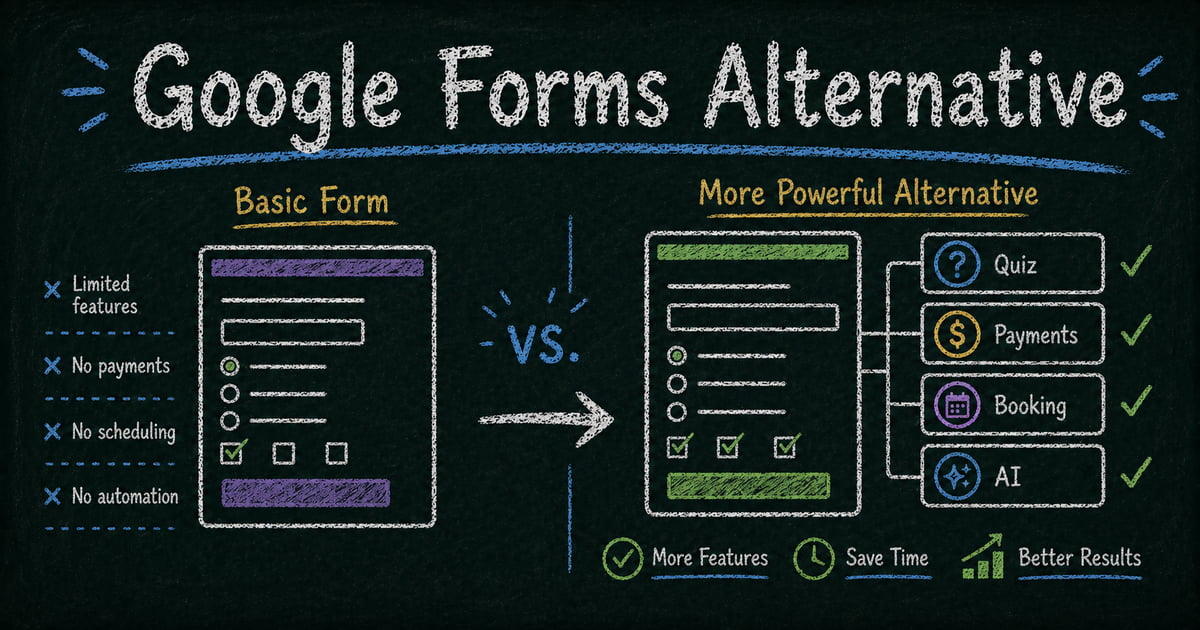
It’s free, fast, and already sitting in your Google account. For a quick internal poll or a one-off signup sheet, nothing beats the zero-setup convenience. But the moment you need a form that looks like your brand, scores a quiz with explanations and certificates, collects a payment, or books an appointment — Google Forms runs out of road. It was built to be simple for everyone, which means it can’t be powerful for anyone.
That’s the gap FormHug fills. Built for users who have outgrown the default, FormHug is what you reach for when Google Forms is technically present but actually not enough. For the product comparison page version of this argument, see FormHug’s Google Forms alternative overview.
Why People Look for a Google Forms Alternative
Google Forms is a general-purpose tool made by a company whose core products are search, email, and cloud storage. Forms is a feature in the Google Workspace suite, not a product with forms as its focus. The result: every form looks the same, the field library covers the basics and stops there, and entire categories of professional use — quiz scoring with answer explanations, payment collection, calendar-based booking — simply don’t exist.
This is fine when a form is a throwaway means to an end. It stops being fine when the form represents your brand, your service, or your learners’ experience.
It also explains why searches like “Google Forms survey,” “Google Forms survey maker,” and “Google form maker” often turn into alternative searches. The first form is easy. The second or third form is where people start wanting better design, reusable templates, AI drafting, survey logic, stronger quiz results, or workflows that do more than collect rows in a spreadsheet. If you still want the Google-first workflow, start with the Google survey maker guide.
TL;DR: FormHug vs Google Forms at a Glance
| Feature | FormHug | Google Forms |
|---|---|---|
| AI form creation | ✅ Natural language | ⚠️ Gemini-assisted creation for eligible users |
| Design & layout | ✅ Frosted glass, auto-theming, classic & card layout | ⚠️ Basic color themes, fixed layout |
| Public Query (respondent lookup) | ✅ Unique to FormHug | ❌ Does not exist |
| Quiz scoring & certificates | ✅ Per-question scoring, radar charts, certificates, score-range feedback | ⚠️ Basic correct/incorrect only |
| Payment collection | ✅ Built-in | ❌ Not supported |
| Calendar-based booking | ✅ Time slots per date | ❌ Not supported |
| Field variety | ✅ 30+ including geo, table, ranking, contact card | ⚠️ ~10 standard types |
| Use inside Claude / Cursor (MCP) | ✅ Create forms & read data via AI chat | ❌ Not supported |
| Free plan | ✅ Yes | ✅ Yes (unlimited) |
| Google Sheets sync | ✅ Coming soon | ✅ Native, real-time |
What Is FormHug?
FormHug is a professional AI form builder built entirely around forms — not a feature tucked inside a productivity suite. Describe what you need in plain language and FormHug builds the complete form, logic, scoring, and messaging ready to publish. The focus shows in the design system, the field library, the quiz engine, and the AI agent integration via MCP that lets you create and manage forms directly through Claude or Cursor.
Feature-by-Feature Comparison
Design, Branding, and Layout
Every FormHug form uses a frosted glass aesthetic with automatic theme adaptation. Swap the header image and the form’s color palette, typography, and visual character shift to match — no manual adjustment required. Brand colors, logo, and custom domain support mean your forms look like yours, not like a generic tool.
Beyond visual styling, FormHug lets you choose between two fundamentally different form layouts: Classic layout shows multiple questions on a single scrollable page — familiar and efficient for longer forms. Card layout presents one question at a time, full-screen, like a conversational flow — better for surveys, quizzes, and any form where focus and completion rate matter. You can switch between layouts with one click; the form content stays exactly the same.
Google Forms offers a small set of header image options and color themes. If you only need a banner, the Google Forms header image guide covers the basic workflow. But all Google Forms still look like Google Forms — there’s no custom branding, no domain control, and no layout choice. The format is fixed: all questions on one scrolling page, always.
Verdict: FormHug for any form representing your brand or requiring a specific respondent experience.
Quiz and Assessment Features
This is the widest gap between the two tools. FormHug’s quiz engine supports per-question point values, correct answer explanations, certificates of completion, a results page where respondents see which questions they got right and wrong, and multi-dimensional radar charts for skill or personality assessments. When you build a quiz with FormHug’s AI, it automatically generates score-range feedback messages — different comments for high, mid, and low scorers — ready to use without extra configuration.
Google Forms supports basic right/wrong marking for multiple choice and checkbox questions, with an optional total score display. If that is all you need, the Google Forms quiz guide walks through answer keys, points, and grade release settings. But there’s no certificate output, no radar chart, and no AI-generated feedback by score range.
If you’re building anything beyond a simple test — a skills assessment, a certification exam, a personality evaluation, a diagnostic tool — Google Forms isn’t designed for it. FormHug’s quiz builder handles the full use case out of the box.
Verdict: FormHug by a wide margin for any quiz or assessment that needs to do real work.
Surveys and Feedback Workflows
Google Forms can collect survey responses, and for simple internal feedback that may be enough. You can create a Google survey form, send the link, and review answers in Forms or Sheets.
The limitation is survey workflow depth. Google Forms now has Gemini-assisted form creation and question suggestions for eligible users, but those features are availability-gated and still sit inside a general-purpose form product. If you are collecting customer satisfaction data, employee feedback, event responses, or product research, the survey needs to produce a decision, not just a spreadsheet.
FormHug is stronger when the survey needs a cleaner path from idea to useful result: describe the survey, generate a first draft, edit the questions, add relevant follow-ups, share by link or QR code, and reuse the same builder for polls, quizzes, registrations, or feedback forms.
Verdict: Google Forms for simple spreadsheet-first surveys; FormHug for surveys that need better questions, better experience, or room to grow.
Payment Collection
FormHug includes built-in payment fields. Respondents pay as part of the form submission — registration fee, service deposit, workshop fee — without a separate checkout link or third-party integration.
Google Forms doesn’t support payments. Full stop.
Verdict: FormHug for any form that involves a transaction.
Booking and Appointment Scheduling
FormHug supports calendar-based booking with configurable time slots per date. Set your available dates and times; respondents choose directly within the form. No separate scheduling tool, no link to an external calendar service.
Google Forms has no booking or appointment functionality.
Verdict: FormHug for any form that needs to reserve time.
Field Types and Variety
FormHug’s field library covers the standard types and adds fields that most form builders don’t offer: contact card fields, button fields for in-form navigation, geo location capture, table fields for structured data entry, and ranking fields for preference ordering. When your form has a specific collection requirement that doesn’t fit a text box or a dropdown, FormHug likely has a field for it.
Google Forms offers approximately ten field types: short answer, paragraph, multiple choice, checkboxes, dropdown, file upload, linear scale, multiple choice grid, checkbox grid, and date/time. Solid for basic forms; limited for anything more structured or specialized.
Verdict: FormHug for complex or multi-field forms.
Public Query — Respondent Self-Service Lookup
Public Query is FormHug’s most distinctive feature and, as far as we know, unique to FormHug in the form builder space. It lets you publish a self-service lookup page where respondents enter their own ID, email, or name to retrieve their specific submission — without seeing anyone else’s data, without contacting your team.
The use cases are concrete: an exam taker enters their student ID to see their score and feedback. A competition participant looks up their placement by name. An event registrant confirms their session and meal selection. A job applicant checks their application status. In every case, the respondent gets their own data on demand — and you eliminate a category of support requests entirely.
Google Forms has no equivalent. Responses are visible only to the form owner. There is no way to give individual respondents access to their own record.
Verdict: FormHug — this feature does not exist in Google Forms or most other form builders.
If the respondent only needs a copy after submitting, Google Forms response receipts may be enough. The response receipts guide explains when to send answer copies, and Can I See My Google Form Response? covers the respondent-side recovery path.
Google Ecosystem Integration
Google Forms sends every response directly to a connected Google Sheet in real time. If your workflow lives in Sheets — filters, formulas, pivot tables, dashboards built on response data — the native sync is genuinely valuable. Everything stays inside one ecosystem without any export step.
FormHug exports to CSV, with native Google Sheets sync coming soon.
Verdict: Draw — Google Forms has native Sheets sync today; FormHug is adding it.
AI Form Creation
FormHug generates complete, production-ready forms from a plain-language description. Describe the context, the audience, and what you need to collect — FormHug builds the fields, logic, scoring rules, score-range messaging, and conditional branches in one step. We’ve built a full skills assessment with certificate output in under two minutes this way.
Google Forms has Gemini-assisted creation for eligible Google Workspace or Google AI plan users, including creating new forms and suggesting questions. It is useful for first drafts, but it does not currently cover every workflow; Google’s own docs note limits such as quiz settings, multiple sections, editing existing forms, and feature availability.
Verdict: FormHug for anyone who wants AI form creation as a core builder workflow rather than an account-dependent assistant layer.
Using FormHug Inside Claude (MCP Integration)
FormHug connects directly to Claude, Cursor, and any MCP-compatible AI agent via its MCP server. This means you can create a form, read submissions, and submit entries through a conversation with Claude — no dashboard, no manual configuration. Ask Claude to “create a client intake form for a law firm” and it builds, publishes, and returns the link without you opening a browser.
For teams building AI workflows, this is a fundamentally different capability: forms become a programmable layer inside your AI agent, not a separate tool you switch to.
Google Forms has no MCP support and no native AI agent integration of any kind.
Verdict: FormHug for any team working with AI tools like Claude or Cursor.
Pricing Comparison
| Plan | FormHug | Google Forms |
|---|---|---|
| Free | ✅ Free tier with core features | ✅ Free with any Google account |
| Paid | Paid plans for advanced features and higher volume | Free forever; Google Workspace costs $6+/user/month for the broader suite |
| Per-response fees | None | None |
If cost is the only variable, Google Forms wins. If capability is the variable, FormHug’s free tier covers significantly more ground than Google Forms at any price.
Who Should Switch to FormHug?
- Professionals with brand standards — designers, agencies, consultants, and businesses where a generic Google Form undersells the quality of their work
- Educators and trainers running assessments — anyone who needs scoring, answer explanations, certificates, multi-dimensional feedback, or score-range messaging built into the quiz
- Service providers who collect payment — freelancers, event organizers, coaches, or any business where the registration or booking includes a fee
- Teams booking appointments — businesses that need calendar-based scheduling embedded directly in the form, without a separate tool
- Anyone who needs respondents to access their own data — exam organizers, event managers, competition hosts, HR teams — anyone where “can I check my result?” is a recurring question
- Professionals who want smarter, faster creation — users who’d rather describe a form in one sentence and get something ready to publish than configure it field by field
- AI builders and Claude users — teams using Claude or Cursor who want to create forms, read submissions, and trigger form workflows directly from an AI conversation via MCP
Who Should Stay on Google Forms?
- Teams inside Google’s ecosystem — Google Classroom, Drive, Workspace users where Forms integrates without friction and Sheets sync is load-bearing
- Simple internal use cases — team polls, quick feedback requests, surveys where design doesn’t matter and the goal is just collecting responses
- Zero-budget, unlimited-scale situations — Google Forms is genuinely free with no upper limit on responses or forms
Final Verdict
Google Forms is a good tool for what it is: simple, free, and universally accessible. It was built to be present everywhere, not to be powerful for anyone in particular. For internal polls, quick signups, and workflows that end in a Spreadsheet — it gets the job done.
FormHug is for the user who’s hit that ceiling. The professional whose forms need to match their brand. The educator whose quiz needs to teach, score, and certify — not just collect answers. The business that needs payment and booking without stitching together three separate tools. The builder who wants to create and manage forms directly through Claude.
The switch usually happens at a specific moment: you try to add answer explanations and there’s no field for it, or you realize your intake form looks nothing like your website, or you need to take a booking fee and discover Google simply doesn’t do that. When that moment arrives, FormHug is built for exactly who you’ve become.
Frequently Asked Questions
Is FormHug actually free like Google Forms?
FormHug has a free tier covering core form building and response collection. Google Forms is free at unlimited scale with no upgrade required. If cost is the only consideration, Google Forms is the lower-cost option. FormHug’s value shows when you need quiz scoring, payment, booking, or design quality that Google Forms doesn’t offer at any price.
Is Google Forms a good survey maker?
Google Forms is good for simple surveys, especially internal surveys, classroom feedback, and spreadsheet-first workflows. It becomes limiting when you need AI survey creation, polished design, conditional follow-ups, reusable survey templates, or quiz-style result experiences.
Can FormHug replace Google Forms if I use Google Sheets for analysis?
FormHug exports to CSV today, with native Google Sheets sync coming soon. For everything else — design, field variety, quiz features, payment, booking, and Claude integration — FormHug replaces Google Forms and adds capabilities that don’t exist in Google’s offering.
Does Google Forms support quiz certificates and score-range feedback?
No. Google Forms supports basic right/wrong scoring for multiple choice questions and a total score display. It doesn’t support per-question explanations, certificates, radar charts, or different feedback messages by score range. FormHug’s quiz engine supports all of these, and its AI can generate the score-range messaging automatically when you build the quiz.
Can I collect payment through Google Forms?
No. Google Forms has no payment field. You’d need a separate tool or third-party add-on. FormHug includes built-in payment collection as part of the standard form submission — no external checkout required.
What makes FormHug forms look better than Google Forms?
FormHug uses a frosted glass design system where changing the header image automatically adapts the form’s full visual style — color palette, tone, and character — to match. The result looks considered and designed. Google Forms offers a limited set of themes that all read as generic. There’s no way to make a Google Form look like your brand; there’s no way to make a FormHug form look generic.
Related
- How to Make Google Forms Anonymous — check the settings, limits, and trust design behind anonymous Google Forms.
- Google Forms Response Receipts for Creators — decide when respondents should receive answer copies or edit links.
- How to Make a QR Code for a Google Form — turn a Google Form link into a scannable entry point for classrooms, events, posters, and feedback.

Written by
FormHug TeamProduct, research, and form automation team
The FormHug Team brings together product builders, workflow researchers, and form automation practitioners who study how people collect, route, and act on information online. Our guides are based on hands-on product testing, template analysis, customer workflow patterns, and deep experience with forms, surveys, quizzes, AI-assisted creation, integrations, and results sharing.