How to Share Race Results With Participants After a 5K or Triathlon
Share results safely
Let each respondent look up their own result
Create a controlled lookup workflow for exams, race results, course records, or private respondent data.
The finish line is not the end of race operations. For a small 5K, 10K, triathlon, school meet, or charity run, the next pressure point starts minutes later: everyone wants their time, place, and age group result.
Posting a full spreadsheet is fast, but it exposes every finisher’s data. Emailing results individually is private, but it turns into a support queue. A timing platform may solve this for large events, but many local organizers leave the event with a CSV export and no clean way to publish it.
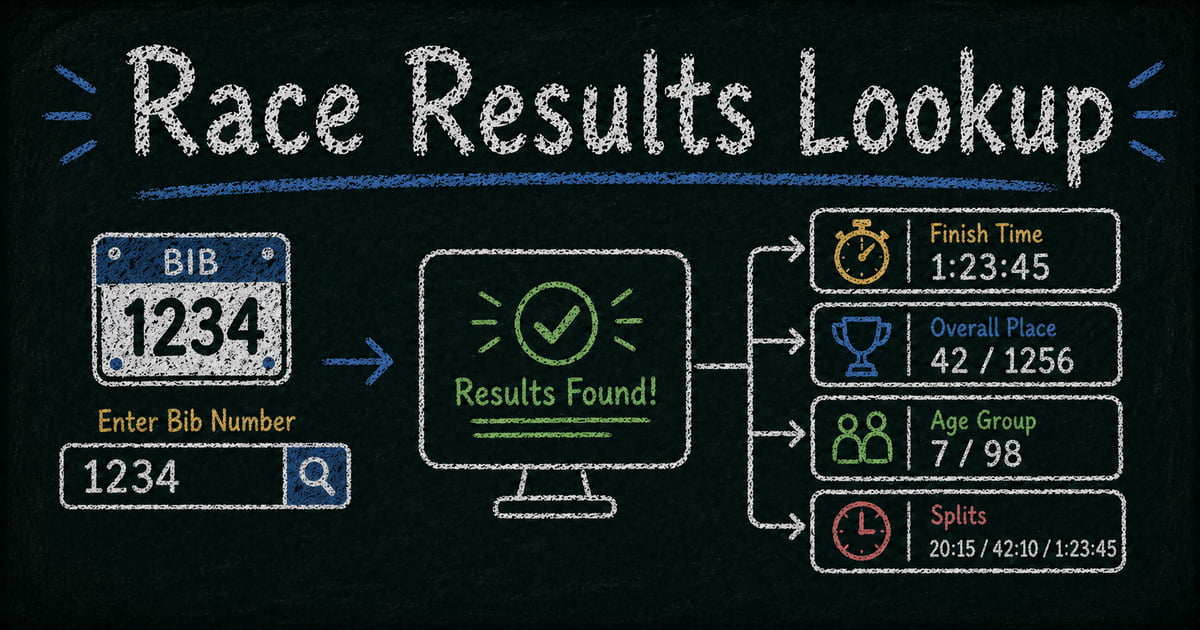
A bib-number lookup page is the practical middle path. You share one URL after the race. Each participant enters their bib number and sees only their own result.
TL;DR — A race results lookup page lets each finisher search by bib number and view their own chip time, gun time, place, age group, splits, or team result.
- Use bib number as the primary lookup key — it is already printed, photographed, and familiar to participants.
- Import the timing export — clean the CSV or Excel file before publishing so field labels are readable.
- Highlight the result people want first — finish time, overall place, or age group rank should appear at the top.
- Works for: 5Ks, 10Ks, triathlons, charity runs, school meets, corporate sports days, relay events.
- Use a public leaderboard only when you intentionally want every participant’s result visible.
What Is a Race Results Lookup Page?
A race results lookup page is a private self-service page where a participant enters a bib number and retrieves one matching result record.
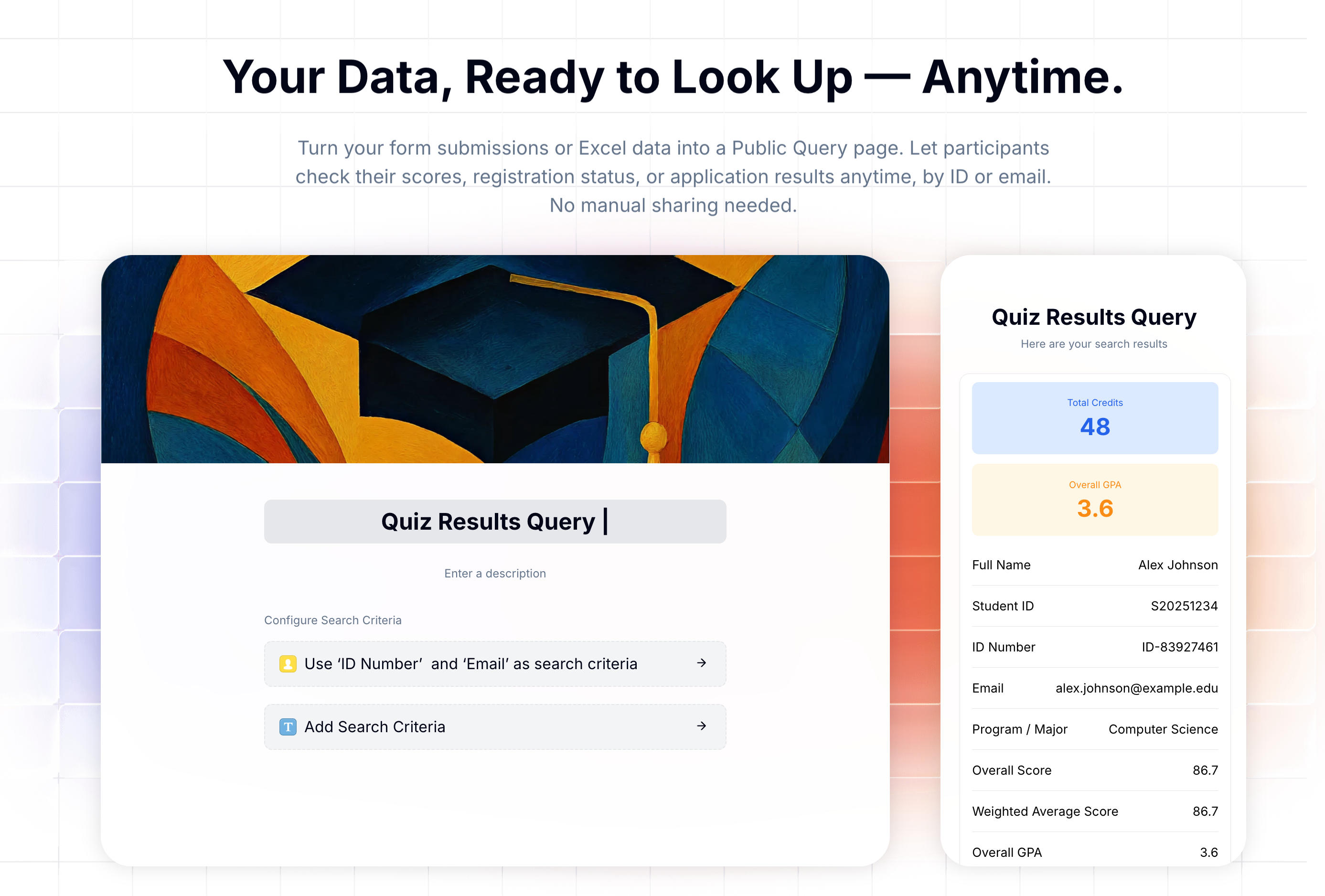
It is different from a public leaderboard. A leaderboard is meant for browsing. A lookup page is meant for individual access. The participant cannot scroll through everyone else’s data or download the full results file.
FormHug’s Public Query feature works well for this because race data is usually structured already: bib number, name, distance, chip time, gun time, overall place, gender place, age group, and splits. You can create the lookup page from a timing spreadsheet, CSV export, or selected form records if your event data was collected through a form.
What to Include in Race Results
Start with the fields participants actually ask about.
| Field | Why it matters |
|---|---|
| Bib number | Best lookup key for most races |
| Chip time | Personal net time from start mat to finish mat |
| Gun time | Official elapsed time from race start |
| Overall place | Where the finisher placed across the event |
| Gender place | Placement within gender category, if used |
| Age group rank | Often the most meaningful competitive result |
| Distance | Required for multi-distance events |
| Splits | Useful for triathlons, relays, and longer races |
| Pace | Helpful for runners comparing performance |
Do not import every registration field into the public display. Emergency contact, home address, phone number, medical notes, and payment details do not belong on a results page.
For events with minors, avoid exact ages or birthdates. Use age groups such as U12, U14, U18, or 30-34 instead.
Clean the Timing Export First
Most race timing systems export CSV or Excel files, but the headers are often written for operators rather than participants.
Before importing, open the file in Excel or Google Sheets and clean it:
- Rename
BibNotoBib Number - Rename
ChipTmtoChip Time - Rename
GunTmtoGun Time - Combine first and last name if needed
- Add a
Distancecolumn for multi-distance events - Calculate pace before import if you want to display it
- Remove private registration columns
In our test imports, the fastest successful setup was always the cleanest spreadsheet: one header row, one participant per row, and only the fields that should appear in the lookup result.
FormHug accepts .xls, .xlsx, and .csv files up to 5 MB, 6,000 rows, and 100 columns. That covers most local and regional races.
If you need a general spreadsheet workflow, see how to build a lookup page from an Excel spreadsheet.
How to Share Race Results Online Without Posting the Whole Spreadsheet
Step 1: Export the race results file
Export the final timing data from your timing system or manual scoring sheet. At minimum, include bib number and finish time. For a better participant experience, include placement and category fields too.
Common sources include RunSignUp, Race Roster, FinishLynx, ChronoTrack, manual stopwatch sheets, or a spreadsheet maintained by your timing volunteer.
If the timing system exports CSV, save it as Excel or upload the CSV directly if your import workflow supports it. Check that each row represents one participant or one team. For general spreadsheet cleanup, use the Excel lookup guide.
Step 2: Import only the fields finishers should see
Create a Public Query page in FormHug and import the timing file. Review the preview and assign field types, but keep the display set narrow: bib, name or masked name, distance, time, place, category, and splits.
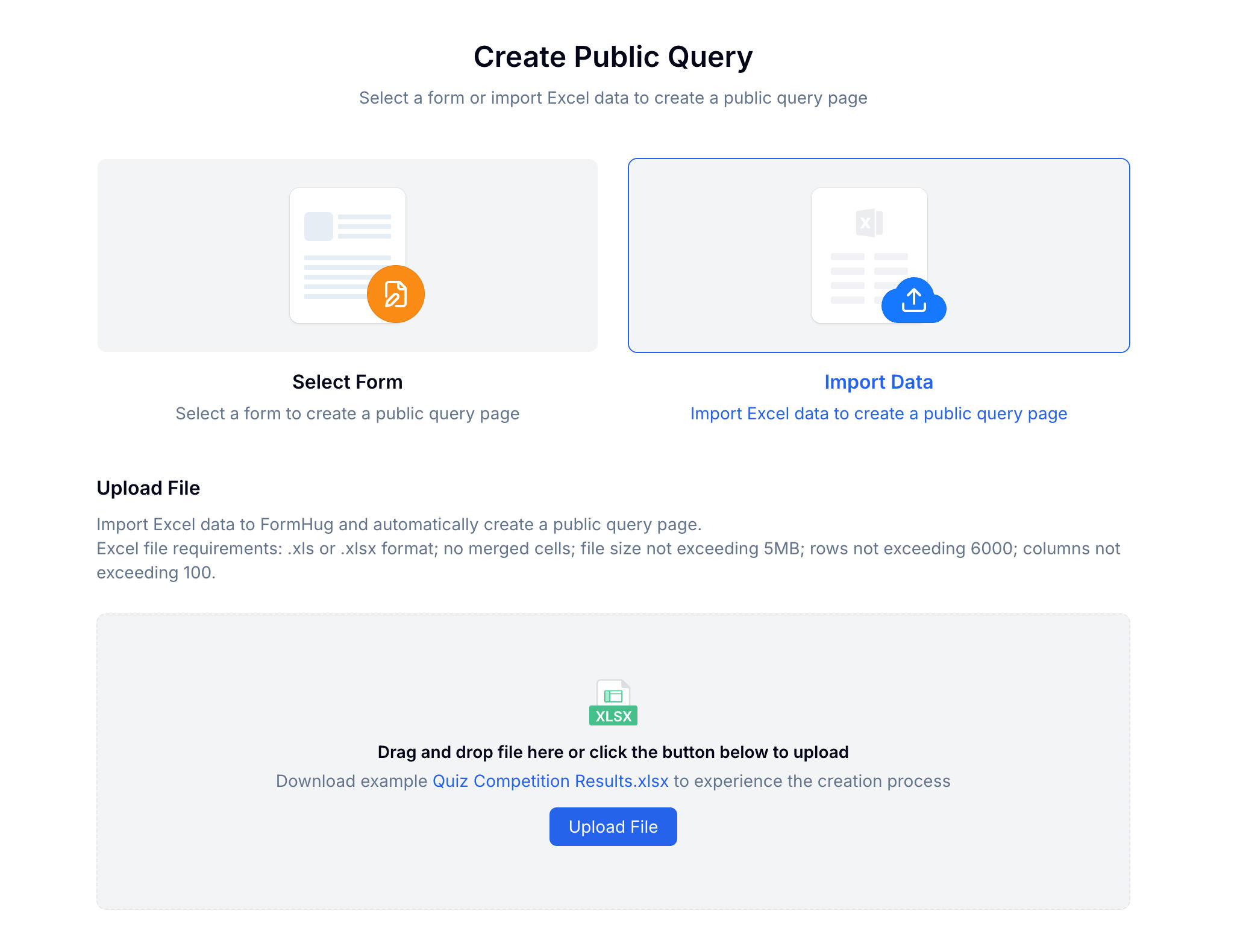
Use number fields for ranks, text fields for bib numbers if they include prefixes, and text or date/time fields for time values depending on how your export is formatted. Exact importer controls are covered in the Public Query docs.
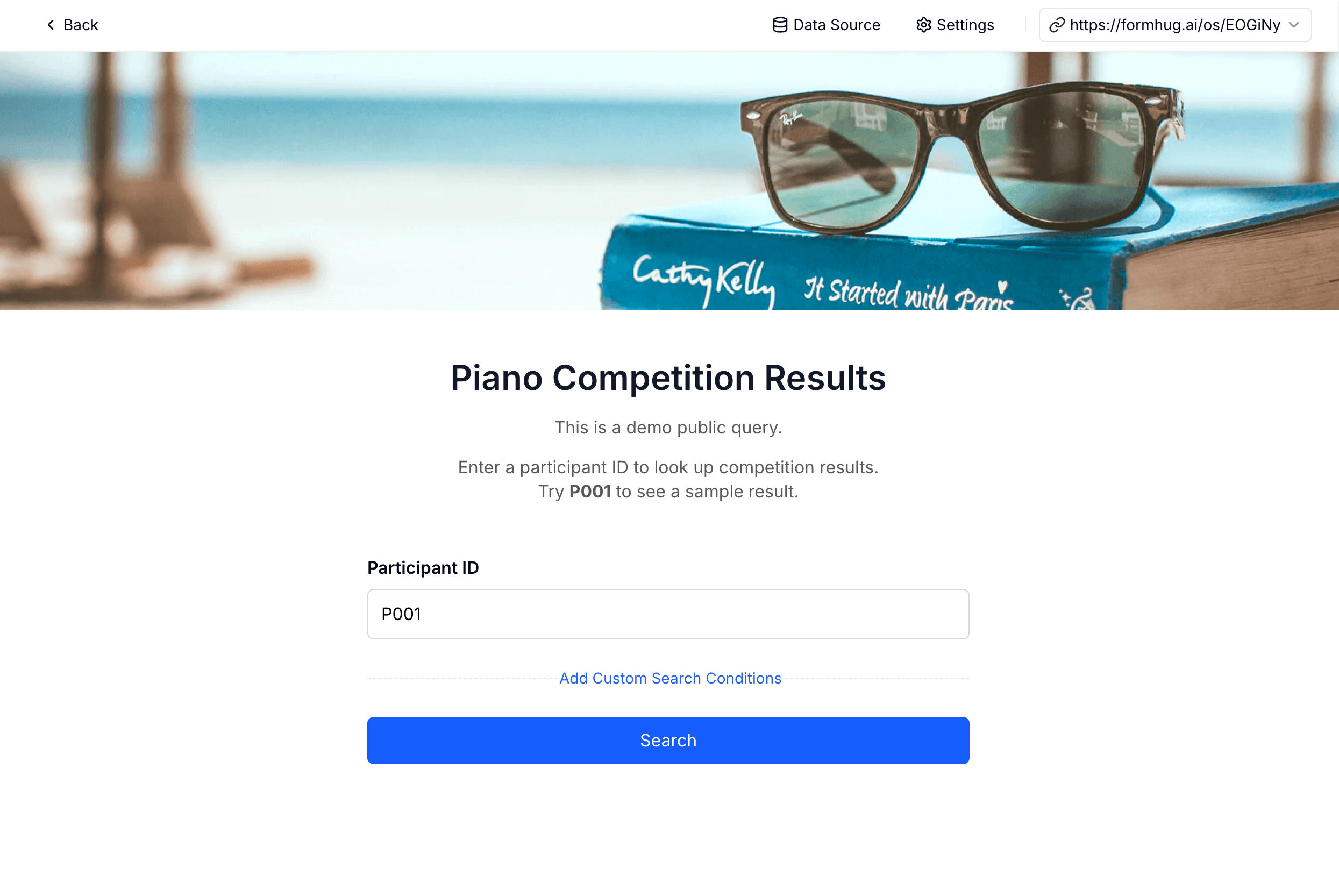
Step 3: Set bib number as the search condition
For most races, bib number is the best lookup field. Participants remember it, it appears in photos, and it is already part of the race workflow.
If privacy matters more, require bib number plus last name. This is useful for school events, corporate sports days, junior races, or events where participant names should not be easily discoverable.
Step 4: Configure the result display
Choose the result fields and order them by participant priority. Highlight the most important field at the top.
For a 5K, highlight chip time or overall place. For a triathlon, highlight total time and show swim, bike, run, and transition splits underneath. For a school meet, highlight age group or team placement.
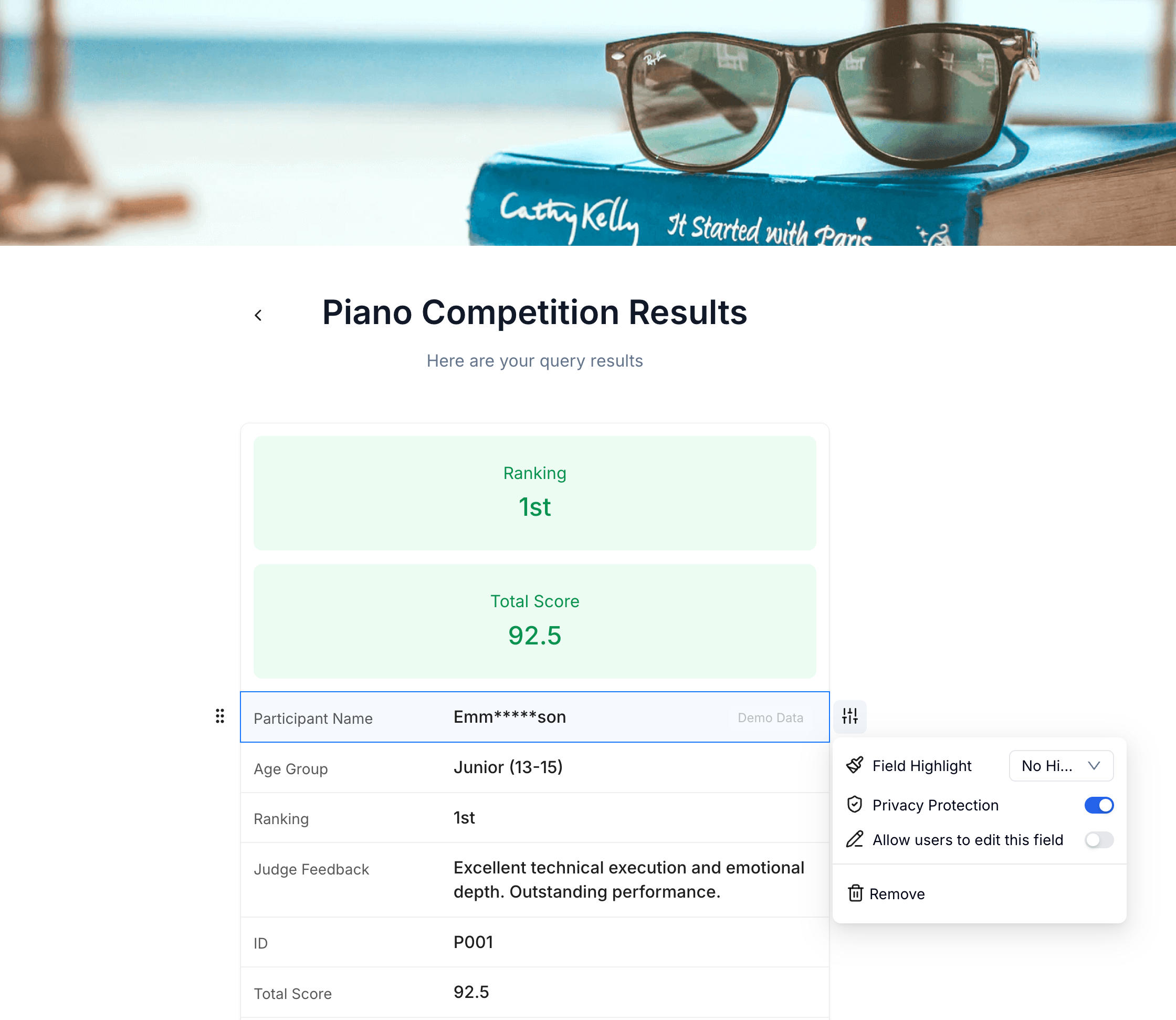
Then publish the page and share the URL in your post-race email, event page, social post, QR code at the venue, or timing tent signage.
For broader result-sharing privacy decisions, read how to create a private exam results lookup page.
Multi-Distance and Relay Events
Race result publishing gets trickier when one event has several categories.
One page per distance
This is the cleanest option for events with a 5K and 10K, sprint and Olympic triathlon, or several school race categories. Create one lookup page per distance and label the links clearly.
Example:
- 5K results lookup
- 10K results lookup
- Kids run results lookup
The advantage is simplicity. Participants do not need to think about filters.
One combined lookup page
Use one combined page when bib numbers are unique across the entire event. Add a Distance field and display it in the result.
This works well for smaller events where one URL is easier to communicate.
Relay teams
Relay results usually need a separate structure. Use team bib, team name, or captain email as the lookup key. Display total team time, member names, split times, and category placement.
If individual legs matter, keep each split in its own column so the result page is easy to read.
Privacy and Corrections After the Race
Race results are often treated as public by default, but local events deserve more care. Corporate wellness runs, school meets, charity events, and youth races may include participants who did not expect their full name, age, or performance to appear in a searchable public file.
Use these practical safeguards:
| Risk | Safer choice |
|---|---|
| Full public spreadsheet | Bib lookup page |
| Exact birthdate or age | Age group |
| Names of minors | Masked name or bib-only lookup |
| Permanent results page | 60-90 day results window |
| Timing correction confusion | Announce a correction deadline |
Timing errors happen: swapped bibs, missing chip reads, manual entry mistakes, or category changes. If you correct results after publication, update the source file and re-import it. The lookup URL can stay the same.
Tell participants what to expect: “Results are provisional until Tuesday at 5 PM. Corrections can be submitted through the race email.”
Frequently Asked Questions
How do I share race results online after a 5K?
Export your timing results, import the file into a lookup page, set bib number as the search field, choose which result fields to display, and share the lookup URL with participants.
Can participants look up results by bib number?
Yes. Bib number is usually the best lookup key because every participant already has it. For added privacy, require bib number plus last name.
Can I show chip time and gun time?
Yes. Include both fields in your timing export and choose both for display. Highlight the one your event treats as the primary result.
How do I handle age group rankings?
Add age group and age group rank columns before import. Display both fields so participants can see the category they were ranked in and their placement within it.
Can I publish triathlon splits?
Yes. Include swim, T1, bike, T2, run, and total time as separate columns. The lookup page can show each split in the participant’s result.
What if a result is wrong after publishing?
Correct the source spreadsheet and re-import it. The lookup page URL can stay the same, so participants do not need a new link.
Should I use a public leaderboard instead?
Use a public leaderboard when the event is intentionally public and participants expect searchable rankings. Use a lookup page when you want each participant to retrieve their own result without browsing everyone else’s data.
Is Public Query free?
Public Query is available on paid FormHug plans. It is designed for teams and organizers who need private self-service lookup pages for spreadsheet or form data.
Related
- How to Create a Private Exam Results Lookup Page — the broader privacy model for per-person result publishing.
- How to Build a Lookup Page from an Excel Spreadsheet — a general guide for turning spreadsheet rows into individual lookup results.
- How to Share Training Course Results With Students Without a Student Portal — useful for classes, certifications, and training programs.
- Public Query — the FormHug feature behind self-service result lookup pages.
The longer race results live in a spreadsheet, the more questions your team has to answer manually. A bib-number lookup page gives every finisher their own result without exposing the whole field. Create your race results lookup page →

Written by
FormHug TeamProduct, research, and form automation team
The FormHug Team brings together product builders, workflow researchers, and form automation practitioners who study how people collect, route, and act on information online. Our guides are based on hands-on product testing, template analysis, customer workflow patterns, and deep experience with forms, surveys, quizzes, AI-assisted creation, integrations, and results sharing.