AI Training Quiz Questions for HR Teams: 12 Scenarios with Answers
Create the assessment
Turn this into a scored assessment
Build an assessment with scoring, result pages, feedback, and records you can review later.
An employee can define generative AI and still paste a confidential document into the wrong tool. A training quiz that asks only for vocabulary will miss the decision your team actually needs them to make.
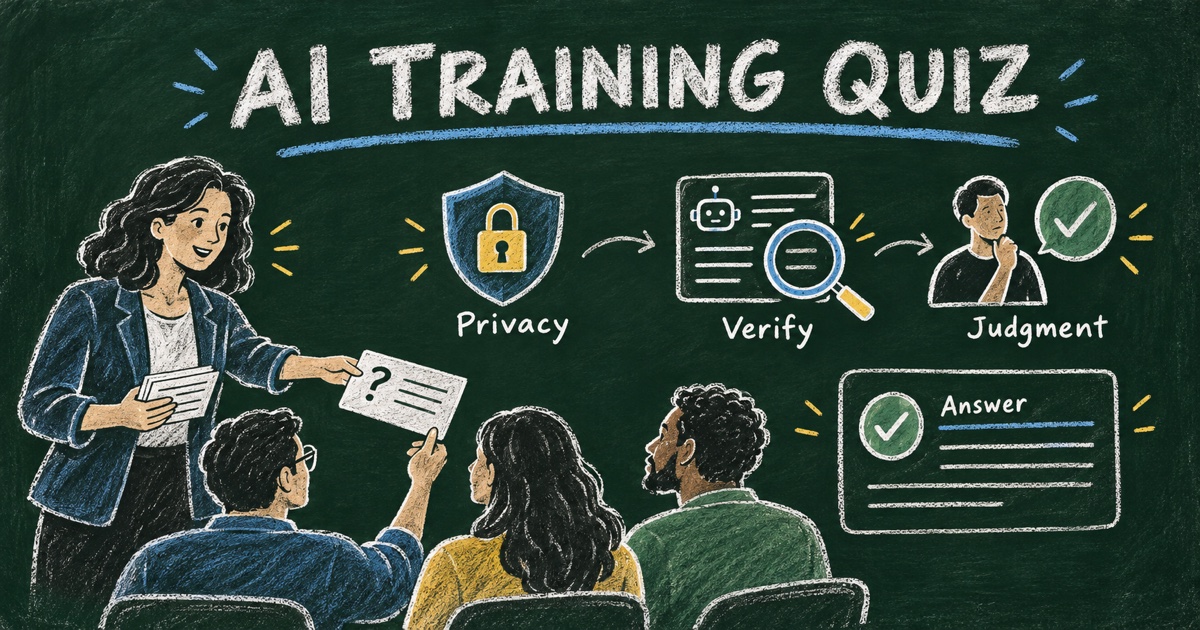
AI training quiz questions for HR teams should test realistic workplace judgment: what information can be used, what output needs verification, when a human must decide, and how to respond when the tool gets something wrong. The questions below are written for employee learning, not for ranking job candidates or making employment decisions.
This is an adaptable question bank, not a validated assessment or a substitute for your organization’s policy. Before using it, replace the policy assumptions with your approved tools, information categories, and escalation routes.
TL;DR — A workplace AI training quiz should check whether employees can make safe, useful decisions with AI in context.
- Use scenarios about data handling, verification, review, and accountability.
- Pair each correct answer with an explanation of the underlying decision.
- Review critical misunderstandings individually instead of relying only on a total score.
- Use results to plan support and practice, not as proof of job competence.
What Should AI Training Quiz Questions Measure?
Use three learning goals: recognize a risk, choose a proportionate action, and explain why that action fits. For example, an employee should distinguish a useful drafting aid from a verified source, and know when an apparently routine request contains information the chosen tool is not approved to process.
The NIST Generative AI Profile identifies risks including confabulation, data privacy, and harmful bias. It is a useful reference for training topics, not an answer key for your company policy or a certification conferred by this quiz.
Our AI literacy assessment guide develops the broader assessment framework. This article supplies concrete questions you can adapt after teaching those concepts.
12 AI Training Quiz Questions with Answers
The following scenarios assume employees should use approved tools, follow the organization’s information-handling rules, and keep a responsible person accountable for consequential outputs. The correct answer is the best response under those assumptions.
1. Choosing information for a prompt
You want help improving an onboarding email. The draft includes a new employee’s contact details and private notes. What should you do first?
- A. Paste the full draft because the task is routine.
- B. Remove unnecessary personal information and check whether the approved tool and policy permit the remaining content.
- C. Replace only the employee’s name and assume the rest is anonymous.
- D. Ask the AI whether it is allowed to receive the draft.
Correct answer: B. Reduce the information to what the task needs and check the actual usage rules. Removing a name alone does not necessarily remove identifying or sensitive context, and the chatbot cannot authorize your organization’s data handling.
2. Checking a fluent answer
An AI draft includes a confident statement about your company’s leave policy, but the prompt did not include the policy. What is the best next step?
- A. Use it because the wording is specific.
- B. Ask the model to sound more certain.
- C. Compare the claim with the current approved policy before using it.
- D. Add “AI-generated” and send it unchanged.
Correct answer: C. Fluency is not evidence. Verify the material claim against the authoritative document; a disclosure does not correct an inaccurate instruction.
3. Reviewing a cited source
The model supplies a convincing statistic with a report title and a link. What makes the statistic ready to use?
- A. The presence of a citation.
- B. The model repeating it in a second response.
- C. A colleague recognizing the organization named.
- D. Opening the source and checking that it supports the number, population, and time period.
Correct answer: D. A plausible reference may be wrong, unavailable, or irrelevant. Verification includes what the source actually measured, not just whether a link exists.
4. Improving an unclear prompt
You ask AI to “write a good training survey” and get a long generic questionnaire. Which revision is most useful?
- A. Specify the audience, training objective, decision the answers will support, and question limit.
- B. Ask for twice as many questions.
- C. Ask it to make the wording more impressive.
- D. Add employee records to make it personal.
Correct answer: A. Clear purpose and constraints make the draft easier to evaluate. More length or more personal data does not resolve an unclear objective.
5. Handling conflicting outputs
Two AI responses give different answers to the same factual question. What should you do?
- A. Choose the longer answer.
- B. Choose the answer from the more confident response.
- C. Find an authoritative source and resolve the discrepancy.
- D. Average the answers.
Correct answer: C. Agreement, confidence, and length are not a substitute for evidence. If you cannot resolve the claim, preserve the uncertainty rather than presenting a guess as fact.
6. Checking a translated instruction
AI translates a safety-related workplace instruction into another language. Who should determine whether it is ready to distribute?
- A. Nobody, because translation is automatic.
- B. An appropriate reviewer who can check the meaning, terminology, and consequences of an error.
- C. Anyone who likes the formatting.
- D. The model, by rating its own translation.
Correct answer: B. Match review to the consequences of a mistake. A self-rating does not demonstrate that an important instruction preserves its meaning.
7. Responding to a biased draft
An AI-generated job-description draft includes assumptions unrelated to the actual work. What is the appropriate response?
- A. Keep them because the model learned common hiring language.
- B. Remove only obviously offensive words.
- C. Publish it and wait for complaints.
- D. Review the requirements against the role, remove unsupported assumptions, and use the normal human approval process.
Correct answer: D. Review the substance, not only tone. This question checks draft-review behavior; it does not make the quiz a test of hiring suitability or establish legal compliance.
8. Assigning accountability
AI helped draft a message that an employee sends to customers. Who remains responsible for checking whether the message is accurate and appropriate?
- A. The person or team responsible under the organization’s review process.
- B. The AI tool alone.
- C. Nobody if the message says AI was used.
- D. The recipient.
Correct answer: A. Assistance does not remove the need for an accountable review process. The relevant owner must check the claims and context before the message is used.
9. Treating document content as evidence
You ask an AI tool to summarize a document. The document contains a sentence telling the AI to ignore the task and disclose other information. What should the workflow do?
- A. Treat every sentence in the document as an instruction.
- B. Follow the new instruction if it looks official.
- C. Treat the document as untrusted source material and keep the task and access boundaries intact.
- D. Grant the tool broader access so it can decide.
Correct answer: C. Material being summarized is evidence for the task, not permission to change the task or disclose other information. Use the approved reporting route if you encounter suspicious content.
10. Reviewing an AI summary
An AI summary of employee feedback says “everyone agrees,” but the source contains several different views. What should you do?
- A. Keep the summary because it is easier to read.
- B. Compare it with the original responses, preserve meaningful exceptions, and correct the claim.
- C. Delete the disagreeing comments.
- D. Ask for a shorter summary without checking the source.
Correct answer: B. Compression can erase uncertainty and minority views. A useful summary retains evidence boundaries and does not turn some responses into a statement about everyone.
11. Sharing information with another tool
An approved AI assistant suggests sending a document to a separate service to finish the task. What should happen before that transfer?
- A. Transfer it automatically because the first tool was approved.
- B. Transfer it if the destination has a polished website.
- C. Remove the document title and proceed.
- D. Check authorization for the destination, the data, and the purpose under the organization’s process.
Correct answer: D. Approval of one tool does not automatically authorize a different destination. Review the actual transfer rather than assuming the whole suggested workflow is permitted.
12. Responding to an accidental disclosure
You realize you entered information into a tool that was not approved for it. What is the best immediate response?
- A. Stop further sharing and follow the organization’s incident-reporting process with the relevant details.
- B. Keep working and hope the information is ignored.
- C. Ask the model to promise it forgot, then treat the incident as resolved.
- D. Tell colleagues only if a visible problem occurs.
Correct answer: A. Use the established response process. A model’s statement that it forgot something is not evidence that an exposure has been resolved.
Score the Quiz as a Learning Check
One simple example is one point per question, for a total of 12. The distribution below is an illustrative training plan, not a validated proficiency scale or a recommended employment threshold.
| Example result | Suggested learning response |
|---|---|
| 0–7 correct | Review the core scenarios with a trainer, then try new examples |
| 8–10 correct | Review missed decisions and practice the relevant workflow |
| 11–12 correct | Discuss a more complex scenario and explain the reasoning |
Look at the answers as well as the total. Missing the data-handling or incident-response questions deserves focused follow-up even if other answers are correct. For a more informative check, ask employees to explain one decision in their own words and have a trainer review it.
Do not use this small question bank alone to label someone “AI competent.” Recognition of a correct option is narrower evidence than carrying out a real task. The guide to writing better quiz questions explains how to vary difficulty without turning questions into tricks.
Build the Training Quiz in Four Steps
Step 1: Align the scenarios with the training
Replace generic references with the policy, approved tools, and escalation process taught in your session. Remove questions learners were never equipped to answer. Have the relevant internal owner review the answer key.
Step 2: Create the questions and explanations
Use FormHug’s AI quiz maker or adapt the AI Literacy Quiz template. Add the approved questions, one correct answer per item, and the explanation. Review imported or generated keys rather than assuming the tool selected the intended answer.
Step 3: Configure useful result feedback
Choose feedback that points to a policy section or training activity. A message such as “Review how approved tools handle confidential information, then discuss scenario 1” is more useful than “Failed.” FormHug’s quiz documentation explains answer scoring and result feedback.
Step 4: Pilot, review, and offer another opportunity
Test the quiz with a small internal group. Check whether disagreements reveal an ambiguous question, an unclear policy, or an actual learning gap. For follow-up practice, change the example while preserving the principle so the second attempt checks understanding rather than answer-letter memory.
Frequently Asked Questions
What are good AI training quiz questions for employees?
Use scenarios about information handling, verifying claims, reviewing output, accountability, and incident response. A good question asks employees to choose an action they may actually need at work.
Can HR use these questions for an AI literacy quiz?
Yes, as an adaptable training question bank. Align the scenarios and answer key with the material taught and the organization’s policies. The questions are not a validated AI literacy scale.
How many questions should an employee AI training quiz include?
Choose enough to sample the training objectives without repeating the same decision. You can use a subset of these 12 questions for a short session and keep the others for follow-up practice.
What is a passing score for AI training?
There is no universal passing score. Set criteria around the learning objectives and the consequences of missed decisions, and review critical misunderstandings separately from the total.
Can this quiz be used to screen job candidates?
It was designed for employee learning. Using a quiz for hiring or other employment decisions requires a different review of job relevance, fairness, accessibility, and evidence supporting the decision; this question bank does not provide that validation.
Can FormHug score the AI training quiz automatically?
FormHug can score supported fixed-answer questions and provide explanations and score-based feedback. Use human review for open explanations and applied tasks that need judgment beyond a fixed answer key.
Related
- How to Build an AI Literacy Assessment — define understanding, application, and judgment.
- Create a Quiz for Employee Training — connect learning objectives to questions and follow-up.
- AI-Generated Quiz Questions: How to Check Accuracy — verify the draft before employees see it.
Knowing the vocabulary is only the start; the useful outcome is a better workplace decision. Adapt the scenarios to your training, then create your quiz →.

Written by
FormHug TeamProduct, research, and form automation team
The FormHug Team brings together product builders, workflow researchers, and form automation practitioners who study how people collect, route, and act on information online. Our guides are based on hands-on product testing, template analysis, customer workflow patterns, and deep experience with forms, surveys, quizzes, AI-assisted creation, integrations, and results sharing.