Quiz vs. Test vs. Exam: Which Format Should You Use?
Create the assessment
Turn this into a scored assessment
Build an assessment with scoring, result pages, feedback, and records you can review later.
A five-question check can help a teacher plan tomorrow’s lesson. The same five questions, used to decide who passes a course, carry a very different responsibility. Calling one a quiz and the other an exam does not make the questions more reliable.
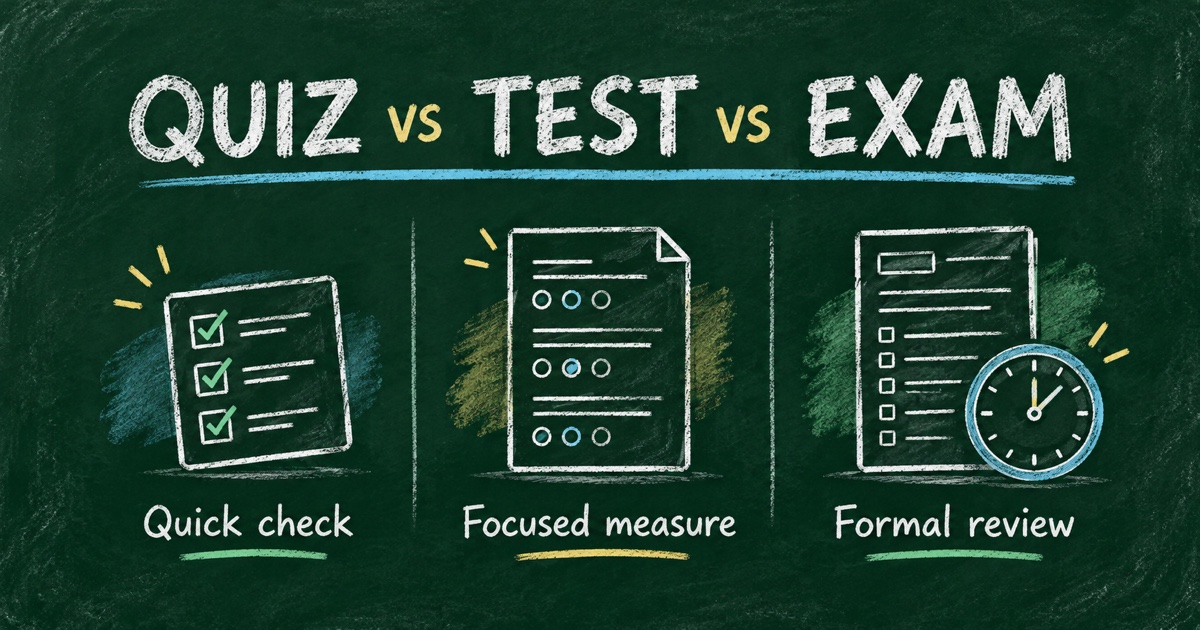
In common educational usage, a quiz is often a short check on a narrow topic, a test measures a defined area of knowledge or skill, and an exam is usually a more formal assessment covering a substantial body of work. These are conventions, not universal rules: schools, countries, and employers use the terms differently.
The useful choice is the format that matches the decision you need to make, the evidence you need, and what participants should learn from the result.
TL;DR — The difference between a quiz, test, and exam usually concerns scope, purpose, and consequences rather than a fixed number of questions.
- Use a quiz for a focused check, practice, or quick feedback.
- Use a test to assess specified knowledge or skills against defined objectives.
- Use an exam for a formal assessment with explicit rules and a defensible review process.
- State the actual stakes, timing, scoring, and feedback policy instead of relying on the label.
Quiz vs. Test vs. Exam at a Glance
| Dimension | Quiz | Test | Exam |
|---|---|---|---|
| Typical purpose | Check understanding or support practice | Measure a defined area of knowledge or skill | Make a formal assessment decision |
| Typical scope | One lesson, concept, or small group of topics | A unit, competency, or selected objectives | A course, qualification, or broader body of work |
| Stakes | Often low, but can count toward a grade | Vary with the decision | Often higher or more formal |
| Feedback | Commonly quick and explanatory | Designed around diagnosis or evaluation | May follow a scheduled review or release |
| Timing | Can be brief, timed, or untimed | Timed or untimed | Often governed by formal conditions |
| Useful output | What needs practice next | Which objectives are met | A result supported by stated criteria |
These are typical patterns, not definitions enforced by software or a universal educational standard. A “quiz” can be graded, and a “practice exam” can be low stakes. Question count alone does not settle the distinction.
What Is a Quiz?
A quiz is commonly a short assessment or question-based activity focused on a limited topic. Cambridge Dictionary describes the educational use as a short, informal test. Quizzes can also be games, audience interactions, or self-reflection activities.
For teaching and training, a quiz is useful when the response will change what happens next. A trainer might ask three questions after a data-handling lesson, then revisit a misconception before moving on. A student might use a short practice quiz to find which concept needs another explanation.
A quiz does not always require objectively correct answers. A personality or recommendation quiz can map choices to outcomes instead. That is a separate design choice from quiz versus exam; see knowledge quiz or personality quiz before choosing the scoring model.
What Is a Test?
A test is a broader term for a method of measuring knowledge, ability, or performance. In a course, a unit test might sample several learning objectives. In workplace training, a skills test might combine factual questions with a practical task.
The question is what the score supports. If a customer-support test asks only for definitions, it can show familiarity with terminology. It cannot by itself show that someone can handle a complex customer conversation. Match each claimed competency to an observable answer or performance.
A test can be diagnostic, formative, or summative. Those terms describe how the evidence is used: to understand a starting point, improve learning during instruction, or evaluate an outcome. The word “test” does not automatically mean pass/fail.
What Is an Exam?
An exam is generally a formal assessment of knowledge or skill, often covering a wider syllabus or supporting a consequential decision. The format may be written, oral, practical, online, or a combination. An online exam is not necessarily multiple choice.
What makes the process defensible is the connection between objectives, questions, scoring, conditions, and review. Participants need to know what is assessed, what resources are allowed, how their result is determined, and what happens if a question or score is disputed.
A timed form is only one component. It does not by itself establish identity, validate an exam, or prevent cheating. If the decision affects a qualification or progression, the organization must design appropriate administration and review around the tool.
Choose the Format by the Decision
Start with the action you intend to take after reading the answers.
| Your decision | A practical starting format | Evidence to collect |
|---|---|---|
| Should I reteach a concept? | Short quiz | Answers linked to that concept |
| What do learners know before a course? | Diagnostic test or pre-assessment | Starting knowledge and learning needs |
| Can someone apply a procedure? | Skills test with a task | Performance against a rubric |
| Did learners meet course outcomes? | Summative test or exam | Coverage of the stated outcomes |
| Which product fits a visitor? | Recommendation quiz | Preferences and constraints, not right/wrong recall |
Consider an example workplace course on handling project requests. A quiz asks employees to identify the next step in one fictional request. A test samples several request types and asks for explanations. An exam might assess the full workflow under defined conditions, with a reviewer evaluating the reasoning. The same subject supports all three; the evidence and consequences change.
Keep practice distinct from certification
A practice score is feedback about an attempt. A certificate or a passing result makes an additional claim. Decide what that claim means and what evidence supports it before adding a badge or threshold.
Repeated attempts can be useful for learning, but a score after several identical attempts can also reflect memorized answers. For a stronger follow-up check, use a new example that tests the same objective. Do not interpret every higher score as proof of broad skill improvement.
Choose feedback timing for the purpose
For practice, answer explanations can guide the next study session. For a formal exam, answer release may need to wait until the assessment window closes. Tell participants the feedback policy before they start and check that your setup can implement it.
Our guide to quiz score ranges and result feedback explains how to connect a score to a useful next action without overstating what it means.
Build the Chosen Assessment in Four Steps
Step 1: Write the purpose and stakes
Use one sentence: “This is an ungraded practice quiz to identify topics to review,” or “This assessment contributes to the course result under the published criteria.” That sentence helps participants understand the experience more than the label alone.
Step 2: Map objectives to questions
Create a coverage table before generating items. Include the objective, the question or task, and the evidence a good answer should contain. Review generated questions for ambiguity and unsupported answer keys.
Step 3: Configure scoring and the result
For fixed-answer knowledge checks, FormHug supports correct answers, points, answer explanations, and score-based feedback. Its Quiz documentation explains the product setup. Keep nuanced performance judgments under a human-reviewed rubric instead of assuming all competence can be automatically scored.
Step 4: Pilot the experience under real conditions
Test correct, incorrect, and boundary-score attempts. Check the instructions, allowed resources, timing, and what participants actually see after submission. For a formal assessment, review accommodations and administration procedures before inviting the full group.
For practical implementation, use the online quiz walkthrough or the focused guide to online exams with automatic scoring.
Frequently Asked Questions
What is the difference between a quiz, a test, and an exam?
A quiz is usually a focused check, a test measures defined knowledge or skills, and an exam is commonly a more formal assessment. Usage varies, so specify the scope, stakes, scoring, and feedback rather than relying on the name.
Is a quiz easier than a test?
Not necessarily. A quiz may cover less material, but a short question can require difficult reasoning. Difficulty follows the task and audience, not the title or number of questions.
How many questions should a quiz or exam have?
Use enough questions or tasks to collect evidence for the stated objectives within the available time. There is no universal question count that turns a quiz into a test or an exam.
Can a quiz be used for a grade?
Yes, if that purpose and the scoring rules are clear. However, a short quiz may provide limited evidence, so check whether it supports the importance of the grading decision.
Is an assessment the same as an exam?
Assessment is the broader process of collecting and interpreting evidence of learning or ability. An exam can be one assessment method; observations, projects, practical tasks, and quizzes can also contribute.
Can I build quizzes, tests, and exams with FormHug?
FormHug can deliver scored question forms with answer explanations and result feedback. The educational purpose and administration determine how you use that form; software settings alone do not validate a formal exam.
Related
- Knowledge Quiz or Personality Quiz — choose the right answer and outcome model.
- How to Build an Online Exam with Automatic Scoring — connect questions, scores, and result review.
- How to Create a Mini Exam Online — build a focused assessment for training or a classroom.
Choose what the answers need to tell you before choosing what to call the assessment. Then create your quiz → with instructions, scoring, and feedback that match that purpose.

Written by
FormHug TeamProduct, research, and form automation team
The FormHug Team brings together product builders, workflow researchers, and form automation practitioners who study how people collect, route, and act on information online. Our guides are based on hands-on product testing, template analysis, customer workflow patterns, and deep experience with forms, surveys, quizzes, AI-assisted creation, integrations, and results sharing.