Personality Quiz Maker: How to Build a "What Type Are You?" Quiz
Make it interactive
Turn these questions into a scored quiz
Build a quiz with answer keys, result pages, explanations, and a shareable link.
A personality quiz works because people want a mirror with a name on it. “You are Type B” is forgettable. “You are the Calm Strategist” gives someone a label they can recognize, debate, and share.
That is why the hard part is not building the quiz form. The hard part is designing results that feel specific enough to be true. Most weak “What type are you?” quizzes fail because every outcome sounds flattering, every question maps vaguely to every result, and the final page gives a label without insight.
A good personality quiz maker should help you define outcomes, map answer choices to those outcomes, show different result pages, and optionally capture an email before or after the result. This guide shows how to build a personality quiz that gives different results, feels accurate, and works as a content, coaching, course, or lead-generation asset.
TL;DR - A personality quiz maker lets you create an outcome-based quiz where each answer contributes to one or more result types.
- Start with outcomes - write the result types before the questions so the quiz has a clear scoring model.
- Map every answer deliberately - each choice should add signal toward a specific result, not generic points.
- Make results useful - the result page should explain behavior, meaning, and next step.
- Works for: creator quizzes, coaching lead magnets, product recommendation quizzes, course segmentation, work-style quizzes.
- No code is needed; FormHug can generate the quiz, score outcomes, and show personalized result pages.
What Is a Personality Quiz Maker?
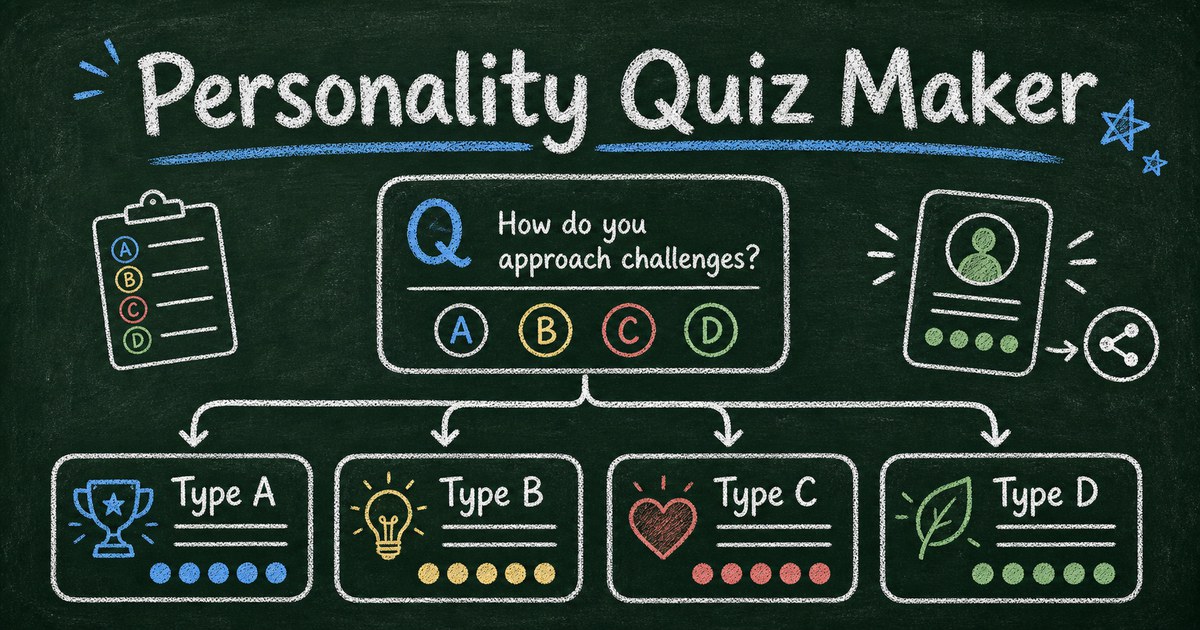
A personality quiz maker is a tool for creating quizzes where answers map to outcomes instead of right or wrong scores. The result might be a personality type, work style, product fit, learning profile, creator archetype, or recommendation.
Unlike a knowledge quiz, a personality quiz does not ask “Did you know the answer?” It asks “Which pattern describes you best?” That makes the scoring model different. Each answer contributes to a result category, and the dominant category determines what the participant sees at the end.
FormHug’s quiz maker supports personality outcomes, AI-generated quiz drafts, score rules, result pages, and lead capture. For a broader overview of quiz formats, see how to create an online quiz.
The Outcome-First Framework
The biggest mistake is writing ten fun questions before you know what the results mean. That creates a quiz that is entertaining but random.
Use the Outcome-First Framework:
| Step | Question to answer | Example |
|---|---|---|
| Outcomes | What types can someone get? | Planner, Improviser, Connector, Analyst |
| Signals | What behavior reveals each type? | Plans first, experiments fast, asks people, checks data |
| Questions | What scenario exposes the signal? | ”A project changes two days before launch. What do you do?” |
| Results | What advice belongs to each type? | Strength, blind spot, next move |
Most “What type are you?” quizzes work best with 3 to 5 outcomes. Two feels too binary. More than six makes scoring harder and result pages thinner.
We use a simple quality test: if two outcomes could swap names and still make sense, they are not distinct enough.
Write Results People Want to Share
The result page is the product. The questions are only the path.
A strong result has four parts:
| Part | Purpose | Example |
|---|---|---|
| Name | Makes the type memorable | The Practical Builder |
| Mirror | Describes the pattern | You move from idea to action quickly |
| Edge | Adds nuance | You may skip reflection when momentum feels good |
| Next step | Gives value | Add one review checkpoint before committing resources |
Avoid generic praise. “You are creative and thoughtful” could describe almost anyone. A better result names a tradeoff: “You generate options quickly, but you need a constraint before the idea becomes usable.”
If the quiz is a lead magnet, keep the public result useful on its own. Then offer a deeper PDF, product recommendation, course track, or consultation as the next step. A quiz that withholds all value until email capture feels like a trap.
Build the Scoring Model Before the Form
Outcome-based scoring is usually simple: each answer gives one point to one result type. But simple does not mean careless.
For a four-result quiz with 8 to 12 questions, aim for at least five possible signals per result. Interact’s help docs use a similar principle: each result needs enough answer correlations to feel reliable. If a result can be triggered by one odd answer, the quiz will feel random.
Use this scoring checklist:
- Each outcome appears as an answer option across multiple questions.
- No single question can decide the result by itself.
- Tie cases are handled with a default, a tiebreaker question, or a blended result.
- Every answer choice sounds plausible, not like an obvious “good” or “bad” option.
- The final result explains why the participant likely landed there.
For more formal skill or personality profiling with dimensions and radar charts, use online personality tests and skills assessments. For viral content or creator funnels, a lighter outcome quiz is usually better.
Ready-Made Personality Quiz Templates
Templates are useful because they show how outcome labels, questions, and result pages work together.
- Founder Personality Quiz - a scenario-based quiz for startup founders and entrepreneurship programs.
- What Is Your Productivity Personality? - a lead magnet quiz for productivity creators, coaches, and course builders.
- Founder Type Quiz - useful when you want concise entrepreneurial archetypes.
- What Type of Creator Are You? - useful for creator, audience, and lead-magnet quizzes.
You can also browse FormHug’s free quiz templates to compare personality, self-discovery, trivia, AI, and work quiz formats.
How to Build a Personality Quiz in FormHug
Step 1: Describe the quiz and audience
Start with a prompt that includes the audience, outcome count, and tone:
Create a 10-question personality quiz for productivity creators called “What Is Your Productivity Personality?” with four outcomes: Planner, Sprinter, Explorer, and Stabilizer. Make the questions scenario-based and the results useful, not cheesy.
FormHug AI can draft the questions, outcomes, and result language. We tested this workflow with a four-outcome creator quiz and found the first draft was usable as structure, but the result pages needed human sharpening. That is normal. AI is fast at scaffolding; your taste makes the quiz credible.
Step 2: Review the outcome map
Before polishing wording, check the scoring map. Each answer should point toward a result for a reason.
If the quiz asks, “How do you start Monday morning?” the answers might map like this:
| Answer | Result signal |
|---|---|
| I list priorities and block time | Planner |
| I start with the urgent task | Sprinter |
| I explore possibilities before choosing | Explorer |
| I check routines and repeat what worked | Stabilizer |
This is stronger than four random preferences because each answer reveals a working pattern.
Step 3: Edit for specificity and momentum
Keep most personality quizzes to 8 to 12 questions. Ten is a useful default: enough signal for 3 to 5 outcomes, short enough to finish on mobile.
Use scenario questions instead of abstract traits:
- Weak: “Are you organized?”
- Strong: “A deadline moves up by three days. What do you do first?”
Scenario questions reduce self-flattery and produce better result accuracy.
Step 4: Publish and connect the next step
Publish the quiz as a shareable link, embed it on a landing page, or use it as a lead magnet.
Decide what happens after the result:
- Show a full result page immediately.
- Ask for email before sending a deeper report.
- Recommend a product, course, or consultation.
- Route each result type to a different follow-up email.
If the quiz qualifies prospects, read how to build a product recommendation quiz. If it is mainly for audience growth, the shorter free quiz maker workflow may be enough.
How FormHug Compares for Personality Quizzes
| Need | FormHug | Basic quiz tools |
|---|---|---|
| AI quiz draft | Built in | Often template-only |
| Personality outcomes | Supported | Varies |
| Scored quizzes too | Yes | Often separate |
| Result pages | Personalized by outcome | Often basic |
| Lead capture | Form fields in same flow | Often add-on |
| Broader workflows | Quiz can connect to forms, surveys, assessments, bookings | Usually quiz-only |
Dedicated quiz marketing tools may offer deeper funnel analytics and built-in email platform integrations. FormHug is strongest when you want personality quizzes, scored quizzes, assessments, and forms in one clean builder.
Frequently Asked Questions
How do you make a personality quiz with different results?
Start by defining 3 to 5 result types, then write questions where each answer maps to one result. After someone completes the quiz, the result with the strongest score becomes the final outcome page.
What is the best personality quiz maker?
The best personality quiz maker lets you define outcomes, map answers to those outcomes, customize result pages, and share or embed the quiz easily. FormHug is a strong option when you also want AI generation, lead capture, and the ability to build surveys or assessments in the same product.
How many questions should a personality quiz have?
Most personality quizzes should have 8 to 12 questions. Use fewer for lightweight social quizzes and more only when the result needs stronger confidence. For assessment-style profiles, 12 to 30 questions can work better.
Should a personality quiz collect email before showing the result?
Usually no. Show enough of the result to make the quiz feel valuable, then offer email capture for a deeper report, saved result, recommendation, or follow-up resource. Gating the entire result can reduce trust.
What is the difference between a personality quiz and an assessment?
A personality quiz usually maps answers to a small number of memorable outcomes. An assessment measures scores across dimensions and often returns a more detailed profile, such as a radar chart. Use a quiz for engagement and sharing; use an assessment for development and evaluation.
Can I create a personality quiz for free with FormHug?
Yes. You can use FormHug to create a personality quiz from a prompt, edit outcomes and questions, publish a shareable link, and collect responses on the free plan.
Related
- How to Create an Online Personality Test or Skills Assessment - use dimensions and radar charts for deeper profiling
- Free Quiz Maker: Create Online Quizzes With AI - build scored quizzes, trivia, and personality quizzes
- 55 Free Quiz Templates for Personality, AI, Trivia and Training - start from a ready-made quiz structure
Every weak personality quiz gives people a label they forget five minutes later. Build outcomes that feel specific, useful, and worth sharing. Create your personality quiz →

Written by
FormHug TeamProduct, research, and form automation team
The FormHug Team brings together product builders, workflow researchers, and form automation practitioners who study how people collect, route, and act on information online. Our guides are based on hands-on product testing, template analysis, customer workflow patterns, and deep experience with forms, surveys, quizzes, AI-assisted creation, integrations, and results sharing.