How to Get More Responses to Your Survey
Start collecting responses
Turn this into a shareable survey
Draft the questions, publish a clean link, and keep every response organized in FormHug.
A survey can fail before the first question. If the invitation feels vague, the link opens slowly on mobile, or the first screen looks longer than promised, people decide the survey is not worth their attention.
That is why low survey response rates are rarely a copy problem alone. They are usually a trust problem, a timing problem, or a friction problem. Research and industry benchmarks vary widely by audience and channel, but the pattern is consistent: shorter, clearer, better-timed surveys get more completions than long “tell us everything” forms.
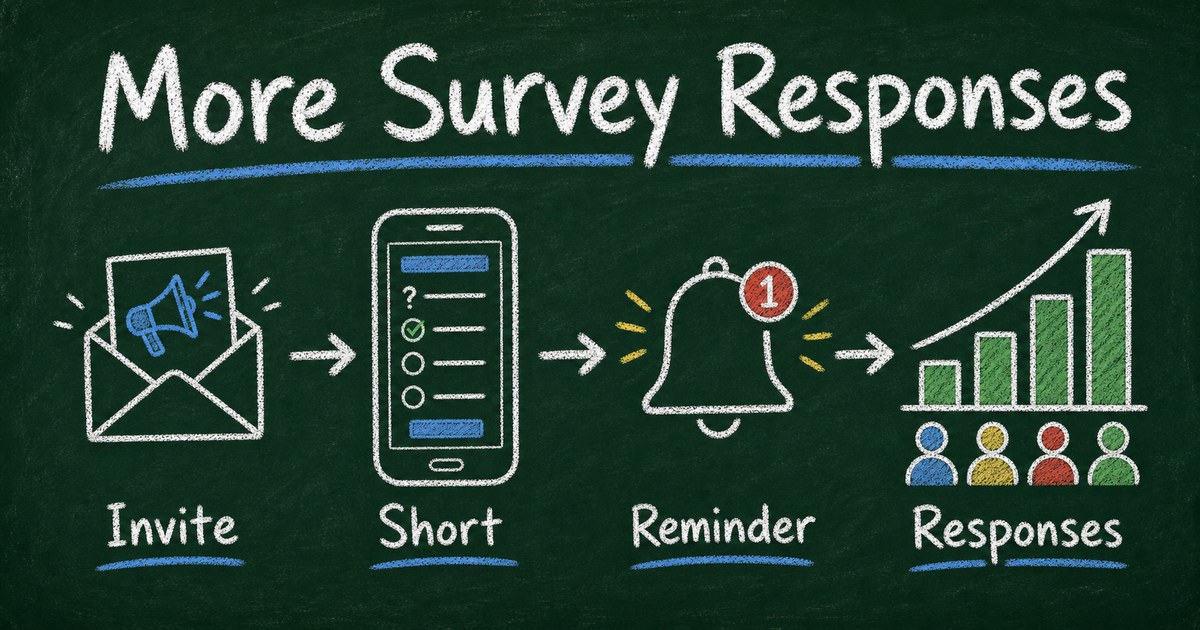
This guide shows how to get more responses to your survey by improving the promise, length, distribution, reminders, and post-survey loop without making the survey feel pushy.
TL;DR - Getting more survey responses means reducing the perceived cost of answering and increasing the perceived value of the response.
- Lead with the promise - tell people why the survey exists and what will change because of it.
- Shorten the path - most everyday surveys should take 2 to 5 minutes, not 15.
- Match the channel - email, SMS, in-app, QR, and classroom links behave differently.
- Works for: customer feedback, employee pulse surveys, student surveys, event feedback, product research.
- The best long-term response driver is closing the loop: show people what you did with their feedback.
What Is a Good Survey Response Rate?
A survey response rate is the percentage of invited people who complete the survey. If you send a survey to 500 customers and 75 answer, the response rate is 15%.
There is no universal “good” response rate because channel and relationship matter. A required classroom survey can get near-total completion. A cold email survey may get very little. A post-purchase customer survey sent at the right moment can outperform a generic newsletter link.
Use response rate as a diagnostic, not a trophy. The real question is whether the responses are enough, representative enough, and specific enough to support the decision you need to make. For a deeper analysis workflow after responses arrive, see how to analyze survey results.
Why People Are Not Answering Your Survey
Most ignored surveys fail one of five tests:
| Test | What the respondent thinks |
|---|---|
| Relevance | ”Is this actually for me?” |
| Trust | ”Will my answer be used fairly?” |
| Effort | ”How long will this take?” |
| Timing | ”Do I have context right now?” |
| Payoff | ”Will anything change if I answer?” |
The Payoff test is the most overlooked. People are more willing to answer when they believe their response will matter. “Help us improve” is weak because it is generic. “Help us choose the next workshop topic” is stronger because the decision is visible.
We use a one-sentence planning rule before creating surveys in FormHug: After reading the responses, we will decide _____. If you cannot complete that sentence, the survey is not ready to send.
The Response Rate Stack
Use the Response Rate Stack to diagnose what to fix first:
| Layer | Fix |
|---|---|
| Audience | Send only to people who can answer well |
| Promise | Explain the decision their answer influences |
| Length | Keep the survey short enough to finish now |
| Channel | Put the link where attention already is |
| Reminder | Follow up once or twice without nagging |
| Loop | Share what changed after responses arrive |
Most teams start with incentives, but incentives are a later layer. A $10 gift card cannot rescue a survey that looks irrelevant, long, and unclear.
How Long Should the Survey Be?
For most customer, event, employee, and student feedback surveys, use 5 to 8 questions. That gives you enough room for a segment question, one rating, two to four structured questions, and one open-ended follow-up.
If the survey must be longer, tell people the time estimate before they start. Survey research consistently finds that length affects completion and data quality; a long questionnaire increases fatigue, breakoff, and low-effort answers.
Use this practical length guide:
| Survey type | Target length |
|---|---|
| One-click pulse | 1 to 3 questions |
| Event feedback | 4 to 6 questions |
| Customer satisfaction | 5 to 8 questions |
| Product research | 7 to 12 questions |
| Employee engagement | 10 to 20 questions, only with a clear purpose |
If your survey is drifting past 12 questions, read how many questions should a survey have and cut anything that does not support the decision.
Improve the Invitation Before the Questions
The invite decides whether people click. Write it like a small promise, not an announcement.
Weak:
Please complete our customer feedback survey.
Stronger:
We are choosing which onboarding step to improve next. Can you answer 6 questions? It takes about 3 minutes, and we will share the changes next week.
The stronger version works because it includes:
- The decision
- The length
- The audience’s role
- The follow-up promise
For email surveys, put the first question or the decision in the subject line. For QR surveys at events, put the benefit next to the code. For in-app or embedded surveys, make the first screen short enough that answering feels easier than dismissing.
Pick the Right Distribution Channel
The same survey can perform differently depending on where it appears.
| Channel | Best for | Watch out for |
|---|---|---|
| Customers, alumni, employees | Inbox fatigue | |
| SMS | urgent, short, high-intent surveys | consent and privacy expectations |
| In-app | product feedback after behavior | interrupting the task |
| QR code | events, classrooms, retail, workshops | poor signage or weak context |
| Embedded page | website feedback or gated resources | low traffic pages |
FormHug surveys can be shared as links, embedded forms, or QR-code-friendly destinations. If you are creating from scratch, start with free survey maker to compare sharing options.
Use Reminders Without Burning Trust
One reminder often helps. Three reminders can feel like pressure.
Use this reminder pattern:
| Reminder | Timing | Message |
|---|---|---|
| First invite | when context is fresh | decision + time estimate |
| Reminder 1 | 2 to 4 days later | short nudge + deadline |
| Reminder 2 | near deadline, optional | final chance + what changes next |
Never imply someone is obligated unless they are. If the survey is anonymous, do not send reminders that make anonymity feel questionable. If you know who has responded, say “we are following up with people who have not completed it yet” only when that is true and appropriate.
How to Build a Higher-Response Survey in FormHug
Step 1: Write the decision sentence
Before opening a builder, write:
After reading the responses, we will decide _____.
Examples:
- Which feature to prioritize in the next sprint.
- Which workshop topic to repeat.
- Which onboarding step needs clearer guidance.
- Whether customers prefer lower price, faster delivery, or more support.
Step 2: Generate a short first draft
Use FormHug AI with a constraint:
Create a 6-question customer feedback survey that helps us choose which onboarding step to improve next. Include one rating, three multiple choice questions, one yes/no question, and one open-ended follow-up.
Then remove anything not tied to the decision. In our testing, the best drafts became stronger after cutting 20 to 30% of the generated questions.
Step 3: Add one relevant follow-up with logic
Do not ask everyone every follow-up. If someone gives a low rating, ask what went wrong. If someone chooses “pricing,” ask what felt unclear. If someone chooses “support,” ask where they got stuck.
Conditional logic makes a survey feel shorter because each respondent sees only the questions that matter. For the full pattern, read conditional logic forms.
Step 4: Publish, remind, and close the loop
Publish the survey as a link, embed, or QR destination. Send one reminder. Then share what changed.
Closing the loop is not just polite. It trains your audience that answering your next survey is worth the time.
Frequently Asked Questions
How do I get more people to answer my survey?
Make the survey shorter, explain the decision their answers will influence, send it through the right channel, include a realistic time estimate, and follow up once with a clear deadline.
Why are people not answering my survey?
People skip surveys when they seem too long, irrelevant, poorly timed, or unlikely to change anything. Fix the promise first: tell respondents what their feedback will help decide.
Do incentives increase survey response rates?
Incentives can help, especially for harder-to-reach audiences, but they are not the first fix. A relevant, short, well-timed survey usually improves response quality more than a reward attached to a weak survey.
What is the best time to send a survey?
Send the survey when the experience is still fresh. Event feedback works best within 24 to 48 hours. Product feedback works well after a meaningful action. Employee pulse surveys need predictable timing and a clear purpose.
How many reminders should I send for a survey?
Send one reminder by default and a second only when the survey is important, the audience expects it, or there is a clear deadline. More reminders can increase volume but may reduce goodwill.
Should my survey be anonymous?
Use anonymity when identity would reduce honesty, such as employee culture, classroom climate, or sensitive feedback. If follow-up is more important than candor, ask for contact details but explain how they will be used.
Is FormHug free for surveys?
Yes. You can create surveys with FormHug AI, publish them as shareable links, and collect responses on the free plan.
Related
- Free Survey Maker: Create an Online Survey People Actually Complete - choose a practical survey workflow before sending
- How to Analyze Survey Results - turn responses into decisions after collection
- Anonymous Survey: How to Collect Honest Feedback - use anonymity when trust is the response-rate blocker
Every ignored survey costs you twice: you lose the answer, and you train people to ignore the next request. Make the survey shorter, clearer, and easier to trust. Create your survey →

Written by
FormHug TeamProduct, research, and form automation team
The FormHug Team brings together product builders, workflow researchers, and form automation practitioners who study how people collect, route, and act on information online. Our guides are based on hands-on product testing, template analysis, customer workflow patterns, and deep experience with forms, surveys, quizzes, AI-assisted creation, integrations, and results sharing.