How Many Questions Should a Survey Have?
Start collecting responses
Turn this into a shareable survey
Draft the questions, publish a clean link, and keep every response organized in FormHug.
The honest answer is shorter than your first draft. Most surveys start as a wish list: ask about satisfaction, preferences, demographics, pricing, product ideas, support, and “anything else.” By question 18, the survey is no longer a request. It is homework.
Survey length affects more than completion rate. It affects who answers, how carefully they answer, and whether the final responses are useful. A short survey with one clear decision can beat a long survey that collects more data but produces no action.
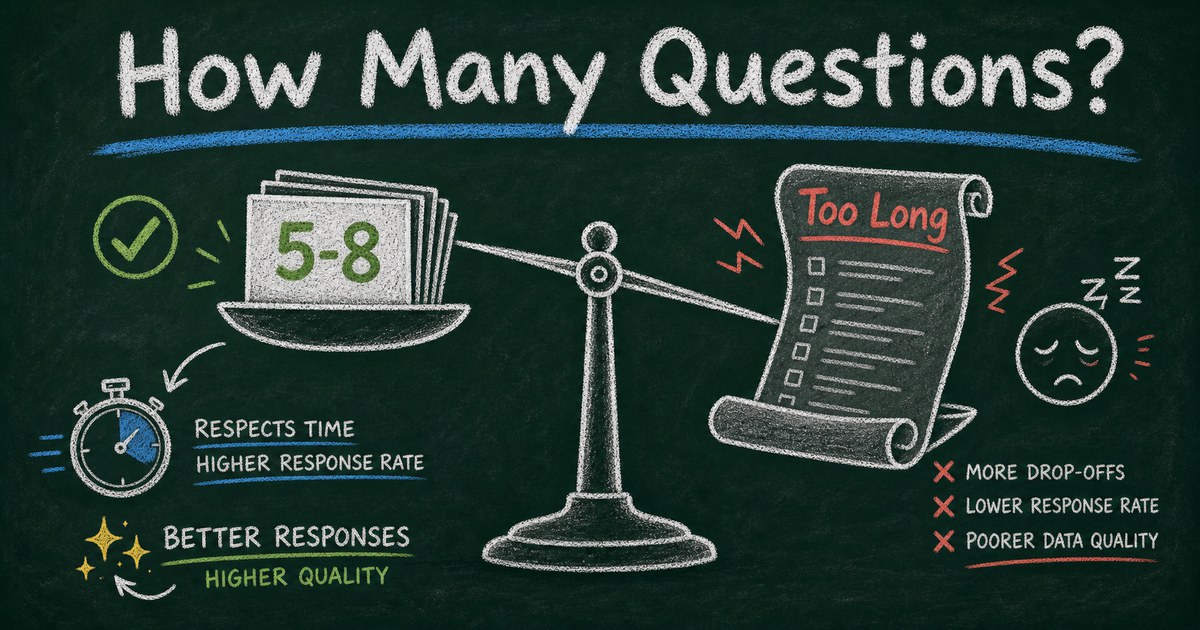
So how many questions should a survey have? For most everyday surveys, use 5 to 8 questions. For pulse surveys, use 1 to 3. For serious research, use as many as the decision truly requires, but design around completion time and cognitive load, not question count alone.
TL;DR - A survey should have the fewest questions needed to support one clear decision.
- Default to 5 to 8 questions - enough for a segment, rating, structured answers, and one open text follow-up.
- Use 1 to 3 for pulse surveys - recurring surveys work because they are easy to answer now.
- Measure time, not only count - ten easy multiple-choice questions can feel shorter than three difficult open-ended prompts.
- Works for: customer feedback, employee pulse surveys, student surveys, event feedback, market research, product research.
- Cut every question that does not change what you will do next.
What Is the Ideal Survey Length?
The ideal survey length depends on purpose, relationship, and stakes. A student in class, an employee in a scheduled pulse survey, and a cold website visitor do not have the same patience.
Use this as a starting point:
| Survey type | Recommended questions | Target time |
|---|---|---|
| One-question poll | 1 | under 30 seconds |
| Pulse survey | 1 to 3 | under 1 minute |
| Event feedback | 4 to 6 | 2 minutes |
| Customer satisfaction | 5 to 8 | 2 to 4 minutes |
| Product feedback | 7 to 12 | 3 to 6 minutes |
| Employee engagement | 10 to 20 | 5 to 10 minutes |
| Academic or market research | varies | explain the time clearly |
If you need one answer, use a free poll maker. If you need a broader decision, use a survey. If you need structured intake or registration data, use a form.
The Question Budget Framework
Before writing questions, create a budget. Every question must buy one decision.
Use the Question Budget Framework:
| Question role | How many | Example |
|---|---|---|
| Segment | 1 | Which plan are you on? |
| Core rating | 1 | How satisfied are you? |
| Reason | 1 | What drove your rating? |
| Choice or priority | 2 to 4 | Which feature matters most? |
| Open-ended insight | 1 | What should we improve first? |
| Optional contact | 0 to 1 | May we follow up? |
That gets most practical surveys to 5 to 8 questions. The structure works because it collects context, signal, and explanation without asking respondents to become analysts.
We use this inside FormHug when drafting surveys with AI: ask for the role count, not just “make a survey.” A prompt like “Create a 7-question survey with one segment question, one rating, three priority questions, one open-ended follow-up, and optional contact” produces a cleaner first draft.
Why Too Many Survey Questions Hurt Results
Long surveys create three problems:
| Problem | What happens |
|---|---|
| Breakoff | People abandon before finishing |
| Satisficing | People choose easy answers instead of careful ones |
| Bias | Only the most motivated people complete it |
Survey methodology research has long shown that questionnaire length can reduce response rates and data quality. The exact number varies by audience and channel, but the practical lesson is stable: each additional question must earn its place.
The hidden cost is bias. If only your happiest, angriest, or most available respondents complete a long survey, the results can look decisive while quietly excluding everyone else.
Count Effort, Not Just Questions
Question count is a rough measure. Effort is the real one.
These two surveys both have five questions:
| Survey A | Survey B |
|---|---|
| Four multiple-choice questions and one comment | Five open-ended reflection prompts |
| 2 minutes | 10 minutes |
| Easy on mobile | Hard on mobile |
| High completion likelihood | Lower completion likelihood |
Use a friction score before publishing:
- Multiple choice: low effort
- Yes/no: low effort
- Rating scale: low effort
- Ranking: medium effort
- Matrix table: medium to high effort
- Open text: high effort
- File upload: high effort
- Demographics: trust-sensitive effort
If a survey has several high-effort questions, shorten the total count.
How Many Questions by Use Case
Customer feedback survey
Use 5 to 8 questions. Ask who they are, how satisfied they are, what worked, what did not, and what to improve first. For question examples, see customer satisfaction survey questions.
Event feedback survey
Use 4 to 6 questions. Ask overall rating, favorite part, weakest part, likelihood to attend again, and topic suggestions. Send it within 24 to 48 hours.
Employee pulse survey
Use 1 to 3 questions if recurring. Ask about workload, clarity, morale, or one theme at a time. Longer engagement surveys can work quarterly or annually, but the promise must be clear.
Market research survey
Use 7 to 12 questions for early product research. Start with screening, then behavior, preference, purchase intent, pricing comfort, and one open-ended reason. For examples, use market research survey questions.
Student survey
Use 5 to 10 questions depending on age and context. Shorter recurring surveys often produce better teaching feedback than one long end-of-term form. See the student perception survey guide for classroom-specific structure.
How to Shorten a Survey Without Losing Signal
Cut in this order:
- Remove questions you will not act on.
- Combine duplicate questions that measure the same thing.
- Move demographic questions to the end or remove them.
- Replace open text with multiple choice plus one optional “Other.”
- Use conditional logic so follow-ups appear only when relevant.
- Split one long survey into two shorter surveys sent at different moments.
The most useful cut is the action test:
If every respondent answered this question the same way, what would we do differently?
If the answer is “nothing,” cut it.
How to Build the Right-Length Survey in FormHug
Step 1: Define the decision
Write the sentence:
After reading the responses, we will decide _____.
This protects the survey from question creep.
Step 2: Generate with a question budget
Ask FormHug AI for a constrained survey:
Create a 6-question event feedback survey. Include one overall rating, one favorite part question, one improvement question, one likelihood-to-return question, one topic preference question, and one optional comment.
Step 3: Use logic to keep the path short
If someone gives a low rating, ask what went wrong. If someone gives a high rating, ask what to repeat. Do not show both follow-ups to everyone.
Step 4: Test on mobile
Take the survey on your phone. If the first screen feels long, your respondents will feel it too. In our testing, the quickest improvements came from moving optional demographic fields to the end and replacing two open-text questions with structured choices.
For the broader launch workflow, read how to get more survey responses.
Frequently Asked Questions
How many questions is too many for a survey?
For most everyday surveys, more than 10 to 12 questions starts to feel long unless the audience is highly motivated. For recurring pulse surveys, more than 3 questions is usually too many.
How many questions should a customer satisfaction survey have?
Use 5 to 8 questions: one segment question, one satisfaction rating, two to four structured follow-ups, and one open-ended improvement question.
Is a 20-question survey too long?
A 20-question survey can work for employee engagement, academic research, or high-stakes feedback when the audience expects it. It is too long for casual customer feedback, event feedback, or a website pop-up survey.
Should I ask demographic questions in a survey?
Only ask demographic questions you will use responsibly. Put them near the end, make sensitive questions optional, and avoid collecting identifying details when anonymity matters.
What is better: fewer questions or more detailed answers?
Fewer focused questions usually beat more unfocused questions. If you need detail, ask one strong open-ended follow-up after a structured question rather than adding several broad text prompts.
Can FormHug help me create a short survey?
Yes. You can ask FormHug AI to create a survey with a specific question count, question roles, audience, and goal, then edit the draft before publishing.
Related
- How to Get More Responses to Your Survey - improve completion with timing, copy, reminders, and follow-up
- Free Survey Maker: Create an Online Survey People Actually Complete - build and share a practical survey
- How to Write Survey Questions That Work - choose question types that match your decision
Every extra survey question spends a little more of your respondent’s attention. Spend it only where the answer changes what you do next. Create your survey →

Written by
FormHug TeamProduct, research, and form automation team
The FormHug Team brings together product builders, workflow researchers, and form automation practitioners who study how people collect, route, and act on information online. Our guides are based on hands-on product testing, template analysis, customer workflow patterns, and deep experience with forms, surveys, quizzes, AI-assisted creation, integrations, and results sharing.