FormHug vs Qualtrics (2026): The Best Free Qualtrics Alternative
Start collecting responses
Turn this into a shareable survey
Draft the questions, publish a clean link, and keep every response organized in FormHug.
Qualtrics is one of the most powerful experience management platforms on the market. It’s also one of the most expensive, most complex, and most over-engineered tools you’ll encounter if your actual need is collecting user feedback with a survey.
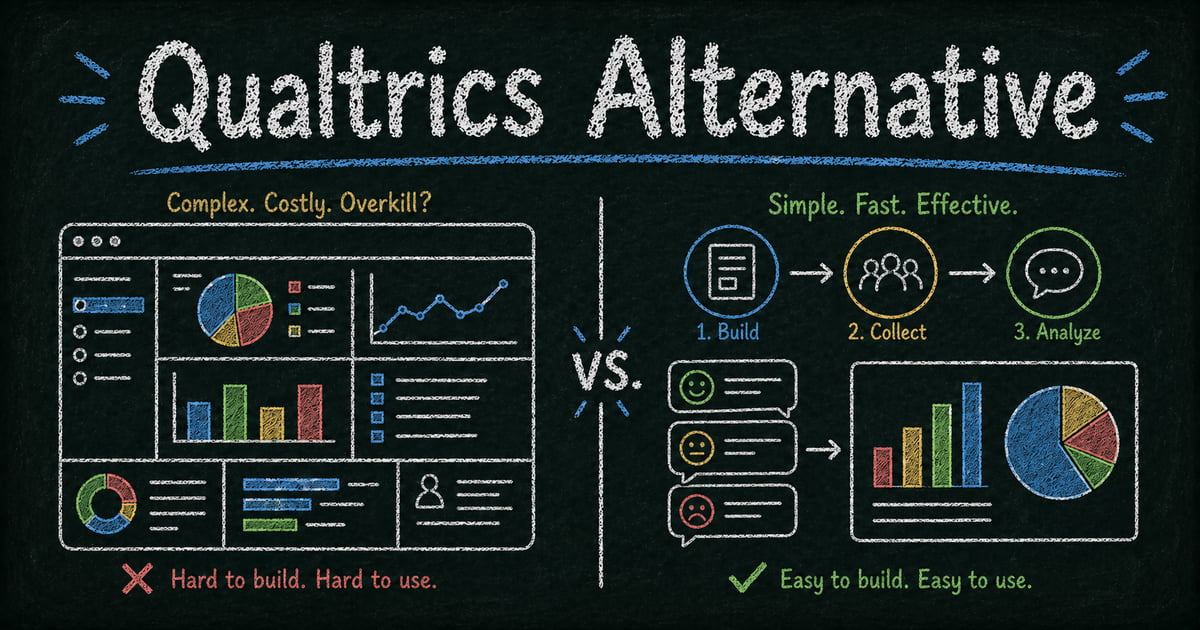
For the teams it was designed for — enterprise CX programs, large-scale academic research, multi-department experience management — Qualtrics earns its price. But for product managers, UX researchers, and marketing teams at small and mid-size companies who just need a clean survey that goes out today and collects real answers? Qualtrics is overkill by a wide margin — and that’s precisely why so many teams end up searching for a Qualtrics alternative.
This post is for that second group: people who’ve hit the Qualtrics pricing page, realized it wasn’t designed for them, and are now looking for something simpler, faster, and free. Here’s how FormHug compares — and who each tool is actually for. For teams mostly replacing survey workflows, FormHug’s survey maker page is the closest product-level overview.
Why People Look for a Qualtrics Alternative
Qualtrics started as an academic research tool and grew into an enterprise platform for managing customer, employee, product, and brand experience at scale. That scope is reflected in everything about it: the feature set, the sales process, the contract structure, and the price.
If you’re a team of five trying to survey your users about a new feature, Qualtrics requires you to go through enterprise sales, sign a contract, and pay for capabilities you’ll never use — advanced statistical analysis, experience dashboards, organizational benchmarking, complex panel management. The tool is optimized for CX directors at Fortune 500 companies, not for a UX researcher at a 30-person startup.
The specific frustrations are usually one of three things: the cost is prohibitive, the UI takes days to learn, or teams realize they don’t need 90% of what they’re paying for. A basic form and survey tool is completely sufficient for most feedback collection needs — and those are free.
TL;DR: FormHug vs Qualtrics at a Glance
| Feature | FormHug | Qualtrics |
|---|---|---|
| Free plan | ✅ Generous free tier | ❌ Enterprise pricing only |
| Setup time | ✅ Form in under 2 minutes | ❌ Days to onboard |
| AI form generation | ✅ Describe it, get a form | ❌ Manual field-by-field |
| Target users | ✅ Small to mid-size teams | ❌ Enterprise / research orgs |
| Conditional logic | ✅ Included on free plan | ✅ Advanced branching |
| Results sharing / Public Query | ✅ Built-in lookup pages | ❌ Not available |
| Academic / enterprise research | ❌ Not the right tool | ✅ Industry standard |
| MCP / AI agent integration | ✅ Native MCP support | ❌ Not available |
What Is Qualtrics?
Qualtrics is an enterprise experience management (XM) platform headquartered in Provo, Utah. It was acquired by SAP in 2019 and taken public again in 2021. The platform covers four main experience categories — customer experience, employee experience, product experience, and brand experience — and is used primarily by large organizations running structured research and feedback programs.
Qualtrics is genuinely the best tool on the market for large-scale survey research: its statistical analysis capabilities, sampling tools, and research panel access are unmatched. Many universities provide Qualtrics licenses to faculty and students specifically because the academic research features are that good.
The catch: Qualtrics doesn’t publish pricing. You have to contact sales. For most teams, that’s already a signal that the budget required is not small.
What Is FormHug?
FormHug is an AI-powered form and survey builder designed for small and mid-size teams that need to collect information quickly without complexity or cost. You describe what you want, and FormHug’s AI generates a complete form — fields, logic, and structure — ready to publish.
Where FormHug stands apart from most form builders is in what happens after submission. The Public Query feature lets you build shareable lookup pages from your form data — respondents or event participants can look up their own results, scores, or registration details by entering their name or ID. Qualtrics has no equivalent for this use case.
FormHug also supports MCP (Model Context Protocol), which means AI agents like Claude or Cursor can create and manage forms directly — useful for teams that are building AI-assisted workflows.
Feature-by-Feature Comparison
Pricing and access
FormHug has a free plan with no response caps and no time limit. You can build, publish, and collect unlimited submissions without a credit card. Paid plans exist for additional features, but the free tier covers the core use case for most small teams.
Qualtrics is enterprise-priced. There is no self-serve free tier for business use. Academic users at partner institutions can access a free license through their institution, which is the most common way individuals use Qualtrics without paying.
Verdict: FormHug is free to use for teams of any size. Qualtrics requires a sales conversation and a contract.
Setup and ease of use
Building a form in FormHug takes about two minutes: open the editor, describe what you need in plain language (“a 5-question user satisfaction survey with a Net Promoter Score question at the end”), and the AI generates the complete form. You review, adjust, and publish.
Qualtrics has a substantial learning curve. First-time users typically spend hours getting oriented before they can build a survey confidently. The platform has a wide interface with many tabs, panels, and configuration options that aren’t intuitive without training.
Verdict: FormHug is meaningfully faster to use, especially for teams who don’t have dedicated research operations staff.
Survey and form features
Both tools cover the core survey field types: single choice, multiple choice, text, rating scales, NPS, matrix/grid questions, file upload, and date fields. Qualtrics has a broader set of advanced field types designed for research (conjoint analysis, MaxDiff, heatmaps).
FormHug includes conditional logic on its free plan — fields show or hide based on previous answers. Qualtrics has more advanced branching and display logic, including complex skip patterns used in academic research instruments.
Verdict: For standard feedback surveys and intake forms, FormHug covers everything you need. For advanced research instruments with complex branching, Qualtrics is more capable.
Results and data access
FormHug provides a real-time results dashboard, CSV/spreadsheet export, and the Public Query feature for building respondent-facing lookup pages. Results are immediately accessible after each submission.
Qualtrics has significantly more powerful analysis tools: cross-tabulation, statistical significance testing, trend analysis, text analytics for open-ended responses, and integration with Qualtrics XM’s broader reporting infrastructure. For professional researchers, this is where Qualtrics genuinely earns its price.
Verdict: FormHug is better for teams that need to review responses and share data. Qualtrics is better for teams that need to run statistical analysis on large datasets.
Integrations
FormHug supports Zapier and webhook integrations, plus native MCP support for AI agent workflows. Qualtrics has a wider range of enterprise integrations (Salesforce, Marketo, ServiceNow, SAP) and an API.
Verdict: For standard workflow integrations, both tools are sufficient. For enterprise system integrations, Qualtrics has more connectors.
Pricing Comparison
| Plan | FormHug | Qualtrics |
|---|---|---|
| Free | ✅ Unlimited responses | ❌ Not available for businesses |
| Paid (individual) | Low monthly cost | Not available — enterprise contracts only |
| Enterprise | Custom | Custom (typically $1,500–$5,000+/year per user) |
| Academic | N/A | Free via institution license |
Who Should Switch to FormHug?
- Product and UX researchers at startups and mid-size companies who need to collect user feedback quickly without enterprise procurement overhead
- Marketing and operations teams running internal or customer surveys who don’t need Qualtrics’ statistical analysis capabilities
- Event organizers and educators who need to share results or scores with participants via a lookup page — a use case Qualtrics doesn’t support
- Teams building AI-assisted workflows where forms need to be created or managed by AI agents via MCP
- Anyone on a budget who needs survey functionality without a sales contract
Who Should Stay on Qualtrics?
- Enterprise CX and VoC programs managing large-scale, multi-channel experience measurement across an organization
- Academic researchers at institutions with a Qualtrics license, who need conjoint analysis, MaxDiff, panel management, or IRB-compliant data collection
- Organizations with enterprise compliance requirements — if your data residency, SSO, or audit requirements demand Qualtrics-level enterprise certifications, FormHug is not the right fit
- Anyone already trained on Qualtrics with a working workflow — switching tools has a real cost, and Qualtrics is genuinely excellent for the use cases it’s designed for
Final Verdict
Qualtrics is not a bad tool. It’s a wrong-sized tool for most of the teams searching for an alternative.
If your need is collecting feedback, running surveys, or building forms for a product team, marketing campaign, or internal operations, FormHug gives you everything you need — AI-generated forms, conditional logic, results dashboards, shareable lookup pages — without a sales call, a contract, or a monthly bill.
If you’re running enterprise-scale experience management programs, Qualtrics is still the industry standard and worth the investment. But for the majority of teams that end up on Qualtrics’ pricing page and immediately close the tab, FormHug is the practical alternative.
Frequently Asked Questions
Is there a free alternative to Qualtrics?
Yes. FormHug is a free AI-powered form and survey builder with no response limits on the free plan. It covers the core survey use cases — conditional logic, multiple question types, results export — that most teams actually need from Qualtrics. Academic users can also access Qualtrics for free through institution licenses, though this isn’t available outside of partner universities.
Can FormHug replace Qualtrics for user research?
For most product and UX research tasks — user satisfaction surveys, NPS, usability feedback, onboarding surveys — yes. If your research requires advanced statistical analysis, conjoint studies, or panel management, Qualtrics is still the more capable tool.
What are the main differences between FormHug and Qualtrics?
FormHug is free, AI-powered, and designed for small and mid-size teams that need to create surveys quickly without complexity. Qualtrics is an enterprise platform with advanced research capabilities, built for organizations managing large-scale experience programs. The main practical differences are cost, setup time, and feature depth.
Does FormHug have conditional logic like Qualtrics?
Yes — conditional logic (show/hide fields based on previous answers) is included in FormHug’s free plan. Qualtrics has more advanced branching options for complex research instruments, but FormHug’s conditional logic covers the use cases most teams actually need.
How do I migrate from Qualtrics to FormHug?
You don’t need to migrate data — start by recreating your most-used survey in FormHug using the AI builder. Describe the survey in plain language and FormHug generates the structure. For active surveys with existing response data, export your Qualtrics data as CSV before closing your account.
Related
- Best AI Form Builders in 2026 — how FormHug compares to Typeform, Jotform, Tally, and others
- FormHug vs Google Forms — for teams evaluating the free Google Workspace option
- How to Use Conditional Logic in Forms — the key feature most Qualtrics users need from a simpler tool

Written by
FormHug TeamProduct, research, and form automation team
The FormHug Team brings together product builders, workflow researchers, and form automation practitioners who study how people collect, route, and act on information online. Our guides are based on hands-on product testing, template analysis, customer workflow patterns, and deep experience with forms, surveys, quizzes, AI-assisted creation, integrations, and results sharing.