Employee Training Quiz: Questions, Scoring, Certificates, and Templates
Create the assessment
Turn this into a scored assessment
Build an assessment with scoring, result pages, feedback, and records you can review later.
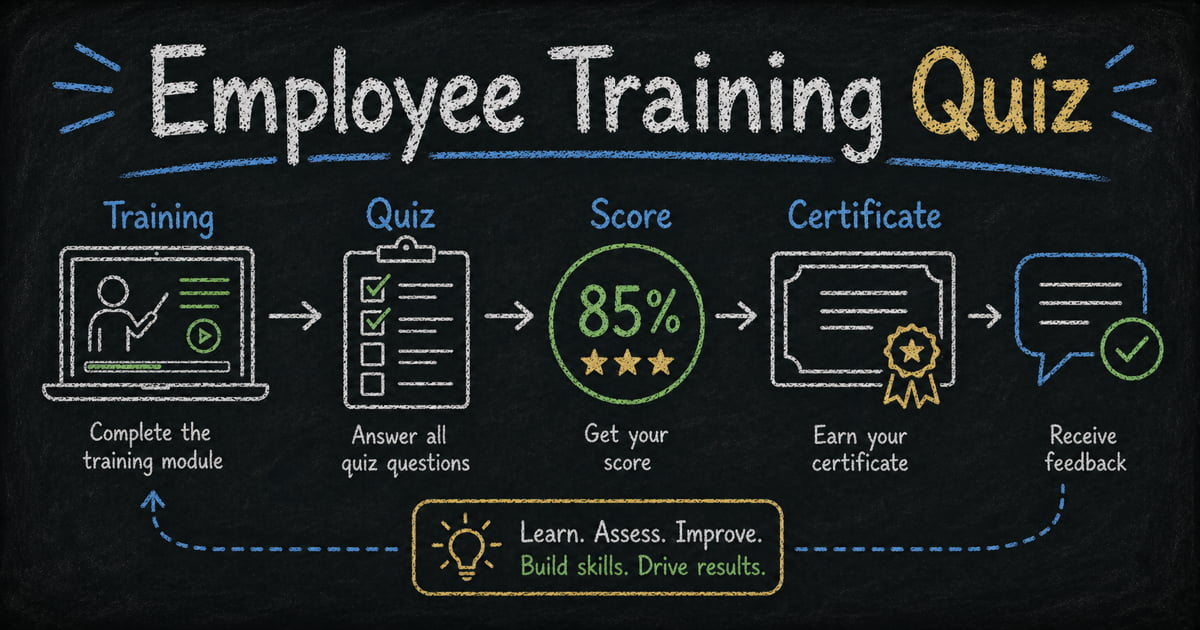
An employee training quiz should do more than prove someone clicked through a module. It should show whether they understood the material, where they need review, and whether they can apply the rule in a realistic work situation.
That means the quiz needs better questions than “Did you read the policy?” It needs scenarios, answer explanations, score-based feedback, and sometimes a certificate or completion record.
This guide explains what to include in an employee training quiz, gives question examples, and shows how to build one in FormHug with automatic scoring and results.
TL;DR - An employee training quiz is a scored knowledge check used after onboarding, compliance, product training, or internal workshops.
- Use scenario questions - realistic workplace situations test application better than memorized definitions.
- Explain answers - employees should know why the correct answer is right.
- Add proof when needed - certificates or pass/fail results matter for compliance and required training.
- Works for: onboarding, data privacy, security awareness, product knowledge, customer support, sales enablement, and compliance training.
- FormHug can generate training quiz questions with AI, score answers automatically, and show certificates for passing scores.
What Is an Employee Training Quiz?
An employee training quiz is a short scored assessment used to check whether employees understood training material. It is commonly used after onboarding modules, compliance refreshers, security training, product training, or internal enablement sessions.
The best training quizzes are not long exams. They usually have 5 to 15 questions, automatic scoring, answer explanations, and a clear result.
Use a training quiz when you need to know:
- Did employees understand the policy?
- Can they apply the process in a real situation?
- Which topics need reinforcement?
- Who completed and passed the training?
- What should the next training session cover?
What to Include in an Employee Training Quiz
Scenario questions
Scenario questions test judgment.
Example:
A customer asks you to send a spreadsheet that includes personal data. What should you do first?
- Send the file because the customer requested it
- Remove unnecessary personal data and follow the approved sharing process
- Upload the file to any convenient tool
- Ask a teammate to send it instead
Correct answer: Remove unnecessary personal data and follow the approved sharing process.
Multiple choice and true/false questions
Use multiple choice for decisions and true/false for simple claims. Mix both formats so the quiz is not too guessable.
For question design, see multiple choice quiz questions and true or false quiz questions.
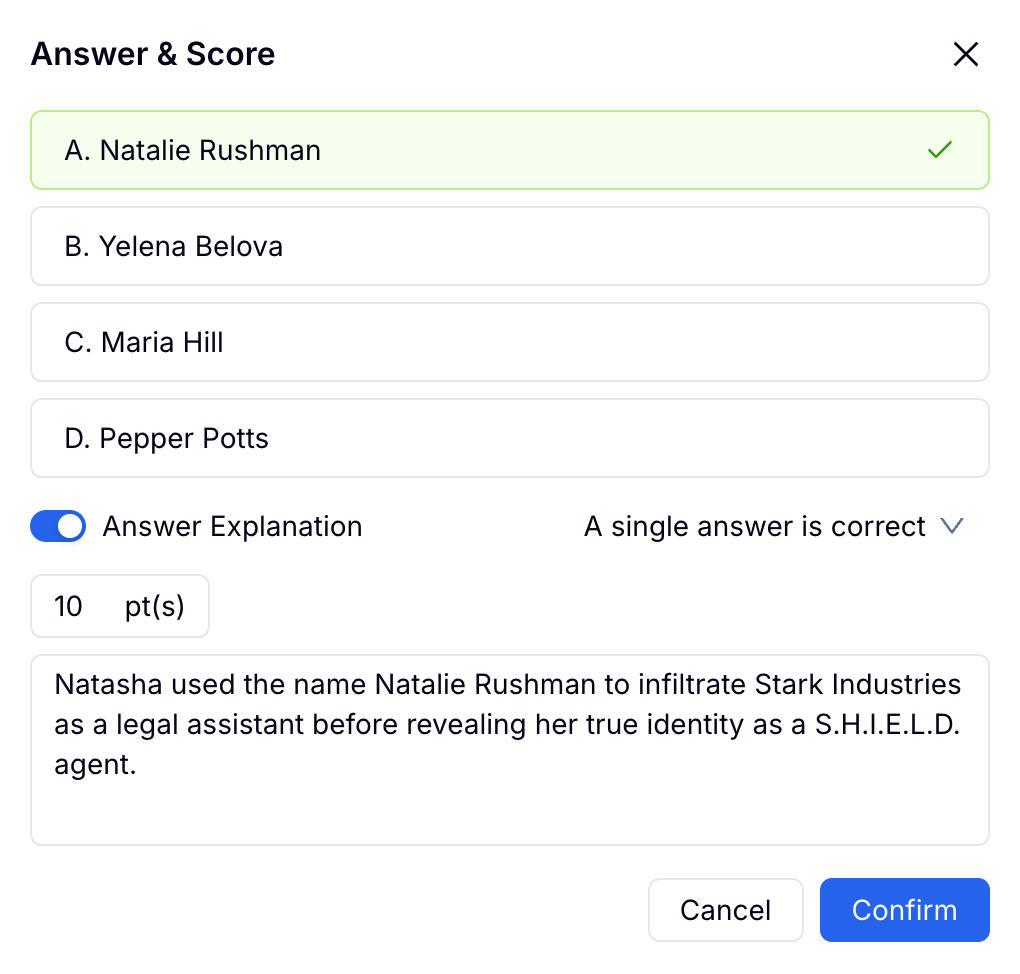
Answer explanations
Every training quiz should explain answers after submission. The explanation should reinforce the rule and correct the likely misconception.
Weak explanation: “Correct.”
Better explanation: “Customer data should be minimized before sharing. Removing unnecessary fields reduces risk and follows the approved sharing process.”
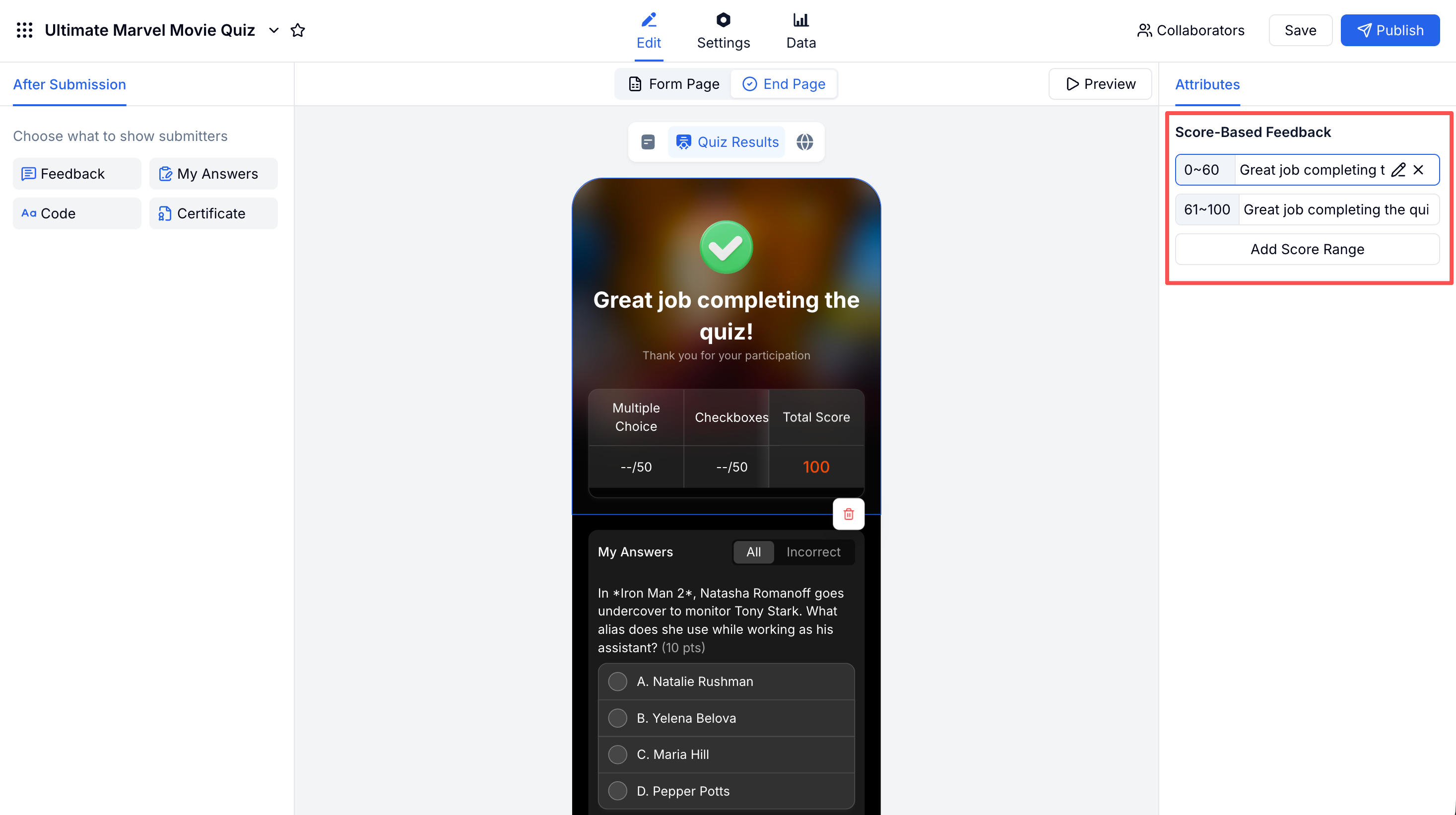
Score-based feedback
Score ranges help the result feel useful.
| Score range | Feedback |
|---|---|
| 0-59% | Review the training and retake the quiz |
| 60-79% | Good start, but review the missed topics |
| 80-100% | Passed and ready to apply the material |
Certificate or completion record
Use certificates when the training is required, auditable, or tied to compliance. Skip certificates for lightweight practice quizzes.
Employee Training Quiz Question Examples
Onboarding quiz questions
- Which system should you use to find the latest process documentation?
- What should you do if you are unsure who owns a task?
- Which communication channel should be used for urgent customer issues?
- What information belongs in a project handoff?
- Which action best follows the company escalation process?
- What should you complete before your first customer call?
- Which example shows a clear status update?
- What is the best first step when access is missing?
Compliance quiz questions
- Which data should be removed before sharing a report externally?
- What should you do if you suspect a phishing email?
- When should an incident be reported?
- Which password practice is unsafe?
- What information should not be pasted into an unapproved AI tool?
- Which vendor-sharing example follows policy?
- What does data minimization mean?
- When should access be removed?
Customer support quiz questions
- Which response best acknowledges the customer’s issue?
- What information is required before escalating a bug report?
- Which tone is most appropriate for a frustrated customer?
- What should you do before promising a timeline?
- Which internal note is most useful for the next teammate?
- What is the correct first step for a billing complaint?
- Which message avoids blaming the customer?
- What should be included in a resolution summary?
Sales and product training questions
- Which customer need indicates the strongest fit for this product?
- Which feature should be mentioned for this use case?
- What question should you ask before recommending a plan?
- Which objection should be handled with a product demo?
- Which competitor comparison is most accurate?
- What is the next step after a qualified demo request?
- Which product limitation should be explained honestly?
- Which customer is not a good fit?
How to Build an Employee Training Quiz in FormHug
Step 1: Define the training objective
Write one sentence: “Employees should be able to…” For example, “Employees should be able to identify and report phishing attempts.” This keeps the quiz focused.
Step 2: Generate the quiz with AI
Open the FormHug quiz maker and prompt: “Create a 12-question employee security awareness quiz with multiple choice, true/false, scenario questions, correct answers, explanations, and a passing score of 80%.” If you want examples before building, browse FormHug quizzes to see how score results and answer feedback feel to participants.
Step 3: Configure scoring and explanations
Set point values, mark correct answers, and write answer explanations. For most training quizzes, equal weighting is fine. Use higher point values only for critical safety or compliance questions.
Step 4: Add results, certificate, and retake guidance
Show score-based feedback and answer review. If a certificate is required, show it only when the passing score is met. If someone fails, tell them exactly what to review before retaking.
For detailed settings, see how to create an online quiz and the FormHug quiz documentation.
Training Quiz Settings by Use Case
| Use case | Questions | Passing score | Certificate | Time limit |
|---|---|---|---|---|
| New hire onboarding | 8-12 | Optional | Optional | No |
| Compliance training | 10-15 | 80% | Yes | Optional |
| Security awareness | 8-12 | 80% | Optional | Optional |
| Product knowledge | 10-15 | 70-80% | No | No |
| Sales enablement | 8-12 | Optional | No | No |
Use stricter settings when the quiz creates an audit trail. Use lighter settings when the goal is practice and reinforcement.
Frequently Asked Questions
What is an employee training quiz?
An employee training quiz is a scored knowledge check used after workplace training. It verifies understanding, reinforces key points, and can provide proof of completion.
How many questions should an employee training quiz include?
Most employee training quizzes should have 5 to 15 questions. Use fewer for a quick knowledge check and more for compliance, onboarding, or product certification.
Should employee training quizzes have certificates?
Use certificates when the training is required, compliance-related, or tied to completion records. For informal learning checks, score feedback is usually enough.
What question types work best for employee training?
Scenario questions, multiple choice questions, and true/false questions work best. Scenario questions are especially useful because they test how employees apply the training.
Can FormHug create employee training quizzes with AI?
Yes. FormHug can generate questions, answer options, correct answers, explanations, scoring, and result feedback from a training topic or outline.
Can employees retake a FormHug training quiz?
Yes. You can share the quiz link again and decide whether retakes are encouraged. For required training, explain the retake policy in the quiz instructions.
Related
- Mini Exam Questions - write focused short exam questions for training and classrooms
- How to Create an Online Quiz - configure scoring, results, certificates, and quiz settings
- How to Share Training Course Results Without a Student Portal - publish individual results privately
- Best AI Quiz Makers in 2026 - compare tools for training, education, and interactive quizzes
Training only counts when people can use it at work. Build the quiz around real decisions, explain every answer, and make the result clear enough to act on. Create your training quiz ->

Written by
FormHug TeamProduct, research, and form automation team
The FormHug Team brings together product builders, workflow researchers, and form automation practitioners who study how people collect, route, and act on information online. Our guides are based on hands-on product testing, template analysis, customer workflow patterns, and deep experience with forms, surveys, quizzes, AI-assisted creation, integrations, and results sharing.