How to Collect Donations Through a Form (Without a Full Fundraising Platform)
Build the paid workflow
Collect payment with the form
Turn the registration, order, booking, or donation flow into a payment-ready FormHug form.
Donation tools often split in two directions: a tip jar that is fast but thin, or a fundraising platform that is powerful but heavy. A school supply drive, creator support page, memorial fund, or small community campaign usually needs something in the middle: a clean form that tells the story, collects the donor’s details, accepts the payment, and keeps the record together.
Donation forms work best when the transaction and the story stay close together. If a supporter has to jump from a flyer to a payment link to a spreadsheet to an email receipt, every extra step creates doubt. If you use a creator marketplace or support platform, you may get a familiar donation surface, but the platform fee and limited form context can be a poor fit for campaigns that need donor notes, consent, receipts, and follow-up in one record.
This guide explains how to collect donations through a form, what fields to include, when a simple Stripe-connected form is enough, and how to build a donation workflow in FormHug. You can also try the live donation demo below before reading the setup details.
TL;DR - A donation form collects donor information and payment in one workflow, usually with suggested amounts, optional comments, consent, and a confirmation receipt.
- Keep the amount choice simple - use 3 to 5 suggested donation amounts plus an optional custom amount.
- Collect only necessary donor details - name, email, amount, and receipt needs are enough for many campaigns.
- Avoid platform fees when you do not need a marketplace - FormHug charges 0% platform fees on paid plans; payment processor fees still apply.
- Works for: nonprofits, school fundraisers, community drives, creator support, mutual aid, event donations, and memorial funds.
- A simple donation form is best when you need a focused campaign, not a full donor CRM.
Try the Live Donation Form
The fastest way to understand a donation form is to try one. This demo uses FormHug’s Price-Only payment field: donors choose a preset amount, enter a custom amount, add a message, and see the selected donation in the order summary before submitting.
Open the donation form in a new tab ->
Use the embedded version as a respondent: choose an amount, try the custom amount path, and notice how little the donor has to understand about products, carts, or checkout pages. That simplicity is the point of Price-Only.
What Is a Donation Form?
A donation form is an online form that collects a contribution from a supporter. It usually includes a donation amount, donor contact details, optional message, payment field, and confirmation message or receipt.
Donation forms are different from general payment forms because the donor is not buying a product. The form needs to reinforce trust: what the money supports, whether the gift is recurring or one-time, whether the organization is a nonprofit, and what confirmation the donor will receive.
If you need a broader payment workflow, read how to create a payment form. If you are collecting membership dues instead of donations, see membership sign-up form with payment.
The Donation Form Stack
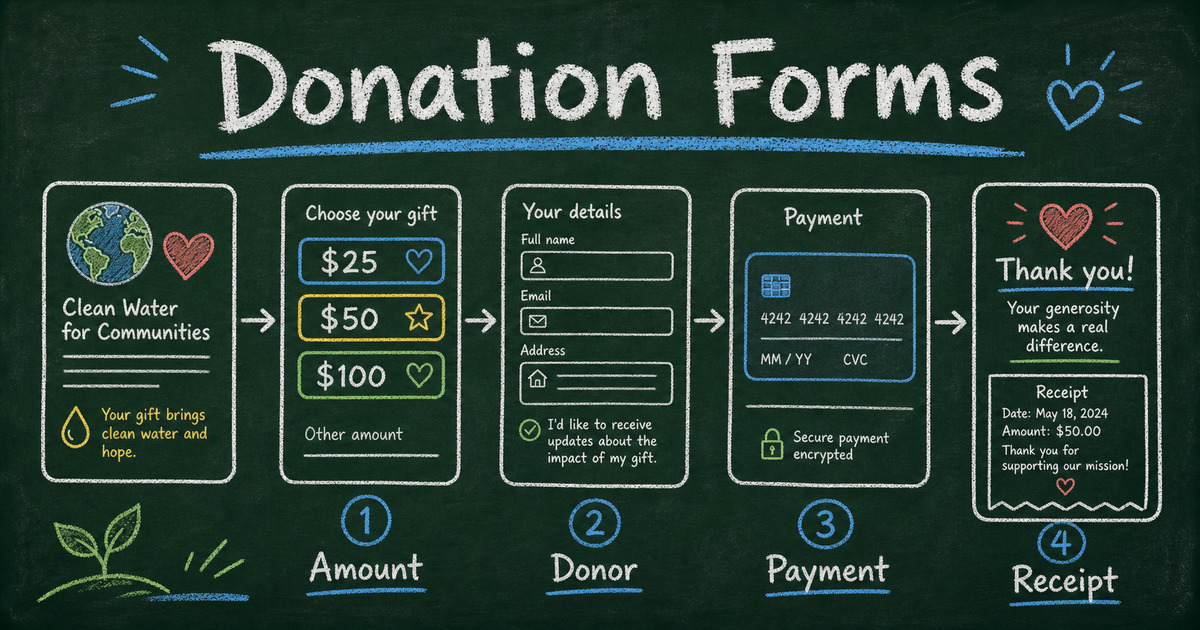
Use the Donation Form Stack to avoid missing the important pieces:
| Layer | Purpose | Example |
|---|---|---|
| Cause | explain why the gift matters | ”Help fund 50 student art kits” |
| Amount | make giving easy | $25, $50, $100, custom |
| Donor | collect receipt details | name and email |
| Payment | process the contribution | Stripe payment field |
| Consent | handle updates and acknowledgments | opt-in checkbox |
| Follow-up | confirm and thank | email receipt or thank-you page |
The stack is intentionally short. Long donor forms often confuse the supporter by mixing donation, volunteer signup, newsletter preferences, and full donor intake in one flow. Keep the donation path clean first, then invite deeper engagement after payment.
What Fields Should a Donation Form Include?
Most simple donation forms need:
- Donation amount
- Donor name
- Email address
- Payment details
- Optional dedication or comment
- Consent to receive updates
- Receipt or confirmation message
For nonprofit or tax-deductible donations, add the fields your organization needs for proper acknowledgment. Requirements vary by country and organization type, so confirm your local rules before promising tax treatment.
Avoid asking for phone number, mailing address, employer, demographic details, or volunteer preferences unless they are truly needed. Every extra field makes a supporter pause.
Suggested Donation Amounts
Suggested amounts help donors decide quickly. Use 3 to 5 options:
| Campaign type | Suggested amounts |
|---|---|
| School supply drive | $10, $25, $50, custom |
| Community nonprofit | $25, $50, $100, $250, custom |
| Creator support | $5, $10, $25, custom |
| Event fundraiser | $20, $50, $100, sponsor amount |
Tie amounts to outcomes when possible:
- $25 funds one supply kit
- $50 covers one workshop seat
- $100 supports one family intake session
This makes the donation feel concrete without pressuring the donor.
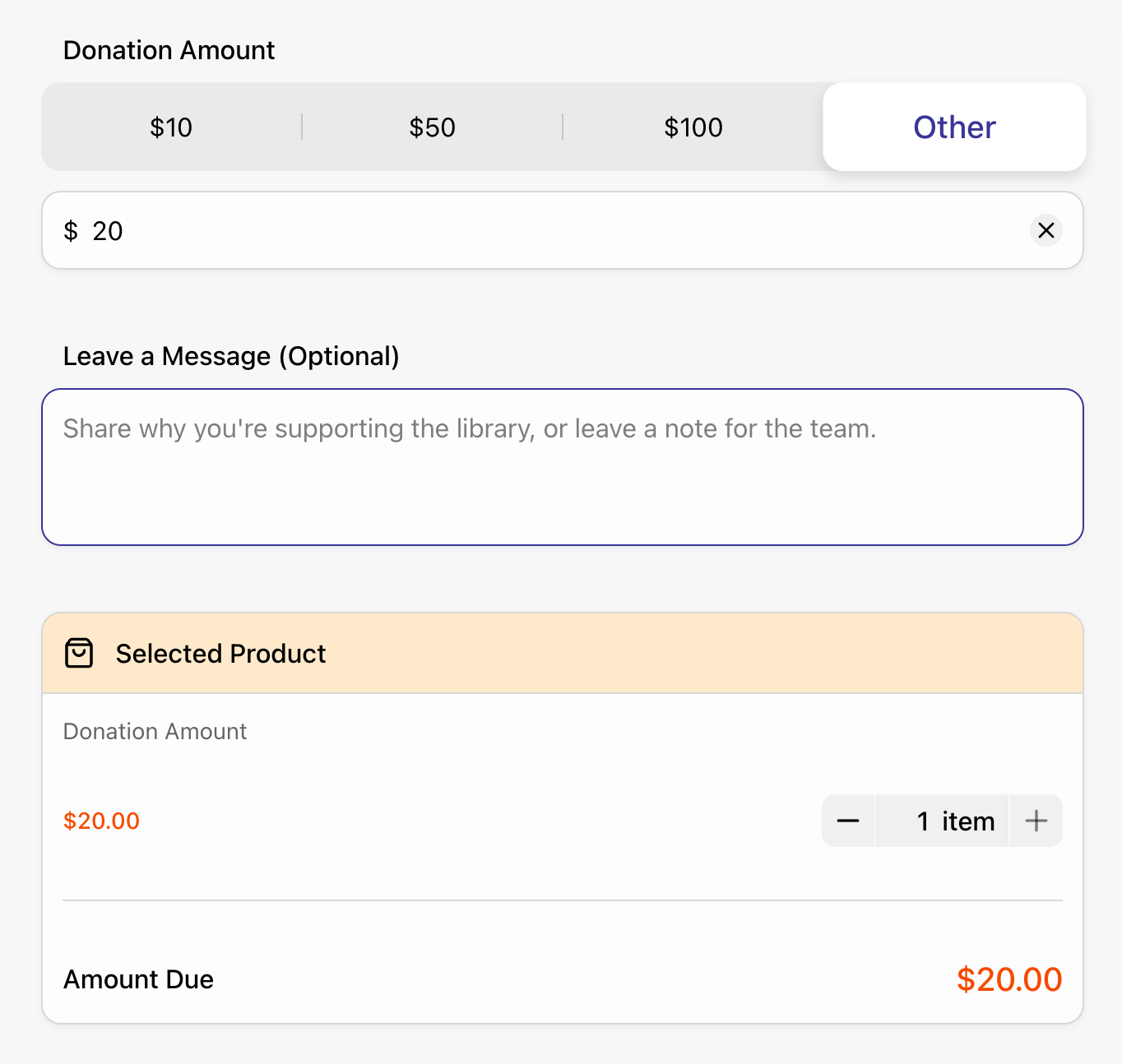
The demo above uses this pattern: fixed amount buttons for quick decisions, an “Other” amount for donors who want flexibility, and a visible summary so the supporter knows exactly what they are contributing before payment.
Why Price-Only Works for Donations
Price-Only is the right payment field when the amount is the product. There is no inventory, size, ticket tier, room type, or product image to compare. The donor is choosing how much to give.
That makes Price-Only a strong fit for:
- Donations
- Deposits
- Registration fees
- Service charges
- Pay-what-you-want payments
- Simple sponsorship amounts
In FormHug, a Price-Only field can include fixed amount options, custom amount input, minimum custom amount, currency, Stripe payment account, discounts, and validation rules. The field-by-field reference lives in the Price-Only section of the payment fields documentation.
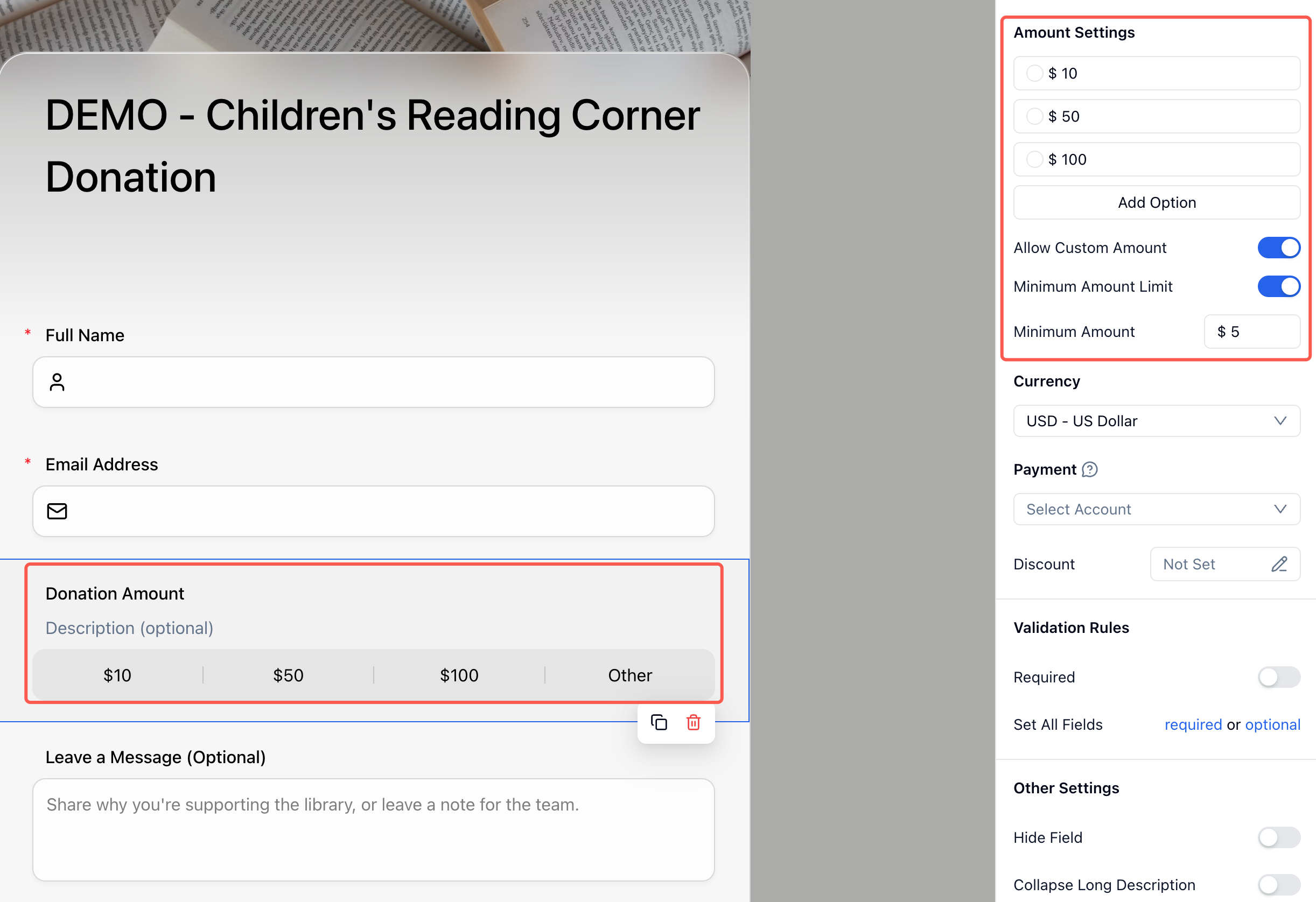
Use Product fields when people are choosing physical goods, Text Product when they are choosing text-based packages, and Text Option when the final price comes from option combinations. For donations, Price-Only keeps the decision clean: amount first, donor details second, payment last.
When a Form Is Enough and When You Need a Fundraising Platform
A donation form is enough when:
- You are running a specific campaign
- You need one-time donations
- You want a simple payment path
- You do not need donor segmentation, pledges, grants, or advanced CRM
- You already manage donor relationships elsewhere
A full fundraising platform may be better when:
- You need recurring giving programs
- You run multiple campaigns with donor history
- You need pledge management or major donor workflows
- You need complex nonprofit reporting
- You rely on built-in fundraising pages and campaign analytics
The practical question is not “form or platform?” It is “does this campaign need donor operations, or does it need a clean way to accept support today?”
Donation Form vs Tip Jar vs Fundraising Platform
The best donation tool depends on what you need after someone pays. A tip jar is fast when the message is “support my work.” A marketplace-style creator platform can help when you want memberships, posts, or discovery. A full fundraising platform is useful when donor operations are the job. A form is strongest when the donation needs context.
| Option | Best for | Tradeoff |
|---|---|---|
| Tip jar or creator support page | Quick support, small audience gifts, lightweight creator funding | Limited custom questions and campaign-specific structure |
| Creator marketplace or digital product platform | Selling digital products, memberships, downloads, or discovery-driven creator offers | Platform fees can be high if you already own the audience |
| Full fundraising platform | Recurring donor programs, campaign analytics, donor CRM, nonprofit operations | More setup than a focused campaign may need |
| Form + Stripe | One-time campaigns, school drives, community support, memorial funds, event donations, creator support with donor context | You manage donor operations outside the form if you need a full CRM |
This is the same reason many payment workflows work better as forms than checkout links. If the donor amount is the only information you need, a payment link may be enough. If you need the donor’s message, receipt preference, campaign consent, dedication text, or follow-up choice, the form keeps the payment attached to the context. For the broader payment pattern, see Stripe form builder: accept payments without a store.
How FormHug Compares for Donation Forms
| Need | FormHug | Full fundraising platform | Creator support platform |
|---|---|---|---|
| Focused donation form | Strong fit | Usually possible | Usually possible |
| Stripe-powered payment | Yes | Varies | Varies |
| Platform fee from FormHug | 0% on paid plans | Often platform-dependent | Often platform-dependent |
| Custom donor questions | Strong | Strong | Usually limited |
| Donor CRM | Light | Stronger | Usually light |
| Other workflows like applications and surveys | Strong | Usually fundraising-specific | Usually creator-specific |
FormHug is best for focused donation forms where the payment is part of a broader form workflow. You can also create scholarship applications, volunteer forms, event registrations, surveys, and donation-adjacent forms in the same tool.
How to Collect Donations Through a Form in FormHug
Step 1: Write the donation promise
Before building, write one sentence:
A donation of ____ helps us ____.
This sentence belongs near the top of the form and helps you choose suggested amounts.
Step 2: Create the donation form
Ask FormHug AI:
Create a donation form for a community school supply drive. Include suggested donation amounts, donor name, email, optional dedication message, consent for updates, and Stripe payment.
Step 3: Add the payment field
Use the Price-Only payment field when the donation amount is the main decision. Add suggested amounts, enable a custom amount if needed, set a minimum amount, choose the currency, and connect the Stripe payment account. If you are not sure which payment field to choose, compare the four payment field types in the payment fields documentation.
Step 4: Test payment, receipt, and follow-up
Submit a test donation before sharing. In our testing, donation workflows fail most often in the thank-you and receipt step, not the payment step. Make sure the confirmation explains what happens next, and open the public form as a donor rather than only checking the builder preview.
Frequently Asked Questions
How do I accept donations through a form?
Create a form with a donation amount, donor name, email address, optional message, payment field, and confirmation message. Connect a payment processor such as Stripe so the donor can pay before submitting.
Can I collect donations without a fundraising platform?
Yes. A simple donation form is enough for many one-time campaigns, school fundraisers, community drives, creator support pages, and small nonprofit projects.
What should a donation form include?
Include the donation amount, donor contact details, secure payment, optional dedication or comment, consent for updates, and a thank-you or receipt message.
Should I use suggested donation amounts?
Yes. Suggested amounts reduce decision friction. Use 3 to 5 options and connect each amount to a concrete outcome when possible.
Does FormHug charge a platform fee on donations?
FormHug charges 0% platform fees. Standard payment processor fees, such as Stripe fees, still apply according to the processor’s current pricing.
Can I use Stripe for a donation form?
Yes. FormHug supports Stripe-powered payment forms, so you can collect donation payments through a form without building a custom checkout page.
Can FormHug create a donation form?
Yes. FormHug AI can draft a donation form, and you can add suggested amounts, donor fields, consent, payment, confirmation messages, and follow-up workflows.
What is the best FormHug payment field for donations?
Use Price-Only for donation forms because the donor is choosing an amount, not selecting a product. It supports fixed amounts, custom amounts, minimum custom amount, currency, Stripe account selection, discounts, and validation rules.
Related
- How to Create a Payment Form - understand the broader payment form setup
- Membership Sign-Up Form with Payment - collect dues or membership fees
- Volunteer Application Form - invite supporters to contribute time as well as money
- Free Order Form Templates - compare payment-ready form structures
Every extra donation step gives a supporter time to second-guess the gift. Keep the story, amount, payment, and thank-you in one clean path. Create your donation form →

Written by
FormHug TeamProduct, research, and form automation team
The FormHug Team brings together product builders, workflow researchers, and form automation practitioners who study how people collect, route, and act on information online. Our guides are based on hands-on product testing, template analysis, customer workflow patterns, and deep experience with forms, surveys, quizzes, AI-assisted creation, integrations, and results sharing.