Multilingual Forms for Community Programs, Schools, and Public-Service Intake
Create with AI
Describe the workflow and get a form draft
Use FormHug to create forms from prompts, then share, automate, and reuse the structured responses.
The people who most need a public form are often the people least likely to tolerate friction in that form.
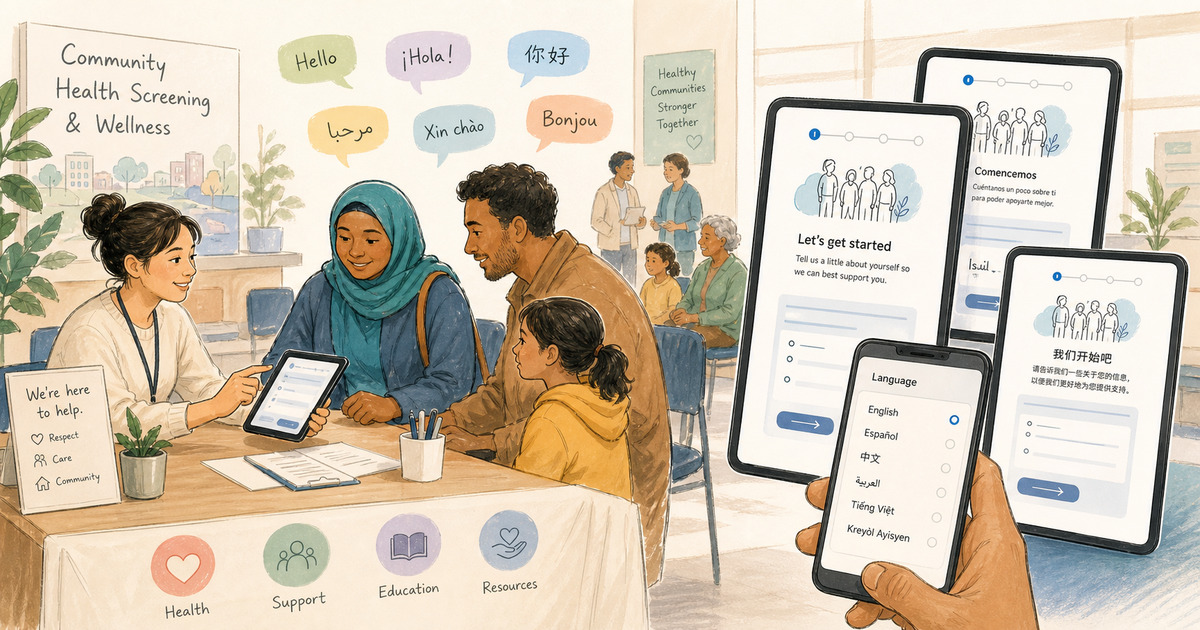
A parent filling out a school program form between work shifts does not want to guess what a consent question means. A new resident registering for a health screening should not need a staff member beside them just to understand the options. A volunteer applicant should not have to choose between asking for translation help and abandoning the form.
Multilingual forms are not only for global software companies. They are often most valuable in ordinary public-facing workflows where trust, clarity, and completion matter.
TL;DR — Multilingual forms help community organizations, schools, nonprofits, and public-service teams collect information from mixed-language audiences without creating separate form copies.
- Best fit — Use multilingual forms when the audience is mixed-language, the wording affects action, and the link will be shared widely.
- Higher trust — Respondents can see field labels, options, consent text, and confirmation messages in a language they understand.
- Lower operational load — One public form link is easier to maintain than separate English, Spanish, Chinese, Japanese, or French copies.
- Works for: health screenings, school forms, public-service intake, nonprofit applications, volunteer signups, workshops, and community surveys.
What Makes a Community Form Different?
A community form is not just a data collection tool. It is often the first formal interaction between a person and an organization.
That makes the form carry more weight than it appears to carry. A confusing field can make someone wonder whether they are eligible. A poorly translated consent statement can make someone hesitate. A hidden browser translation dependency can make the form feel unofficial or fragile. A long form in the wrong language can quietly filter out people who would have completed a clearer version.
The stakes do not have to be dramatic to matter. A missed health screening, a school program application, a housing support request, a volunteer onboarding form, or a parent permission form can all affect real plans.
This is why the best community forms are designed around access, not only efficiency.
The Access Triangle: Language, Trust, and Completion
We use the Access Triangle to think about multilingual public forms: language, trust, and completion.
Language is the obvious layer. Can the respondent understand the form title, instructions, questions, options, and post-submit message?
Trust is the emotional layer. Does the form look intentional, official, and respectful, or does it feel like the organization pasted a link and hoped the respondent’s browser would solve the rest?
Completion is the operational layer. Can the respondent finish the form without calling someone, asking a family member, switching devices, or giving up?
The three sides reinforce each other. A form that speaks the respondent’s language feels more trustworthy. A form that feels trustworthy gets completed more often. A form that gets completed gives the organization better information and fewer manual follow-ups.
For a broader version of this product idea, see Forms Should Meet People in Their Own Language.
Use Case: Community Health Screening Registration
The strongest demo for multilingual forms is not a fancy enterprise intake. It is a short community health screening registration.
The FormHug demo asks for:
- Full name
- Email address
- Phone number
- Preferred language
- Screening type
- Preferred time
- Interpreter need
- Notes before the visit
- Consent
You can open the demo here: International Community Health Screening Registration.
The form is intentionally simple. That simplicity is the lesson. Multilingual support is not only useful when the form is complex. It is useful when the form is important.
For a health screening, small misunderstandings can matter. A respondent may need to know whether the screening is free, what time slots are available, whether an interpreter can help, what information they are consenting to share, and what happens after submission.
Native form translation lets the organizer review those exact words before the link spreads through community partners, flyers, QR codes, and group chats.
Where Multilingual Forms Help Most
Multilingual forms are especially useful when a form is both public and personal.
Schools and parent forms
Schools often collect information from households with different language preferences. Registration, permission slips, event signups, after-school program forms, and feedback surveys all benefit from clearer language access.
The goal is not to make every parent a power user of the school’s tools. The goal is to let the parent complete the form with confidence.
Related field-planning guides include event registration questions and student perception surveys, depending on whether the form is for signups or feedback.
Public-service intake
Public-service forms often ask people to describe needs, eligibility, timing, location, household details, or support preferences. If the form is hard to understand, the organization may receive incomplete answers or fewer submissions from the people the service is meant to reach.
Multilingual forms reduce the need for staff to manually translate basic intake questions every time.
Nonprofit applications and volunteer signups
Nonprofits often work across communities, partner organizations, and informal referral networks. A single form link may pass from one person to another before the organization ever sees a submission.
That makes one multilingual link valuable. The team can maintain one form while respondents choose the language that works for them.
For related patterns, see volunteer application forms and how to create an online application form.
International events and workshops
Events are link-heavy. Registration links appear in emails, social posts, websites, partner newsletters, QR codes, and calendar invites.
If an event expects international attendees, one multilingual registration form is easier to share and easier to maintain than separate language-specific signups.
How to Plan a Community Multilingual Form
The planning work matters more than the settings.
Step 1: Identify who the form must include
Start with the audience, not the language menu. Which communities, households, regions, or participant groups need to complete the form without staff help?
If the form is for a school, talk to the office staff who answer parent questions. If it is for a clinic or nonprofit, look at the languages already used in outreach materials and support conversations.
Step 2: Keep the source form short
Translation does not fix a bloated form. A long multilingual form is still a long form.
For public intake, ask only what is needed to route the respondent to the next step. If a staff member can collect a detail later, do not make it block the first submission.
Step 3: Review the sensitive fields first
Do not spend the same review energy on every sentence. Prioritize consent, eligibility, health details, payment details, service descriptions, location instructions, time slots, and post-submit expectations.
These are the fields where a bad translation can create confusion or harm trust.
Step 4: Share one link and test the respondent path
Open the public form in multiple languages, submit test responses, and make sure the confirmation message still makes sense.
Then share the same link through every channel. FormHug can match browser language when a matching translation exists, fall back to the original language when it does not, and keep a manual language selector at the top of the public form.
For the setup details, use the FormHug multilingual form guide.
Ready-Made Starting Points
These templates can help with the underlying form structure before you add languages:
- Volunteer Application Form for nonprofit and community programs
- Event Registration Form for workshops, screenings, and public events
- Patient Intake Form for healthcare-style information collection
- Feedback Form for community feedback and service improvement
Use the template as a starting point, then adapt the wording and translation review to the community you serve.
Frequently Asked Questions
What are multilingual forms used for in community programs?
Multilingual forms help community programs collect registrations, applications, intake details, interpreter needs, consent, and feedback from people who may not share one primary language.
How can schools make parent forms easier for multilingual families?
Schools can use one form with translated questions, answer options, consent text, and post-submit instructions. A visible language selector helps parents choose the language they trust instead of relying only on browser translation.
Is browser translation enough for public-service intake forms?
Browser translation can help, but public-service intake often needs more control. Native form translation lets the organization review sensitive wording before respondents see it.
Should community organizations create separate forms for each language?
Separate forms can work for very small projects, but they create maintenance and reporting problems. One multilingual form link is usually easier to share, update, and connect to follow-up workflows.
What should be reviewed before publishing a translated form?
Review consent text, eligibility requirements, service descriptions, health or financial wording, date and time options, location instructions, and the message shown after submission.
Can FormHug automatically show the right language to respondents?
Yes. When a matching translation exists, FormHug can detect the respondent’s browser language and show that language automatically. Respondents can also switch languages manually from the public form.
Can I create a multilingual community form in FormHug?
Yes. Build one form, add translation languages, review the AI-generated translations, and share one public link. You can start from the community health screening demo or create your own form.
Related
- How to Build a Multilingual Registration Form with AI Translation — Learn the practical build process for one multilingual registration link
- One Form, Ten Languages: Introducing AI-Powered Multilingual Forms in FormHug — Read the product update behind FormHug’s multilingual workflow
- Volunteer Application Form: Questions, Template, and Setup Guide — Plan nonprofit and community volunteer intake fields
- Event Registration Questions: What to Ask Before People Sign Up — Choose registration questions that reduce confusion and follow-up
When a public form only works comfortably for one language group, access becomes a hidden field the respondent has to solve alone. Create your multilingual form ->

Written by
FormHug TeamProduct, research, and form automation team
The FormHug Team brings together product builders, workflow researchers, and form automation practitioners who study how people collect, route, and act on information online. Our guides are based on hands-on product testing, template analysis, customer workflow patterns, and deep experience with forms, surveys, quizzes, AI-assisted creation, integrations, and results sharing.