How to Create a Workshop Registration Form with Payment
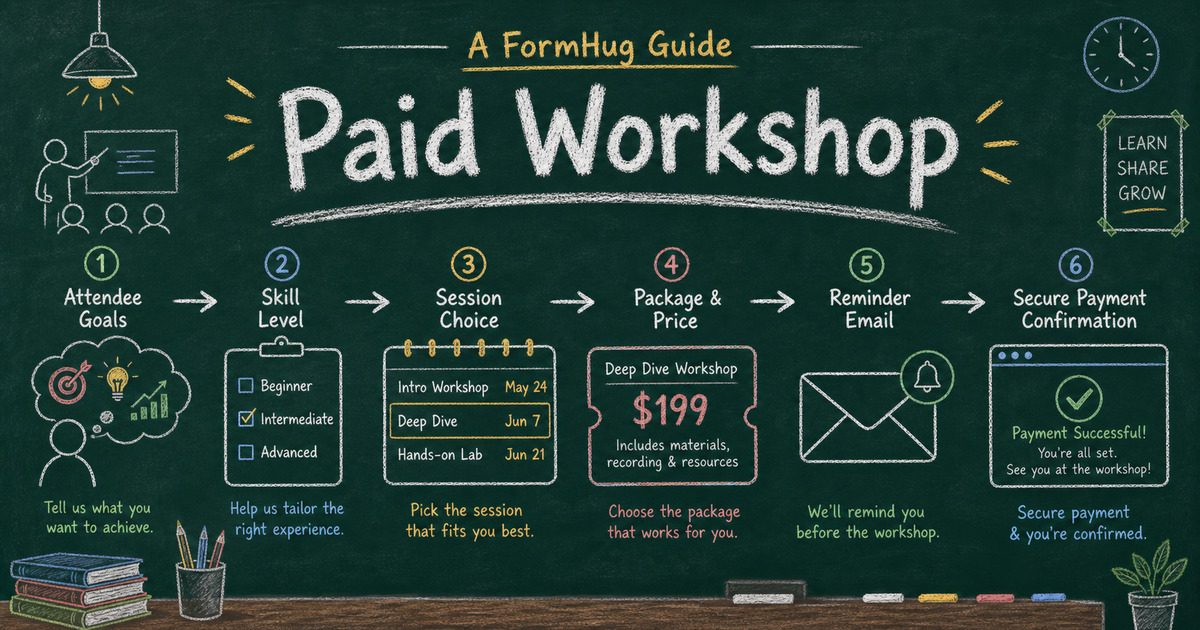
Build the paid workflow
Collect payment with the form
Turn the registration, order, booking, or donation flow into a payment-ready FormHug form.
A workshop registration form has to do more than collect a name. The organizer needs to know who is attending, what they want to learn, which session or package they chose, whether they need accommodations, and whether they paid. When those pieces live in different tools, prep gets messy fast.
The common workaround is a registration form plus a separate payment link. That works until someone submits the form but never pays, pays but uses a different email, or asks for a refund before you can match the records. A paid workshop form keeps the learning context and payment status together.
This article explains what a workshop registration form with payment should include, how to choose between Text Product and Text Option pricing, and how to build the workflow in FormHug.
TL;DR - A workshop registration form with payment collects attendee details, learning goals, session or package choice, and Stripe payment in one record.
- Use payment when seats are limited - paid registration protects capacity and reduces no-shows.
- Choose pricing by the decision - Text Option fits ticket-style choices; Text Product fits named packages or course tiers.
- Ask learning questions before checkout - goals, experience level, and constraints help you prepare the workshop.
- Works for: live workshops, cohort sessions, training days, online classes, bootcamps, and paid seminars.
- A form gives you more context than a payment link and less overhead than a full course platform.
What Is a Workshop Registration Form with Payment?
A workshop registration form with payment is an online signup flow that collects attendee information and payment before the seat is confirmed. It usually includes name, email, experience level, learning goals, session choice, package selection, policy acknowledgement, and Stripe payment.
Unlike a simple ticket checkout, a workshop form often needs learning context. The organizer may adjust examples, group exercises, materials, or follow-up resources based on who signs up. That makes the form data as important as the transaction.
For broader registration planning, see best registration form templates. For the payment model, read Stripe form builder: accept payments without a store.
Design the Form Around Workshop Prep
A paid workshop form should tell the organizer how to prepare, not just who paid. A ticket form can often stop at attendance details. A workshop form should capture enough context to improve the session itself.
| Question the organizer needs answered | Form fields that help |
|---|---|
| Who is attending? | name, email, organization, role |
| Are they a good fit for the material? | experience level, goals, current challenge |
| Which version are they joining? | date, format, session, package, course tier |
| What logistics matter? | dietary needs, accessibility needs, time zone |
| What should happen after signup? | reminder consent, receipt, prep instructions |
| What terms did they accept? | refund, cancellation, transfer, recording policy |
That prep lens keeps the form different from a generic ticket checkout. The attendee pays only after they understand the workshop offer, and the organizer receives a record that can shape examples, exercises, and follow-up resources.
Text Product vs Text Option for Workshops
The best payment field depends on how people choose the workshop offer.
Use Text Option when the price comes from choices such as ticket type plus attendance format:
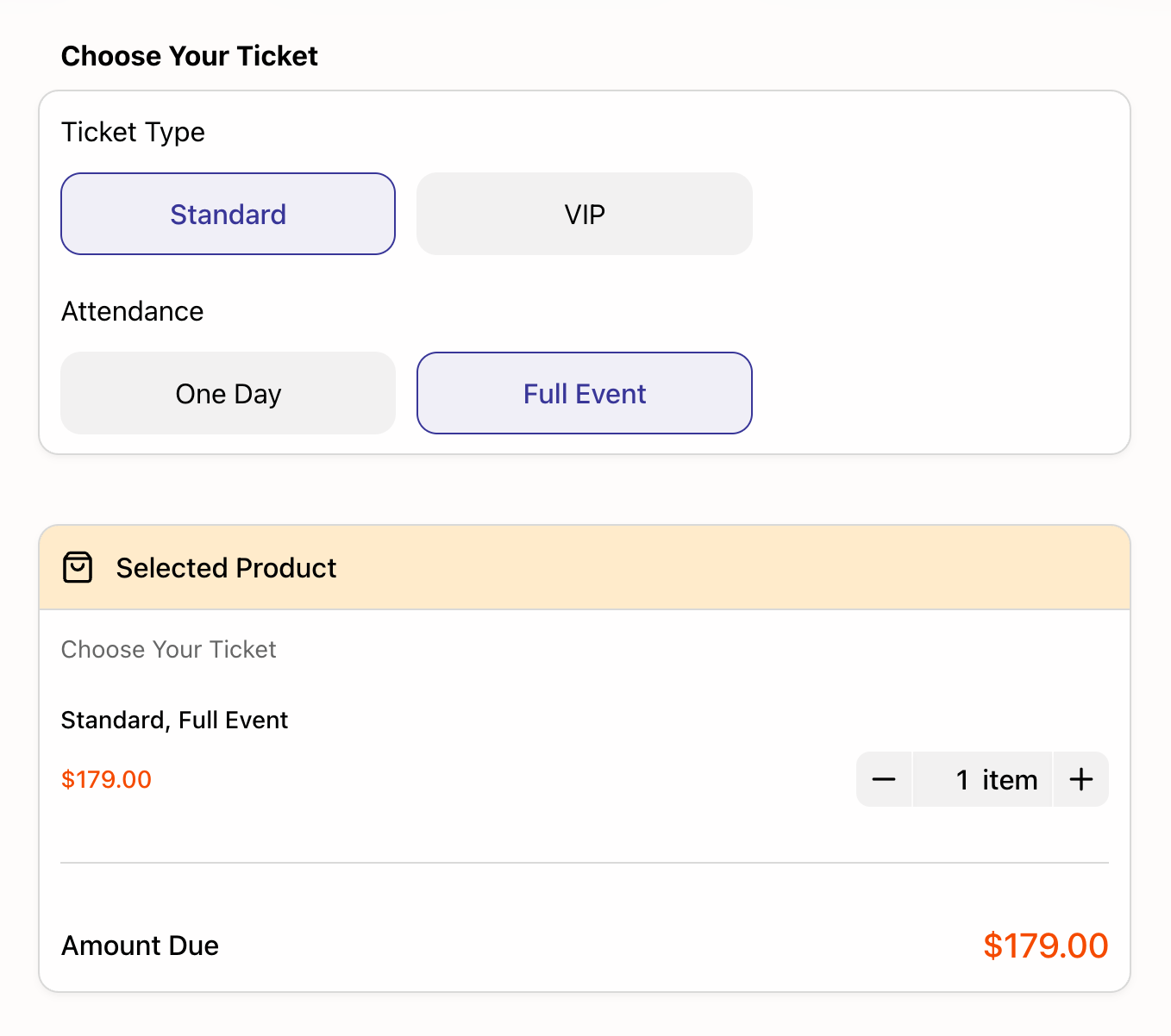
Use Text Product when you are selling named packages or course tiers, such as “Standard Workshop,” “Workshop + Recording,” or “VIP Workshop + 1:1 Review.”
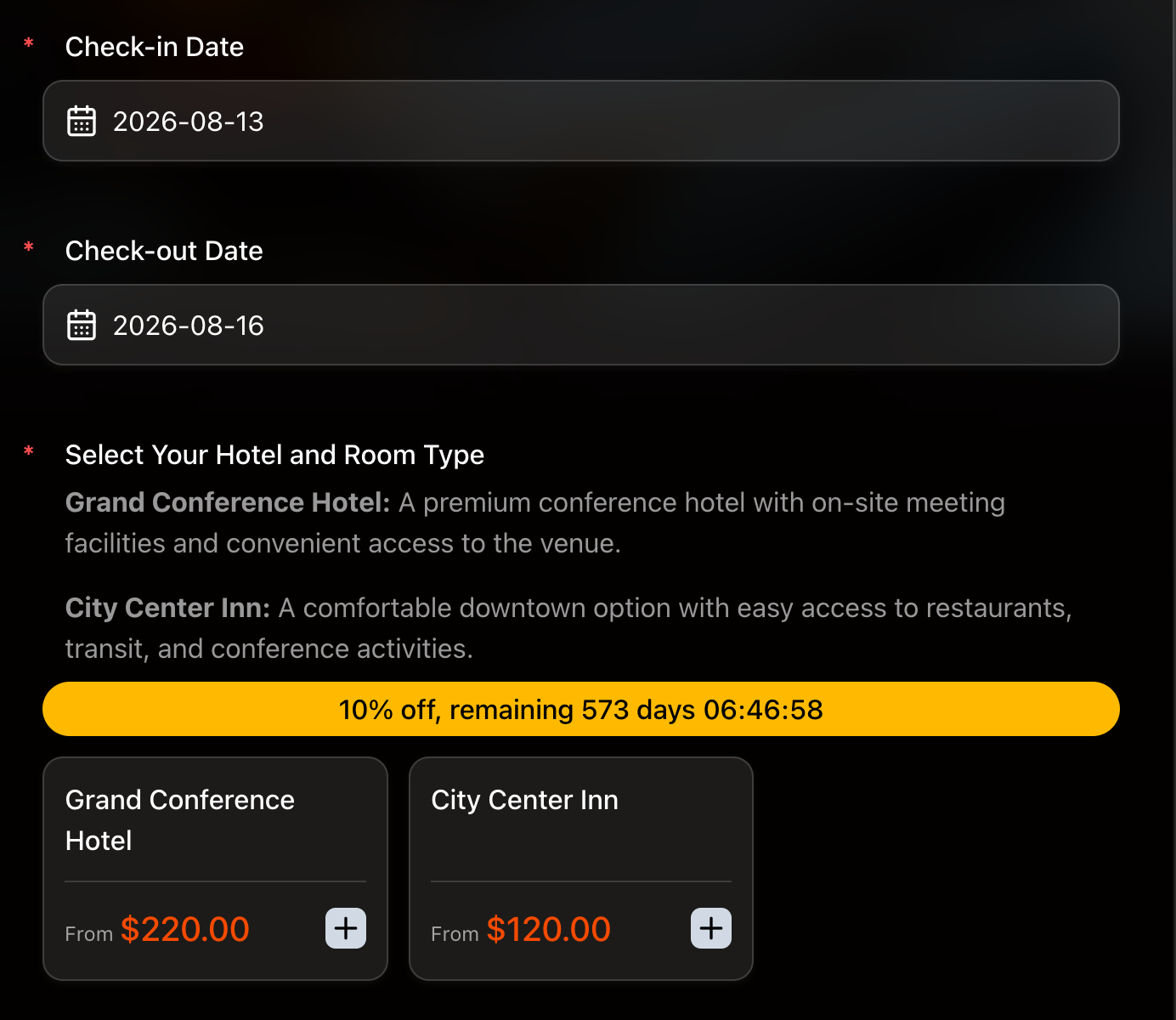
The distinction matters: Text Option is best for one paid variant combination; Text Product is best when each offer is a named package with its own description. If you only need a flat registration fee, use Price-Only.
When a Form Beats a Course Platform
Course platforms are useful when you need lesson hosting, video libraries, student progress, quizzes, communities, or recurring access. A form is better when you are selling a live or limited workshop and need payment plus attendee context.
| Need | Form fit | Course platform fit |
|---|---|---|
| One live workshop | Strong | Often heavy |
| Cohort registration | Strong | Sometimes useful |
| Self-paced course library | Weak | Strong |
| Attendee goals and logistics | Strong | Varies |
| Payment + roster export | Strong | Usually possible |
If the workshop is the product, not an entire learning portal, a paid form is usually the faster starting point.
Ready-Made Workshop Templates
Start from a registration template and add payment:
- Workshop Registration Form Template - for paid workshops, trainings, and hands-on sessions.
- Event Registration Form Template - for general event signup with payment.
- Training Registration Form Template - for internal or professional training.
- Payment Form Template - for a simple workshop fee or deposit.
If you are still validating demand before collecting payment, pair the registration form with a short course topic validation survey first.
How to Create a Workshop Registration Form in FormHug
Step 1: Write the workshop promise
Write the workshop title, audience, outcome, date, capacity, price, refund policy, and what attendees receive. This becomes the source of truth for the form intro and confirmation.
Step 2: Ask questions that improve the session
Ask for role, experience level, learning goals, constraints, and access needs. Avoid turning registration into a long application unless you are actually selecting participants.
Step 3: Match pricing to the offer
Use Text Option for ticket-style combinations, Text Product for named packages, or Price-Only for a flat fee. Make the total visible before checkout.
Step 4: Review the roster like an instructor
Submit a test registration and check the exported roster. The roster should help you prepare the first session: who is coming, what they want to learn, which package they bought, and whether payment succeeded.
Frequently Asked Questions
How do I create a workshop registration form with payment?
Create a form with attendee details, learning goals, session or package choice, policy acknowledgement, and Stripe payment. The registration should be counted as confirmed only after payment succeeds.
Can I use Stripe for workshop registration?
Yes. A Stripe-connected form can collect workshop payment while keeping attendee details, package choices, and learning goals in the same submission record.
What fields should a workshop registration form include?
Include attendee name, email, role, experience level, learning goals, session choice, accessibility or dietary needs, consent for updates, policy acknowledgement, and payment.
How is a workshop form different from an event ticket form?
A ticket form mainly confirms attendance and access. A workshop form also collects learning context, experience level, goals, and constraints so the instructor can prepare better material.
Should I use Text Product or Text Option for paid workshops?
Use Text Product for named workshop packages or course tiers. Use Text Option when the final price comes from choices such as ticket type and attendance format.
Do I need a course platform for a paid workshop?
Not necessarily. Use a course platform when you need hosted lessons, progress tracking, communities, or ongoing student access. Use a paid form when the main job is registration, payment, and attendee context.
Can FormHug create a paid workshop registration form?
Yes. FormHug AI can draft the registration form, and you can add workshop questions, package pricing, Stripe payment, confirmation text, and follow-up workflows.
Related
- Best Registration Form Templates - compare workshop, course, event, training, and membership templates
- How to Sell Event Tickets Through a Registration Form - collect paid tickets and attendee details in one flow
- How to Send Emails to Form Submitters - confirm registrations and send workshop reminders
- Stripe Form Builder: How to Accept Payments Without a Store or Checkout Page - understand why form + payment works for paid programs
Every paid workshop registration split between a form and a payment link creates a roster you have to reconcile later. Keep attendee goals, package choice, and payment in one record. Create your form →

Written by
FormHug TeamProduct, research, and form automation team
The FormHug Team brings together product builders, workflow researchers, and form automation practitioners who study how people collect, route, and act on information online. Our guides are based on hands-on product testing, template analysis, customer workflow patterns, and deep experience with forms, surveys, quizzes, AI-assisted creation, integrations, and results sharing.