AI Test Generator: How to Create a Practice Test from a Topic
Create the assessment
Turn this into a scored assessment
Build an assessment with scoring, result pages, feedback, and records you can review later.
A generated test can look complete long before it is useful for learning. Ten questions, an answer key, and a passing score tell a learner very little if the questions repeat the same fact or the explanation simply says “B is correct.”
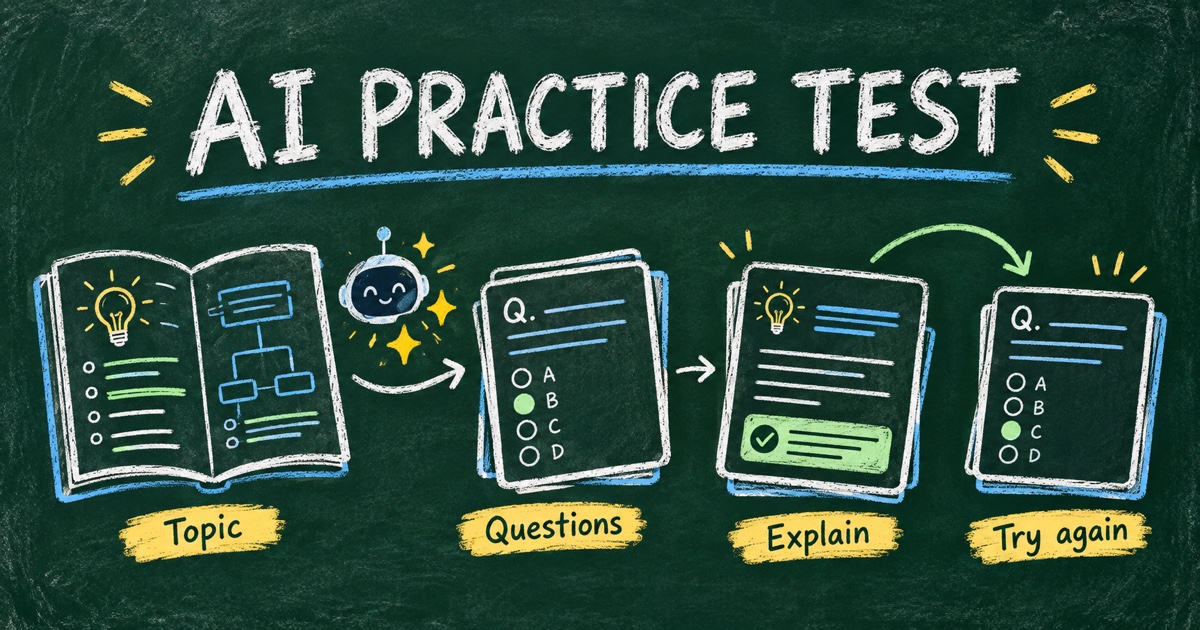
An AI test generator can help turn a topic or source material into a first draft of a practice test. The important work is defining what to practice, checking the answers, and designing feedback that helps the learner improve on a later attempt.
This workflow is for practice and knowledge checks. A formal exam used for certification or progression needs additional evidence, administration, and review beyond a generated question set.
TL;DR — An AI test generator drafts questions and answer guidance; a useful practice test connects those questions to learning objectives and corrective feedback.
- Define the audience, source, objectives, and difficulty before generation.
- Verify every answer and explanation against the source material.
- Use result feedback to tell learners what to review next.
- Repeat the objective with new examples, rather than treating memorized answer letters as mastery.
What Is an AI Test Generator?
An AI test generator uses a prompt, topic, or supplied material to draft questions, options, answers, and sometimes a scored online experience. The output may be plain text or a working form, depending on the tool.
A practice test is designed to support learning and identify gaps. It can share question types with an exam, but the conditions and interpretation should match the learning purpose. A score on a short practice set is evidence about that attempt, not a comprehensive measure of competence.
Retrieval practice research, including Karpicke and Roediger’s study in Science, supports the value of actively recalling learned material. That research does not establish that any AI-generated test is accurate or effective. Question quality and the way the learner uses feedback still need attention.
If you are deciding between a practice check and a formal evaluation, start with quiz vs. test vs. exam.
Give the Generator a Coverage Plan
“Create a test about spreadsheets” is too broad to evaluate. A more useful brief specifies who is learning, what they have studied, and what successful practice should reveal.
Here is an illustrative coverage plan for a beginner lesson on spreadsheet references. The numbers are a design example, not a universal formula.
| Objective | Question type | Example evidence | Planned items |
|---|---|---|---|
| Recognize relative references | Single choice | Explain what changes when a formula is copied | 2 |
| Recognize absolute references | Single choice | Identify the reference that stays fixed | 2 |
| Apply the rule in a formula | Scenario question | Choose the correct copied formula | 3 |
| Diagnose a reference mistake | Scenario plus explanation | Identify why a calculated value is wrong | 1 |
This plan makes omissions visible. If the generator returns eight definition questions, the test does not meet the brief even if every definition is correct.
Prefer a bounded source, such as the lesson handout, when answers depend on what was taught. Ask for a source location or note with each draft answer so a reviewer can find the relevant passage. Treat those references as leads to verify, not as proof supplied by the model.
A Prompt for Generating a Practice Test
Adapt this prompt to your subject and material:
Create an 8-question practice test for beginners who have studied the attached lesson on spreadsheet cell references. Cover relative references, absolute references, copying formulas, and diagnosing a reference error. Use the coverage plan provided. Give one correct answer per multiple-choice item, plausible distractors, and a short explanation of the rule. Include an easy recognition item and application scenarios. Keep the test focused on the lesson; flag anything the material does not support. This is low-stakes practice, not certification. Provide a source note for the reviewer and a suggested review action for each objective.
Do not upload confidential or restricted course material to a tool that is not approved to process it. You can also provide a small, permitted excerpt or a manually written objective list when that is enough for the task.
The best first revision is specific: “Replace questions 3 and 4 because both test recognition; add an application example without repeating the exact numbers.” Our AI quiz prompt template offers variations for different quiz purposes.
Check Answers and Distractors Before Publishing
Review the draft in three passes: source, answer key, and clarity.
First, confirm the tested rule exists in the material. Next, solve each question without looking at the generated key. Finally, check whether another option could be defensible under a reasonable interpretation. If two options are arguably correct, revise the question rather than blaming the learner.
For the spreadsheet example, this simple practice item has a clear target:
Cell C2 contains
=B2*$F$1. You copy the formula from C2 to C3. Which formula belongs in C3?A.
=B2*$F$1
B.=B3*$F$1
C.=$B$3*F2
D.=B3*$F$2
Correct answer: B. The relative reference B2 moves down one row to B3. The absolute reference $F$1 stays fixed. A useful follow-up is to predict what would happen if the same original formula were copied one column to the right.
The explanation names the rule and creates a new retrieval opportunity. It does more than repeat the correct option. For a fuller review process, see how to check AI-generated quiz accuracy.
Design Feedback for the Next Attempt
A useful practice result answers three questions: what did I misunderstand, what should I review, and what should I try next?
Add an explanation to each item and a short overall message that fits the score. Avoid promising that a high score means someone is ready for every real-world task. If you use total-score bands, remember that the same total can hide different topic gaps.
| Feedback level | Weak version | More useful version |
|---|---|---|
| Question | “Incorrect” | Explain the rule and why the tempting alternative fails |
| Topic | “Study more” | Point to the lesson section on absolute references |
| Overall result | “You are an expert” | State what this attempt covered and suggest a transfer task |
For a small set, an instructor can review missed questions manually by objective. Do not imply that a generator automatically diagnoses every learner’s misconceptions or supplies an adaptive learning plan unless the specific product and setup provide that behavior.
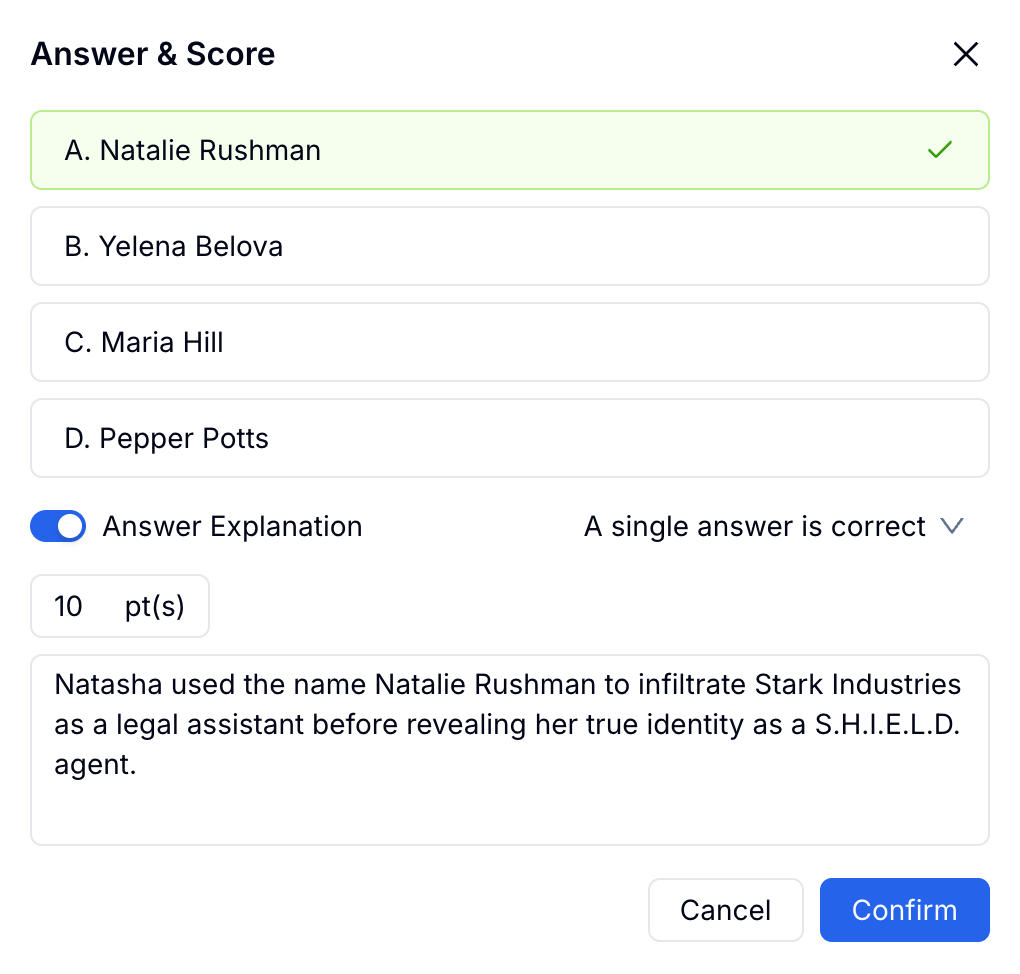
FormHug supports answer explanations and score-based result feedback. The existing screenshot below uses a trivia question to show where an explanation is configured; it is a settings example, not a screenshot of the spreadsheet practice test.
Create an Online Practice Test in Four Steps
Step 1: Generate against the lesson objectives
Use the coverage plan and prompt to draft the test in FormHug’s AI quiz maker, or adapt the questions from a suitable quiz template. Inspect the field types, options, and answer keys after generation.
Step 2: Configure scoring and explanations
Give items point values that match the practice purpose. Equal points are a simple starting point for similarly demanding fixed-answer questions. Review explanations separately from the keys and test the actual result page. The Quiz documentation covers the product’s scoring and results options.
Step 3: Set conditions that support practice
Decide whether the learner should attempt from memory, use notes, or work under a time limit. State the instructions explicitly. If speed is not the learning objective, a strict timer may make the score harder to interpret.
Allow another attempt when that serves the learning plan. FormHug documents repeatable submissions in its submission rules; check the actual access and limits on your form. Do not assume a published form is repeatable merely because it is labeled “practice.”
Step 4: Pilot, revise, and plan the follow-up
Complete the test with deliberately correct and incorrect answers. Check the displayed score and each explanation, then ask a learner to describe what they think a difficult question means. Revise ambiguous items before treating the result as evidence of a gap.
For follow-up, publish a second reviewed version or provide new questions on the same objectives. Randomizing questions from an existing pool changes which items appear; it does not by itself guarantee fresh, equivalent, or personalized questions.
Interpret Progress Carefully
Suppose a learner scores five out of eight on the first attempt and eight out of eight after reading the explanations. That is encouraging evidence about the practice session. It does not tell you whether the learner can solve a different problem tomorrow.
Use a changed example to check transfer. In the spreadsheet case, change the copy direction or ask the learner to construct the formula rather than recognize an option. Keep the underlying objective constant so the second task is meaningful, not merely unfamiliar.
If you track attempts, explain why identity is collected and how the results will be used. For independent self-study, a learner may need only the feedback. For instructor follow-up, a consistent learner identifier and an attempt label can help keep records interpretable without collecting unnecessary personal details.
Frequently Asked Questions
How do I create a practice test with AI?
Specify the audience, source material, learning objectives, question types, and desired feedback. Generate a draft, verify the keys and explanations, and test the online experience before using it with learners.
Can an AI test generator create questions from a topic?
Yes, but a topic alone leaves scope and difficulty unclear. Add the lesson objectives and a bounded source where possible so a reviewer can judge whether the questions match what learners studied.
Are AI-generated practice test answers always correct?
No. Check every key and explanation against authoritative material and solve the questions independently. Revise unsupported claims, ambiguous wording, and items with more than one defensible answer.
Should a practice test have a time limit?
Use a timer only when speed is relevant to the practice goal or the conditions being rehearsed. For learning a new concept, an untimed attempt can make it easier to focus on reasoning and feedback.
Does repeating the same test show that someone has learned?
A higher score may reflect learning, familiarity, or memorized answers. Use new examples that test the same objective and ask for reasoning when you need stronger evidence of understanding.
Can I make a repeatable practice test with FormHug?
FormHug provides scored quiz questions, explanations, result feedback, and submission settings that can allow multiple attempts. Review the form’s actual access and submission rules, and test another attempt before sharing it as a practice resource.
Related
- AI-Generated Quiz Questions: How to Check Accuracy — review the source, answer key, and wording.
- How to Write Better Quiz Questions — balance recognition, application, and transfer.
- How to Design Quiz Score Ranges and Result Feedback — turn a score into a useful next step.
A generated answer key is the beginning of a practice test, not the end of the learning design. Give learners a reason for each answer and a next task to try, then create your practice quiz →.

Written by
FormHug TeamProduct, research, and form automation team
The FormHug Team brings together product builders, workflow researchers, and form automation practitioners who study how people collect, route, and act on information online. Our guides are based on hands-on product testing, template analysis, customer workflow patterns, and deep experience with forms, surveys, quizzes, AI-assisted creation, integrations, and results sharing.