

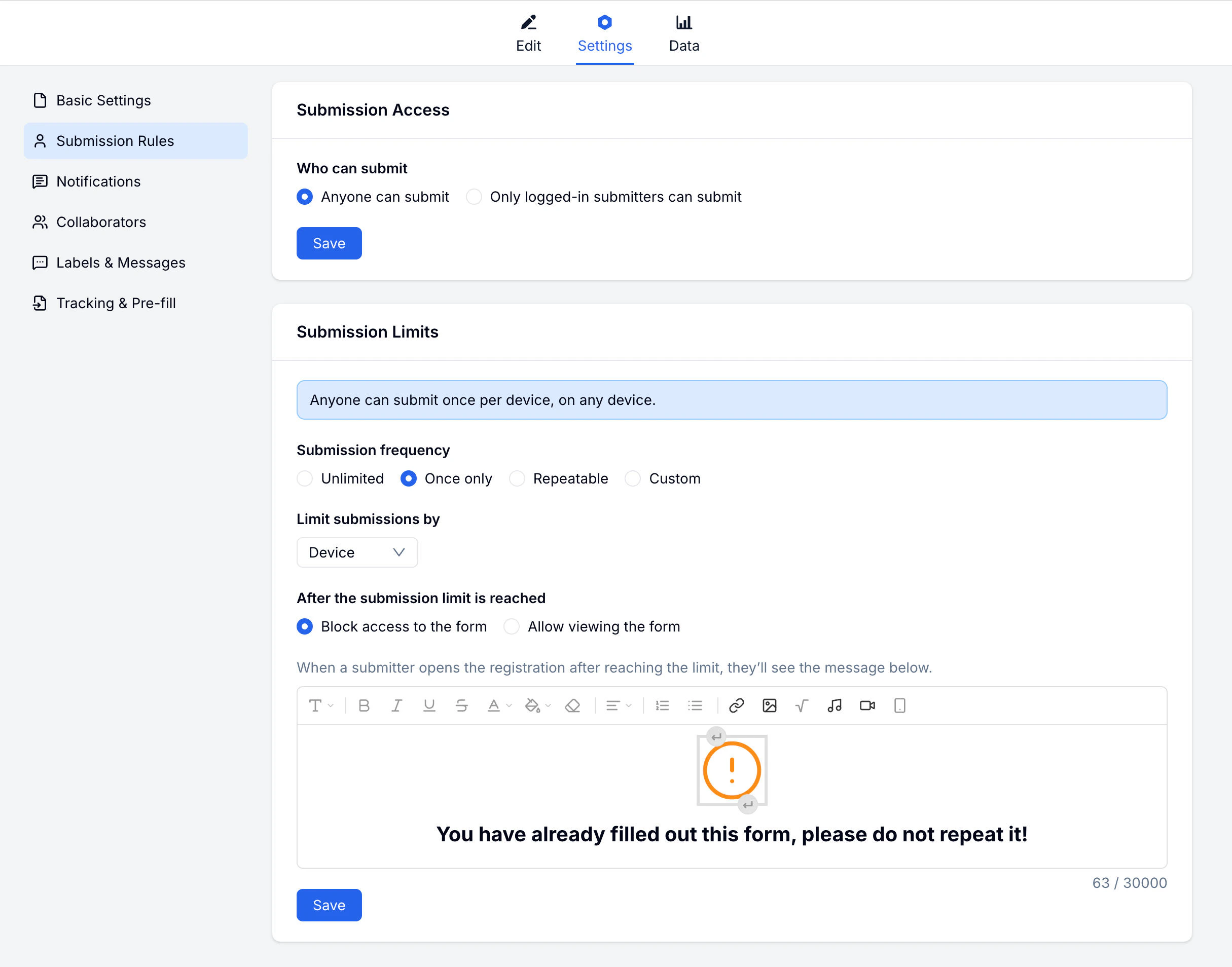
Submission Access
Define who is allowed to submit the form:Login Required
When enabled:- Submitters must log in before filling the form
- You can identify who submitted each response
- Submitters can view their past submissions
- Enables user-based submission limits
Submission Limits
Control how many times a person can submit:Identification Methods
How FormHug identifies submitters for limits:Custom Frequency Examples
- Once per day
- Once per week
- 3 times per month
- Custom time period
After Limit Reached
Decide what happens when a submitter reaches their limit:Common Configurations
One-Time Registration
For events or sign-ups where each person should only register once:- Enable Login Required
- Set limit to Once Only
- After limit: show a custom message
Daily Feedback
For forms where you want daily input:- Enable Custom Frequency
- Set to Once per day
- After limit: View Only so they can still see their submission
Open Survey
For surveys where you want maximum participation:- Keep Open access
- Set Unlimited submissions
Related
Notifications
Set up email alerts for new submissions
Collaborators
Invite team members to manage your form
Registration Form Guide
Use submission limits for signups, capacity, and duplicate prevention
Registration Templates
Start from event, course, webinar, and membership registration templates
Event Registration Software
Plan capacity, confirmations, and attendee management around the form