How to Create an Evaluation Form That Generates Feedback Worth Acting On
Create the assessment
Turn this into a scored assessment
Build an assessment with scoring, result pages, feedback, and records you can review later.
Most evaluation forms produce data no one uses. A five-star rating for “overall experience.” A slider from 1 to 10. A text box at the end that says “Additional comments?” and collects either silence or polite generalities.
The problem isn’t the format — it’s that the questions don’t create pressure to think. Stars and sliders are easy to click without engaging. They produce numbers that feel quantitative but don’t explain anything.
A well-designed evaluation form does two things differently: it asks about specific behaviors and outcomes rather than general impressions, and it uses structure to surface the context behind any score. We built the template set below around those two principles: anchored ratings, targeted open-ended prompts, and conditional follow-ups for the five most common evaluation scenarios.
TL;DR — An evaluation form is a structured feedback form that turns ratings into decisions by pairing scores with context.
- Use behavioral anchors — define what each score means so a 3, 4, or 5 is comparable across respondents.
- Ask targeted follow-ups — replace one generic comment box with prompts tied to the decision you need to make.
- Branch by score — show different follow-up questions for low, middle, and high ratings with conditional logic.
- Works for: employee reviews, event feedback, training evaluations, student feedback, vendor assessments, product research.
- Start from a template when speed matters, then customize the rating labels and follow-up prompts for your scenario.
What Is an Evaluation Form?
An evaluation form is a structured questionnaire used to assess the quality, effectiveness, or performance of a person, program, event, product, or service. The goal isn’t just to assign a score — it’s to collect feedback that can actually inform a decision or improvement.
Evaluation forms are used across almost every team and function:
- HR: Performance reviews, 360-degree feedback, onboarding assessments
- Events: Post-event attendee feedback, speaker evaluations
- Training: Learning effectiveness, trainer quality, course ratings
- Product: Feature usability testing, customer satisfaction surveys
- Procurement: Vendor assessments, supplier scorecards
What separates an evaluation form from a general survey is intent: evaluation forms are used to make a judgment or drive a specific action — promote, improve, renew, discontinue, or recommend.
Why Most Evaluation Forms Fail
The standard approach is to pick five to ten attributes (“communication,” “teamwork,” “quality of work”), ask respondents to rate each on a 1–5 scale, and average the results. This produces numbers that feel like data but rarely explain anything.
Three structural problems:
Rating scales without anchors are subjective. A “4 out of 5” means different things to different raters. One person’s 4 is another person’s 3. Without describing what a 4 actually looks like — specific behaviors or outcomes that define that score — the numbers aren’t comparable across respondents.
General attributes produce vague feedback. “Communication: 3/5” tells you nothing actionable. “Missed the deadline by two days and didn’t flag it in advance” tells you exactly what to address.
Single text boxes at the end are too open-ended. Faced with “Any other comments?”, most people write nothing, or write something so general it can’t be acted on. Targeted questions (“What one thing would you change about this session?”) produce more specific, usable responses.
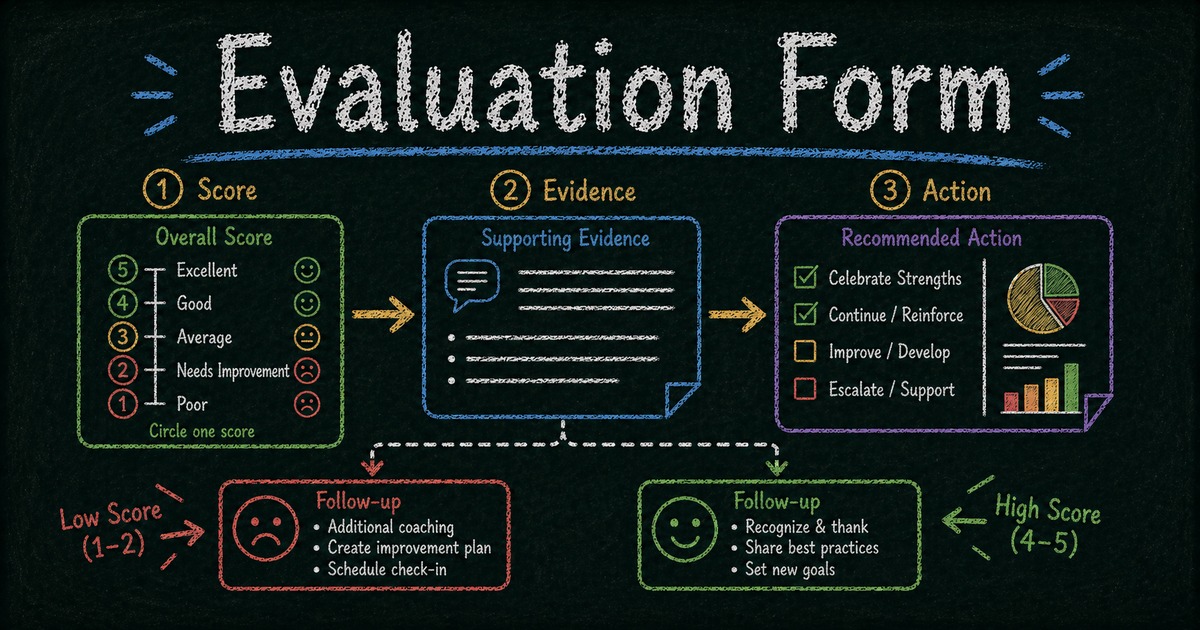
The fix is the Score → Evidence → Action pattern: combine targeted rating scales with anchored descriptions, ask for one concrete example behind the score, and use conditional logic to show relevant follow-ups only when the context calls for them.
SurveyMonkey, Google Forms, and Qualtrics all cover basic evaluation collection. The gap becomes visible when you need score-based follow-ups, reusable templates, and AI-assisted form creation in the same workflow. FormHug’s free plan includes conditional logic, AI form generation, and 3,000 submissions per month; for organizations running large-scale research evaluations with statistical analysis requirements, Qualtrics remains the more specialized choice. See FormHug vs Qualtrics for the direct comparison.
What to Include in an Evaluation Form
Rating scale (with behavioral anchors)
Replace “1–5 stars” with a labeled scale where each point corresponds to a specific behavior or outcome. For a training evaluation:
| Score | Meaning |
|---|---|
| 5 | Exceeded expectations — I left with new skills I can apply immediately |
| 4 | Met expectations — Content was relevant and well-delivered |
| 3 | Mostly useful — Some gaps or pacing issues |
| 2 | Below expectations — Content didn’t match my needs or level |
| 1 | Not useful — I gained nothing applicable |
This anchoring makes scores consistent across respondents and eliminates the “what does 3 mean?” ambiguity.
Targeted open-ended questions
Instead of a single “Additional comments?” field, ask focused questions with a clear frame:
- “What was the most valuable part of this session?”
- “What one thing should the presenter change for next time?”
- “What would make you more likely to recommend this vendor again?”
Focused questions produce specific answers. General questions produce noise.
Conditional follow-ups
Low scores deserve follow-up questions that dig into the cause. If someone rates a training as 1 or 2, show: “What specifically didn’t work for you? Please be as specific as possible.” If they rate it 4 or 5, show: “What made this session particularly effective?”
Both follow-ups produce actionable data — one identifies problems, the other identifies strengths to replicate.
Optional contact field
For evaluations where you want to follow up, include an optional name or email field. Keep it optional — requiring contact information depresses completion rates, especially for sensitive evaluations like 360-degree reviews.
How to Build an Evaluation Form in FormHug: Step by Step
Step 1: Define what you’re evaluating and what action it should drive
Before adding any fields, answer: what decision will this evaluation inform? A post-event survey that drives “should we invite this speaker back?” needs different questions than one that drives “how do we improve the agenda?” The clearest evaluations are tied to a specific action.
Step 2: Create the first draft from AI or a template
Open the AI form builder and use a prompt like: “Create a post-training evaluation form with a behavioral rating scale, conditional follow-up based on score, and a best-part / one-change question.” FormHug generates the structure. If the evaluation needs scored dimensions or a profile-style report, start from the assessment maker instead. If your use case matches one of the templates below, start there and customize the labels.
Step 3: Add anchored ratings and targeted evidence questions
Select the rating field and add descriptive labels to each score level. Use the Rating or Single Choice field type and write out what each score means in concrete terms specific to your evaluation scenario. After each major score, ask for evidence: “Give one specific example that shaped your rating.” For field-level options, the rating fields documentation explains the available rating styles and configuration controls.
Step 4: Set score-based follow-ups, then publish while the context is fresh
Add two open-ended text fields: one for low scores, one for high scores. Set conditional visibility:
- Low-score follow-up: visible when rating is 1, 2, or 3
- High-score follow-up: visible when rating is 4 or 5
For post-event or training evaluations, share the link while the experience is still fresh: in the event chat, by email, or on-screen as a QR code. For performance reviews, send it with a clear deadline and context note so evaluators know what decision their feedback will support.
Ready-Made Evaluation Form Templates
Start with the closest template, then edit the rating anchors and follow-up prompts so the form matches your decision. Template images below use the same preview image shown on each FormHug template page. For a broader set of feedback formats, browse the surveys and feedback template collection.
Employee performance evaluation
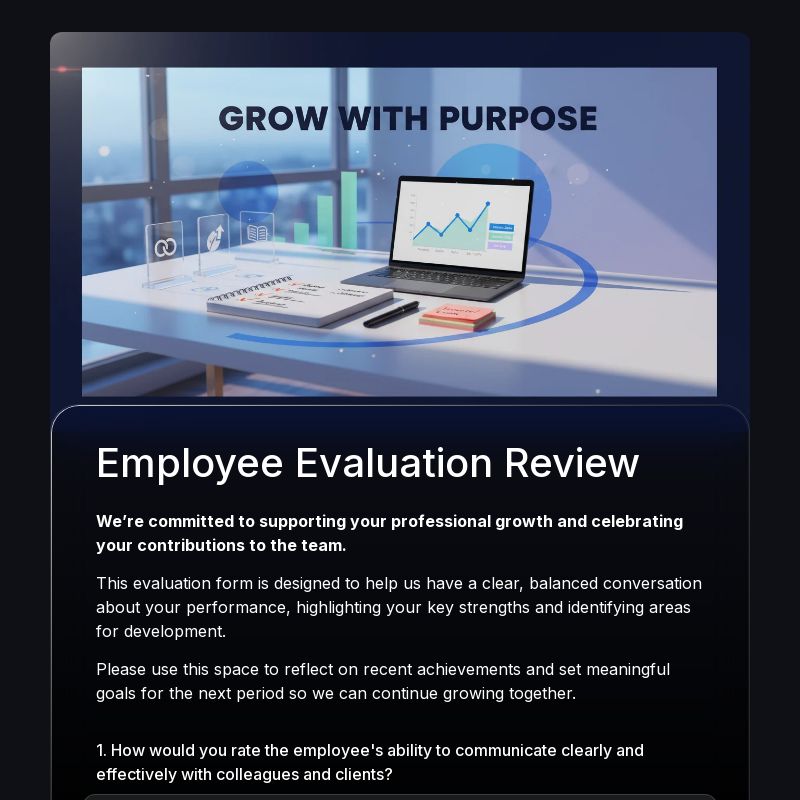
Purpose: Annual or quarterly performance reviews
Core fields: Name, review period, rating dimensions (goal achievement, communication, collaboration, initiative, quality of work) each with behavioral anchors, evidence section (“Give one specific example that shaped your rating”), development areas (“What should this person focus on in the next 90 days?”), optional overall recommendation
Template: Employee Evaluation Form Template
Tip: Keep rating dimensions to four or five. Evaluating too many attributes produces rater fatigue and compressed ratings, where respondents stop distinguishing the behavior that actually matters.
Post-event evaluation
Purpose: Attendee feedback after conferences, workshops, or team events
Core fields: Overall event rating (anchored), best session or moment (specific, not “what did you like?”), one thing to change, logistics rating (venue / catering / timing), likelihood to attend again (yes/no), contact (optional)
Template: Event Feedback Form Template
Tip: Send shortly after the event ending. For multi-day events, send after each day rather than at the very end, because day-one feedback gets diluted once the full event is over.
Training or student feedback evaluation
Purpose: Assess whether training content and delivery produced learning outcomes
Core fields: Pre-training knowledge rating (“How would you rate your knowledge of this topic before today?”), post-training knowledge rating, training delivery rating, most valuable concept, one thing to add or change, likelihood to apply what you learned (“Within the next 30 days, how likely are you to apply at least one thing from today?”)
Template: Student Feedback Survey Template
Tip: The pre/post knowledge question is the most valuable metric for measuring actual learning, not just satisfaction. Use Likert scale survey questions for confidence and clarity ratings, then see How to Create an Online Quiz for knowledge checks that test retention rather than just self-reported confidence.
Vendor / supplier evaluation
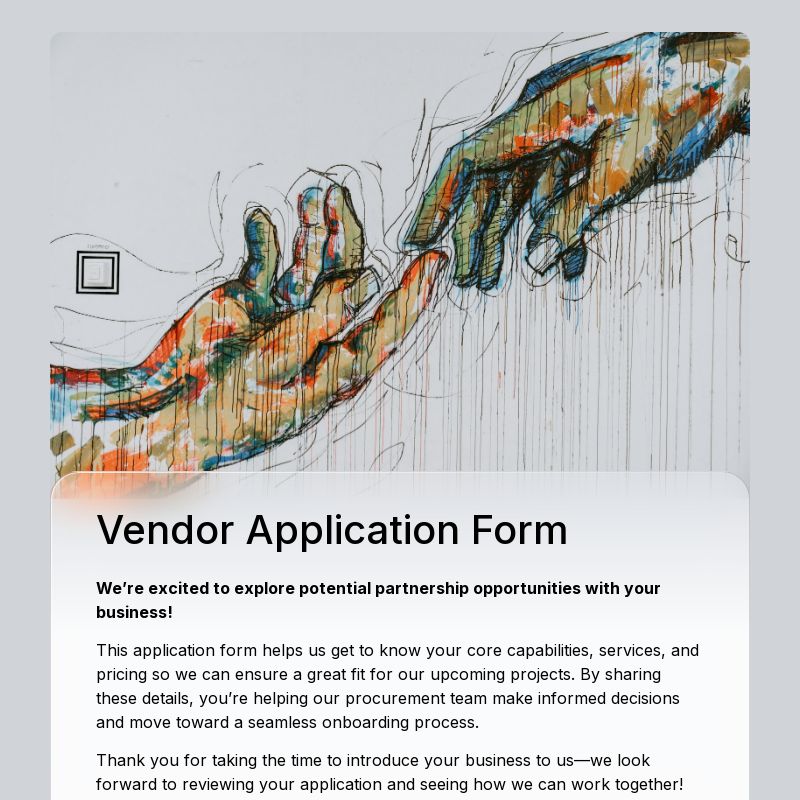
Purpose: Procurement assessments, annual supplier reviews
Core fields: Vendor name, contract period, rating dimensions (delivery reliability, communication, quality, pricing competitiveness, responsiveness to issues) with behavioral anchors, critical incident (“Describe one situation — positive or negative — that significantly shaped your rating”), renewal recommendation (yes/no/undecided), conditions for renewal
Template: Vendor Application Form Template
Tip: Include the “critical incident” field — it produces the most specific, usable data in vendor evaluations and forces evaluators to ground their scores in real events.
Product or feature feedback form

Purpose: Post-launch feature evaluation, UX research follow-up
Core fields: Feature used, frequency of use, ease-of-use rating, value rating (“Does this feature solve the problem you needed it to solve?”), friction point (“What was the most confusing or frustrating part?”), suggested improvement, likelihood to recommend
Template: Product Feedback Form Template
Tip: Pair with FormHug’s NPS survey for a complete picture: NPS measures overall loyalty while feature evaluations identify specific improvement opportunities.
Frequently Asked Questions
What’s the difference between an evaluation form and a survey?
A survey typically measures opinions, preferences, or attitudes at a point in time. An evaluation form is tied to a specific performance judgment — it assesses quality, effectiveness, or fit and usually drives a specific decision (promote, improve, renew, discontinue). In practice, the line is blurry, but evaluation forms tend to be more structured, with rating scales and targeted follow-up questions designed to produce actionable rather than descriptive data.
How many questions should an evaluation form have?
Five to eight questions is the sweet spot for most evaluation forms. Fewer than five often lacks the specificity to drive action; more than ten produces rater fatigue and compressed ratings where respondents stop differentiating. For performance reviews that cover multiple dimensions, five dimensions with one targeted follow-up each is a common effective structure.
Should evaluation forms be anonymous?
It depends on what you’re evaluating. For employee performance reviews and sensitive feedback (manager evaluations, 360-degree reviews), anonymity dramatically increases honesty. For post-event or training evaluations, anonymity matters less — the feedback is less personal. As a default, make the contact field optional rather than required, which gives respondents the choice.
Can I use conditional logic to show different questions based on ratings?
Yes. FormHug supports conditional logic on all field types, including rating fields. You can show a different follow-up question based on whether the score is high, medium, or low — surface “what went wrong?” for low scores and “what made this effective?” for high scores. This is one of the most impactful ways to improve evaluation data quality; see the form builder docs for the broader builder workflow.
What’s the best way to distribute an evaluation form?
The timing matters more than the channel. Post-event evaluations should be sent or shown immediately after the event. Training evaluations should be distributed before participants leave the room (or while they’re still in the virtual session). Performance reviews should have a clear deadline communicated at the start of the review cycle. Response rates drop significantly after 24 hours for event and training evaluations.
How do I analyze evaluation form results?
Start by segmenting by score tier: look at low-scoring responses first (most actionable), then high-scoring ones (what to replicate). Read all open-ended responses before averaging numbers — the qualitative comments often reveal patterns that summary scores hide. For performance evaluations, compare scores across different evaluators to identify scoring bias before making decisions.
Related
- How to Use Conditional Logic in Forms — show different follow-up questions based on evaluation scores
- Open-Ended Survey Questions — write targeted prompts that explain the score
- How to Create an Online Quiz — pair evaluations with knowledge assessments to measure actual learning outcomes
- NPS Survey Best Practices — combine overall loyalty measurement with specific feature or event evaluations
Every vague rating you collect creates one more data point nobody can act on; anchored questions and score-based follow-ups turn that same moment into useful feedback. Create your form →

Written by
FormHug TeamProduct, research, and form automation team
The FormHug Team brings together product builders, workflow researchers, and form automation practitioners who study how people collect, route, and act on information online. Our guides are based on hands-on product testing, template analysis, customer workflow patterns, and deep experience with forms, surveys, quizzes, AI-assisted creation, integrations, and results sharing.