

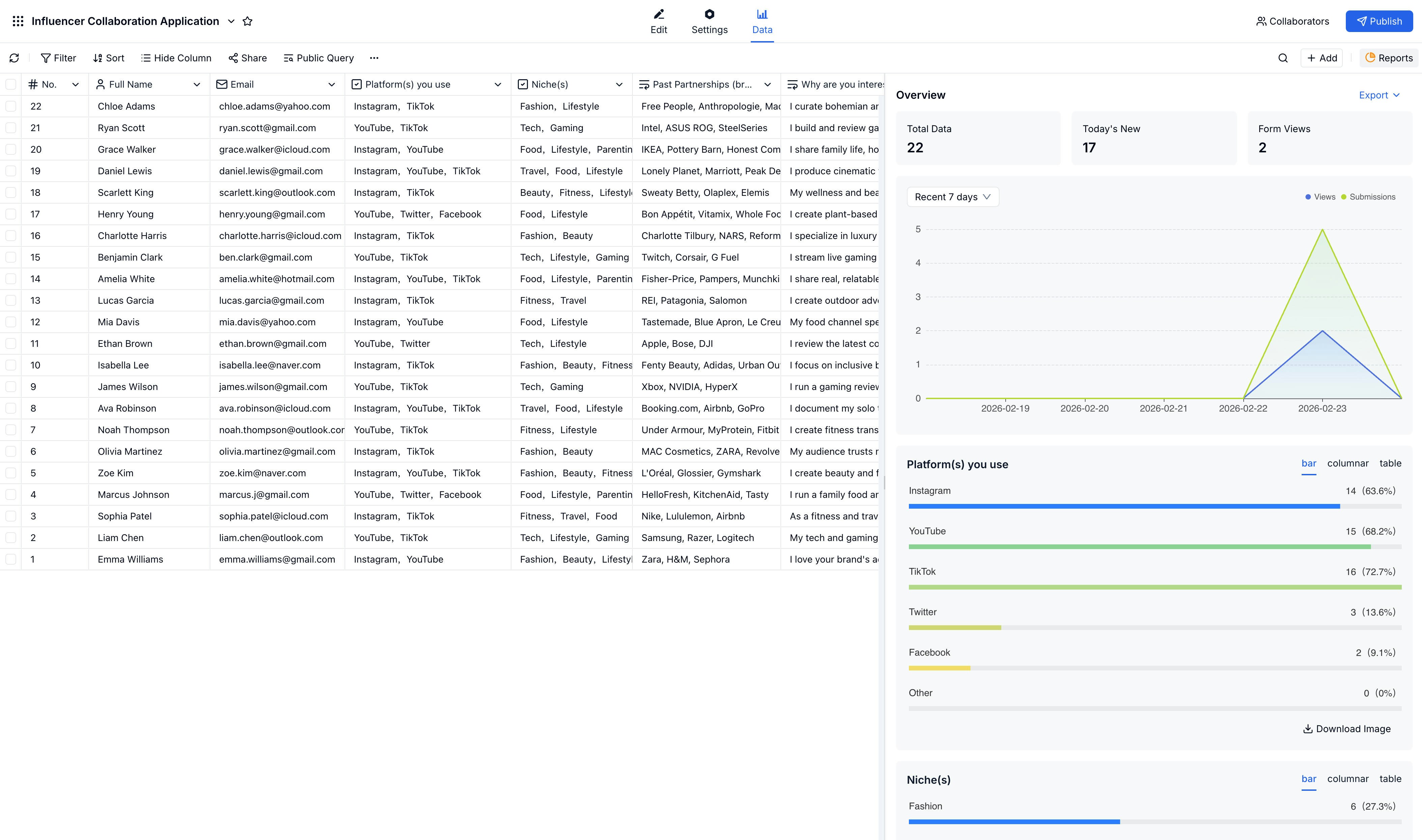
Overview Panel
The overview panel on the right side of the submissions page gives you a quick summary of your form’s performance:Viewing Submissions
Access submissions from your form’s Data tab. Click any row to open the full submission detail view. What you can see:- All field values for the submission
- Submission timestamp and ID
- Status and any notes or comments
Managing Submissions
Bulk Actions
Select multiple submissions to:- Export to Excel or CSV
- Delete in bulk
- Send emails (if an email field exists)
Exporting Data
1
Select submissions
Check the submissions you want to export, or select all.
2
Click Export
Choose Export from the actions menu.
3
Choose format
Select Excel (.xlsx) or CSV.
4
Download
Your file downloads automatically.
Filtering & Searching
Find specific submissions:- Search by any field value
- Filter by date range or field values
- Sort by any column
Related
Reports
Analyze trends across your submission data
Notifications
Get alerted when new submissions arrive
Google Sheets Integration
Sync new submissions to a live spreadsheet
Public Query
Let people search their own record without dashboard access
Build a Lookup Page from Excel
Turn existing spreadsheet rows into a public search page